

 FSX Utilities
Universal AI Alias Installer
Universal AI Alias Installer for traffic_sounds_FSX. This installer is a free…
World-of-AI Installer v2.4 streamlines adding realistic freeware airline AI traffic and schedules, keeping future World-of-AI packages organized and easy to manage in FSX and FS2004. It pairs with the separate woai-packages.zip archive and requires Microsoft .NET Framework 2.0 for full functionality.
FSX and FS2004 World-of-AI Installer. This is the World-of-AI Installer version 2.4. You'll need this installer for future World-of-AI releases. You also need the package files that go with the installer (woai-packages.zip).
This program provides freeware AI traffic for your copy of FSX or FS2004.
 You will also need the Microsoft .NET framework 2.0 to make the installer work.
NOTE: Once you have the installer, you will need the AI package files that can be downloaded here.
Free for all simmers · 973.41 KB · Scanned clean
Download speed: Free tier is capped at 0.5 Mbps. PRO members download at full line speed.
This add-on may require the following files to function properly. If this is a repaint, the dependency below is likely the base aircraft package.
SimObjects\Airplanes\, Addon Scenery\, Effects\, or Gauges\.readme.txt or README file. It tells you exactly where files go, what dependencies are needed, and any quirks specific to this add-on.The archive woains24.zip has 11 files and directories contained within it.
This list displays the first 500 files in the package. If the package has more, you will need to download it to view them.
| Filename/Directory | File Date | File Size |
|---|---|---|
| WOAI Installer.exe | 12.14.06 | 288.00 kB |
| AIFSControls.dll | 11.22.05 | 28.00 kB |
| FSAirports.txt | 10.30.05 | 1.05 MB |
| ICSharpCode.SharpZipLib.dll | 10.18.05 | 136.00 kB |
| AISound.txt | 11.06.06 | 4.80 kB |
| Installer Documentation.doc | 10.14.06 | 458.00 kB |
| TTools.ini | 11.14.05 | 192 B |
| TTools.exe | 08.16.03 | 116.00 kB |
| flyawaysimulation.txt | 10.29.13 | 959 B |
| Go to Fly Away Simulation.url | 01.22.16 | 52 B |
| WHERETOGETPACKAGES.txt | 04.10.17 | 159 B |
More FSX & P3D add-ons hand-picked based on this download.
FSX Utilities
Universal AI Alias Installer for traffic_sounds_FSX. This installer is a free…
 FSX Utilities
This download provides all of the AI aircraft and flight plan packages to be …
 FSX Utilities
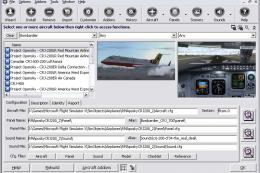
Addit! Pro gives you the power to fully manage all of your Flight Simulator X…
 FSX Utilities
FSX Aircraft Installer - This program can install your aircrafts and rotorcra…
 FSX Utilities
New to Traffic_Sounds_FSX is the FS Live Traffic Alias Installer. This instal…
 FSX Utilities
New to Traffic_Sounds_FSX is the Ultimate Traffic Alias Installer, this insta…
 FSX Utilities
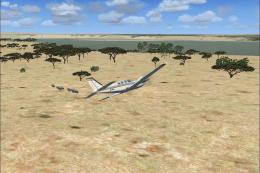
FSX Living World v1.1. An animation tool that uses the Microsoft FSX Animal a…
 FSX Utilities
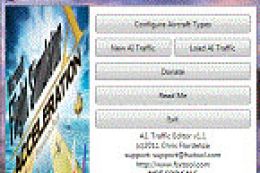
A.I. Traffic tool is created to provide a way for the average flight simulato…
Read what other simmers think, or add your own.


So far its seems to be working well but does have a few issues. Its takes time for activity to start. At first planes are at the terminals but after some time passes incoming flights land and others start taking off and there is ATC traffic. My biggest problem is some of the aircraft have no textures and appear only white. I have yet to figure out why.


For those of you who are having trouble and losing certain AI traffic, it is because the original traffic files were compiled for FS9/FS2004.
May I suggest downloading the free program AIFP (AI Flight Planner) and checking each traffic file for FS9 data? If you follow the guidance notes you can re-compile them to work with FSX, etc and all should then be good.
A prime example is the Air France traffic files which are in FS9 format and need to be converted. A laborious task it may seem but it is worth it in the end. Remember to remove the default traffic files otherwise, it may cause a drain on resources and possibly lead to a CTD.

Is there also general aviation traffic for this? as soon as you install it all g.a aircraft disappear.

The installer is simple to use, noting you don't close and reopen to add additional so. The reason it seems it takes a while to see aircraft is due to the aircraft you've downloaded, the country of origin, and flight plans.
What I do is set up airlines according to where I'm flying. Specifically what continent. To note, if you're at KLAX, you can't expect planes to arrive immediately, it'll take time for them to leave whichever they are at and time to arrive at you're location. I use MAIW to run my entire military group and WOAI for civilian commercials.
Of all I've tested these two are the very best and that goes pretty much for payware. I've used high-end payware and although good, I'm not giving up 2 to three gigs of space for routes I can change and take up memory by saving the flight plans.
You'll know when installing aircraft if it's correct for your system, if not the installer will let you know. Good Luck.

Hello, I would like to see scenery and aircraft installation tutorials for FSX and MSFS2020.


loader reports a fault when loading to windows 7 / FSX. is there a recent edition of the loader?

Would you please tell me in what folder/folders these files belong in FSX. Aircraft file= Airports file= Traffic file=World/scenery Flight Plans=
I am still batting zero with planes not moving and talking in ATC, but are showing up at the jetways. I have followed instructions carefully and had all the aircraft installed on my old computer. New comp Windows 7 Premium 64Bit. TTools decompile & compile, nothing. Path set correctly.
