

 FSX Utilities
Airport Design Editor AFCAD Editor/Creator
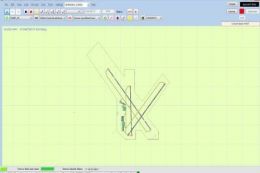
Airport Design Editor (ADE) is a graphical design tool to create and enhance …
AI Traffic Editor v1.1 streamlines building custom airline and general aviation schedules by using every installed aircraft texture in the FSX directory, making Traffic Builder SDK workflows more approachable for everyday simmers. It adds smarter simulator path detection, corrects duplicate aircraft IDs and weekly day errors, and requires Microsoft Flight Simulator X SDK.
 Rate
Rate
A.I. Traffic tool is created to provide a way for the average flight simulator players to be able to utilize the Traffic Builder SDK included with Microsoft Flight Simulator X. The tool's main functionality is to create AI traffic that uses all aircraft textures present in the user's FSX directory. By Christopher Flordeliza.
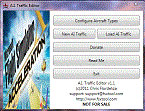
Screenshot of AI Traffic Editor V1.1.
New to this version:
Hardware requirement of this software should be same or lower than what the Microsoft Flight Simulator required. As for the software requirements, Microsoft Flight Simulator X and SDK are required.
IMPORTANT! If you have the previous version of AITrafficEditor, please uninstall it first.
To uninstall the previous version:
To install this version.
Free for all simmers · 4.05 MB · Scanned clean Oct 2026
Download speed: Free tier is capped at 0.5 Mbps (this file takes approximately 1 min at the cap). PRO members download at full line speed.
FSX\SimObjects\Airplanes\. Traffic BGL files go into FSX\Scenery\World\scenery\.readme.txt or README file. It tells you exactly where files go, what dependencies are needed, and any quirks specific to this add-on.The archive aitrafficsetup11.zip has 6 files and directories contained within it.
This list displays the first 500 files in the package. If the package has more, you will need to download it to view them.
| Filename/Directory | File Date | File Size |
|---|---|---|
| AITrafficSetup.gif | 02.20.11 | 8.89 kB |
| AITrafficSetup.msi | 02.20.11 | 4.14 MB |
| ReadMe.txt | 02.21.11 | 2.19 kB |
| setup.exe | 02.20.11 | 512.00 kB |
| flyawaysimulation.txt | 10.29.13 | 959 B |
| Go to Fly Away Simulation.url | 01.22.16 | 52 B |
Only PRO members can place votes.
More FSX & P3D add-ons hand-picked based on this download.
FSX Utilities
Airport Design Editor (ADE) is a graphical design tool to create and enhance …
 FSX Utilities
Traffic Sounds FSX Ultimate Traffic 2 Alias Installer. By Alan Constable. Cov…
 FSX Utilities
This download provides all of the AI aircraft and flight plan packages to be …
 FSX Utilities
TMLE was designed to make the use of High Definition and Super High Definitio…
 FSX Utilities
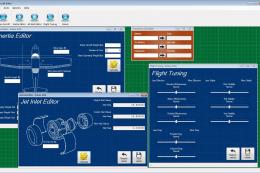
A program to allow users to calculate inertia and jet inlet values and save t…
 FSX Utilities
This is a simple, no-frills editor for direct editing of aircraft.cfg files. …
FSX Utilities
This is a simple, no-fills editor for direct editing of the fsx.cfg file. It …
FSX Utilities
Includes four utilities. aitchk.exe - The program can be used to scan files o…
Read what other simmers think, or add your own.

I downloaded and added it to my Flight Sim X deluxe edition.
Here is my stupid question: How do I use it? I have looked in the tutorials, but can't find anything.
I can't seem to find where I can get it to display to add AI traffic. Can anyone point me in the right direction?


I am looking at a editor to have flight sim load groups of AI air traffic load at a time.
Does AI Traffic Editor do anything like this.
Thanks Airfree