


 FSX Panels & Gauges
YE-ZB Navigation System
YE-ZB was a Top Secret WW2 US Navy system developed by Frank Akers for homing…
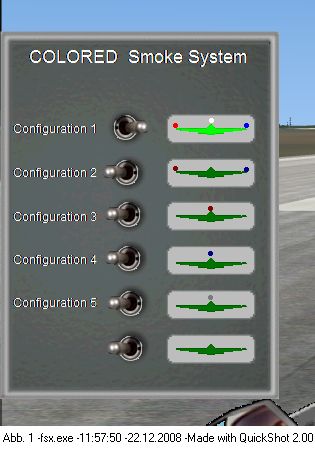
Colored smoke trails bring airshow-style visuals to any aircraft, using a lightweight gauge that spawns smoke effects from selectable airframe positions and ties five color options to standard light switches. Designed for FSX and tested with the PC-7Astra setup, it supports flexible configuration for different models with clear bilingual documentation.
Free for all simmers · 854.72 KB · Scanned clean
Download speed: Free tier is capped at 0.5 Mbps. PRO members download at full line speed.
SimObjects\Airplanes\, Addon Scenery\, Effects\, or Gauges\.readme.txt or README file. It tells you exactly where files go, what dependencies are needed, and any quirks specific to this add-on.The archive dl_c-smoke.zip has 25 files and directories contained within it.
This list displays the first 500 files in the package. If the package has more, you will need to download it to view them.
| Filename/Directory | File Date | File Size |
|---|---|---|
| Effects | 12.26.08 | 0 B |
| fx_smokedl_blue.fx | 12.17.08 | 2.48 kB |
| fx_smokedl_red.fx | 12.16.08 | 2.48 kB |
| fx_smokedl_white.fx | 12.16.08 | 2.53 kB |
| LiesMich.odt | 12.23.08 | 202.30 kB |
| LiesMich.pdf | 12.23.08 | 136.59 kB |
| ReadMe.odt | 12.26.08 | 202.22 kB |
| ReadMe.pdf | 12.26.08 | 139.63 kB |
| ReadMe.txt | 12.26.08 | 1.28 kB |
| Smoke | 12.26.08 | 0 B |
| C_Smoke.xml | 12.21.08 | 25.16 kB |
| C_Smoke_Alert.xml | 12.22.08 | 11.50 kB |
| Smoke.bmp | 12.22.08 | 2.07 kB |
| smoke_pnl.bmp | 12.21.08 | 190.37 kB |
| Smoke_Switch.xml | 12.22.08 | 1.02 kB |
| Switch_OFF.bmp | 12.19.08 | 10.60 kB |
| Switch_ON.bmp | 12.19.08 | 10.60 kB |
| Symbol_OFF.bmp | 12.19.08 | 4.74 kB |
| Symbol_ON.bmp | 12.19.08 | 4.74 kB |
| Smoke1.JPG | 12.22.08 | 107.52 kB |
| Smoke3.gif | 12.26.08 | 10.90 kB |
| Color_Smoke System | 12.26.08 | 0 B |
| avsim.diz | 04.27.04 | 360 B |
| flyawaysimulation.txt | 10.29.13 | 959 B |
| Go to Fly Away Simulation.url | 01.22.16 | 52 B |
More FSX & P3D add-ons hand-picked based on this download.
FSX Panels & Gauges
YE-ZB was a Top Secret WW2 US Navy system developed by Frank Akers for homing…
 FSX Panels & Gauges
This Beech 18 gauge will make a little smoke effect out of both engines just …
 FSX Panels & Gauges
For use with wing views in FSX. As we all know, FSX doesn't provide this func…
 FSX Panels & Gauges
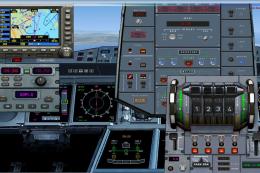
Airbus A380 Panel. Highly detailed panel for Airbus A380. By Pasquale Rinaldi…
 FSX Panels & Gauges
This archive contains version 5.0 of my "groundhandling" gauges, like automat…
 FSX Panels & Gauges
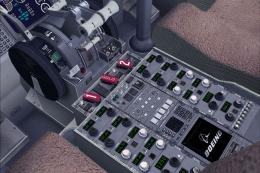
This package contains repaint textures that will make the default B737-800 co…
 FSX Panels & Gauges
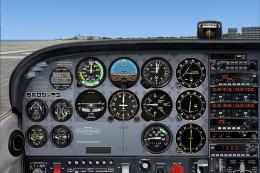
Panel And FDE For Default Cessna 172SP. This package includes new instrument …
 FSX Panels & Gauges
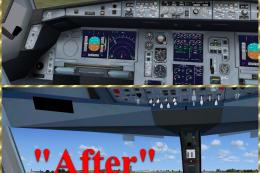
Virtual cockpit textures upgrade for Airbus A321, A330-200/300, A340-200/300/…
Read what other simmers think, or add your own.

FINALLY got this add-on to work using my P47 aircraft - had to switch the [WINDOW10] to [WINDOW08] so shift+9 would bring it up...
The 'smoke' button still only showing up on TRUMP747 for some reason (but there it brings up the wrong gauge)...
REAL nice though - cool smoke trails for sky writing... fun w/FSX!!!
I installed this smoke system on three aircraft:
None of the panels showed up in the cockpits of the first two. On the third, the 'smoke' button appeared, but it only popped up the main panel with horizon... no smoke panel.
Really poorly documented add-on - disappointed :-P