


 FS2004 Scenery
Alternative Autogen Textures
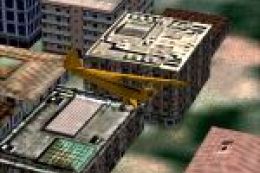
Autogen for all world with an certain 3D effect and a larger variety of textu…
Sharper, more varied tree textures bring richer seasonal color and believable foliage to landscapes in FS2004. The full replacement set updates default vegetation worldwide without changing tree size, placement, or density, delivering a consistent boost in realism across regions and climates while keeping performance characteristics familiar.
Free for all simmers · 1.59 MB · Scanned clean
Download speed: Free tier is capped at 0.5 Mbps. PRO members download at full line speed.
FS9\Aircraft\, FS9\Addon Scenery\, FS9\Gauges\, or FS9\Effects\.readme.txt or README file. It tells you exactly where files go, what dependencies are needed, and any quirks specific to this add-on.The archive trees_mp.zip has 8 files and directories contained within it.
This list displays the first 500 files in the package. If the package has more, you will need to download it to view them.
| Filename/Directory | File Date | File Size |
|---|---|---|
| treesSP.bmp | 05.27.05 | 682.75 kB |
| treesSU.bmp | 05.27.05 | 682.75 kB |
| treeswi.bmp | 05.30.05 | 682.75 kB |
| Readme.txt | 04.24.06 | 1.29 kB |
| treesFA.bmp | 05.27.05 | 682.75 kB |
| treeshw.bmp | 05.30.05 | 682.75 kB |
| flyawaysimulation.txt | 10.29.13 | 959 B |
| Go to Fly Away Simulation.url | 01.22.16 | 52 B |
More FS2004 add-ons hand-picked based on this download.
FS2004 Scenery
Autogen for all world with an certain 3D effect and a larger variety of textu…
 FS2004 Scenery
NOVA Textures Release 3. This file contains some textures used to design cont…
 FS2004 Scenery
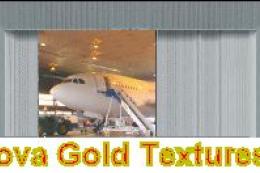
NOVA Gold Textures Release 1. This file contains a selection of 24 photoreali…
 FS2004 Scenery
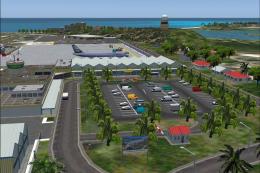
Princess Juliana is the scenery of the International Airport of St-Maarten in…
 FS2004 Scenery
Airport Environment Upgrade 7.0 (AEU7) will greatly enhance the Microsoft® Fl…
 FS2004 Scenery
This is my first complete new scenery for FS2004, and it enhances the entry a…
 FS2004 Scenery
FS2004 Project Canarias 2006. The result of several months of non-stop work a…
 FS2004 Scenery
FS2004 Jetway animation for your aircrafts in approaching to terminal. The mo…
Read what other simmers think, or add your own.

Friends, if you allow me to call you that, I am an elderly person over 90 years old and I am still passionate about FSX, which I now have installed on my Acer notebook.
I spent a long time without playing because I had to undergo surgery and the recovery was long. In addition, I lost the motivation and almost gave everything up. Little by little I recovered and I am trying to return to the FSX I used to know well. I had several things installed and everything worked fine.
Now I want to develop my skills again, but it is difficult. I forgot how to install sceneries, aircraft, etc. However, little by little, with some help, I will manage.
At the moment I managed to install a very beautiful and challenging scenery, "Lukla."
So I would like to count on the patience of anyone willing to help me with some questions. Is that possible? Could a friend leave their address (WhatsApp works)? Thank you.