


 FSX Civil Aircraft
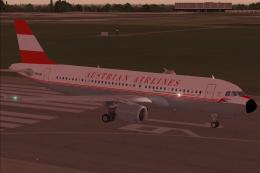
Austrian Airlines Airbus A320-214
This carefully crafted Airbus A320-214 freeware package brings the distinctiv…
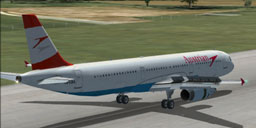
Austrian Airlines Airbus A321 repaint brings registration OE-LBA to the default Airbus narrowbody with crisp airline markings and authentic in-sim identifiers for a believable scheduled look. Designed for Microsoft Flight Simulator X, it requires the default A321 and enhances ramp presence and airline immersion without altering the aircraft model.
Austrian Airlines Airbus A321, registration OE-LBA. Textures only for the default A321.
This is Austrian Airlines repaint for FSX Airbus A321. Registration OE-LBA.
Created by RSvit
This is a freeware and should remain so.
I'm not responsible for the damages doing to your computer.
Installation:
1 - Place texture.aus into folder .../Simobjects/Airplane/Airbus_A321
2 - Open aircraft.CFG using notepad and copy the following replacing X with the next number in the sequence. Save the modified ‘aircraft.cfg’ file.
[fltsim.X]
title=Airbus A321 Austrian Airlines
sim=Airbus_A321
model=
panel=
sound=
texture=aus
kb_checklists=AirbusA321_check
kb_reference=AirbusA321_ref
atc_id=OE-LBA
atc_airline=Austrian
atc_flight_number=AU325
ui_manufacturer="Airbus"
ui_type="A321"
ui_variation="Austrian Airlines"
ui_typerole="Commercial Airliner"
ui_createdby="RSvit"
description=Repaint Austrian
3 - Look for repaint in FSX and unckeck 'Show Tail Namber' checkbox in details dialog box.
Free for all simmers · 1.98 MB · Scanned clean
Download speed: Free tier is capped at 0.5 Mbps. PRO members download at full line speed.
FSX\SimObjects\Airplanes\. The folder must contain an aircraft.cfg file. Effects go into FSX\Effects\; gauges go into FSX\Gauges\.readme.txt or README file. It tells you exactly where files go, what dependencies are needed, and any quirks specific to this add-on.The archive austrian321.zip has 10 files and directories contained within it.
This list displays the first 500 files in the package. If the package has more, you will need to download it to view them.
| Filename/Directory | File Date | File Size |
|---|---|---|
| Readme!Austrian.txt | 07.14.09 | 932 B |
| texture.aus | 07.14.09 | 0 B |
| A321_1_T.dds | 07.14.09 | 1.33 MB |
| A321_2_T.dds | 03.15.07 | 1.33 MB |
| A321_2_T_spec.dds | 12.03.06 | 1.33 MB |
| Fresnel_Ramp.dds | 12.03.06 | 640 B |
| texture.cfg | 12.03.06 | 137 B |
| thumbnail.jpg | 07.14.09 | 96.05 kB |
| flyawaysimulation.txt | 10.29.13 | 959 B |
| Go to Fly Away Simulation.url | 01.22.16 | 52 B |
More FSX & P3D add-ons hand-picked based on this download.
FSX Civil Aircraft
This carefully crafted Airbus A320-214 freeware package brings the distinctiv…
 FSX Civil Aircraft
Explore a finely tuned freeware simulation of Austrian Airlines’ Boeing 777-2…
 FSX Civil Aircraft
Enhance your virtual hangar with an in-depth recreation of Austrian Airlines’…
 FSX Civil Aircraft
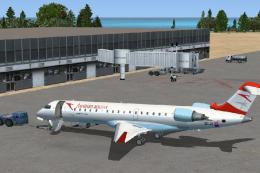
Austrian Airlines ( Austrian Arrows ) / Tyrolean Airways CRJ 700. A repaint o…
 FSX Civil Aircraft
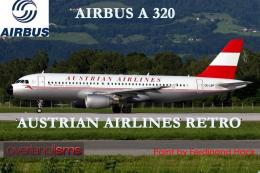
FSX Austrian Airbus A320-200, registration OE-LBP, retro livery. Textures onl…
 FSX Civil Aircraft
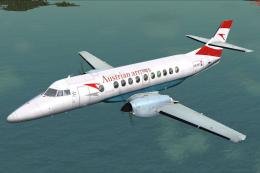
Experience the BAe Jetstream 4100 in Austrian Arrows colors with this freewar…
 FSX Civil Aircraft
FSX Austrian Special Boeing 737-800, registration OE-FTT. Textures only for t…
 FSX Civil Aircraft
Austrian Boeing 737-600.A repaint for the ProjectOpen Sky B737-600. Repaint b…
Be the first to leave a comment on this download.
Be the first to share your thoughts on this download.