


 Hong Kong
  FSX AFCAD Files
Imagine Sim VHHH AFCAD
AFCAD specifically for Imagine Simulation VHHH Hong Kong International Airpor…
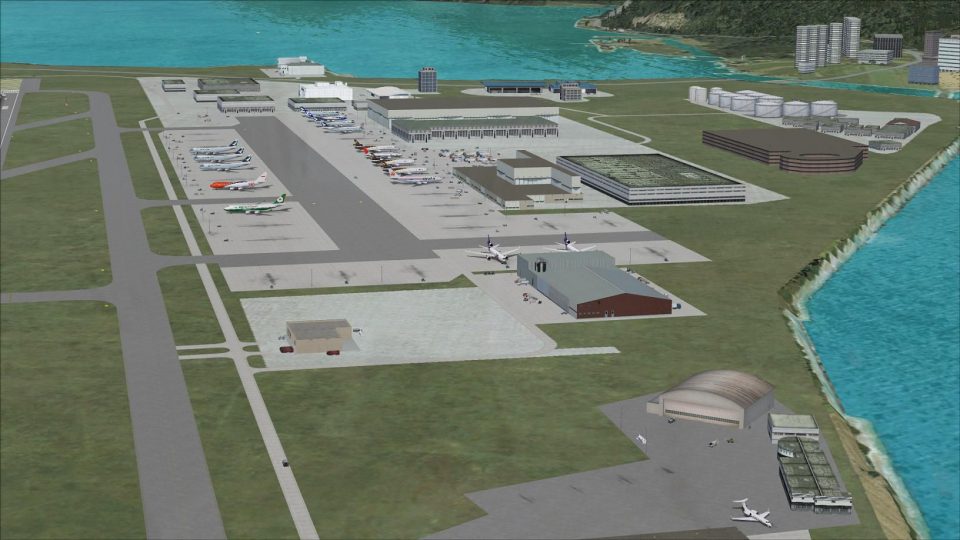
Hong Kong International Airport (VHHH) gets a refined FSX default AFCAD built in Airport Design Editor, adding assigned parking and new gates sized for the A380, plus the North Satellite Concourse. Updated taxiways, signage, cargo and maintenance areas, rebuilt service roads, extra fuel trucks, and improved tower-view sightlines complete the airside upgrade.
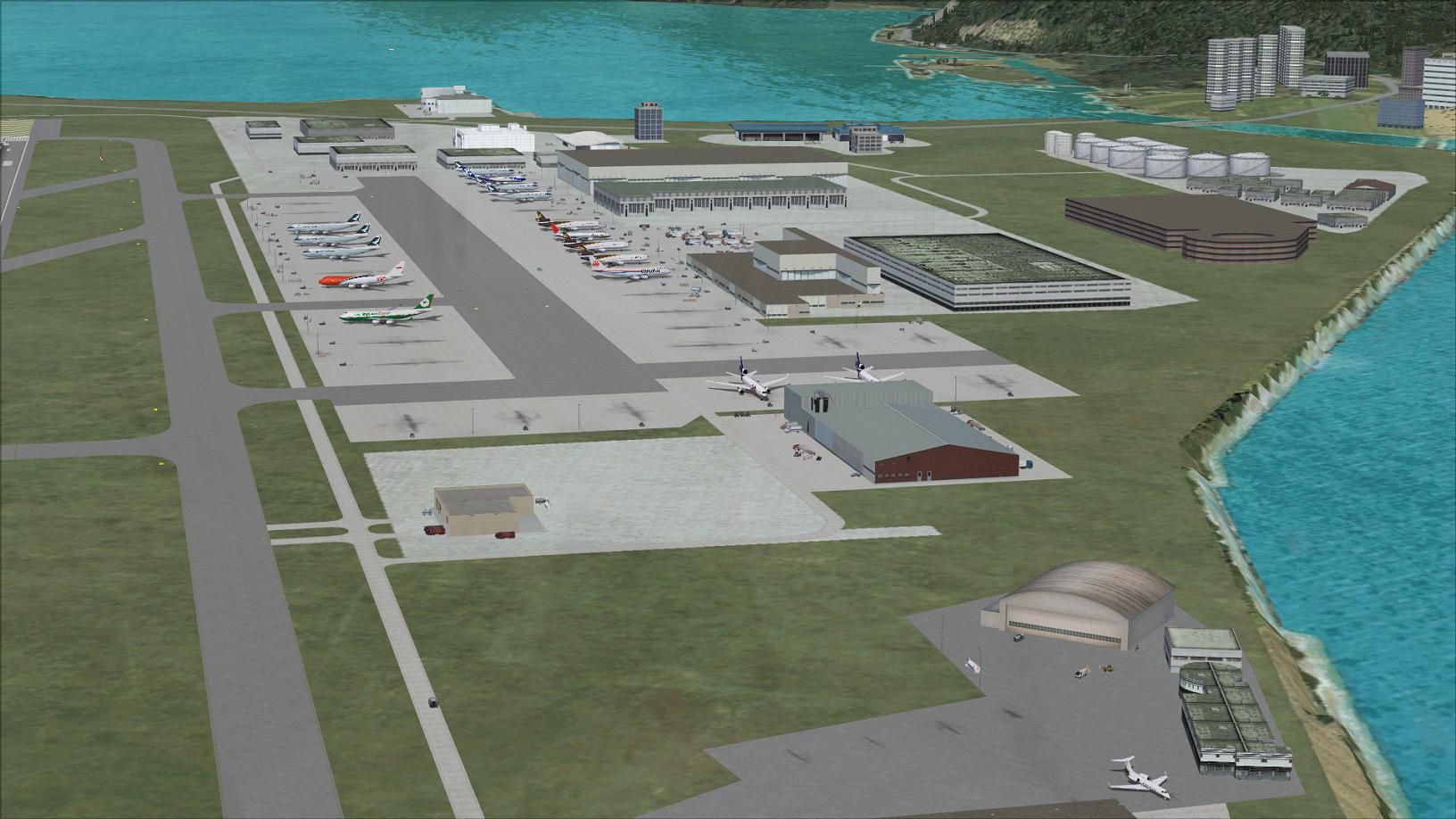
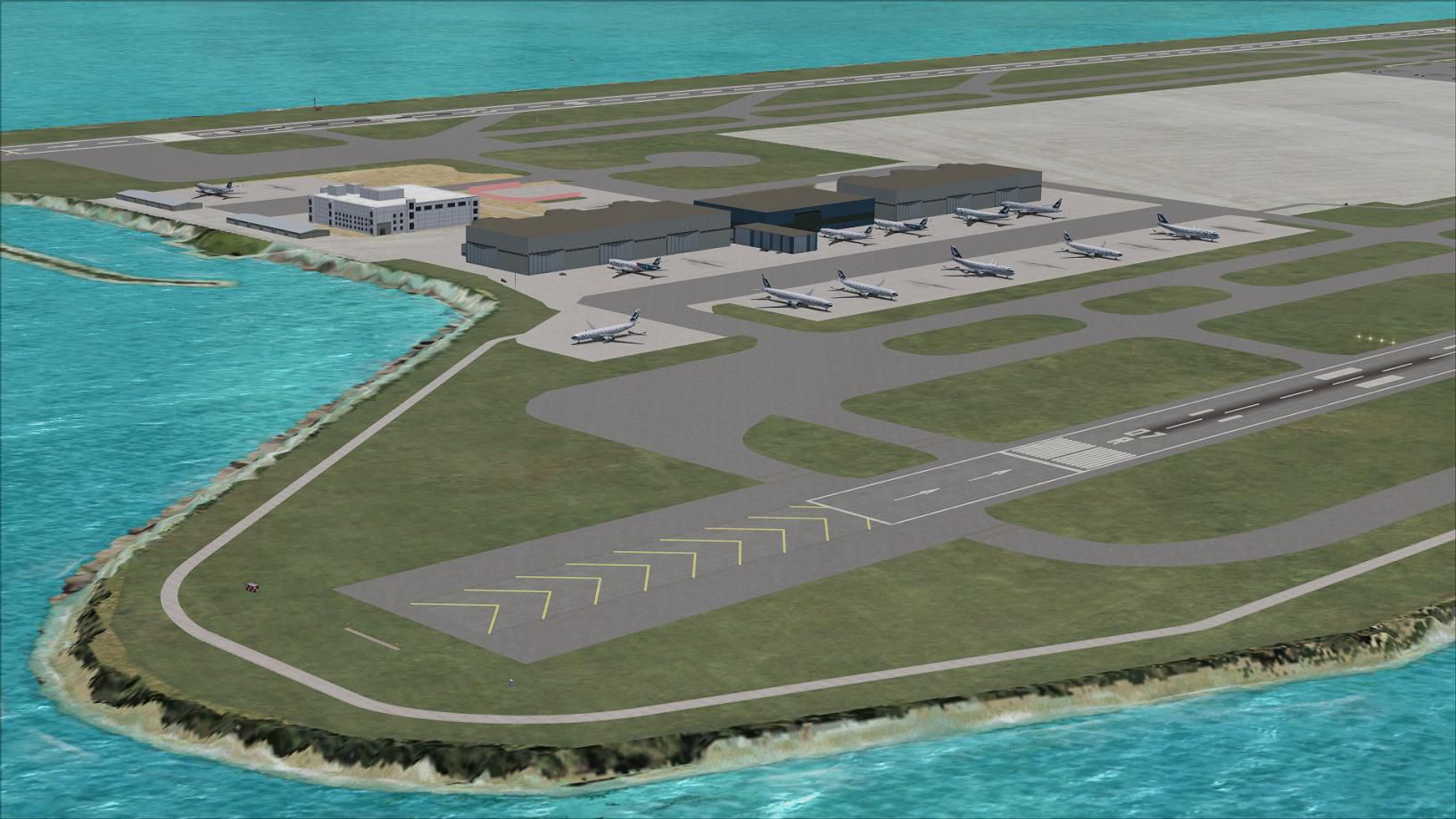
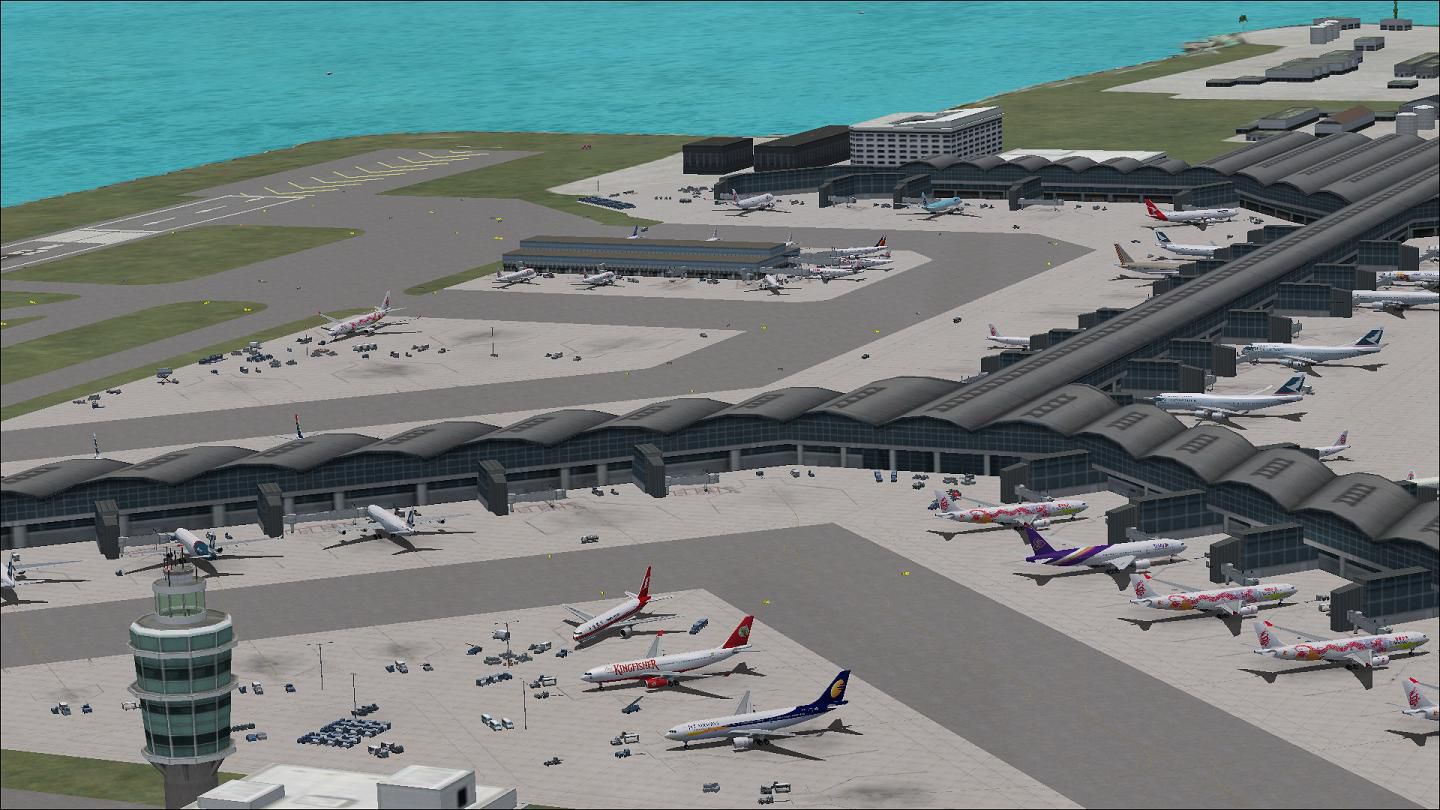
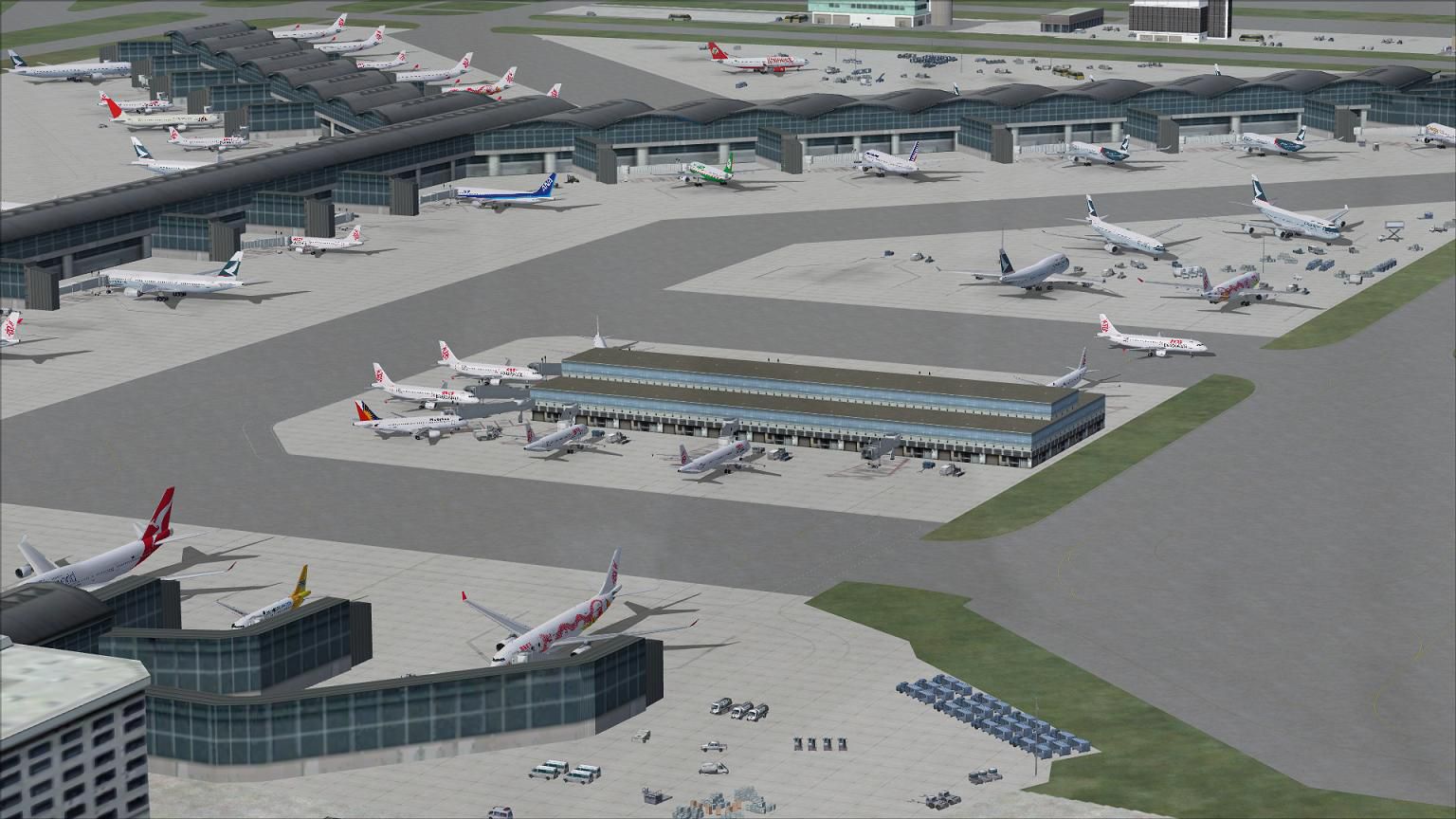
Hong Kong International Airport, China. This airport update was designed with the latest version of ADE (Airport Design Editor) and made only for the FSX default airport. Assigned parking with extra parking including gates for the A380, North Satellite Concourse added, additional maintenance hangars, cargo expansion area added, taxiways and taxi signs updated, extra fuel trucks, support vehicle roads rebuilt and many other improvements. Airport views are from inside the control tower (when in tower view). By Ray Smith.
View of Hong Kong International Airport, China.
There are 2 BGL files: VHHH_ADE_RS.BGL and a VHHH_ADE_OBJ.BGL file.
To Install:
To Uninstall:
Enjoy and happy flying.
Ray
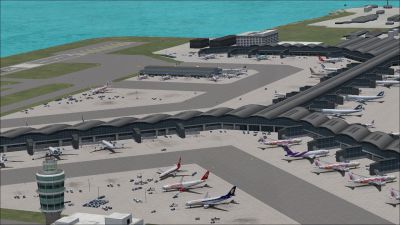
View of Hong Kong International Airport, China.
Free for all simmers · 772.71 KB · Scanned clean
Download speed: Free tier is capped at 0.5 Mbps. PRO members download at full line speed.
AF2_*.bgl or AFX_*.bgl) go into FSX\Addon Scenery\Scenery\ or a dedicated AFCAD folder you create.readme.txt or README file. It tells you exactly where files go, what dependencies are needed, and any quirks specific to this add-on.Use these coordinates to fly directly to this location once the mod is installed.
22.30800000,113.91850000
Launch FSX or Prepar3D and use Flights → Load to open the downloaded .pln file. Your aircraft will be positioned at this location.
The archive vhhh_ade_rs_fsx.zip has 10 files and directories contained within it.
This list displays the first 500 files in the package. If the package has more, you will need to download it to view them.
| Filename/Directory | File Date | File Size |
|---|---|---|
| ReadMe.txt | 05.22.12 | 2.50 kB |
| VHHH.jpg | 03.14.12 | 174.12 kB |
| VHHH1.jpg | 03.14.12 | 177.82 kB |
| VHHH2.jpg | 03.14.12 | 184.96 kB |
| VHHH3.jpg | 03.14.12 | 183.49 kB |
| VHHH_ADE_OBJ.BGL | 03.14.12 | 82.29 kB |
| VHHH_ADE_RS.BGL | 03.14.12 | 85.49 kB |
| FSX_vhhh_ade_rs | 03.14.12 | 0 B |
| flyawaysimulation.txt | 10.29.13 | 959 B |
| Go to Fly Away Simulation.url | 01.22.16 | 52 B |
More FSX & P3D add-ons hand-picked based on this download.
FSX AFCAD Files
AFCAD specifically for Imagine Simulation VHHH Hong Kong International Airpor…
 FSX AFCAD Files
This is part of the tenth round of airports issued by Alpha India Group. AIG …
 FSX AFCAD Files
Elevate Microsoft Flight Simulator X with a refined rendition of Lisbon Inter…
 FSX AFCAD Files
John F. Kennedy International Airport, New York, NY, USA, v2. This airport up…
 FSX AFCAD Files
Dubai International Airport, United Arab Emirates (UAE). This airport update …
 FSX AFCAD Files
Los Angeles International Airport (LAX), California (CA), USA. This airport u…
 FSX AFCAD Files
This freeware package modernizes Zurich International Airport (LSZH) in Micro…
 FSX AFCAD Files
Lic Benito Juarez International Airport, Mexico City, Mexico. This airport up…
Read what other simmers think, or add your own.

I didn't put the second file to xxx/Global/scenery/. I put it to xxx/World/scenery/ instead. After making that change, the addon is working on my system.

Hi, I have a request for Punta Cana. An AFCAD scenery for MDPC with crosswind active runways, vegetation, updated parking with jetways, etc... If you can do that, thank you.