


 United States of America
  FSX Scenery
Prescott Arizona Photoscenery
Prescott Arizona Photoscenery. This is a photoscenery based on USGS 2005 Ariz…
Tucson Arizona International Airport (KTUS) for FSX replaces the default field with a full Airport Design Editor rebuild, featuring newly modeled terminals, reworked aprons and taxiways, accurate gate numbering and airline codes, expanded GA and military parking, and updated approaches based on current Jeppesen plates. Requires Alpha India Group Scenery Objects for custom buildings.
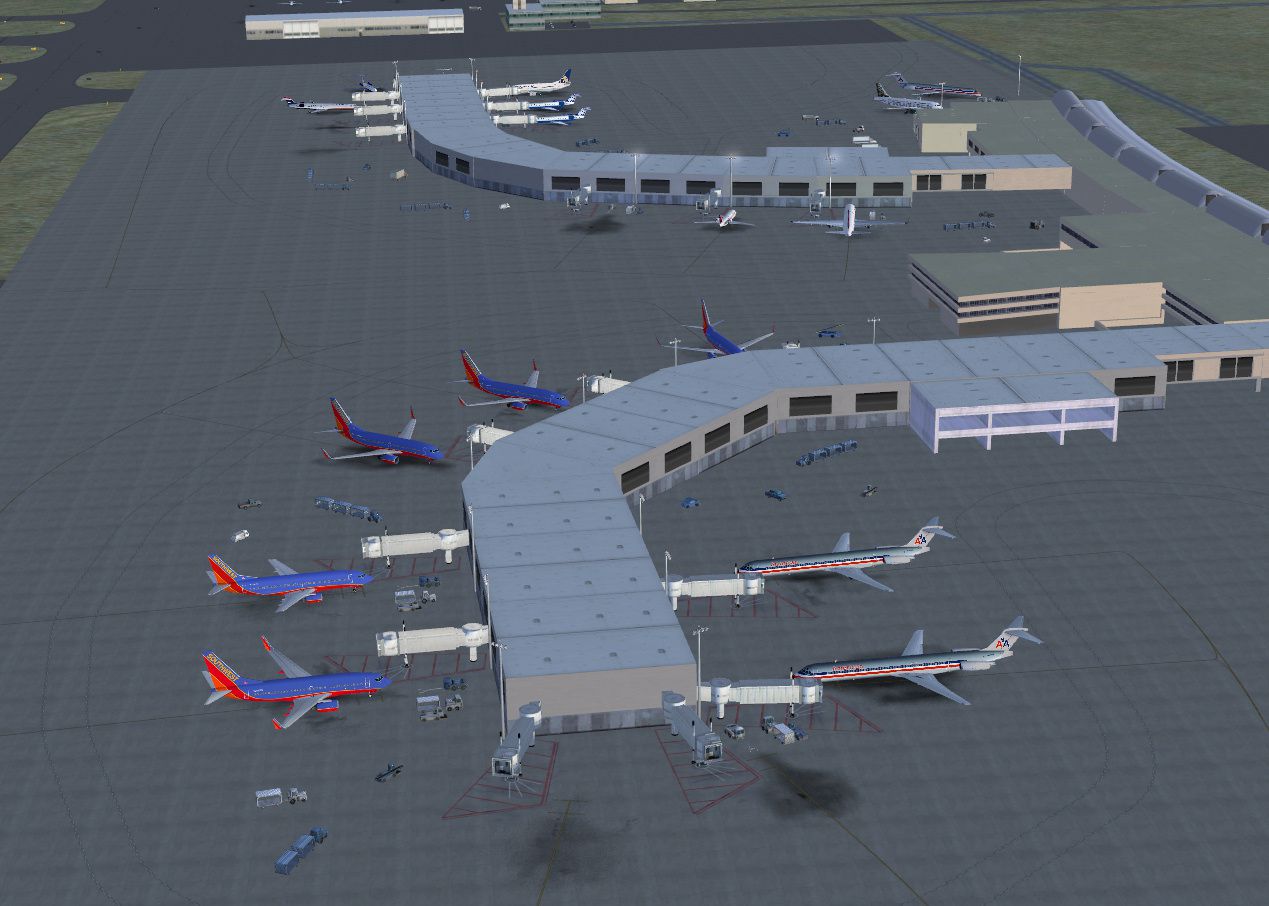
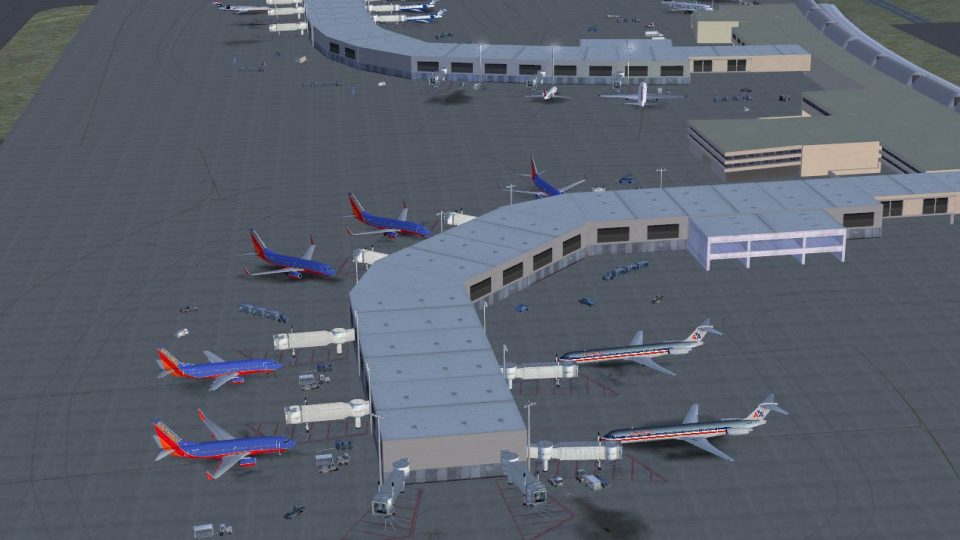
Tucson Arizona International Airport (KTUS), Arizona (AZ). A complete re-make of the default airport utilising Airport Design Editor 1.50.18. New terminal buildings have been modelled, aprons and taxiways have been completely re-drawn to more closely represent the real world airport. Gates are correctly numbered and coded as appropriate and new GA and military parking has been added. All approaches have been re-written to the current Jeppesen plate. Many other scenery elements are included, making the best possible use of all of the features of Airport Design Editor. By Patrick Finch and Alpha India Group.
Screenshot of Tucson Arizona International Airport.
First, before anything else, check to see if you have any Afcad files previously installed for KTUS. If this is the case, these files must be removed.
Next, extract the contents of aig_ktus_fsx_default.zip to your main FSX folder (e.g. C:\Program Files\Microsoft Games\Microsoft Flight Simulator X). Make sure "Use Folder Names" is checked in the WinZip dialog window if this option is presented. If prompted to overwrite any texture files it is okay to do so. These would be texture files used in earlier projects of mine.
By default, there will be four files for KTUS installed to your FSX\Addon Scenery\scenery folder. You will now need to decide if you want all three runways (3/21, 11L/29R, 11R/29L) operational. Most people do, but there is one disadvantage associated with this, that being that when you access the airport's ATIS information, the fake runways created in order to activate the crosswind runway will be called out as active runways. If, as a result of this, you do NOT want the crosswind runway active, you will need to delete the following two files:
AIG_KTUS_ADEX_CW_PF_Default.bgl
AIG_KTUS_ADEX_CW_PF_Default_CVX.bgl
If, however, you DO want the crosswind runway active, then these two files will need to be deleted:
AIG_KTUS_ADEX_PF_Default.bgl
AIG_KTUS_ADEX_PF_Default_CVX.bgl
As mentioned in the README FIRST.txt file, check to see if you have installed any of these following four scenery projects for AIG Ground:
KCLE (Cleveland Hopkins International)
KMSY (New Orleans Armstrong International)
KJAX (Jacksonville International)
KDAY (James M. Cox Dayton Ohio International)
KGRB (Austin Straubel Green Bay Wisconsing International)
If the answer to this is yes, then no further action is necessary. Your new scenery for Tucson International should display normally.
However, if the answer is no, then you will find a new folder in you FSX\Addon Scenery folder entitled "Alpha India Group Scenery Objects" with two subfolders entitled "Scenery" and "Texture". This new area must be activated in your FSX Scenery Library in order for the custom terminal buildings to display at KTUS.
The model and texture files for Mr.Dhaenen's ramp lights are contained within the Addon Scenery\scenery and Addon Scenery\texture folders and will not need to be activated in the FSX Scenery Library.
UNINSTALL PROCEDURE
To uninstall the scenery, depending on which version of KGRB you have installed, simply delete either:
AIG_KTUS_ADEX_CW_PF_Default.bgl
AIG_KTUS_ADEX_CW_PF_Default_CVX.bgl
Or:
AIG_KTUS_ADEX_PF_Default.bgl
AIG_KTUS_ADEX_PF_Default_CVX.bgl
from your FSX\Addon Scenery\scenery folder.
The next time you start FSX you will see the default airport again.
I hope you enjoy your new scenery for KTUS!
Patrick
Free for all simmers · 1.72 MB · Scanned clean
Download speed: Free tier is capped at 0.5 Mbps. PRO members download at full line speed.
FSX\Addon Scenery\ containing scenery and texture sub-folders.readme.txt or README file. It tells you exactly where files go, what dependencies are needed, and any quirks specific to this add-on.Use these coordinates to fly directly to this location once the mod is installed.
32.11610000,-110.94100000
Launch FSX or Prepar3D and use Flights → Load to open the downloaded .pln file. Your aircraft will be positioned at this location.
The archive aig_ktus_fsx_default.zip has 48 files and directories contained within it.
This list displays the first 500 files in the package. If the package has more, you will need to download it to view them.
| Filename/Directory | File Date | File Size |
|---|---|---|
| Addon Scenery | 06.19.11 | 0 B |
| Alpha India Group Scenery Objects | 06.19.11 | 0 B |
| Scenery | 08.31.11 | 0 B |
| jetwayextension.bgl | 06.13.11 | 1.56 kB |
| ktus.bgl | 07.17.11 | 636.97 kB |
| ktus_2.bgl | 07.24.11 | 17.32 kB |
| Texture | 08.31.11 | 0 B |
| jetway.bmp | 06.13.11 | 128.07 kB |
| jetway_lm.bmp | 06.13.11 | 128.07 kB |
| kday_1.bmp | 09.21.10 | 170.75 kB |
| kday_1_lm.bmp | 09.02.10 | 170.75 kB |
| kmli13.bmp | 01.29.10 | 64.07 kB |
| kmli13_lm.bmp | 01.29.10 | 64.07 kB |
| kmli4.bmp | 02.08.09 | 128.07 kB |
| kmli4_lm.bmp | 02.07.09 | 128.07 kB |
| kmsy_1.bmp | 06.13.11 | 128.07 kB |
| kmsy_1_lm.bmp | 06.13.11 | 128.07 kB |
| ksat2.bmp | 05.23.09 | 128.07 kB |
| ksat2_lm.bmp | 07.02.11 | 170.75 kB |
| ktus_1.bmp | 05.06.11 | 85.42 kB |
| ktus_1_lm.bmp | 05.06.11 | 85.42 kB |
| ktus_2.bmp | 05.06.11 | 341.42 kB |
| ktus_2_lm.bmp | 05.09.11 | 341.42 kB |
| ktus_3.bmp | 05.08.11 | 170.75 kB |
| ktus_3_lm.bmp | 05.08.11 | 170.75 kB |
| ktus_4.bmp | 05.09.11 | 42.75 kB |
| ktus_4_lm.bmp | 05.09.11 | 42.75 kB |
| ktus_5.bmp | 05.12.11 | 85.42 kB |
| ktus_5_lm.bmp | 05.12.11 | 85.42 kB |
| ktus_6.bmp | 05.24.11 | 341.42 kB |
| ktus_6_lm.bmp | 05.24.11 | 341.42 kB |
| ktus_7.bmp | 07.24.11 | 170.75 kB |
| ktus_7_lm.bmp | 07.24.11 | 170.75 kB |
| scenery | 12.04.11 | 0 B |
| AIG_KTUS_ADEX_CW_PF_Default.BGL | 12.04.11 | 104.66 kB |
| AIG_KTUS_ADEX_CW_PF_Default_CVX.bgl | 12.04.11 | 620 B |
| AIG_KTUS_ADEX_PF_Default.BGL | 12.04.11 | 104.10 kB |
| AIG_KTUS_ADEX_PF_Default_CVX.bgl | 12.04.11 | 620 B |
| lightobj.bgl | 06.13.11 | 643.63 kB |
| texture | 06.19.11 | 0 B |
| almwht.dds | 06.13.11 | 64.12 kB |
| lights1.dds | 06.13.11 | 32.12 kB |
| AIG Ground FSX.png | 05.19.09 | 26.71 kB |
| Installation.txt | 08.27.11 | 3.21 kB |
| ktus.jpg | 08.31.11 | 420.65 kB |
| README FIRST.txt | 11.11.11 | 5.93 kB |
| flyawaysimulation.txt | 10.29.13 | 959 B |
| Go to Fly Away Simulation.url | 01.22.16 | 52 B |
More FSX & P3D add-ons hand-picked based on this download.
FSX Scenery
Prescott Arizona Photoscenery. This is a photoscenery based on USGS 2005 Ariz…
 FSX Scenery
Princess Juliana International Airport (TNCM) in Saint Marteen, Netherlands A…
 FSX Scenery
Barbados International Airport (TBPB). Grantley Adams International Airport f…
 FSX Scenery
Dubai International Airport (OMDB), Dubai. Includes a new passenger terminal …
 FSX Scenery
Soekarno-Hatta International Airport (WIII), Jakarta, Indonesia. An update to…
 FSX Scenery
San Diego International Airport, California (CA), USA. This photoreal scenery…
 FSX Scenery
Suvarnabhumi International Airport (VTBS), Bangkok, Thailand, v1.1. Includes …
 FSX Scenery
Scenery Miami International Airport (KMIA), Florida (FL). Includes updated ta…
Be the first to leave a comment on this download.
Be the first to share your thoughts on this download.