


 Canada
  FSX Scenery
Cranbrook Airport
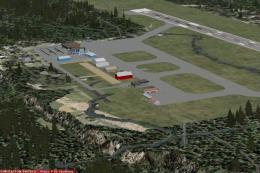
Cranbrook Airport (CYXC), British Columbia, Canada. A patch for Vern Opperman…
Cranbrook Airport (CYXC) scenery update refreshes runway layouts with the latest extensions while keeping original turnarounds for smaller aircraft, improving realism for departures and arrivals in Microsoft Flight Simulator X. Requires Vern Opperman’s Cranbrook Airport scenery and the earlier FSX patch, then updates the airport BGL for accurate airfield geometry.
Cranbrook Airport (CYXC). Update to the FSX Patch (CYXC_FSX.ZIP) for Vern Opperman's FS2004 Cranbrook Airport scenery, to incorporate new runway extensions. By P. Nigel Grant/Vern Opperman.
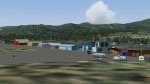
Cranbrook Airport Scenery Update.
Update to my FSX Patch for Vern Opperman’s FS2004 Cranbrook Airport (CYXC)
An update to incorporate a subsequent runway extensions at Cranbrook Airport, to be applied to my FSX patch (cyxc_FSX.zip) for Vern Opperman’s scenery for Cranbrook Airport (CYXC). The original turnarounds have been left in place for the benefit of small aircraft.
The attached file “CYXC_ADE_VO.BGL” makes these changes; please move this file into your Cranbrook scenery file and remove the file “CYXC_ADE_PNG.BGL” already there.
P Nigel Grant
Vancouver
Free for all simmers · 17.32 KB · Scanned clean
Download speed: Free tier is capped at 0.5 Mbps. PRO members download at full line speed.
This add-on may require the following files to function properly. If this is a repaint, the dependency below is likely the base aircraft package.
FSX\Addon Scenery\ containing scenery and texture sub-folders.readme.txt or README file. It tells you exactly where files go, what dependencies are needed, and any quirks specific to this add-on.Use these coordinates to fly directly to this location once the mod is installed.
49.61220000,-115.78190000
Launch FSX or Prepar3D and use Flights → Load to open the downloaded .pln file. Your aircraft will be positioned at this location.
The archive cyxc_upd.zip has 8 files and directories contained within it.
This list displays the first 500 files in the package. If the package has more, you will need to download it to view them.
| Filename/Directory | File Date | File Size |
|---|---|---|
| CYXC2_readme.doc | 05.01.09 | 27.50 kB |
| CYXC2_readme.txt | 05.01.09 | 566 B |
| CYXC_ADE_VO.BGL | 04.25.09 | 4.14 kB |
| cyxc_updt.gif | 04.04.05 | 9.18 kB |
| File_ID.diz | 05.01.09 | 193 B |
| cyxc_updt | 05.03.09 | 0 B |
| flyawaysimulation.txt | 10.29.13 | 959 B |
| Go to Fly Away Simulation.url | 01.22.16 | 52 B |
More FSX & P3D add-ons hand-picked based on this download.
FSX Scenery
Cranbrook Airport (CYXC), British Columbia, Canada. A patch for Vern Opperman…
 FSX Scenery
FSX Minneapolis/St. Paul (KMSP) Update. An updated Minneapolis/St. Paul, Minn…
 FSX Scenery
London City Airport Update (EGLC), UK. Version 2 with accurate touchdown zone…
 FSX Scenery
Zia Shahjalal International Airport. Meticulously detailed and realistically …
 FSX Scenery
Birmingham Int'l Airport UK. This is an update of the FSX scenery of EGBB. DM…
 FSX Scenery
Scenery Rafael Nunez International Airport. Updated Rafael Nunez Airport in C…
 FSX Scenery
Cork Airport Update (EICK), Eire (Ireland). Includes: south apron, T2 with je…
 FSX Scenery
Copenhagen Airport Roskilde Update. This update will add new featurs to the E…
Read what other simmers think, or add your own.
