

 FS2004 Utilities/Misc
No-CD patch for Flight Simulator 2004
No-CD patch or 'crack' for FS2004. When applied, there is no need to insert y…
Microsoft Flight Simulator 2004 v9.1 No-CD patch updates the fs9.exe to run without the disc check, keeping the sim ready for quick launches and troubleshooting on modern systems. It requires the official 9.1 update and targets only that version for a clean, version-matched executable replacement.
 Rate
Rate
This is the No-CD patch (crack) for Microsoft Flight Simulator 2004 v9.1. This will only patch the 9.1 version, which you can get the update for here.
If you have not yet updated to version 9.1, you can get the original no-cd patch here.
It's quite a simple installation, just replace the fs9.exe file with the one included in this package.
Free for all simmers · 223.91 KB · Scanned clean Aug 2026
Download speed: Free tier is capped at 0.5 Mbps. PRO members download at full line speed.
readme.txt or README file. It tells you exactly where files go, what dependencies are needed, and any quirks specific to this add-on.The archive fs91_nocd.zip has 4 files and directories contained within it.
This list displays the first 500 files in the package. If the package has more, you will need to download it to view them.
| Filename/Directory | File Date | File Size |
|---|---|---|
| vengeance.nfo | 10.12.04 | 4.23 kB |
| fs9.exe | 10.12.04 | 504.00 kB |
| flyawaysimulation.txt | 10.29.13 | 959 B |
| Go to Fly Away Simulation.url | 01.22.16 | 52 B |
Only PRO members can place votes.
More FS2004 add-ons hand-picked based on this download.
FS2004 Utilities/Misc
No-CD patch or 'crack' for FS2004. When applied, there is no need to insert y…
 FS2004 Utilities/Misc
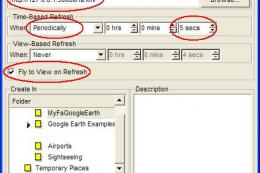
MyFsGoogleEarth is a small webserver that links Flight Simulator with Google …
 FS2004 Utilities/Misc
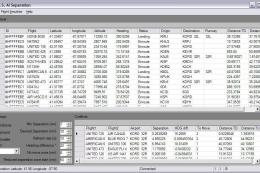
FS2004 Flight Simulator AI Traffic Separation. With this tool you will be abl…
 FS2004 Utilities/Misc
Flight Simulator Scenery Creator 1.5.11 Flight Simulator Scenery Creator is a…
 FS2004 Utilities/Misc
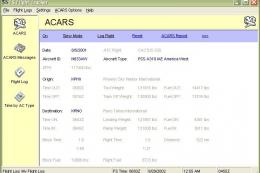
More than a log, automatically record: a/c type, a/c reg number, airline + fl…
 FS2004 Utilities/Misc
3wire Aircraft Carrier Simulator v2. 3wire is an aircraft carrier simulation …
 FS2004 Utilities/Misc
FS2004 Active Camera 2004 v2.1. This package includes both the install files,…
 FS2004 Utilities/Misc
Control the incoming and outgoing traffic on your RADAR screen (MARCIANO’s gr…
Read what other simmers think, or add your own.


Hello! I downloaded the Fs 2004 No-cd patch It worked fine until I tried to load aircraft on it and some scenery was missing also some planes were missing. It wouldn't open anymore I decided to uninstall it and download it again but it only allowed me to download with a zip file and I don't know how it works so I was trying to find the one I installed at first. Can anyone tell me how to get it back? I have Fs 2004 0n disks but it won't work on windows 10 I've tried everything I really loved the one I downloaded at first.

Hi! To whom it may concern, I downloaded the Microsoft Flight Simulator 2004 V9.1 No-CD Patch but it gives me the VLC ZIP file video. I open the file and then I can not do anything with it. I only get a black screen with no luck. I am frustrated and need your help.
Would you be willing to send me the information, another download file, or the know-how?
Thank you so much in advance for your help.
lafortune881@gmail.com
Réal

How do you get the computer to replace the fs9.1 to replace the fs9 in the program files? I have it downloaded in a zipped file but how do I get it to replace or overwrite the fs9.0 file in the program files?


Hello... new to the flight sim community... I have Flight Sim 2004, unknown if it 9 or 9.1 edition and have a Windows 10 PC...should I install the download before attempting to install the 4 disks in my PC ?...any help offered would be great... Thanks, Gary.

Did the patch, downloaded, went back to flight sim still won't open. Just bought this HP windows 10, was told it would work, so taking the computer back to Best Buy; waste of time.

Just to say:
"A Thousand Thank-You's"!!
Can't believe this finally worked.
You are AWESOME!!
Thank you,
geo

I am very grateful for this update that did run my FS9 properly. Congratulations!


Getting a scenery.cfg error message after installing the 9.1 update and patch. Any idea how to fix that?

CANNOT FIND ANY 2004 MICROSOFT FLIGHT SIMS 9.1 PATCH TO FLY FS 2004 IN WINDOWNS 10, HAS IT BEEN TAKEN DOWN? DOES ANYONE HAVE IT, THAT CAN SEND IT TO ME AS A FILE AT youandufos@gmail.com Thanks Much

To see your version, C: >>> Program files >>> microsoftgames >>> flight simulator >>> fs9 >> right click >> details >>> version of the file
Sorry for my good english but I'm french
You're welcome

How do I know if I have MSFSIM 9 OR 9.1 WHERE DO I FIND THE VERSION THAT I HAVE. (WHAT IS A NO CD PATCH?) DOES THIS MEAN IT ADDS THE PATCH INTO THE HARD DRIVE WHERE FS 2004 IS LOCATED?
DAVE FROM YUCAIPA, CA