


 FSX Utilities
Traffic Sounds FSX Ultimate Traffic 2
Traffic Sounds FSX Ultimate Traffic 2 Alias Installer. By Alan Constable. Cov…
FSUIPC provides a dependable bridge between the simulator and external tools, unlocking real-time access to flight data, weather, and aircraft systems for finer control and realism. It supports Microsoft Flight Simulator, FSX, and Prepar3D v4/v5/v6 with joystick calibration, network integration, plugin development, and detailed logging for analysis and training.

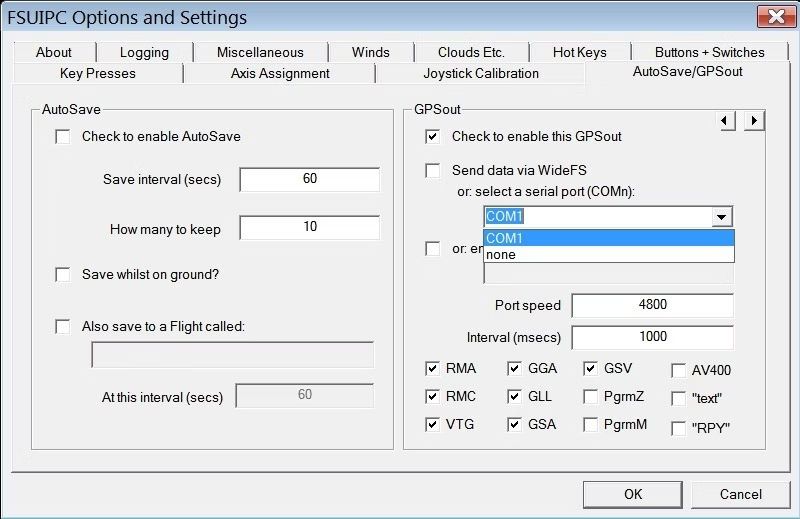
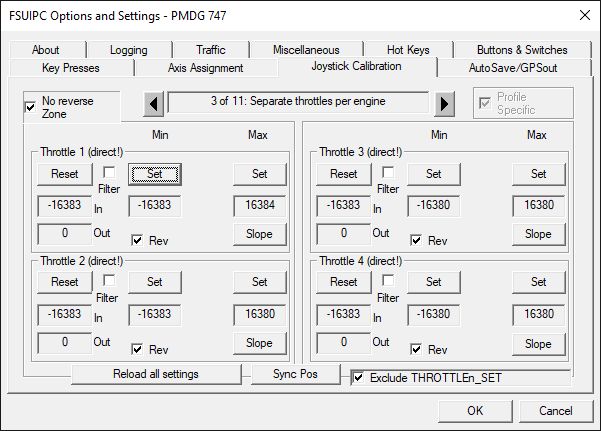
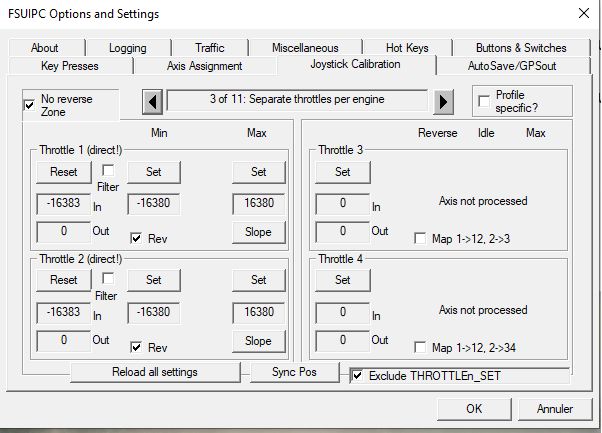
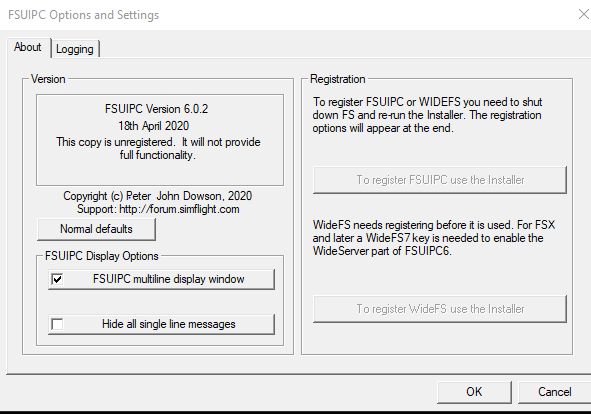
FSUIPC, standing for Flight Simulator Universal Inter-Process Communication, is an indispensable add-on that acts as a conduit between flight simulators like Microsoft Flight Simulator or Prepar3D and third-party applications. This tool unlocks advanced customization and control, allowing users to fine-tune flight data, weather conditions, and aircraft systems in real-time.
 It significantly enhances the flight simulation experience by enabling precise joystick calibration, fostering integration with virtual flying networks, and facilitating the creation of custom plugins for developers.
Beyond just improving control and connectivity, FSUIPC offers detailed data logging capabilities for performance analysis and training enhancement. Essential for both casual enthusiasts and serious simmers, FSUIPC enriches the virtual flying experience by introducing a higher level of realism, precision, and community engagement.
This download is a "universal" file that contains FSUIPC installers for:
Extract the archive. There will be four folders titled FSUIPCX with a version number for "X".
FSUIPC7 folder and run Install_FSUIPC7.exeFSUIPC6 folder and run Install_FSUIPC6.exeFSUIPC5 folder and run Install FSUIPC5.exeFSUIPC4 and run Install FSUIPC4.exeDeveloper: Pete Dowson.
Free for all simmers · 85.27 MB · Scanned clean
Download speed: Free tier is capped at 0.5 Mbps (this file takes approximately 24 mins at the cap). PRO members download at full line speed.
SimObjects\Airplanes\, Addon Scenery\, Effects\, or Gauges\.readme.txt or README file. It tells you exactly where files go, what dependencies are needed, and any quirks specific to this add-on.The archive FSUIPC.zip has 25 files and directories contained within it.
This list displays the first 500 files in the package. If the package has more, you will need to download it to view them.
| Filename/Directory | File Date | File Size |
|---|---|---|
| FSUIPC4 | 03.24.24 | 0 B |
| FSUIPC 4.977 Changes.pdf | 11.24.21 | 160.51 kB |
| Important notes for FSX-SE users.pdf | 05.11.20 | 13.56 kB |
| Install FSUIPC4.exe | 11.24.21 | 3.86 MB |
| Installing and Registering FSUIPC4.pdf | 08.01.17 | 194.77 kB |
| FSUIPC5 | 03.24.24 | 0 B |
| Install FSUIPC5.exe | 06.28.20 | 5.94 MB |
| Installing and Registering FSUIPC5.pdf | 04.28.20 | 201.73 kB |
| FSUIPC6 | 03.24.24 | 0 B |
| Install_FSUIPC6.exe | 07.01.23 | 34.84 MB |
| Installing and Registering FSUIPC.pdf | 07.01.23 | 277.49 kB |
| changes-v6.2.0.txt | 05.13.22 | 6.60 kB |
| FSUIPC7 | 03.24.24 | 0 B |
| Install_FSUIPC7.exe | 03.16.24 | 38.79 MB |
| Installing and Registering FSUIPC7.pdf | 12.12.23 | 243.74 kB |
| README.txt | 03.01.24 | 8.51 kB |
| changes.txt | 03.16.24 | 40.13 kB |
| Go to Fly Away Simulation.url | 08.22.19 | 52 B |
| Screenshots | 03.24.24 | 0 B |
| screen-1.png | 03.24.24 | 26.68 kB |
| screen-2.png | 03.24.24 | 174.43 kB |
| screen-3.png | 03.24.24 | 14.34 kB |
| screen-4.jpeg | 03.24.24 | 1.14 MB |
| screen-5.png | 03.24.24 | 21.93 kB |
| flyawaysimulation.txt | 10.02.20 | 1.20 kB |
More FSX & P3D add-ons hand-picked based on this download.
FSX Utilities
Traffic Sounds FSX Ultimate Traffic 2 Alias Installer. By Alan Constable. Cov…
 FSX Utilities
FSX and FS2004 World-of-AI Installer. This is the World-of-AI Installer versi…
 FSX Utilities
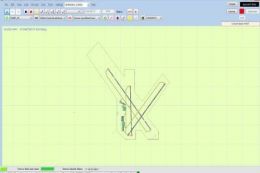
Airport Design Editor (ADE) is a graphical design tool to create and enhance …
 FSX Utilities
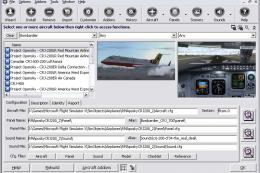
Addit! Pro gives you the power to fully manage all of your Flight Simulator X…
 FSX Utilities
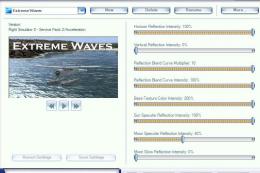
This shader control utility will allow you to change the FSX water shader ton…
 FSX Utilities
This module adds improved recording and replay features to FS. It can record …
 FSX Utilities
FSX Aircraft Installer - This program can install your aircrafts and rotorcra…
FSX Utilities
The FSX Reg Utility was prepared especially for users with custom setups or w…
Read what other simmers think, or add your own.


Where can I buy FSUIPC? I suppose it is not free, even with my membership. Can I buy is via this website? What wil be the price? I downloaded the file FSUIPC from this website and installed it. But I can not get the registery key?

Downloaded the Windows 10 software for MSFS and it seems to be infected with a Trojan?

Hi. I have been using your site's services and addons for several years now and I always find something new. Thanks to the site administration.

I registered and download the FSUIPC but no activation key. Where and how i can get the key? thanks. PS it was for FSX/P3D.

To everyone asking about the registration key, the software actually comes with two sets of functionality.
The first is free. This is the most basic and allows communication with external applications (ACARS for virtual airlines, Little Navmaps, vPilot, etc)
The second is the paid version which includes even more functionality (I won't list features here, but there's a lot). This is the version that is used by people with full-scale simulator setups with separate MFD, PFD, radios, etc.
You can use the free version without registration, and this will be enough for 90% of sim pilots. For those looking to purchase the full version, you can visit Mr. Dowson's website or search for FSUIPC on SimMarket to purchase the full version registration key.
For all those asking, the registration key for FSUIPC is, once again, NOT FREE and requires a legitimate purchase.


What is P3Dv4 and how can I get it? I have an MCP Combo panel I can't get it to work.


The Installer 'Install FSUIPC4.exe' doesn't work with Windows 10 Pro 1909 (Registry problem).

I purchased a Quality Wings product. It came with FSUIPC5 Where do I get the product key?


Hello,
We have an older computer running FSX on Windows XP. All we want is a relatively simple setup to practice flying with this computer sitting in the hangar next to our fullscale Cessna. Got the Saitek yoke, pedals and throttle but just purchased the radio panel and going through all the growing pains. Will this download work with our setup and work with SPAD (legacy SPAD downloaded)?

Have registrated and downloaded FSUIPC for FSX Steam, but where can I find the KEY to enter for activation ?

I HAVE JUST DOWNLOADED FSUIPC for FSX for landing module but where do I find the product key for Registration.

Have registrated and downloaded FSUIPC for FSX Steam, but where can I find the KEY to enter for activation ?

Hi I bought the product, I do have an account however Im not registered or I need 12 number product keys to register. Can you please help. Abdel

Have registrated and downloaded FSUIPC but where can I find the KEY to enter for activation ?

The version has been updated to 4.955 which includes support for FSX: Steam Edition and the latest Prepar3D.


Does this really work in Steam Edition? I get an error message that it's looking for the Microsoft location for the original FSX - can't find a work around.