

 FSX Utilities
TweakFS Registry Utility V1.21
The FSX Reg Utility was prepared especially for users with custom setups or w…
Auththumbnail automates aircraft preview management in Microsoft Flight Simulator X by capturing an in-sim screenshot of the current aircraft and generating the matching selection-menu thumbnail. It runs quietly in the background with lightweight performance, saving correctly formatted images directly to the aircraft folder for a tidy, consistent hangar view.
 Rate
Rate
This small yet powerful freeware add-on streamlines the process of creating custom previews in Microsoft Flight Simulator X by capturing an in-sim screenshot of the aircraft you are flying and automatically generating the corresponding thumbnail image for the selection menu. Developed and shared in the public domain by the original creator, this tool is ideal for those seeking a straightforward and efficient approach to organizing aircraft visuals within their simulator.
Not every software utility seamlessly integrates with Microsoft Flight Simulator X, but this one does just that. Once installed, it runs in the background to produce an updated thumbnail for whichever aircraft you choose to pilot during your session. You can expect minimal resource consumption, so it does not affect your overall flight performance.
By detecting your currently loaded aircraft, this utility captures a dynamic screenshot. It then replaces or creates the image file that appears whenever you browse the "select aircraft" menu. This saves you the trouble of manually editing or renaming preview images for newly installed models or repaints.
The compiler directly saves the screenshot in a suitable format. From a technical standpoint, it bypasses any complicated workflows by inserting the final thumbnail into your simulator’s aircraft directory. This ensures you spend more time flying and less time managing files.
The entire package is famously small, meaning it downloads quickly, installs easily, and loads swiftly within your simulator environment. Because it is declared as public domain by the developer, you can integrate this add-on without worrying about redistribution restrictions or licensing fees.
With many virtual pilots constantly acquiring new aircraft models, having an auto-generated thumbnail helps keep track of your entire inventory. There is no need to maintain separate image files manually, and your fleet catalog in the simulator’s aircraft menu stays tidy and visually coherent.
This creation is credited to the original developer who generously placed it in the public domain. Their work greatly benefits flight simmers looking to optimize their aircraft selection menus without any extra hassle.
Free for all simmers · 186.08 KB · Scanned clean Oct 2026
Download speed: Free tier is capped at 0.5 Mbps. PRO members download at full line speed.
SimObjects\Airplanes\, Addon Scenery\, Effects\, or Gauges\.readme.txt or README file. It tells you exactly where files go, what dependencies are needed, and any quirks specific to this add-on.The archive autothm2.zip has 22 files and directories contained within it.
This list displays the first 500 files in the package. If the package has more, you will need to download it to view them.
| Filename/Directory | File Date | File Size |
|---|---|---|
| README.txt | 03.12.07 | 2.04 kB |
| Setup.exe | 03.12.07 | 94.10 kB |
| Autothumbnail.exe | 03.12.07 | 28.00 kB |
| fr-FR | 03.12.07 | 0 B |
| Autothumbnail.resources.dll | 03.12.07 | 4.00 kB |
| Microsoft.FlightSimulator.SimConnect.dll | 03.12.07 | 90.33 kB |
| Autothumbnail.cs | 03.12.07 | 29.64 kB |
| Autothumbnail.csproj | 03.12.07 | 3.53 kB |
| Autothumbnail.csproj.user | 03.12.07 | 538 B |
| Autothumbnail.sln | 03.12.07 | 918 B |
| Autothumbnail.suo | 03.12.07 | 16.50 kB |
| icon1.ico | 03.12.07 | 2.19 kB |
| Microsoft.FlightSimulator.SimConnect.dll | 03.12.07 | 90.33 kB |
| Properties | 03.12.07 | 0 B |
| AssemblyInfo.cs | 03.12.07 | 1.28 kB |
| Strings.Designer.cs | 03.12.07 | 6.10 kB |
| Strings.fr-FR.Designer.cs | 03.12.07 | 0 B |
| Strings.fr-FR.resx | 03.12.07 | 6.93 kB |
| Strings.resx | 03.12.07 | 6.82 kB |
| LISEZMOI.txt | 03.12.07 | 1.93 kB |
| flyawaysimulation.txt | 10.29.13 | 959 B |
| Go to Fly Away Simulation.url | 01.22.16 | 52 B |
Only PRO members can place votes.
More FSX & P3D add-ons hand-picked based on this download.
FSX Utilities
The FSX Reg Utility was prepared especially for users with custom setups or w…
FSX Utilities
FSX spb2xml Utility; convert SPB files to XML. This tool can decompile SimPro…
 FSX Utilities
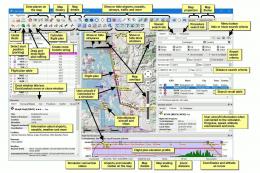
Little Navmap is a free open source flight planner, navigation tool, moving m…
FSX Utilities
Engine checking bug is fixed. This is the support application for Flight Simu…
 FSX Utilities
This is a small utility that takes FSX flight plan files (in XML .pln format)…
 FSX Utilities
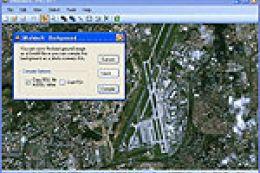
SBuilder X, version 310, is a scenery creation tool that produces the followi…
FSX Utilities
WheelCam 2.4. This program is a very basic tool that implements mouse-based p…
 FSX Utilities
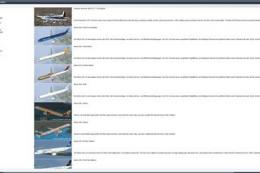
FSXAircrafter, release 0.1. FSXAircrafter is a little tool showing you all in…
Read what other simmers think, or add your own.
