

 FS2004 Civil Jet Aircraft
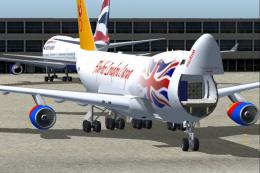
FlyAir London VA Boeing 747-400F
Welcome to the world of FlyAir London, a new virtual airline from the U.K. Fr…
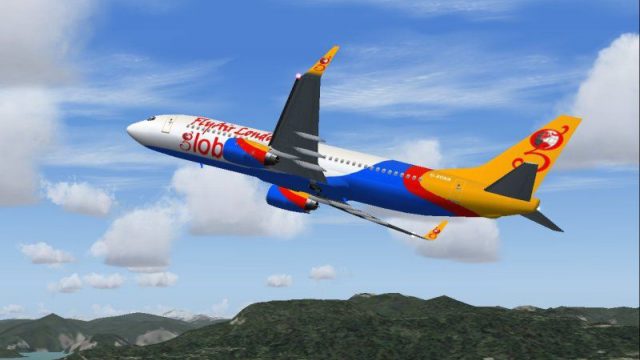
FlyAir London’s Boeing 737-800W brings a vibrant UK virtual airline livery to a winglet-equipped short-to-medium haul jet, complete with a lightweight freeware model for both hands-on flying and smooth AI traffic. Tuned for stable handling and efficient cruise, it slots straight into Microsoft Flight Simulator 2004 schedules.
 Rate
Rate

This comprehensive package features a striking Boeing 737-800W (including winglets) in the distinct FlyAir London paint scheme. The set arrives ready for Microsoft Flight Simulator 2004, with a fully functional freeware model already included. End users benefit from an engaging short to medium-haul jet that can be effectively utilized for both personal flying and AI schedules.
Developed by Tsutomo Urakawa, this variant highlights the 737’s characteristic winglets (enhanced tips designed to reduce drag). The resulting aerodynamic qualities are optimized for shorter approach segments and efficient cruising performance. Nick Parker conceptualized the FlyAir branding and paint design, ensuring high-visibility on the virtual tarmac. The Michael Pearson repaint artwork preserves realistic detail across the fuselage, vertical stabilizer, and engine nacelles.
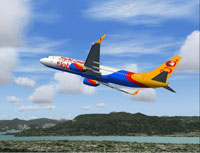
FlyAir London Boeing 737-800W captured cruising.
FlyAir London operates as a budding virtual carrier based in the United Kingdom. It services domestic routes and more extensive international destinations, emphasizing swift flight turnarounds. The company’s livery exhibits bright colors with contrasting detail lines, making its presence evident throughout busy aerodromes. This aircraft is perfectly suited for recreating realistic FlyAir schedules, especially if you enjoy managing rapid climbs and short final descents.
Along with serving as a pilot-controlled aircraft, the package stands out when used for AI traffic injection. The model’s low resource overhead allows plenty of simultaneous operations without adversely impacting overall simulator performance. Schedulers and route planners, for instance, might integrate multiple 737-800W units across domestic and long-haul rosters to represent FlyAir London’s virtual network.
Under the hood, Tsutomo Urakawa’s blueprint delivers balanced flight stability and precise pitch control. During climb, the airframe responds smoothly to small adjustments in vertical speed. Even at heavy takeoff weights, flight dynamics remain manageable, reflecting a faithful approximation of real-world 737-800 behavior. Thanks to the efficient winglet design, extended range and enhanced fuel economy can be explored during intercontinental services.
Readers will appreciate that this release ships as a fully independent bundle, ensuring no additional purchases or external dependencies are required. The collaboration between Nick Parker and Michael Pearson results in an expertly detailed scheme, where each logo and marking aligns harmoniously with the aircraft’s skin. Everything is properly configured for Microsoft Flight Simulator 2004, enabling a quick installation process and immediate takeoff for those eager to explore new routes.
In essence, this rendition of the 737-800W merges distinctive FlyAir London visual flair with authentic performance characteristics. It offers a solid, reliable addition to any virtual hangar, whether you intend to populate AI traffic circuits or personally command short-to-midrange flights over diverse landscapes.
Free for all simmers · 608.45 KB · Scanned clean Oct 2026
Download speed: Free tier is capped at 0.5 Mbps. PRO members download at full line speed.
FS9\Aircraft\, FS9\Addon Scenery\, FS9\Gauges\, or FS9\Effects\.readme.txt or README file. It tells you exactly where files go, what dependencies are needed, and any quirks specific to this add-on.The archive fsp_b738.zip has 19 files and directories contained within it.
This list displays the first 500 files in the package. If the package has more, you will need to download it to view them.
| Filename/Directory | File Date | File Size |
|---|---|---|
| aircraft.cfg | 07.09.04 | 14.10 kB |
| Boeing 737-800.air | 10.19.02 | 8.62 kB |
| model.winglets | 07.09.04 | 0 B |
| model.cfg | 12.09.02 | 34 B |
| t_u_b737-800_wl.mdl | 12.09.02 | 252.96 kB |
| panel | 07.09.04 | 0 B |
| panel.cfg | 05.11.04 | 38 B |
| sound | 07.09.04 | 0 B |
| sound.cfg | 05.11.04 | 38 B |
| texture.fal | 07.09.04 | 0 B |
| t_u_b738_l.bmp | 06.28.03 | 5.33 MB |
| t_u_b738_t.bmp | 07.09.04 | 4.00 MB |
| Thumbs.db | 07.09.04 | 12.50 kB |
| Thumbs.db | 07.09.04 | 8.50 kB |
| tu b738 fal readme.txt | 07.09.04 | 501 B |
| tu b738 fal small.gif | 07.09.04 | 11.28 kB |
| tu b738 fal.jpg | 07.09.04 | 71.69 kB |
| flyawaysimulation.txt | 10.29.13 | 959 B |
| Go to Fly Away Simulation.url | 01.22.16 | 52 B |
Only PRO members can place votes.
More FS2004 add-ons hand-picked based on this download.
FS2004 Civil Jet Aircraft
Welcome to the world of FlyAir London, a new virtual airline from the U.K. Fr…
 FS2004 Civil Jet Aircraft
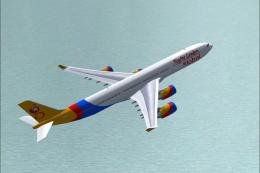
Immerse yourself in a newly developed liveried experience with this freeware …
 FS2004 Civil Jet Aircraft
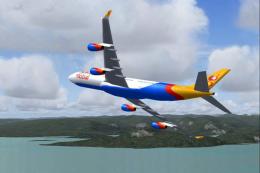
This high-fidelity package introduces FlyAir London’s striking Airbus A340-50…
 FS2004 Civil Jet Aircraft
Experience a striking visual take on a classic four-engine widebody with this…
 FS2004 Civil Jet Aircraft
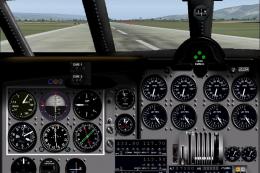
First jet airliner ever made Update to FS2002: Bracken Dawsonand to FS2004: A…
 FS2004 Civil Jet Aircraft
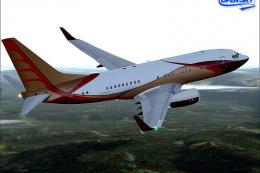
This freeware release brings a refined Boeing 737-700 Business Jet (BBJ) to M…
 FS2004 Civil Jet Aircraft
Textures only for the Kittyhawk Productions Boeing B737-700. BBJ paint scheme…
 FS2004 Civil Jet Aircraft
Textures only for the PMDG B737 seriesin a livery of the Italian airline Blue…
Be the first to leave a comment on this download.
Be the first to share your thoughts on this download.