

 FS2004 Civil Jet Aircraft
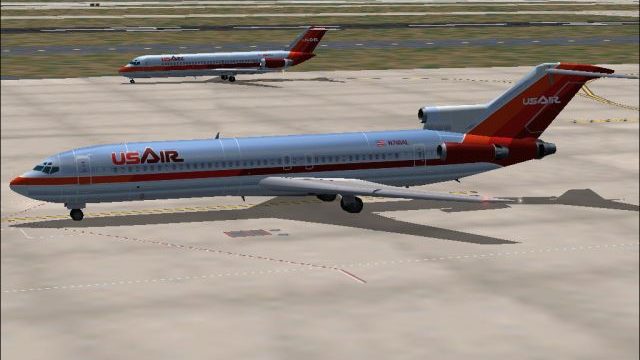
USAir Boeing 727-200 N8856E
A repaint of Vistaliners B727-200 in the colors of USAir. Model by Erick Cant…
USAir’s early-1980s bare-metal Boeing 727-200 repaint brings vintage tri-jet character to Microsoft Flight Simulator 2004 with polished natural-metal shading, crisp tail and engine detailing, and separate day and night textures that enhance reflections and window lighting. It requires the AI Aardvark B727-200 base model for full compatibility.
 Rate
Rate
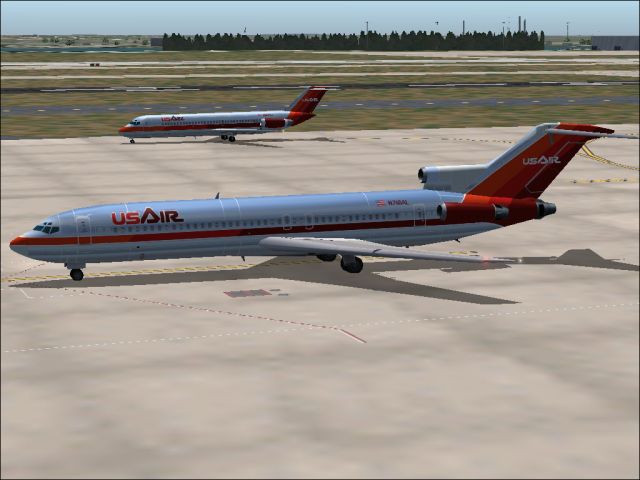
This freeware repaint offers an authentic 1980s-era bare metal rendition of a USAir Boeing 727-200, created for Microsoft Flight Simulator 2004. Developed by Sheppard Avery, this package includes both day and night textures and requires the separate AI Aardvark B727-200 base model, which can be found in the Fly Away Simulation library.
Drawing inspiration from USAir’s early 1980s aesthetic, this repaint emphasizes the airline’s transition phase between Allegheny Airlines and its coast-to-coast expansion. The exterior shows off a polished metal finish that captures changing light conditions, boosted by compatibility with the reflective model in the simulator. Enthusiasts will note the subtle gradient of the natural metal, especially along the forward fuselage near the nose section.
Screenshot of USAir Boeing 727-200 on the ground.
USAir originated from All American Aviation in 1939, providing airmail and passenger services in the Pennsylvania and Ohio Valley regions. The carrier became Allegheny Airlines in the 1950s, steadily growing through mergers with Lake Central and Mohawk Airlines. By the late 1970s, deregulation opened new horizons, and the brand adopted the name USAir in 1979 to highlight broader U.S. routes. Over time, the organization integrated PSA and Piedmont, eventually transforming into US Airways, which built international connectivity spanning the Caribbean and parts of Europe. Key hubs evolved at Pittsburgh, Charlotte, and Philadelphia, supporting the airline’s robust domestic and transatlantic schedules.
Boeing’s 727-200 series was a hallmark of commercial aviation in that era. Known for its three-engine (tri-jet) arrangement, it excelled in short to medium-haul routes. Many carriers, including USAir, relied on this model to deliver fast and efficient service. Within FS2004, this aircraft profile offers a vintage flying experience, with flight dynamics tailored to simulate the original 727’s distinctive performance envelope.
Users will find specialized day and night texture sets that enhance visual realism. Bright daytime reflections highlight the aircraft’s riveted metal surfaces, while unique window lighting and logo illumination stand out during nocturnal operations. The design underscores subtle paint details along the tail and engine cowls, reflecting the branding style of USAir as it appeared during the early 1980s.
Follow these steps to install the repaint properly:
aircraft.cfg file by adding the appropriate texture entry under the [fltsim.x] section. Ensure the title and texture folder names match.This repaint is brought to you by Sheppard Avery and uses only textures. The complete model is not included, so be certain to obtain the original AI Aardvark base package from the Fly Away Simulation archive. With the diagrams and instructions provided, you can seamlessly integrate this historically inspired USAir Boeing 727-200 into your virtual hangar.
Free for all simmers · 997.23 KB · Scanned clean Oct 2026
Download speed: Free tier is capped at 0.5 Mbps. PRO members download at full line speed.
FS9\Aircraft\, FS9\Addon Scenery\, FS9\Gauges\, or FS9\Effects\.readme.txt or README file. It tells you exactly where files go, what dependencies are needed, and any quirks specific to this add-on.The archive us7sbmv2.zip has 7 files and directories contained within it.
This list displays the first 500 files in the package. If the package has more, you will need to download it to view them.
| Filename/Directory | File Date | File Size |
|---|---|---|
| AIA_727_200_L.bmp | 08.12.03 | 4.00 MB |
| aia_727_200_t.bmp | 09.25.04 | 5.33 MB |
| READ ME.txt | 09.24.04 | 1.96 kB |
| USAir4.jpg | 09.25.04 | 179.68 kB |
| usair_old.gif | 01.17.04 | 2.29 kB |
| flyawaysimulation.txt | 10.29.13 | 959 B |
| Go to Fly Away Simulation.url | 01.22.16 | 52 B |
Only PRO members can place votes.
More FS2004 add-ons hand-picked based on this download.
FS2004 Civil Jet Aircraft
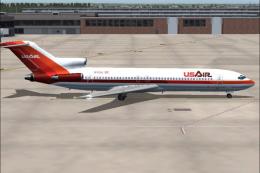
A repaint of Vistaliners B727-200 in the colors of USAir. Model by Erick Cant…
 FS2004 Civil Jet Aircraft
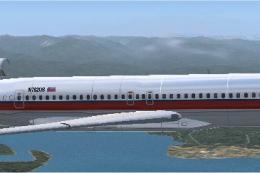
This repaint showcases a classic USAir Boeing 727-200 bare metal fuselage ren…
 FS2004 Civil Jet Aircraft
A very detailed repaint of then USAir's livery using the model by Mike Stone.…
 FS2004 Civil Jet Aircraft
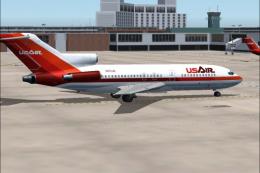
This updated rendition of the early 1980s USAir Boeing 727-100 repaint delive…
 FS2004 Civil Jet Aircraft
This freeware package offers a meticulously recreated Boeing 737-200 wearing …
 FS2004 Civil Jet Aircraft
This freeware package features USAir’s classic Boeing 737-200 (registered N24…
 FS2004 Civil Jet Aircraft
This aircraft is made by Project OpenSky. Livery by Daniel Counahan. Screensh…
 FS2004 Civil Jet Aircraft
A repaint of the FFX B737-300 in the old colors of US Air. This package inclu…
Be the first to leave a comment on this download.
Be the first to share your thoughts on this download.