

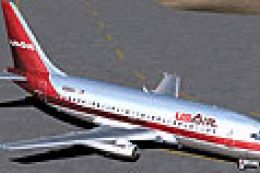
 FS2004 Civil Jet Aircraft
USAir Boeing 737-200 N269AU
This freeware package offers a meticulously recreated Boeing 737-200 wearing …
USAir’s Boeing 737-200 N246US brings a classic JT8D-era narrow-body to Microsoft Flight Simulator 2004 with Erick Cantu’s detailed external model, a historically matched USAir repaint by David Gutierrez, and Mike Baumann’s refined flight dynamics for authentic weight, thrust, and approach handling in a steam-gauge virtual cockpit.
 Rate
Rate
This freeware package features USAir’s classic Boeing 737-200 (registered N246US) brought to life in Microsoft Flight Simulator 2004. It includes Erick Cantu’s base model, Mike Baumann’s refined flight dynamics (FDE), and an accurate USAir repaint by David Gutierrez.
The Boeing 737-200 is part of the legendary 737 family, originally entering service in the late 1960s. Equipped with the tried-and-tested Pratt & Whitney JT8D engines, it offered reliable short-to-medium range capability that appealed to countless airlines, including USAir. For pilots and virtual flyers who appreciate era-specific operations, this model recreates the unique experience of flying a 737-200 with a heritage livery from one of the United States’ well-known carriers.
Artist David Gutierrez meticulously recreated USAir’s paint scheme to match historical references, complete with signature branding and registration markings. The reflective surfaces, subtle weathering effects, and period-correct fonts are all present for those seeking accurate visual fidelity. Whether performing a gate turn or taxiing in bright sunlight, this livery stands out with sharp lines and character.
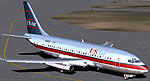
Screenshot of USAir Boeing 737-200 on the ground.
Mike Baumann’s flight dynamics enhancements enable this jet to handle in a faithful way, reflecting the steam-gauge era’s operational quirks. The weight, thrust, and drag factors have been adjusted to replicate the 737-200’s expected performance envelope, allowing aspiring aviators to practice departure profiles, climb rates, and approach procedures unique to this classic model.
The add-on includes the original configuration by Erick Cantu, preserving every detail of the external model from nose to tail. The interior components, such as the cockpit layout, align with an older-generation flight deck, allowing flight simulator enthusiasts to immerse themselves in the retro feel of gauges and analog instruments.
[fltsim.0]

title=Boeing 737-200 E.C.

sim=7372

model=

panel=

sound=

texture=

kb_checklists=Boeing737-400_check

kb_reference=Boeing737-400_ref

atc_type=Boeing

atc_id_enable=1

atc_id=N246US

atc_id_color=0xffffffff

editable=0

visual_damage=1

ui_manufacturer=Boeing

ui_type=737-200

ui_variation=USAir N246US

description=Model by Erick Cantu, Textures by David Gutierrez

atc_airline=USAir
This mod is fully standalone and consolidates each essential component into one download, making it straightforward for users to install and enjoy. It is entirely freeware, reflecting the collaboration of Erick Cantu for the model, Mike Baumann for the aerodynamic tuning, and David Gutierrez for the repainting efforts. For anyone eager to explore a timeless part of aviation history in Microsoft Flight Simulator 2004, this add-on offers an engaging and faithful simulation of USAir’s Boeing 737-200 N246US.
Free for all simmers · 3.14 MB · Scanned clean Oct 2026
Download speed: Free tier is capped at 0.5 Mbps. PRO members download at full line speed.
FS9\Aircraft\, FS9\Addon Scenery\, FS9\Gauges\, or FS9\Effects\.readme.txt or README file. It tells you exactly where files go, what dependencies are needed, and any quirks specific to this add-on.The archive b732us46.zip has 28 files and directories contained within it.
This list displays the first 500 files in the package. If the package has more, you will need to download it to view them.
| Filename/Directory | File Date | File Size |
|---|---|---|
| 7372.air | 11.06.03 | 8.17 kB |
| AIRCRAFT.CFG | 11.28.04 | 16.47 kB |
| Model | 11.28.04 | 0 B |
| B737_200.mdl | 02.21.04 | 1.31 MB |
| MODEL.CFG | 02.08.03 | 25 B |
| panel | 11.28.04 | 0 B |
| panel.cfg | 03.16.03 | 30 B |
| readme.txt | 11.27.04 | 252 B |
| SMOKE_JT8D.fx | 02.23.04 | 1.87 kB |
| sound | 11.28.04 | 0 B |
| sound.cfg | 03.16.03 | 31 B |
| texture | 11.28.04 | 0 B |
| 732_B_T.BMP | 02.21.04 | 256.07 kB |
| 737INTERIOR_T.BMP | 12.31.03 | 1.00 MB |
| B732FUSE_L.bmp | 03.09.04 | 1.00 MB |
| b732fuse_t.bmp | 11.27.04 | 4.00 MB |
| B737TAIL_L.BMP | 02.23.04 | 64.07 kB |
| b737tail_t.bmp | 11.27.04 | 1.00 MB |
| ENGINES_L.BMP | 02.23.04 | 64.07 kB |
| engines_t.bmp | 11.27.04 | 1.00 MB |
| MISC_L.BMP | 02.23.04 | 4.07 kB |
| misc_t.bmp | 11.27.04 | 1.00 MB |
| Thumbs.db | 11.27.04 | 25.50 kB |
| WINGS_L.BMP | 02.23.04 | 256.07 kB |
| WINGS_T.BMP | 02.23.04 | 1.00 MB |
| Thumbs.db | 11.15.04 | 8.50 kB |
| flyawaysimulation.txt | 10.29.13 | 959 B |
| Go to Fly Away Simulation.url | 01.22.16 | 52 B |
Only PRO members can place votes.
More FS2004 add-ons hand-picked based on this download.
FS2004 Civil Jet Aircraft
This freeware package offers a meticulously recreated Boeing 737-200 wearing …
 FS2004 Civil Jet Aircraft
A repaint of Vistaliners B727-200 in the colors of USAir. Model by Erick Cant…
 FS2004 Civil Jet Aircraft
This aircraft is made by Project OpenSky. Livery by Daniel Counahan. Screensh…
 FS2004 Civil Jet Aircraft
This repaint showcases a classic USAir Boeing 727-200 bare metal fuselage ren…
 FS2004 Civil Jet Aircraft
A very detailed repaint of then USAir's livery using the model by Mike Stone.…
 FS2004 Civil Jet Aircraft
This freeware repaint offers an authentic 1980s-era bare metal rendition of a…
 FS2004 Civil Jet Aircraft
A repaint of the FFX B737-300 in the old colors of US Air. This package inclu…
 FS2004 Civil Jet Aircraft
For AI. A repaint of David Rawlins' B737-300 in the old colors of US Air. It …
Be the first to leave a comment on this download.
Be the first to share your thoughts on this download.