

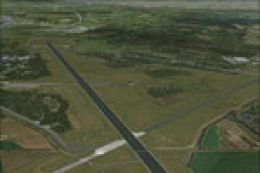
 FSX Scenery
NL2000 V4.03 Enschede Airport Twente
Enhance your simulation environment with a meticulously crafted rendition of …
Enschede Airport Twente (EHTW) comes alive with detailed NL2000 v4 scenery that restores the former air base infrastructure, blending civilian operations with authentic military aprons, taxiways, lighting, and landmark buildings. Built for Microsoft Flight Simulator X, it requires the NL2000 v4.0.32 installer and integrates cleanly with the wider Netherlands landscape.
 Rate
Rate
 Netherlands
Expand your Microsoft Flight Simulator X experience with a highly detailed representation of Enschede Airport Twente (EHTW). This freeware modification incorporates an active air base component, seamlessly merging civilian and military operations within the well-regarded NL2000 version 4 environment. It requires the NL2000 v4.0.32 installer for proper setup and has been expertly produced by The Netherlands 2000 Scenery Design Team.
Enschede Airport Twente, recognized by its ICAO code EHTW, holds a distinctive place in aviation history thanks to its multi-purpose functionality, having served both commercial and defense flights. This add-on brings that authenticity into FSX by activating the former air base infrastructure in conjunction with the main airport facilities. The result is a dynamic interplay of aircraft movements and ground support services.
One of the centerpieces of this package is the seamlessly incorporated military station. By adding the operational apron and relevant structures, it recreates the mixed-use environment realistically. The collaboration of runways, taxiways, and support buildings has been carefully optimized to match actual layouts, ensuring each phase of your virtual flight feels faithful to real-world procedures.
The broader NL2000 series is famous for its comprehensive coverage of the Netherlands. This particular module enhances that foundation by fine-tuning the topography and airport details around the Twente region. The developers focused on ensuring compatibility with the rest of the NL2000 v4 components, leading to a consistent landscape that spans beyond EHTW and enriches neighboring areas.
By following these steps, you will preserve stability and experience the intended high-quality visuals throughout the region.
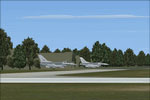
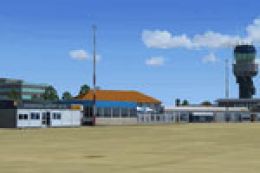
Illustration showcasing the refined airport layout and surroundings.
This installation supplies enthusiasts with a realistic portrayal of domestic Dutch aviation, including military heritage integrated into a civilian-focused setting. The developers have paid special attention to runway lighting, ground texture transitions, and significant structural landmarks, so taxiing and takeoff sequences accurately reflect the real-life airport’s specifications.
The Netherlands 2000 Scenery Design Team rigorously tested and refined this add-on to maintain top-tier performance. As a no-cost addition, it offers a substantially enhanced environment without compromising system resources, benefiting anyone eager to conduct realistic flights over eastern Netherlands or simulate combined civil and air force operations.
Created by The Netherlands 2000 Scenery Design Team.
Free for all simmers · 60.51 MB · Scanned clean Oct 2026
Download speed: Free tier is capped at 0.5 Mbps (this file takes approximately 17 mins at the cap). PRO members download at full line speed.
FSX\Addon Scenery\ containing scenery and texture sub-folders.readme.txt or README file. It tells you exactly where files go, what dependencies are needed, and any quirks specific to this add-on.Use these coordinates to fly directly to this location once the mod is installed.
52.27670000,6.89020000
Launch FSX or Prepar3D and use Flights → Load to open the downloaded .pln file. Your aircraft will be positioned at this location.
The archive nl2k_v4_03_ehtw_active.zip has 8 files and directories contained within it.
This list displays the first 500 files in the package. If the package has more, you will need to download it to view them.
| Filename/Directory | File Date | File Size |
|---|---|---|
| auteursrecht.txt | 05.24.10 | 5.06 kB |
| copyright.txt | 05.24.10 | 4.43 kB |
| FILE_ID.DIZ | 10.06.12 | 396 B |
| nl2k_v4.03_ehtw_active.gif | 05.12.11 | 7.16 kB |
| nl2k_v4.03_ehtw_active.nl2 | 10.06.12 | 60.58 MB |
| nl2k_v4.03_ehtw_active.txt | 10.06.12 | 395 B |
| flyawaysimulation.txt | 10.29.13 | 959 B |
| Go to Fly Away Simulation.url | 01.22.16 | 52 B |
Only PRO members can place votes.
More FSX & P3D add-ons hand-picked based on this download.
FSX Scenery
Enhance your simulation environment with a meticulously crafted rendition of …
 FSX Scenery
Experience an accurate rendition of Enschede Airport Twente (EHTW) in a free …
 FSX Scenery
This package introduces a specialized freeware scenery for Enschede Airport T…
 FSX Scenery
Experience a meticulously rendered layout of Enschede Airport Twente (EHTW)—c…
 FSX Scenery
Immerse yourself in the detailed world of Enschede Airport Twente (EHTW) thro…
 FSX Scenery
Immerse yourself in a meticulously crafted rendition of EHRD Rotterdam The Ha…
 FSX Scenery
Expand your virtual exploration of the Dutch border region by installing this…
 FSX Scenery
This freeware release brings a refined rendition of Groningen Airport Eelde (…
Be the first to leave a comment on this download.
Be the first to share your thoughts on this download.