

 FSX Scenery
NL2000 V4.03 Active Enschede Airport Twente
Expand your Microsoft Flight Simulator X experience with a highly detailed re…
Enschede Airport Twente (EHTW) comes to life with NL2000 v4 photoreal ground imagery, accurate taxiways and runway data, custom pavement detail, and faithfully modeled buildings, plus well-placed night lighting and seasonal texture tuning for immersive operations near the German border in FSX. Requires the NL2000 v4.0.20 installer for seamless modular integration.
 Rate
Rate
 Netherlands
Experience an accurate rendition of Enschede Airport Twente (EHTW) in a free and modular package crafted by The Netherlands 2000 Scenery Design Team. This add-on is designed to integrate seamlessly with the broader NL2000 v4 series, ensuring a photorealistic environment for one of the Netherlands’ historically significant airports. Twente’s airfield, situated in eastern Overijssel near the German border, boasts a rich history as a former joint military and civil site. This scenery enriches your virtual flights by providing precise ground details, attentively modeled structures, and faithfully represented surrounding terrain.
In this release, every taxi route carefully follows the real-world layout of Enschede Airport Twente. You will find runway markings and lengths that match published data, along with correct runway lighting systems for enhanced night operations. This gives flight sim pilots the opportunity to explore approaches and departures that mirror actual navigational procedures.
High-resolution aerial images ensure an immersive atmosphere, and they align accurately with the airport’s perimeter. You will notice custom ground polygons that emulate pavement types across parking ramps and service roads. The designers prioritized detail, so vehicles and clutter around the hangars reflect real-life scenarios, adding another layer of realism.
The NL2000 v4.0.20 installer is essential to incorporate this package into your simulator. This installation process makes it straightforward to integrate EHTW with other modules from the NL2000 v4 lineup. Once installed, you will gain access to a consistently rendered Dutch airspace, as the wider NL2000 collection spans the entire region with matching accuracy and quality.
Because every airport component within NL2000 v4 functions as its own segment, simmers can customize which parts of the Netherlands are active without compromising performance. This method keeps frame rates optimized, even when flying in or out of major hubs. Thanks to the team’s advanced layering system, each airport overlays seamlessly on the base scenery, guaranteeing no visual conflicts.
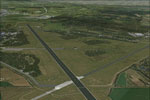
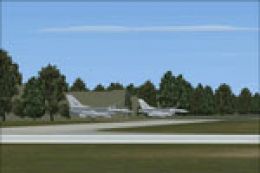
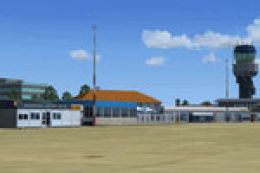
Screenshot of Enschede Airport Twente.
This freeware add-on builds upon years of dedicated work by The Netherlands 2000 Scenery Design Team. Their commitment to bringing Dutch airports and landscape fidelity to FSX remains evident in every detail. EHTW fits perfectly into the broader mosaic of their project, celebrating the nuanced geographical and architectural elements that define these locations.
Free for all simmers · 59.49 MB · Scanned clean Oct 2026
Download speed: Free tier is capped at 0.5 Mbps (this file takes approximately 17 mins at the cap). PRO members download at full line speed.
FSX\Addon Scenery\ containing scenery and texture sub-folders.readme.txt or README file. It tells you exactly where files go, what dependencies are needed, and any quirks specific to this add-on.Use these coordinates to fly directly to this location once the mod is installed.
52.27000000,6.87000000
Launch FSX or Prepar3D and use Flights → Load to open the downloaded .pln file. Your aircraft will be positioned at this location.
The archive nl2k_v4_02_ehtw.zip has 8 files and directories contained within it.
This list displays the first 500 files in the package. If the package has more, you will need to download it to view them.
| Filename/Directory | File Date | File Size |
|---|---|---|
| auteursrecht.txt | 05.24.10 | 5.06 kB |
| copyright.txt | 05.24.10 | 4.43 kB |
| FILE_ID.DIZ | 12.22.11 | 365 B |
| nl2k_v4.02_ehtw.gif | 05.12.11 | 11.85 kB |
| nl2k_v4.02_ehtw.nl2 | 12.01.11 | 59.56 MB |
| nl2k_v4.02_ehtw.txt | 12.22.11 | 365 B |
| flyawaysimulation.txt | 10.29.13 | 959 B |
| Go to Fly Away Simulation.url | 01.22.16 | 52 B |
Only PRO members can place votes.
More FSX & P3D add-ons hand-picked based on this download.
FSX Scenery
Expand your Microsoft Flight Simulator X experience with a highly detailed re…
 FSX Scenery
This package introduces a specialized freeware scenery for Enschede Airport T…
 FSX Scenery
Enhance your simulation environment with a meticulously crafted rendition of …
 FSX Scenery
Experience a meticulously rendered layout of Enschede Airport Twente (EHTW)—c…
 FSX Scenery
Enhance your simulator’s portrayal of one of the Netherlands’ busiest regiona…
 FSX Scenery
This free add-on offers a precisely modeled depiction of EHEH Eindhoven Airpo…
 FSX Scenery
This comprehensive package brings an updated rendition of Maastricht Aachen A…
 FSX Scenery
This airport enhancement transforms Groningen Airport Eelde (EHGG) within Mic…
Be the first to leave a comment on this download.
Be the first to share your thoughts on this download.