

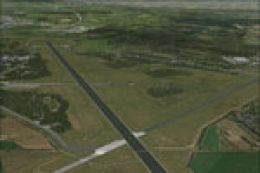
 FSX Scenery
NL2000 V4.02 Enschede Airport Twente
Experience an accurate rendition of Enschede Airport Twente (EHTW) in a free …
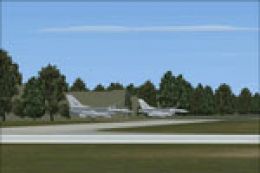
Enschede Airport Twente (EHTW) is recreated with accurate runways, taxiways, aprons, and key buildings, supported by high-resolution ground textures and a convincing Dutch airfield atmosphere while keeping performance smooth. Built for Microsoft Flight Simulator X, it integrates as a modular component and requires the NL2000 v4.0 installer.
 Rate
Rate
 Netherlands
This package introduces a specialized freeware scenery for Enschede Airport Twente, integrating seamlessly with NL2000 v4.0. It is specifically designed for Flight Simulator X (FSX) and meticulously crafted by The Netherlands 2000 Scenery Design Team. Enthusiasts can immerse themselves in a detailed environment that captures the authentic atmosphere of this Dutch airfield while maintaining high performance and visual fidelity.
The developers have structured this scenery add-on as part of the larger NL2000 v4 project. With a modular approach, each airport or regional environment within the Netherlands can be customized and installed independently. Users must have the NL2000 v4 installer readily available to integrate this Enschede package into their FSX setup.
[Modular scenery] refers to a design principle where each segment of the entire region is distributed as a standalone unit, allowing for selective installation. This method reduces potential conflicts between different scenery files and keeps the simulator environment flexible for future enhancements.
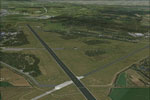
NL2000 V4.0 Enschede Airport Twente Scenery.
Enschede Airport Twente (EHTW) lies in the eastern region of the Netherlands, close to the German border. It has been subject to various developmental changes over the years, and this scenery pack captures those details with high precision. The recreation of ground markings, lighting arrangements, and surrounding terrains provides an immersive experience for virtual pilots preferring short regional hops or extended flights across Europe.
This scenery is presented by The Netherlands 2000 Scenery Design Team as part of their broader The Netherlands 2000 v4 framework. By focusing on a realistic depiction of Dutch airports, they have delivered a free, high-level mod for FSX that blends advanced customization with systemic compatibility. Each segment aims to reflect true-to-life architectural layouts and topographical elements associated with its region.
Free for all simmers · 59.2 MB · Scanned clean Oct 2026
Download speed: Free tier is capped at 0.5 Mbps (this file takes approximately 17 mins at the cap). PRO members download at full line speed.
FSX\Addon Scenery\ containing scenery and texture sub-folders.readme.txt or README file. It tells you exactly where files go, what dependencies are needed, and any quirks specific to this add-on.Use these coordinates to fly directly to this location once the mod is installed.
52.27580000,6.88920000
Launch FSX or Prepar3D and use Flights → Load to open the downloaded .pln file. Your aircraft will be positioned at this location.
The archive nl2k_v4_ehtw.zip has 8 files and directories contained within it.
This list displays the first 500 files in the package. If the package has more, you will need to download it to view them.
| Filename/Directory | File Date | File Size |
|---|---|---|
| nl2k_v4_ehtw.gif | 05.24.10 | 11.85 kB |
| FILE_ID.DIZ | 05.24.10 | 359 B |
| nl2k_v4_ehtw.nl2 | 04.16.10 | 59.28 MB |
| nl2k_v4_ehtw.txt | 05.22.10 | 351 B |
| copyright.txt | 05.24.10 | 4.43 kB |
| auteursrecht.txt | 05.24.10 | 5.06 kB |
| flyawaysimulation.txt | 10.29.13 | 959 B |
| Go to Fly Away Simulation.url | 01.22.16 | 52 B |
Only PRO members can place votes.
More FSX & P3D add-ons hand-picked based on this download.
FSX Scenery
Experience an accurate rendition of Enschede Airport Twente (EHTW) in a free …
 FSX Scenery
Expand your Microsoft Flight Simulator X experience with a highly detailed re…
 FSX Scenery
Enhance your simulation environment with a meticulously crafted rendition of …
 FSX Scenery
Experience a meticulously rendered layout of Enschede Airport Twente (EHTW)—c…
 FSX Scenery
Enhance your simulator’s portrayal of one of the Netherlands’ busiest regiona…
 FSX Scenery
This comprehensive scenery package brings an authentic representation of Eind…
 FSX Scenery
This free add-on offers a precisely modeled depiction of EHEH Eindhoven Airpo…
 FSX Scenery
This comprehensive package brings an updated rendition of Maastricht Aachen A…
Be the first to leave a comment on this download.
Be the first to share your thoughts on this download.