

 FSX Scenery
NL2000 V4 EHTW
Enhance your Microsoft Flight Simulator X experience with this updated freewa…
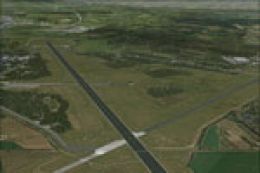
Enschede Airport Twente (EHTW) comes alive with NL2000 V4 Active scenery, featuring photoreal ground textures, detailed terminals and hangars, and authentic military infrastructure such as hardened shelters for a convincing former air base layout. Built for Microsoft Flight Simulator X, it integrates seamlessly into the Netherlands 2000 v4 environment and requires the NL2000 v4.0.20 installer.
 Rate
Rate
 Netherlands
Immerse yourself in the detailed world of Enschede Airport Twente (EHTW) through this advanced NL2000 V4 EHTW Active scenery add-on. Created by The Netherlands 2000 Scenery Design Team, this freeware package for Microsoft Flight Simulator X integrates a fully functioning military air base layout, delivering a high level of immersion within the broader Netherlands 2000 v4 environment. You will need the NL2000 v4.0.20 installer to activate and fully deploy this upgrade.
The focal point of this enhancement is the meticulous re-creation of Enschede Airport Twente. Originally an air base, EHTW features unique structures and layouts that set it apart from typical civil airports. In this upgrade, active air base elements come to life with:
Because this package belongs to the modular Netherlands 2000 v4 framework, it seamlessly integrates into your existing installation. Below are some details that highlight its design:
With these technical advantages, users can experience improved aerodrome realism, enhanced textures, and a functioning military atmosphere unique to EHTW. The add-on is part of the larger Netherlands 2000 v4 Scenery suite, which offers a free and modular approach to depicting the entirety of the Netherlands in FSX.
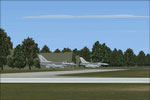
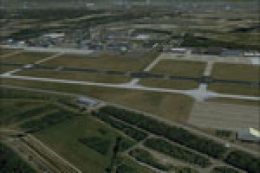
Screenshot of NL2000 V4 EHTW Active Scenery.
The NL2000 v4 series is known for its modular flexibility, covering various airports and geographical locations within the Netherlands. Given that it is authored by The Netherlands 2000 Scenery Design Team, each package merges seamlessly with others to assemble a complete landscape for flight simulation enthusiasts who seek to refine their operational skills in a localized environment.
Whether you are practicing VFR approaches or exploring military flight operations, this add-on brings Enschede Airport Twente’s dual-purpose character into clear focus. By deploying the EHTW Active module, you gain a comprehensive exploration platform for civil and military activities within Microsoft Flight Simulator X.
Free for all simmers · 59.21 MB · Scanned clean Oct 2026
Download speed: Free tier is capped at 0.5 Mbps (this file takes approximately 17 mins at the cap). PRO members download at full line speed.
FSX\Addon Scenery\ containing scenery and texture sub-folders.readme.txt or README file. It tells you exactly where files go, what dependencies are needed, and any quirks specific to this add-on.Use these coordinates to fly directly to this location once the mod is installed.
52.27580000,6.88920000
Launch FSX or Prepar3D and use Flights → Load to open the downloaded .pln file. Your aircraft will be positioned at this location.
The archive nl2k_v4_01_ehtw_active.zip has 8 files and directories contained within it.
This list displays the first 500 files in the package. If the package has more, you will need to download it to view them.
| Filename/Directory | File Date | File Size |
|---|---|---|
| nl2k_v4.01_ehtw_active.txt | 05.12.11 | 395 B |
| auteursrecht.txt | 05.24.10 | 5.06 kB |
| copyright.txt | 05.24.10 | 4.43 kB |
| FILE_ID.DIZ | 05.12.11 | 395 B |
| nl2k_v4.01_ehtw_active.gif | 05.12.11 | 7.16 kB |
| nl2k_v4.01_ehtw_active.nl2 | 03.27.11 | 59.29 MB |
| flyawaysimulation.txt | 10.29.13 | 959 B |
| Go to Fly Away Simulation.url | 01.22.16 | 52 B |
Only PRO members can place votes.
More FSX & P3D add-ons hand-picked based on this download.
FSX Scenery
Enhance your Microsoft Flight Simulator X experience with this updated freewa…
 FSX Scenery
Experience a meticulously rendered layout of Enschede Airport Twente (EHTW)—c…
 FSX Scenery
Expand your Microsoft Flight Simulator X experience with a highly detailed re…
 FSX Scenery
Enhance your simulator’s portrayal of one of the Netherlands’ busiest regiona…
 FSX Scenery
This comprehensive scenery package brings an authentic representation of Eind…
 FSX Scenery
This free add-on offers a precisely modeled depiction of EHEH Eindhoven Airpo…
 FSX Scenery
Enhance your simulator with this free package dedicated to EHEH (Eindhoven Ai…
 FSX Scenery
This comprehensive package brings an updated rendition of Maastricht Aachen A…
Be the first to leave a comment on this download.
Be the first to share your thoughts on this download.