

 FSX Military Aircraft
German Airforce Eurofighter Typhoon (Demo)
Eurofighter, FSX, Eurofighter is a single-seat, twin-engine, agile combat air…
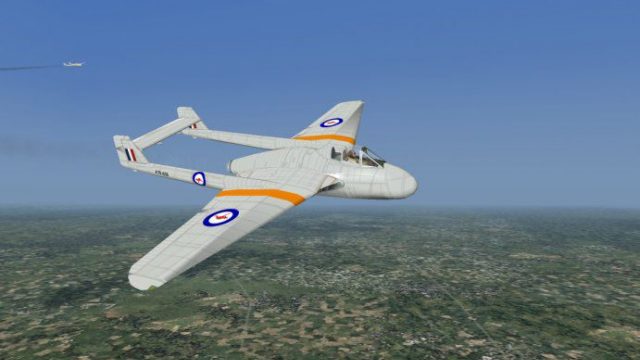
Royal Australian Air Force Vampire brings the de Havilland’s iconic twin-boom jet to life with authentic RAAF markings, crisp exterior textures, and a period-correct virtual cockpit. Built as a self-contained aircraft for Microsoft Flight Simulator X, it includes tuned flight dynamics and responsive instrumentation for convincing post-war jet flying.
 Rate
Rate
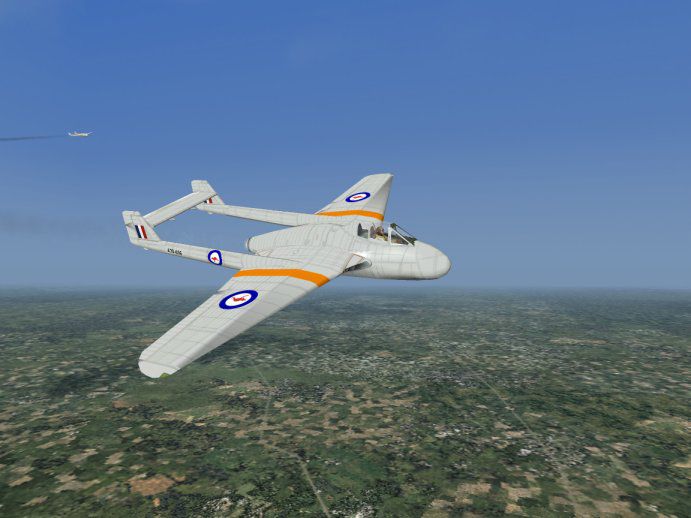
This freeware add-on recreates the Royal Australian Air Force Vampire as a fully self-contained package for Microsoft Flight Simulator X. It features a carefully repainted exterior and an integrated model, brought together by Tom Stovall for enthusiasts seeking a distinctive twin-boom classic.
The de Havilland Vampire, known for its unique twin-boom configuration, served in multiple air forces worldwide, including the Royal Australian Air Force (RAAF). This jet fighter originally debuted during the post–Second World War era. In this rendition, you will find a dedicated livery reflecting RAAF markings that capture the essence of the service’s operational schemes.
Tom Stovall has meticulously created new textures and adapted the base model so that it functions independently from other variants. This standalone approach streamlines installation. Aircraft geometry, flight dynamics, and performance characteristics have been fine-tuned to provide a more responsive handling experience.
The update includes a calibration of the flight envelope for stable yet realistic maneuverability. This jet’s hallmark low-wing design and single-engine thrust have been adjusted to match documented performance data, which ensures captivation during high-speed passes and gentle cruises alike.
While the interior maintains historical fidelity, users will notice refined gauge behavior and functional instrumentation. These cockpit features aim to replicate authentic readings associated with the Vampire’s operational profile, letting pilots develop a deeper connection with the aircraft’s era.
Both cockpit and external elements feature balanced textures to retain classic detailing. Surface reflections have been carefully tuned to match typical metal finishes from the period. Aircraft markings adhere to RAAF specifications, bringing out rivet lines, service decals, and other subtle details that improve overall immersion.
This standalone package includes everything necessary for quick integration into your simulator’s aircraft library. The freeware release ensures that no separate dependencies are required. It joins a growing library of historical military jets available for virtual operations and fits right into both casual flights and more advanced reenactment sessions.
Free for all simmers · 1.98 MB · Scanned clean Sep 2026
Download speed: Free tier is capped at 0.5 Mbps. PRO members download at full line speed.
readme.txt or README file. It tells you exactly where files go, what dependencies are needed, and any quirks specific to this add-on.The archive vampireAusmki.zip has 21 files and directories contained within it.
This list displays the first 500 files in the package. If the package has more, you will need to download it to view them.
| Filename/Directory | File Date | File Size |
|---|---|---|
| vampireAusmki | 12.11.02 | 0 B |
| vampireAussie_mki | 12.11.02 | 0 B |
| aircraft.cfg | 12.08.02 | 7.74 kB |
| reticle_br.dds | 10.27.02 | 85.48 kB |
| sound | 12.11.02 | 0 B |
| sound.cfg | 12.08.02 | 35 B |
| vampaus_mk1_t.mos | 12.08.02 | 22.54 kB |
| vampaus_mki.air | 10.07.02 | 10.08 kB |
| vampaus_mki.m3d | 12.08.02 | 1.33 MB |
| vampaus_mki.xdp | 12.08.02 | 22.46 kB |
| vampaus_mki_c.dds | 10.03.02 | 682.79 kB |
| vampaus_mki_cockpit0.m3d | 10.02.02 | 254.50 kB |
| vampaus_mki_s.dds | 12.08.02 | 682.80 kB |
| vampaus_mki_t.dds | 12.09.02 | 682.80 kB |
| vampaus_mki_t.mos | 12.08.02 | 40.70 kB |
| vampaus_mki_t_damage.dds | 10.03.02 | 42.79 kB |
| Readme CFS3 Repaints.doc | 12.05.02 | 24.00 kB |
| VampireFinal.jpg | 12.10.02 | 52.38 kB |
| File_ID.txt | 12.11.02 | 77 B |
| flyawaysimulation.txt | 10.29.13 | 959 B |
| Go to Fly Away Simulation.url | 01.22.16 | 52 B |
Only PRO members can place votes.
Hand-picked add-ons similar to this download.
FSX Military Aircraft
Eurofighter, FSX, Eurofighter is a single-seat, twin-engine, agile combat air…
 FS2004 Panels
Hellenic Airforce TA-7H panel,based on a limited(unfortunately) array of pict…
 FSX Scenery
Overberg Airforce Base. This is Overberg Air Force base in South Africa. It i…
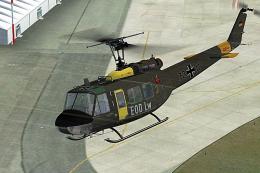 FSX Helicopters
German Airforce EOD Bell UH-1D. Repaint for a Huey in colors of the German Ai…
 FSX Military Aircraft
Textures only for the Premier Aircraft Design Casa C-295 in the Egyptian Air …
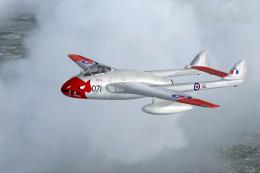 FSX Military Aircraft
This freeware release brings a meticulously crafted De Havilland Vampire F3 f…
 FSX Military Aircraft
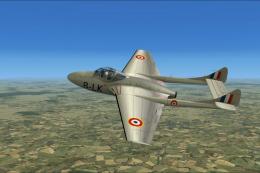
FSX French Air Force DH Vampire T.11. A repaint of the payware Alphasim DeHav…
 FSX Military Aircraft
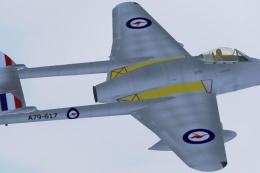
This high-fidelity repaint brings the classic Royal Australian Air Force (RAA…
Be the first to leave a comment on this download.
Be the first to share your thoughts on this download.