

 FSX Turboprops
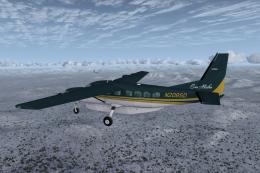
Era Alaska Cessna 208B Grand Caravan
This is one of the original aircraft flown on the Discovery Channel show, "Fl…
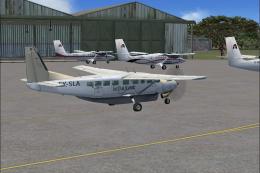
AeroLink Uganda’s Cessna 208B Grand Caravan livery delivers authentic East African commuter and safari-connector visuals with Air Kenya-inspired branding, tuned for AI traffic and regional bush operations. Built for FSX, it uses Henry Tomkiewicz’s AI Caravan model and requires the base package separately, with repaint artwork by Bashir Ismail.
 Rate
Rate
This freeware repaint brings the AeroLink Uganda livery to the Cessna 208B Grand Caravan, paying tribute to the carrier’s parent company, Air Kenya. It is designed for use with Microsoft Flight Simulator and utilizes Henry Tomkiewicz’s AI model. Repaint work is by Bashir Ismail. This package does not include the base model, which must be sourced separately from the Fly Away Simulation mod library.
The AeroLink Uganda color scheme reflects the airline’s focal mission of providing air services across East Africa. Since AeroLink Uganda operates under Air Kenya’s umbrella, this texture blends both branding elements. It is tailored to the AI Cessna 208B Grand Caravan, an aircraft well-regarded for short field performance and dependable operations in diverse settings throughout the region.
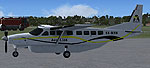
Screenshot of Cessna 208B Grand Caravan on the ground.
The Cessna 208B’s design offers reliable single-turboprop thrust, enabling short-hop routes and easy landings on unpaved or smaller runways. In real-world operations, AeroLink Uganda uses this type for swift connections to remote safari airstrips, ensuring travelers reach nature reserves and similar destinations without extensive ground travel. This repaint accurately captures that spirit, making it suitable for virtual bush flights or regional commuter services within your simulator environment.
Before applying this repaint, confirm that you have downloaded and installed the original AI Cessna 208B Grand Caravan model by Henry Tomkiewicz. The required base files are available in the Fly Away Simulation library. After ensuring the base model is present, follow these procedures:
[fltsim.xx] entry in your aircraft.cfg file to enable this livery. Make sure the consecutive numbers match and that unique titles and variations are set for each repaint.Below is a standard example of how the corresponding configuration block should look once inserted into aircraft.cfg:
[fltsim.xx]
title=AI Cessna C208B AeroLink Uganda
sim=AI Cessna 208B
model=cp
panel=
sound=
texture=AeroLink
kb_checklists=
ui_manufacturer=Cessna
ui_type=C208B
ui_variation=AeroLink Uganda
atc_heavy=0
atc_id=
atc_airline=SUNEXPRESS
atc_flight_number=
atc_parking_codes=
atc_parking_types=GATE,RAMP
description=AI Cessna C208B Grand Caravan by Henry Tomkiewicz
This freeware livery is offered courtesy of Bashir Ismail, who meticulously crafted the repaint, and Henry Tomkiewicz, who developed the original AI model. Make sure to respect their work by exclusively using this repaint with the correct base files from the same developer, maintaining the aircraft’s authenticity within the simulator.
Free for all simmers · 1.63 MB · Scanned clean Oct 2026
Download speed: Free tier is capped at 0.5 Mbps. PRO members download at full line speed.
texture.{airline}) inside FSX\SimObjects\Airplanes\{base-aircraft}\.aircraft.cfg in Notepad. Add a new [fltsim.X] section per the readme.readme.txt or README file. It tells you exactly where files go, what dependencies are needed, and any quirks specific to this add-on.The archive aerolinkuganda.zip has 11 files and directories contained within it.
This list displays the first 500 files in the package. If the package has more, you will need to download it to view them.
| Filename/Directory | File Date | File Size |
|---|---|---|
| AeroLink - Uganda.bmp | 12.30.12 | 519.43 kB |
| AeroLink.bmp | 12.31.12 | 2.93 MB |
| File_ID.diz | 12.31.12 | 199 B |
| Read Me.txt | 12.31.12 | 1.16 kB |
| Route Map.bmp | 12.29.12 | 1.70 MB |
| texture.AeroLink | 12.31.12 | 0 B |
| aic208b.bmp | 12.31.12 | 1.00 MB |
| aic208b_L.bmp | 12.29.12 | 256.07 kB |
| prop-hs.bmp | 12.29.12 | 64.07 kB |
| flyawaysimulation.txt | 10.29.13 | 959 B |
| Go to Fly Away Simulation.url | 01.22.16 | 52 B |
Only PRO members can place votes.
More FSX & P3D add-ons hand-picked based on this download.
FSX Turboprops
This is one of the original aircraft flown on the Discovery Channel show, "Fl…
 FSX Turboprops
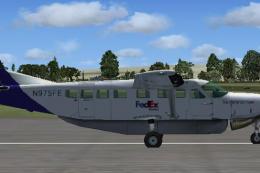
FedEx Cessna 208B Grand Caravan. A repaint by Bashir Ismail of the default Ce…
 FSX Turboprops
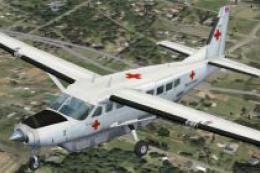
Textures only for the default C208B. Repaint by Mike Lanza. Screenshot of Red…
 FSX Turboprops
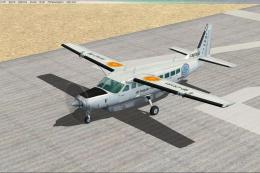
SafariLink Cessna 208B Grand Caravan. This repaint by Bashir Ismail of the de…
 FSX Turboprops
Air Baguio Cessna 208B Grand Caravan, registration RP-C8181. Textures only fo…
 FSX Turboprops
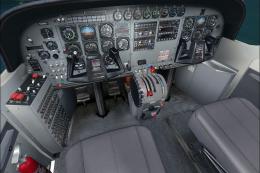
Experience a refined look for the venerable Cessna 208B Caravan in Microsoft …
 FSX Turboprops
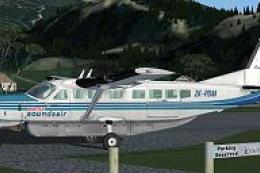
This enhanced repaint set for Microsoft Flight Simulator X provides a special…
 FSX Turboprops
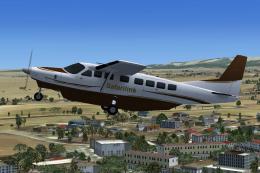
Repaint of Henry Tomkiewicz's AI Cessna 208B in Safarilink colors. Textures o…
Be the first to leave a comment on this download.
Be the first to share your thoughts on this download.