

 FSX Military Aircraft
F-16 522 FS Fighting Fireball's
This is Kirk Olsson's F-16 Viper updated for FSX. Painted in the 522 Expediti…
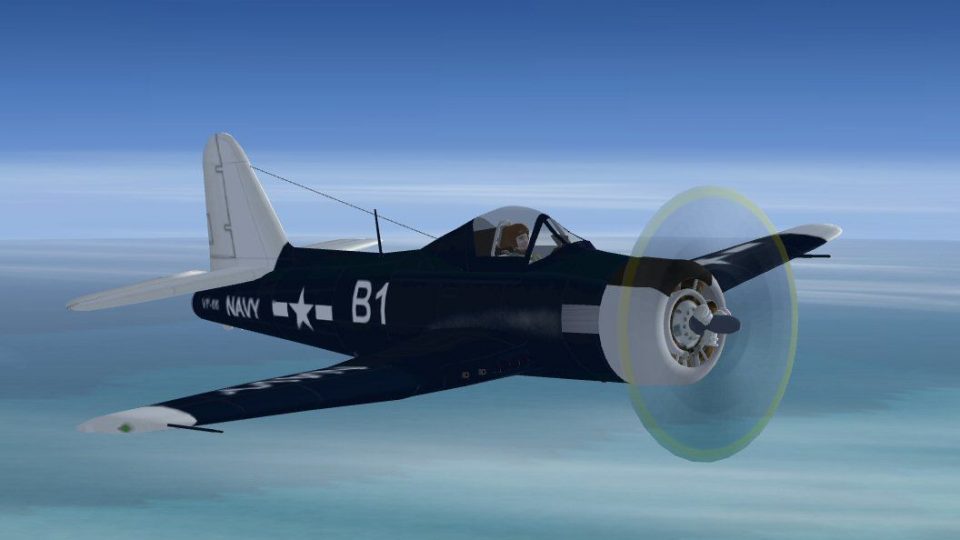
Ryan FR-1 Fireball brings the U.S. Navy’s rare piston-and-jet hybrid fighter to Microsoft Flight Simulator X with an updated model, a refreshed panel, and custom effects for more convincing starts, takeoffs, and fly-bys. The package also includes background history, pictures, and updated textures for an authentic mid-1940s look.
 Rate
Rate
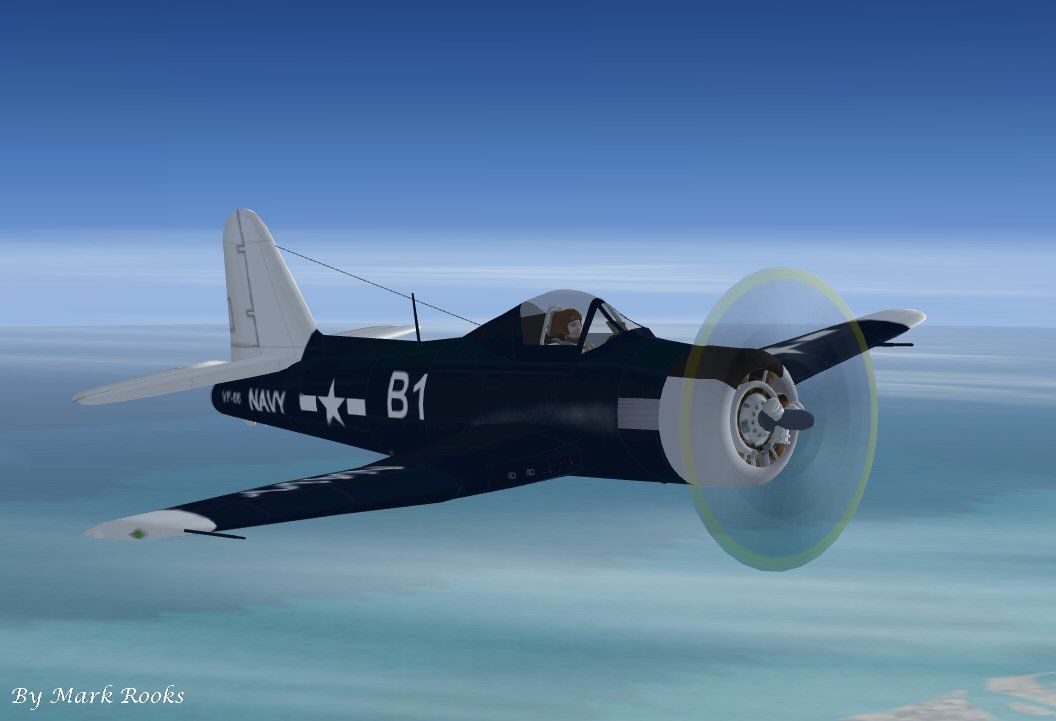
Ryan FR-1 Fireball. This is Kazunori Ito's Ryan FR1 Fireball updated for Flight Simulator X. The Ryan FR-1 essentially was a conventional wartime fighter with a small General Electric J31 jet engine stuffed in the back. The prototype XFR-1 flew for the first time on June 25, 1944, with the first delivery of an operational FR-1 being made to Navy Fighter Squadron VF-66 in March 1945. The aircraft used both power plants for take-off, climb and combat, and had the ability to fly and land with either engine shut down. The Ryan Corporation's design work on the XFR-1 influenced the development of another experimental composite-power aircraft, the Curtiss-Wright XF15C-1. This Ryan FR-1 Fireball has a new panel and new effects. FR-1 package includes history and pictures. Textures and updates by Mark Rooks of RDG Aircraft.
Ryan FR-1 Fireball in flight.
Ryan FR-1 Fireball Support a Mercy Flight near you.
I have included the original panel that does not work in FSX .. The panel texture will but the gauges do not work . If you want to feel free to update the panel . I used a corsair panel I created some time back .. I can create panels I just don't like to .. Too much like work and considering the pay I usually pass on building panels . Files are located in the folder named Original Panel.
To install this aircraft:
As always back up any original files.
1.Unzip downloaded folders to your desktop or temporary directory of your choice.
2.Copy the " Ryan FR-1 Fireball.zip " and paste it in the main aircraft folder.
By default the main aircraft folder is located at:
"C:\Program Files\Microsoft Games\FSX\SIM Objects /Aircraft .
3. Be sure to completely unzip all files the aircraft file when complete will Cotain 6 files the Following 6 files goes in the aircraft folder CFG Airfile Model Sound Panel Textures.
4. Install gauges from the gauges folder into the FSX gauges folder located at C:\Program Files\Microsoft Games\FSX\Gauges.
Made Simpler:
Make sure all files are unzipped the New Plane folder should contain 6 files unzipped they are CFG Airfile Sound Model Texture Panel the New Plane folder with the 6 files goes in the game aircraft folder found at C:\Program Files\Microsoft Games\Microsoft Flight Simulator X\SimObjects\Airplanes follow the path ie open the c drive then open program files then open Microsoft Games then open Microsoft Flight Simulator X then open SimObjects then open Airplanes folder the New Plane goes in that folder.
DISCLAIMER:
WE CONNOT BE CHARGED FOR ANY DAMAGES/PROBLEMS/ERRORS CAUSED TO YOUR EQUIPMENT THROUGH USE OF RDG FILES!
USE ALL FILES AT YOUR OWN RISK!
BY INSTALLING OUR FILES ON YOUR EQUIPMENT YOU ARE AGREEING TO THIS DISCLAIMER.
ALL FILES VIRUS FREE AT TIME OF UPLOAD.
Enjoy your new repaint.
Thanks for downloading.
"Fire Ball"
In The Words of Tim Conrad AKA Piglet.
Enjoy!
This model was built to the best of my skills, knowledge, and simply to my own tastes and standards.
If something is "missing", or "wrong", oh well, you got it for a good price:-) For a one-man shop, I think I do pretty well:-p
Free for all simmers · 14.57 MB · Scanned clean Oct 2026
Download speed: Free tier is capped at 0.5 Mbps (this file takes approximately 4 mins at the cap). PRO members download at full line speed.
SimObjects\Airplanes\, Addon Scenery\, Effects\, or Gauges\.readme.txt or README file. It tells you exactly where files go, what dependencies are needed, and any quirks specific to this add-on.The archive fsxfr-1fireball.zip has 10 files and directories contained within it.
This list displays the first 500 files in the package. If the package has more, you will need to download it to view them.
| Filename/Directory | File Date | File Size |
|---|---|---|
| Effects.zip | 01.26.11 | 206.51 kB |
| gauges.zip | 10.25.10 | 1.26 MB |
| Original Panel.zip | 01.27.11 | 1.55 MB |
| Read Me First.txt | 01.27.11 | 3.15 kB |
| Ryan Fireball Pictures and History.zip | 01.27.11 | 1.31 MB |
| RYAN FR_1 Fireball screen .jpg | 01.27.11 | 56.71 kB |
| Ryan FR-1 Fireball.zip | 01.27.11 | 10.19 MB |
| Text.txt | 01.27.11 | 818 B |
| flyawaysimulation.txt | 10.29.13 | 959 B |
| Go to Fly Away Simulation.url | 01.22.16 | 52 B |
Only PRO members can place votes.
More FSX & P3D add-ons hand-picked based on this download.
FSX Military Aircraft
This is Kirk Olsson's F-16 Viper updated for FSX. Painted in the 522 Expediti…
 FSX Military Aircraft
This is the FS2002 VTOL aircraft LTV Vought Ryan XC-142 by Alexander van Hien…
 FSX Military Aircraft
This is the full package for the F-14D Tomcat developed by Dino Cattaneo for …
 FSX Military Aircraft
The F35 Lightning II is a fifth-generation, single-seat, single-engine stealt…
 FSX Military Aircraft
A pack containing three different Lockheed SR-71 add-ons from three different…
 FSX Military Aircraft
Complete aircraft with panel including working radar shows vAI traffic, panel…
 FSX Military Aircraft
Now, v2.83. This file is compatible with FSX with the Acceleration Pack insta…
 FSX Military Aircraft
F/A-18 Combat Version. This is the Acceleration F/A-18 Hornet equipped with 2…
Be the first to leave a comment on this download.
Be the first to share your thoughts on this download.