


 Honduras
  FSX Scenery
Toncontin Airport
Toncontin Airport (MHTG). This it an update of the default FSX airport of Ton…
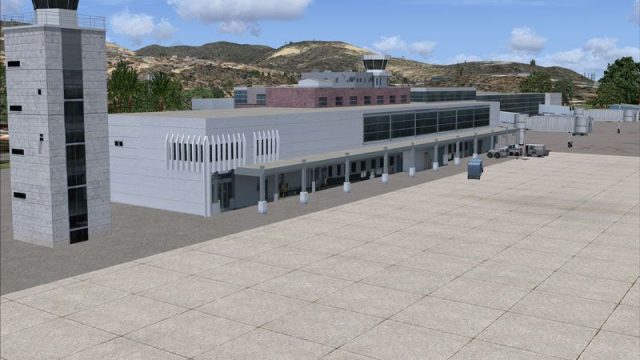
Toncontin International Airport (MHTG) scenery brings Tegucigalpa’s famously demanding approach to life with custom Gmax terminal, tower, cargo and hangar buildings, plus meticulously aligned parking, taxiways, flattens and satellite-accurate city roads, traffic and nearby lakes. Built for Microsoft Flight Simulator X, it requires no extra dependencies.
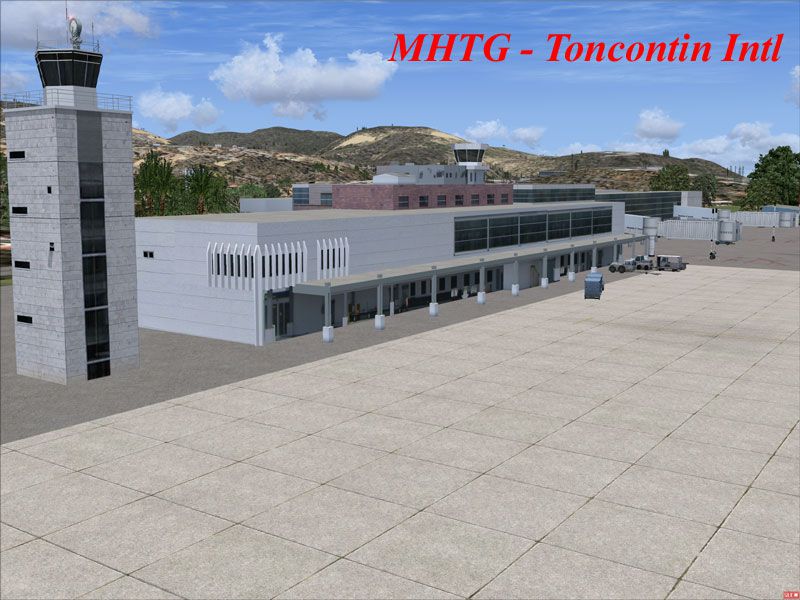
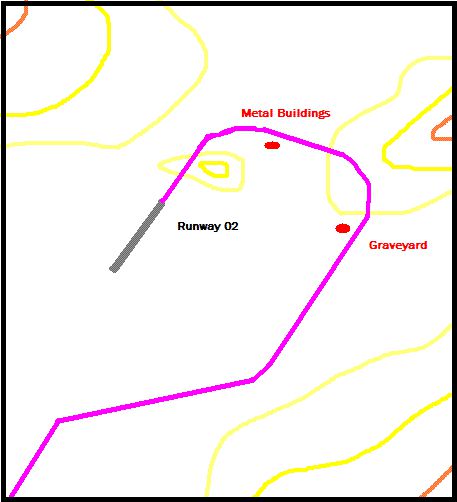
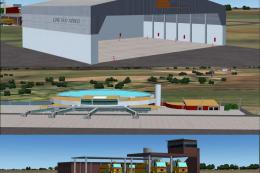
Toncontin Int'l Airport (MHTG) beta v0.6. Featuring one of the most difficult approaches in the world for large jets, Toncontin International in Honduras is not well-represented in FSX default scenery. With this scenery, the situation is rectified somewhat, with several Gmax buildings and extremely accurate placement of all items. By Rhett Browning.
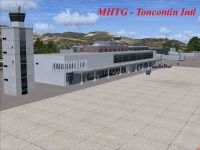
Toncontin Int'l Airport Scenery.
MHTG - Toncontin Intl
Scenery for Microsoft Flight Simulator X
Version 0.6
This is a beta scenery of Toncontin International Airport (MHTG) in the capital city of Honduras, Tegucigalpa. While this is still a beta, it really can more accurately be called "incomplete". Shortly after the crash of TACA Flight 390 at Toncontin in May 2008 (google it for reference), there was increased interest in this airport and its dangerous approach (see approach.txt for details of the approach). Shortly after the TACA accident I made a scratch scenery of the airport and sent this to a few people who asked. In the ensuing months I worked on the scenery off and on, and started adding gmax 3D buildings.
I have decided to release what I have done so far, since some of the people who got my earlier quickie scenery were asking. I also wanted you all to enjoy MHTG the way it ought to be in our sim. The default just doesn't capture the scary realism of the approach and the great feeling you have after greasing it, then turning to the terminal. When you taxi in to the generic building terminal, it is not quite the same as taxiing into a Gmax terminal that looks a little closer to the real thing.
The result as of right now (Feb 09) is what you see in this archive. I have gmax'ed the following buildings at the airport:
1) the main terminal building
2) the control tower
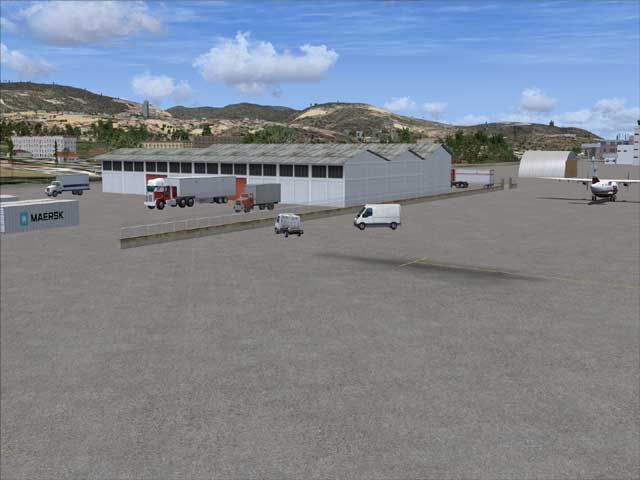
3) the cargo warehouse
4) the fire truck pavilion
5) the cinderblock hangars
6) the quonset hut hangar
The following structures do not yet exist in this scenery, but are planned:
1) the hangar by the DC-3 derelicts
2) the GA buildings, including the flight school building
3) the building at the cargo terminal
4) the shed hangars across from the cinderblock hangars
5) the storage building on the east side of the airport
The military base buildings, I may also design at some point but they are lower priority to me.
The parking and taxiway arrangement is 100% accurate down to the nearest .0000000000001 meter (I jest), which means I meticulously went through and correlated dozens of reference points from GoogleEarth and translated that into FSX.
I have also added some flattens where needed to give the terrain at the business end of the runway a more realistic look. If you think the terrain there looks unrealistic, it is not. The Hondurans have taken bulldozers to that hillside and literally clawed out and flattened the whole hillside. This was done a few years ago. There are a few things I may do to the hillside going forward--as it is not perfect in my opinion--but it does accurately reflect the difficulties a pilot faces coming in from that side. The part at the end of the runway was literally bulldozed flat to match the runway elevation.
In addition, I have completely reworked the road system of Tegucigalpa, adding traffic and roads with satellite accuracy. The default road data left a bit to be desired. You will also find to lakes, both man-made. One is just to the west of the airport, but the other is more difficult to find--it is in the mountains south of the city but very near. The larger lake in the mountains is a continuing problem for me as a designer (bad shoreline terrain interactions) but this is a beta. I'll figure out what is wrong there.
Framerate impact is minimal on my rig (E8500, 8800GTX). I try to design with good design practices, (i.e. well used texture sheets and good use of materials and vertices) but I learn new modelling tricks all the time.
Also, since this is beta scenery, I cannot guarantee any compatibility with UTX. I don't think UTX mods any Central American vector items but you never know.
I'll also try to make a better readme at some point.
INSTALLATION
I did not make an installer with this beta scenery.
1. install as with any scenery. That means make a folder, such as \Honduras
2. copy the scenery folder into \Honduras
3. copy the texture folder into \Honduras
Now you have \Honduras\scenery and \Honduras\texture
4. Activate in Scenery Library and fly.
I also recommend you have aftermarket terrain mesh installed, such as that by FSGenesis. You will want the enhanced terrain mesh to really bring out the terrain on approach. I have not tested this scenery with stock terrain. BE WARNED OF THAT.
This scenery, or any part of it, may not be used as a part of any commercial project.
The user accepts all risk of use.
Rhett Browning
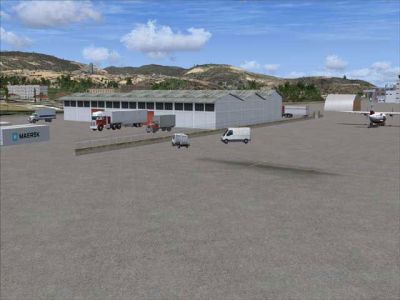
Toncontin Int'l Airport Scenery.
Free for all simmers · 2.71 MB · Scanned clean Oct 2026
Download speed: Free tier is capped at 0.5 Mbps. PRO members download at full line speed.
FSX\Addon Scenery\ containing scenery and texture sub-folders.readme.txt or README file. It tells you exactly where files go, what dependencies are needed, and any quirks specific to this add-on.Use these coordinates to fly directly to this location once the mod is installed.
14.06090000,-87.21720000
Launch FSX or Prepar3D and use Flights → Load to open the downloaded .pln file. Your aircraft will be positioned at this location.
The archive mhtg_v06.zip has 27 files and directories contained within it.
This list displays the first 500 files in the package. If the package has more, you will need to download it to view them.
| Filename/Directory | File Date | File Size |
|---|---|---|
| HON_CVX_S.BGL | 09.06.08 | 17.23 kB |
| LC_Sula.bgl | 02.20.07 | 325 B |
| LC_Teguc.bgl | 02.20.07 | 453 B |
| MHTG_ade_rb.BGL | 02.13.09 | 15.14 kB |
| MHTG_obx_rb.BGL | 12.07.08 | 809.57 kB |
| WC_Sula.bgl | 02.24.07 | 422 B |
| WC_Teguc.bgl | 02.06.08 | 477 B |
| scenery | 09.05.08 | 0 B |
| MHTG_misc1.bmp | 09.06.08 | 1.33 MB |
| MHTG_shed1.bmp | 12.07.08 | 1.33 MB |
| MHTG_terminal1.bmp | 08.24.08 | 1.33 MB |
| MHTG_terminal1_T_spec.bmp | 08.24.08 | 1.33 MB |
| MHTG_terminal2.bmp | 09.03.08 | 1.33 MB |
| MHTG_terminal2_T_spec.bmp | 09.03.08 | 1.33 MB |
| MHTG_tower.bmp | 09.01.08 | 1.33 MB |
| MHTG_tower_lm.bmp | 09.06.08 | 1.33 MB |
| MHTG_tower_T_spec.bmp | 09.01.08 | 1.33 MB |
| texture | 09.02.08 | 0 B |
| MHTG01.jpg | 02.13.09 | 105.65 kB |
| MHTG02.jpg | 02.13.09 | 26.78 kB |
| MHTG03.gif | 02.13.09 | 6.33 kB |
| tguappch.gif | 02.04.08 | 8.04 kB |
| thumb.gif | 02.13.09 | 6.33 kB |
| approach.txt | 02.13.09 | 4.89 kB |
| MHTG_readme.txt | 02.13.09 | 4.77 kB |
| flyawaysimulation.txt | 10.29.13 | 959 B |
| Go to Fly Away Simulation.url | 01.22.16 | 52 B |
Only PRO members can place votes.
More FSX & P3D add-ons hand-picked based on this download.
FSX Scenery
Toncontin Airport (MHTG). This it an update of the default FSX airport of Ton…
 FSX Scenery
FSX Atlanta Int'l Airport. Scenery for Hartsfield - Jackson Atlanta Internati…
 FSX Scenery
Vienna Schwechat Int'l Airport (LOWW), Austria. Features Skylink terminal, fi…
 FSX Scenery
Denver Int'l Airport (KDEN), Colorado (CO). Features added jetways, expanded …
 FSX Scenery
Tocumen Int'l Airport (MPTO), Panama. This is an AFCAD-type scenery (plus a l…
 FSX Scenery
Venice Tessera Int'l Airport "Marco Polo" (LIPZ), Italy. Based on the latest …
 FSX Scenery
Kingsford Smith Int'l Airport (YSSY), Sydney, Australia. Includes two version…
 FSX Scenery
Maceio Int'l Airport (SBMO), Brazil. Functional, with taxiway signs. By Gusta…
Be the first to leave a comment on this download.
Be the first to share your thoughts on this download.