


 Panama
  FSX Scenery
FSX--Atlanta Int'l Airport
FSX Atlanta Int'l Airport. Scenery for Hartsfield - Jackson Atlanta Internati…
Tocumen International Airport (MPTO) in Panama gets a Summer 2007 refresh for FSX, expanding realistic parking and helipads, adding jetways, taxiway signs, and detailed service vehicle paths. Updated landclass, waterclass, roads, and local traffic improve the airport environment while enhancing cargo and military areas for busier AI operations.
Tocumen Int'l Airport (MPTO), Panama. This is an AFCAD-type scenery (plus a little more) of the "Hub of the Americas", Tocumen International Airport in Panama. This scenery features improved parking, vehicle paths, updates MPTO to summer 2007 appearance, more jetways, landclass, waterclass, roads, traffic and much more. By Rhett Browning.
MPTO Enhanced - Tocumen Intl - Panama
Version 1.0
July 2007
by Rhett Browning
This is an AFCAD-type scenery (plus a little more) of the "Hub of the Americas", Tocumen International Airport in Panama. This scenery features improved parking, vehicle paths, updates MPTO to Summer 2007 appearance, more jetways, landclass, waterclass, roads, traffic, and much more.
Features of this scenery:
-- realistic parking (double the number of parking spots compared to stock MPTO), plus helipads
-- Microsoft used data from 2005, too early to show the expansion at MPTO. I show the airport as of 2007.
-- expanded cargo area and military area on the north end
-- accurate airport service vehicle paths
-- accurate placement of all airport placeholder buildings and structures, new taxiway signs
-- fixed and added roads and traffic in the immediate vicinity of the airport
-- more accurate landclass and waterclass around the airport
-- more accurate jetways to match the real world
-- added a couple of Extrusion Bridges
This scenery has been tested only on FSX Deluxe, and not on FSX Standard. It has been tested with FSX Service Pack 1 and without. It has been tested with several large AI packages (American, Copa, Taca, Continental, etc.) and it seems to handle them well. If you notice any problems with AI or approaches, etc. please let me know.
I also use FSGenesis terrain mesh which does help the area look more realistic--albeit with a few airport-on-plateau drawbacks that we cannot overcome until we get fully-functional sloping runways in MSFS.
I hope to add a few other major airports in Panama (MPMG, MPBO, MPDA) and I am presently (July 2007) working to that end. However I am limited by the time I have available for scenery design, which is not as much as I would like.
INSTALLATION
1) unzip the archive to your \ADDON SCENERY folder, or any folder of your choice.
1a) Please note that if you add the files to a folder of your choice, you will have to activate the scenery area using FSX's Scenery Library. If you install the \ADDON SCENERY, you should not have to do anything else.
2) that's it! enjoy flying into and out of a better Tocumen.
This scenery may not be used as any part of any commercial scenery project.
Rhett Browning
Free for all simmers · 25.88 KB · Scanned clean Oct 2026
Download speed: Free tier is capped at 0.5 Mbps. PRO members download at full line speed.
FSX\Addon Scenery\ containing scenery and texture sub-folders.readme.txt or README file. It tells you exactly where files go, what dependencies are needed, and any quirks specific to this add-on.Use these coordinates to fly directly to this location once the mod is installed.
9.07133100,-79.38345300
Launch FSX or Prepar3D and use Flights → Load to open the downloaded .pln file. Your aircraft will be positioned at this location.
The archive mpto_v1.zip has 7 files and directories contained within it.
This list displays the first 500 files in the package. If the package has more, you will need to download it to view them.
| Filename/Directory | File Date | File Size |
|---|---|---|
| MPTO_cvx_rb.BGL | 07.15.07 | 11.26 kB |
| MPTO_lc_rb.bgl | 07.15.07 | 482 B |
| MPTO_wc_rb.bgl | 07.15.07 | 954 B |
| MPTO_afx_rb.BGL | 07.15.07 | 40.75 kB |
| MPTO.txt | 08.11.07 | 2.47 kB |
| flyawaysimulation.txt | 10.29.13 | 959 B |
| Go to Fly Away Simulation.url | 01.22.16 | 52 B |
Only PRO members can place votes.
More FSX & P3D add-ons hand-picked based on this download.
FSX Scenery
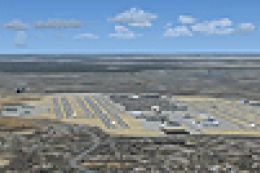
FSX Atlanta Int'l Airport. Scenery for Hartsfield - Jackson Atlanta Internati…
 FSX Scenery
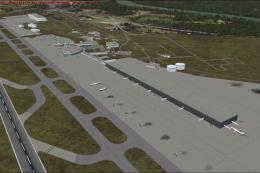
Vienna Schwechat Int'l Airport (LOWW), Austria. Features Skylink terminal, fi…
 FSX Scenery
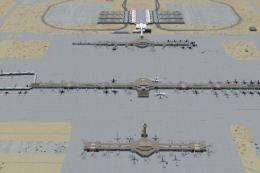
Denver Int'l Airport (KDEN), Colorado (CO). Features added jetways, expanded …
 FSX Scenery
Venice Tessera Int'l Airport "Marco Polo" (LIPZ), Italy. Based on the latest …
 FSX Scenery
Kingsford Smith Int'l Airport (YSSY), Sydney, Australia. Includes two version…
 FSX Scenery
Maceio Int'l Airport (SBMO), Brazil. Functional, with taxiway signs. By Gusta…
 FSX Scenery
Ngurah Rai Int'l Airport (Bali). Replacement for the stock Ngurah Rai Int'l A…
 FSX Scenery
Toncontin Int'l Airport (MHTG) beta v0.6. Featuring one of the most difficult…
Be the first to leave a comment on this download.
Be the first to share your thoughts on this download.