

 FSX Scenery
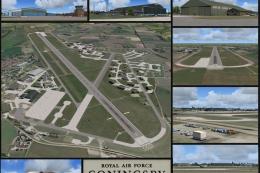
RAF Coningsby
RAF Coningsby UK. This scenery depicts RAF Coningsby, Lincolnshire, England a…
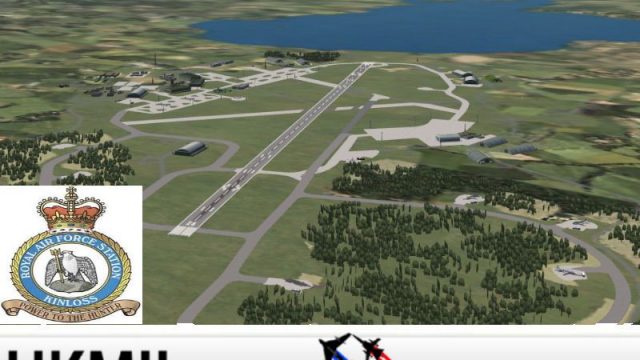
RAF Kinloss brings a livelier, more immersive UK military airbase to Microsoft Flight Simulator X, replacing the default look with custom hangars, ground detail, and improved airfield atmosphere. The package also adds a multi-LOD Nimrod AI aircraft with included flight plans to populate the circuit and surrounding skies.
 Rate
Rate
 United Kingdom


RAF Kinloss, UK. This scenery is 'representative' and is NOT true to life in every way. It is designed to give a better than default feel to FSX. Please do not expect a perfect true to life version. Also includes a new multi-LOD Nimrod AI aircraft with flight plans. By UKMIL.
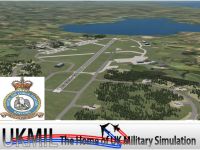
Screenshot of RAF Kinloss Scenery.
UKMIL RAF KINLOSS FOR FSX.
Welcome to the RAF Kinloss for FSX package. THis scenery is 'representative' and is NOT true to life in every way. It is designed to give a better than default feel to FSX. Please do not expect a perfect true to life version.
In the pack, you also get a NEW FSX multiLOD Nimrod AI aircraft, with flightplans.
To install, simply run the installer, then add the scenery in your scenery library. It will be placed in the ADDON SCENERY FOLDER.
Full Pack and AI Aircraft - Gaffer UKMIL.
Hangers, and ground parts - Many thanks to Stevo, and John of ACG [Airfield Construction Group], for allowing the use of their models and textures in this. whithout them, this would not be possible.
Also thanks to Ted Andrews for the RAF Hangers packing.
Free for all simmers · 19.64 MB · Scanned clean Oct 2026
Download speed: Free tier is capped at 0.5 Mbps (this file takes approximately 6 mins at the cap). PRO members download at full line speed.
FSX\Addon Scenery\ containing scenery and texture sub-folders.readme.txt or README file. It tells you exactly where files go, what dependencies are needed, and any quirks specific to this add-on.Use these coordinates to fly directly to this location once the mod is installed.
57.64970000,-3.56000000
Launch FSX or Prepar3D and use Flights → Load to open the downloaded .pln file. Your aircraft will be positioned at this location.
The archive ukmkinfsx.zip has 7 files and directories contained within it.
This list displays the first 500 files in the package. If the package has more, you will need to download it to view them.
| Filename/Directory | File Date | File Size |
|---|---|---|
| README_FIRST.txt | 12.30.11 | 1.12 kB |
| ukmkinfsx.jpg | 12.30.11 | 117.50 kB |
| ukmkinfsxthm.jpg | 12.30.11 | 42.97 kB |
| uknkinfsx.exe | 12.30.11 | 19.76 MB |
| ukmkinfsx | 12.30.11 | 0 B |
| flyawaysimulation.txt | 10.29.13 | 959 B |
| Go to Fly Away Simulation.url | 01.22.16 | 52 B |
Only PRO members can place votes.
More FSX & P3D add-ons hand-picked based on this download.
FSX Scenery
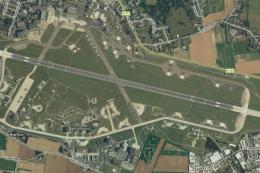
RAF Coningsby UK. This scenery depicts RAF Coningsby, Lincolnshire, England a…
 FSX Scenery
RAF Mildenhall (EGUN), UK. Home to the 100th ARW, RAF Mildenhall is one of th…
 FSX Scenery
RAF Mount Pleasant (EGYP) in the Falkland Islands. It includes aircraft hanga…
 FSX Scenery
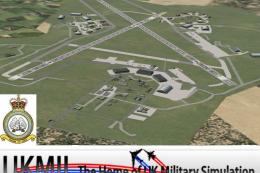
Situated on the dramatic Moray Firth coastline of northern Scotland, RAF Loss…
 FSX Scenery
RAF Marham in the UK for the period circa 1993. Designed for use with the Vic…
 FSX Scenery
RAF Fairford 2009 (EGVA), UK. Built with SBuilderX, ADE and Whisplacer with r…
 FSX Scenery
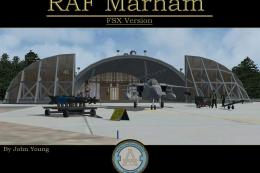
Scenery RAF Marham in the UK. A very detailed, but frame rate efficient scene…
 FSX Scenery
RAF Woodvale UK Scenery for FSX and GenX. EGOW RAF Woodvale for FSX and GenX …
Read what other simmers think, or add your own.

This download has default scenery showing as well as all the add-on scenery, with multiple large red towers all over the airfield.
The Milsym RAF Lossimouth that I got from here works fine, with no problems.
I think there must be an exclude file missing from Kinloss, pity.