

 FSX Scenery
RAF Coningsby
RAF Coningsby UK. This scenery depicts RAF Coningsby, Lincolnshire, England a…
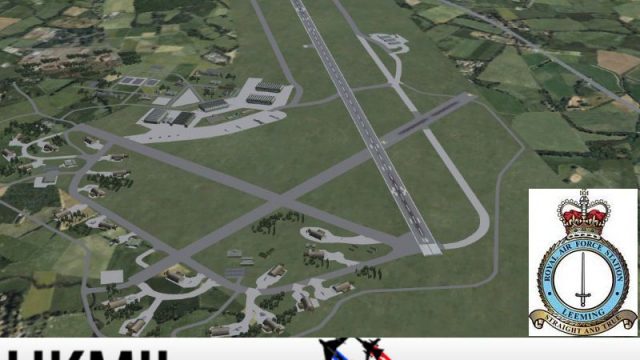
RAF Leeming comes to life in North Yorkshire with a frame-rate friendly freeware scenery for Microsoft Flight Simulator X, featuring refined runways, taxiways, aprons, hangars, and key station landmarks. Custom military AI traffic adds atmosphere, including a Hawk with flight plans and an optional Tornado ADV for varied fast-jet operations.
 Rate
Rate
 United Kingdom
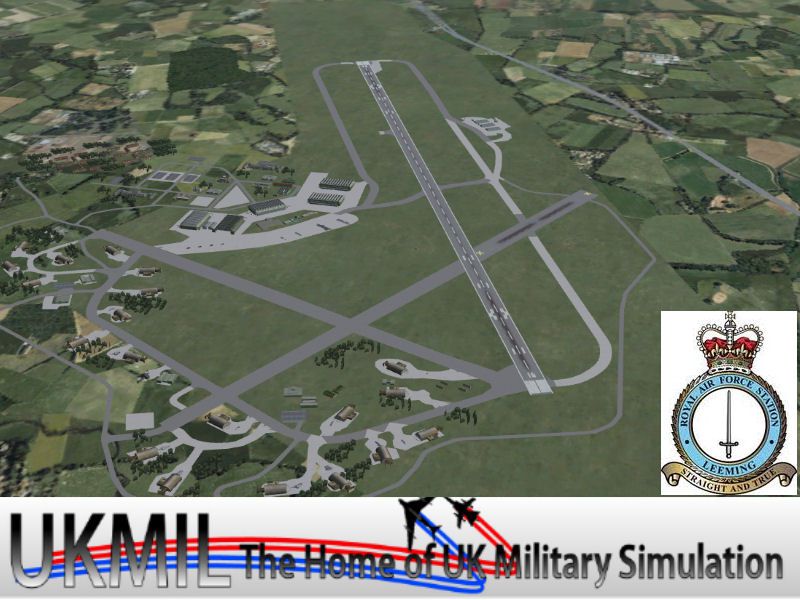

Enhance your virtual flights over North Yorkshire with this freeware scenery package designed by UKMIL for Microsoft Flight Simulator X. It introduces a detailed yet performance-friendly approximation of RAF Leeming, offering improved immersion without striving for absolute real-world accuracy. Alongside custom ground structures, this package features a new Hawk AI aircraft, complete flight plans, and an optional AI Tornado ADV by Fernando Martinez, providing diverse military traffic over the airfield.
RAF Leeming is a well-known Royal Air Force station set in North Yorkshire. This scenery add-on refines the base layout by integrating prominent landmarks, hangar clusters, and relevant ground fixtures to heighten the operational feel. Although certain elements are simplified for frame-rate efficiency, the overall layout is designed to give you an engaging sense of scale. All runways, taxiways, and aprons are properly aligned with the simulator’s world grid, thus ensuring smooth taxi operations and takeoffs.
Screenshot of RAF Leeming Scenery.
In addition to environmental improvements, the developers incorporated a Hawk AI aircraft that operates on custom flight plans, adding lively activity around the station. You will also find an included AI Tornado ADV from Fernando Martinez, which expands the variety of fast-jet traffic. These AI elements are optimized to function smoothly, but enabling higher scenery density settings reveals more detailed objects, ensuring the highest possible fidelity level for those with robust hardware.
To accommodate varying system specifications, certain objects only appear when set to “Dense” or higher scenery complexity. This approach helps moderate hardware handle the airfield without stutters. The add-on is conveniently housed within the ADDON SCENERY folder, which you can enable in the simulator’s scenery library once you have installed the package.
This release is possible thanks to UKMIL, who compiled the primary files and orchestrated the overall design. Stevo and John from ACG (Airfield Construction Group) graciously granted permission for their custom models and textures, ensuring the main hangars and ground components match the RAF Leeming theme. Further enhancements derive from Ted Andrews, whose RAF hangar pack significantly refines the visual authenticity of the base. Together, these collaborators deliver a comprehensive and compelling depiction of RAF Leeming for enthusiasts seeking realistic military operations in Microsoft Flight Simulator X.
Free for all simmers · 22 MB · Scanned clean Oct 2026
Download speed: Free tier is capped at 0.5 Mbps (this file takes approximately 6 mins at the cap). PRO members download at full line speed.
FSX\Addon Scenery\ containing scenery and texture sub-folders.readme.txt or README file. It tells you exactly where files go, what dependencies are needed, and any quirks specific to this add-on.Use these coordinates to fly directly to this location once the mod is installed.
54.29270000,-1.53540000
Launch FSX or Prepar3D and use Flights → Load to open the downloaded .pln file. Your aircraft will be positioned at this location.
The archive ukmleefsx.zip has 7 files and directories contained within it.
This list displays the first 500 files in the package. If the package has more, you will need to download it to view them.
| Filename/Directory | File Date | File Size |
|---|---|---|
| README_FIRST.txt | 01.06.12 | 1.34 kB |
| ukmleefsx.exe | 01.06.12 | 22.33 MB |
| ukmleefsx.jpg | 01.06.12 | 113.96 kB |
| ukmleefsxthm.jpg | 01.06.12 | 41.89 kB |
| ukmleefsx | 01.06.12 | 0 B |
| flyawaysimulation.txt | 10.29.13 | 959 B |
| Go to Fly Away Simulation.url | 01.22.16 | 52 B |
Only PRO members can place votes.
More FSX & P3D add-ons hand-picked based on this download.
FSX Scenery
RAF Coningsby UK. This scenery depicts RAF Coningsby, Lincolnshire, England a…
 FSX Scenery
RAF Mildenhall (EGUN), UK. Home to the 100th ARW, RAF Mildenhall is one of th…
 FSX Scenery
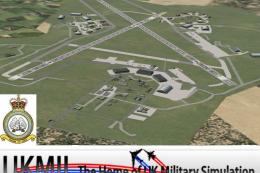
RAF Mount Pleasant (EGYP) in the Falkland Islands. It includes aircraft hanga…
 FSX Scenery
Situated on the dramatic Moray Firth coastline of northern Scotland, RAF Loss…
 FSX Scenery
RAF Marham in the UK for the period circa 1993. Designed for use with the Vic…
 FSX Scenery
RAF Fairford 2009 (EGVA), UK. Built with SBuilderX, ADE and Whisplacer with r…
 FSX Scenery
Scenery RAF Marham in the UK. A very detailed, but frame rate efficient scene…
 FSX Scenery
RAF Woodvale UK Scenery for FSX and GenX. EGOW RAF Woodvale for FSX and GenX …
Read what other simmers think, or add your own.

RAF Leeming installed no problem, but the base, taxiways, & roads on the camp are elevated about 20ft up from the normal terrain?