


 FSX Historic & Vintage Aircraft
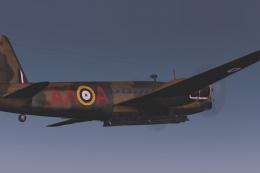
RNZAF Vickers Wellington P9206
First of a series covering the units aircraft paint for First Class Simulatio…
RNZAF Red Checkers NZ 1901 paints the default North American P-51 Mustang in a striking red-and-white checker scheme, bringing New Zealand flavor to warbird racing and low-level flying in Microsoft Flight Simulator X Acceleration. It includes dedicated textures for the P-51 Racer and requires the stock P-51 Racer model.
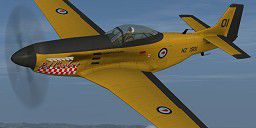
RNZAF Red Checkers NZ 1901. A repaint for the default FSX Acceleration North American P-51 Mustang by Jon Murchison.
Screenshot of RNZAF Red Checkers NZ 1901 in flight.
Installation Instructions:
1. Place the 'Texture.1901' folder into your Flight Sim X directory, under ...SimObjects\Airplanes\P51_Racer.
2. Open the aircraft.cfg file and paste the following text into the file after the previous aircraft repaint, ensuring to replace [fltsim.x] with the next number in sequence, e.g. [fltsim.9]
[fltsim.X]

title=P51 Racer Red Checkers NZ1901

sim=P51_Racer

texture=1901

kb_Checklists=NA_P51_check

kb_Reference=NA_P51_ref

atc_id=N51MS

ui_manufacturer="North American"

ui_type="P-51D"

ui_variation="NZ 1901"

ui_typerole="Single Engine Prop"

ui_createdby="Microsoft Corporation"

description=This race-modified North American P-51D wrings extra performance out of one of the best-performing fighters of World War II. The racer's reduced wingspan provides better low-level maneuverability and reduced drag. But this race aircraft attacks the pylon.

atc_id_color=0xffff0000

visual_damage=
3. Enjoy!
Author: Jon Murchison
Free for all simmers · 1.09 MB · Scanned clean
Download speed: Free tier is capped at 0.5 Mbps. PRO members download at full line speed.
SimObjects\Airplanes\, Addon Scenery\, Effects\, or Gauges\.readme.txt or README file. It tells you exactly where files go, what dependencies are needed, and any quirks specific to this add-on.The archive 1901.zip has 9 files and directories contained within it.
This list displays the first 500 files in the package. If the package has more, you will need to download it to view them.
| Filename/Directory | File Date | File Size |
|---|---|---|
| P51_Racer_1_T.dds | 02.17.08 | 1.00 MB |
| P51_Racer_1_T_spec.dds | 02.17.08 | 1.00 MB |
| P51_Racer_2_T.dds | 02.17.08 | 1.00 MB |
| P51_Racer_2_T_spec.dds | 02.17.08 | 1.00 MB |
| texture.cfg | 01.10.08 | 137 B |
| thumbnail.jpg | 02.17.08 | 9.48 kB |
| README_INSTALL.txt | 02.17.08 | 1.78 kB |
| flyawaysimulation.txt | 10.29.13 | 959 B |
| Go to Fly Away Simulation.url | 01.22.16 | 52 B |
More FSX & P3D add-ons hand-picked based on this download.
FSX Historic & Vintage Aircraft
First of a series covering the units aircraft paint for First Class Simulatio…
 FSX Historic & Vintage Aircraft
This specialized repaint offers an authentic Royal New Zealand Air Force (RNZ…
 FSX Historic & Vintage Aircraft
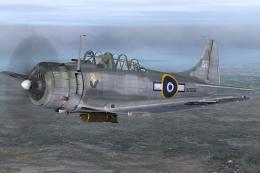
A repaint of the Vertigo Studios Douglas SBD Dauntless representing NZ5056 'K…
 FSX Historic & Vintage Aircraft
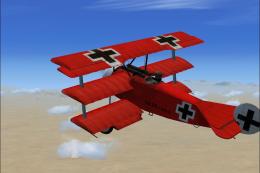
FSX Fokker Dr1 Triplane "The Red Baron". On April 21, 1918 at 10:45 am, Manfr…
 FSX Historic & Vintage Aircraft
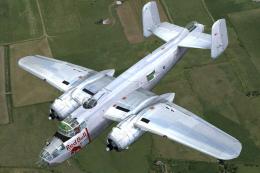
The North American B-25J 'Red Bull' (N6123C) is owned and operated by The Fly…
 FSX Historic & Vintage Aircraft
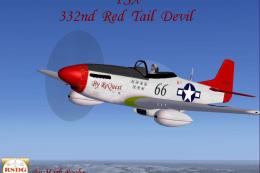
This is a Repaint of J.E.Narcizo's P51D Mustang For FSX Entitled "Red Tail De…
 FSX Historic & Vintage Aircraft
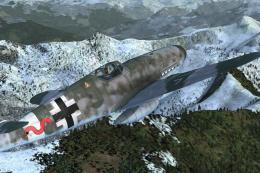
Textures only for the payware Flight Replicas BF109-k4 represent very old and…
 FSX Historic & Vintage Aircraft
Now version 3.14 (V3.1406). This package includes the latest Douglas C-47 Sky…
Be the first to leave a comment on this download.
Be the first to share your thoughts on this download.