

 FSX Historic & Vintage Aircraft
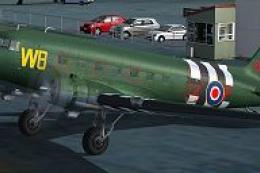
New Zealand Warbirds D-Day Douglas DC-3
This free repaint provides Microsoft Flight Simulator X users with an authent…
Royal New Zealand Air Force Warbirds markings bring the Douglas DC-3 to life with period-correct roundels, lettering, and carefully matched military tones for classic Pacific routes and New Zealand scenery in Microsoft Flight Simulator X. Seamless mapping suits the stock model and requires the default DC-3, adding a convincing heritage look to the virtual cockpit view.
 Rate
Rate
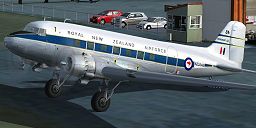
This specialized repaint offers an authentic Royal New Zealand Air Force (RNZAF) livery for the classic Douglas DC-3 in Microsoft Flight Simulator X. It showcases the striking Warbirds Association markings for those who enjoy immersing themselves in historical aviation scenarios. Created by Jon Murchison, this release includes the textures only and requires the default DC-3 as its base model. Pilots interested in recreating vintage flights over the Pacific or exploring New Zealand’s breathtaking skies will find this repaint an engaging addition to their hangar.
The DC-3 played a role in numerous global air services and was employed by the Royal New Zealand Air Force for transport duties. Over time, these versatile aircraft supported troop movements, cargo runs, and passenger flights. The New Zealand Warbirds Association honors this heritage by preserving the aircraft’s original insignia and color schemes. This repaint beautifully replicates the RNZAF markings and captures the authentic appeal of the era.
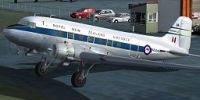
Visual reference of the RNZAF Douglas DC-3 livery featuring the Warbirds Association markings.
Before proceeding, ensure you already have the default DC-3 from Microsoft Flight Simulator X, as this repaint only provides the texture files. You may download the freeware base model from the Fly Away Simulation mod library if required.
[fltsim.x]

title=Douglas DC-3 Warbirds RNZAF

sim=Douglas_DC3

model=

panel=

sound=

texture=ARNZX_WB2

kb_checklists=Douglas_DC3_check

kb_reference=Douglas_DC3_ref

atc_id=N36644

ui_manufacturer="Douglas"

ui_type="DC-3"

ui_variation="Warbirds - RNZAF"

ui_typerole="Twin Engine Prop"

ui_createdby="Microsoft Corporation"

description="The Douglas DC-3 revolutionized air transportation and airline service during the 1930s and 1940s. It was a luxury airliner that boasted cabin heat and running water in its on-board lavatory. With the right balance of efficiency, range, speed, and payload, the DC-3 was the first aircraft to earn a profit for its owners just by carrying passengers. The hero of early airlines, a handful of DC-3s are still at work today."
This repaint bears the signature work of Jon Murchison, whose attention to detail ensures an immersive experience for enthusiasts of vintage aviation and RNZAF history.
Free for all simmers · 1.89 MB · Scanned clean Oct 2026
Download speed: Free tier is capped at 0.5 Mbps. PRO members download at full line speed.
texture.{airline}) inside FSX\SimObjects\Airplanes\{base-aircraft}\.aircraft.cfg in Notepad. Add a new [fltsim.X] section per the readme.readme.txt or README file. It tells you exactly where files go, what dependencies are needed, and any quirks specific to this add-on.The archive arnxwbrn.zip has 12 files and directories contained within it.
This list displays the first 500 files in the package. If the package has more, you will need to download it to view them.
| Filename/Directory | File Date | File Size |
|---|---|---|
| README _INSTALL.txt | 06.11.07 | 2.14 kB |
| Douglas_DC3_1_T.dds | 06.10.07 | 1.00 MB |
| Douglas_DC3_1_t_spec.dds | 09.04.06 | 1.33 MB |
| Douglas_DC3_2_C.dds | 09.04.06 | 170.79 kB |
| Douglas_DC3_2_T.dds | 09.04.06 | 341.45 kB |
| Fresnel_Ramp.dds | 09.04.06 | 640 B |
| Prop_DC3.dds | 09.04.06 | 341.46 kB |
| texture.cfg | 08.14.06 | 137 B |
| thumbnail.jpg | 06.11.07 | 29.46 kB |
| texture.ARNZX_WB2 | 06.11.07 | 0 B |
| flyawaysimulation.txt | 10.29.13 | 959 B |
| Go to Fly Away Simulation.url | 01.22.16 | 52 B |
Only PRO members can place votes.
More FSX & P3D add-ons hand-picked based on this download.
FSX Historic & Vintage Aircraft
This free repaint provides Microsoft Flight Simulator X users with an authent…
 FSX Historic & Vintage Aircraft
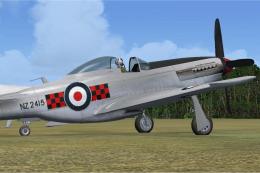
New Zealand Territorial Squadron (TAF) P-51 Mustang. Must have FSX Accelerati…
 FSX Historic & Vintage Aircraft
A repaint of the Vertigo Studios Douglas SBD Dauntless representing NZ5056 'K…
 FSX Historic & Vintage Aircraft
First of a series covering the units aircraft paint for First Class Simulatio…
 FSX Historic & Vintage Aircraft
RNZAF Red Checkers NZ 1901. A repaint for the default FSX Acceleration North …
 FSX Historic & Vintage Aircraft
Now version 3.14 (V3.1406). This package includes the latest Douglas C-47 Sky…
 FSX Historic & Vintage Aircraft
The Douglas DC2 was a 14-seat, twin-propeller airliner produced by the Dougla…
 FSX Historic & Vintage Aircraft
A repaint of the default DC3 in WW2 olive drab livery. By Todd Schlappi. Scre…
Be the first to leave a comment on this download.
Be the first to share your thoughts on this download.