

 FSX Historic & Vintage Aircraft
Nakajima Kikka
The Nakajima Kikka was developed late in World War II. The first prototype ha…
Nakajima J1N1-S Type-11 Gekkou brings the Imperial Japanese Navy’s twin-engine WWII night fighter to life with a 202nd Naval Fighter Group paint scheme based at Manggar, Balikpapan, Borneo. Built for Microsoft Flight Simulator X using the FSX SDK SP2, it includes a detailed external model and immersive virtual cockpit for authentic operations.
 Rate
Rate
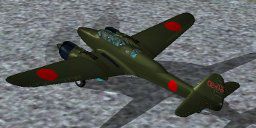
Nakajima Night Fighter Type-11 Gekkou (J1N1-S), a twin-engine land based night fighter aircraft of IJN during WWII. Painted in a 202nd Naval Fighter Group aircraft, Manggar Base, Balikpapan, Borneo Island. By Hadi Tahir.
Screenshot of Nakajima Night Fighter, Type-11 Gekkou in flight.
This model was compiled with FSX SDK SP2.
Installation: Simply extract it to \Microsoft Flight Simulator X\SimObjects\Airplanes\ folder.
I would gratefully welcome any kind of suggestions, comments, questions, informations and donations. Feel free to make repaints.
Thank you!
Hadi Tahir
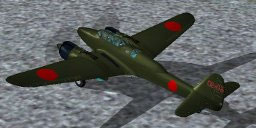
Screenshot of Nakajima Night Fighter, Type-11 Gekkou on the ground.
Free for all simmers · 8.43 MB · Scanned clean Oct 2026
Download speed: Free tier is capped at 0.5 Mbps (this file takes approximately 2 mins at the cap). PRO members download at full line speed.
FSX\SimObjects\Airplanes\. The folder must contain an aircraft.cfg file. Effects go into FSX\Effects\; gauges go into FSX\Gauges\.readme.txt or README file. It tells you exactly where files go, what dependencies are needed, and any quirks specific to this add-on.The archive j1n1s_01.zip has 31 files and directories contained within it.
This list displays the first 500 files in the package. If the package has more, you will need to download it to view them.
| Filename/Directory | File Date | File Size |
|---|---|---|
| J1N1S_ht | 01.03.09 | 0 B |
| aircraft.cfg | 01.03.09 | 20.65 kB |
| bacaaku.txt | 01.03.09 | 749 B |
| FILE_ID.DIZ | 01.03.09 | 228 B |
| j1n.air | 12.07.08 | 8.06 kB |
| j1n1s_01.gif | 01.03.09 | 12.79 kB |
| liesmich.txt | 01.03.09 | 676 B |
| model | 01.03.09 | 0 B |
| j1n_ext.MDL | 01.02.09 | 7.34 MB |
| j1n_int.MDL | 01.03.09 | 6.50 MB |
| Model.cfg | 11.13.08 | 42 B |
| panel | 01.03.09 | 0 B |
| j1n_ht.cab | 01.01.09 | 143.45 kB |
| panel.bmp | 01.01.09 | 769.05 kB |
| panel.cfg | 01.03.09 | 3.83 kB |
| readme.txt | 01.03.09 | 694 B |
| sound | 01.03.09 | 0 B |
| Sound.cfg | 11.14.08 | 35 B |
| texture | 01.03.09 | 0 B |
| j1n1s_1_C.dds | 01.02.09 | 4.00 MB |
| j1n1s_1_T.dds | 01.02.09 | 4.00 MB |
| j1n1s_1_T_bump.dds | 01.01.09 | 1.00 MB |
| j1n1s_1_T_spec.dds | 01.02.09 | 4.00 MB |
| j1n1s_2_C.dds | 01.02.09 | 4.00 MB |
| j1n1s_2_T.dds | 01.02.09 | 4.00 MB |
| j1n1s_3_C.dds | 01.02.09 | 2.00 MB |
| j1n1s_3_T.dds | 01.02.09 | 1.00 MB |
| j1n1s_4_T.dds | 01.02.09 | 1.00 MB |
| thumbnail.jpg | 01.02.09 | 9.77 kB |
| flyawaysimulation.txt | 10.29.13 | 959 B |
| Go to Fly Away Simulation.url | 01.22.16 | 52 B |
Only PRO members can place votes.
More FSX & P3D add-ons hand-picked based on this download.
FSX Historic & Vintage Aircraft
The Nakajima Kikka was developed late in World War II. The first prototype ha…
 FSX Historic & Vintage Aircraft
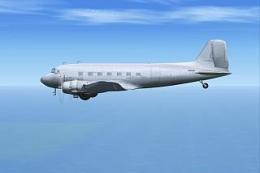
The Nakajima L2D2 is a copy of the Douglas DC-3, licence-built Douglas DC-3, …
 FSX Historic & Vintage Aircraft
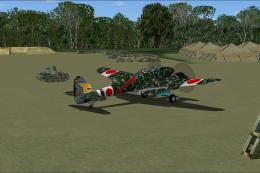
Two repaints for Hadi Tahir's Nakajima Type-11 Gekko (Moonlight) night fighte…
 FSX Historic & Vintage Aircraft
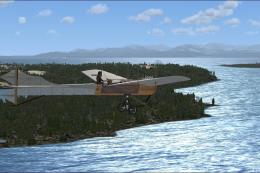
Antoinette Type VII. The Antoinette Type VII Monoplane has been considered by…
 FSX Historic & Vintage Aircraft
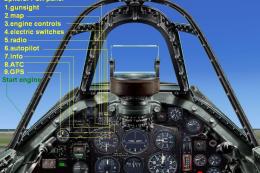
The Supermarine Spiteful was a direct development of the Spitfire using a new…
 FSX Historic & Vintage Aircraft
Bristol Fighter F.2B Mk.1. Screenshot of Bristol Fighter F.2B Mk.1 (E2529). I…
 FSX Historic & Vintage Aircraft
Heinkel He P1079B/II Heavy Fighter for FSX Acceleration. Updated for FSX from…
 FSX Historic & Vintage Aircraft
P-38J-10-LO 459th Fighter Squadron, 80th Fighter Group. Piloted by Maj. Willa…
Be the first to leave a comment on this download.
Be the first to share your thoughts on this download.