

 FSX General Aviation Aircraft
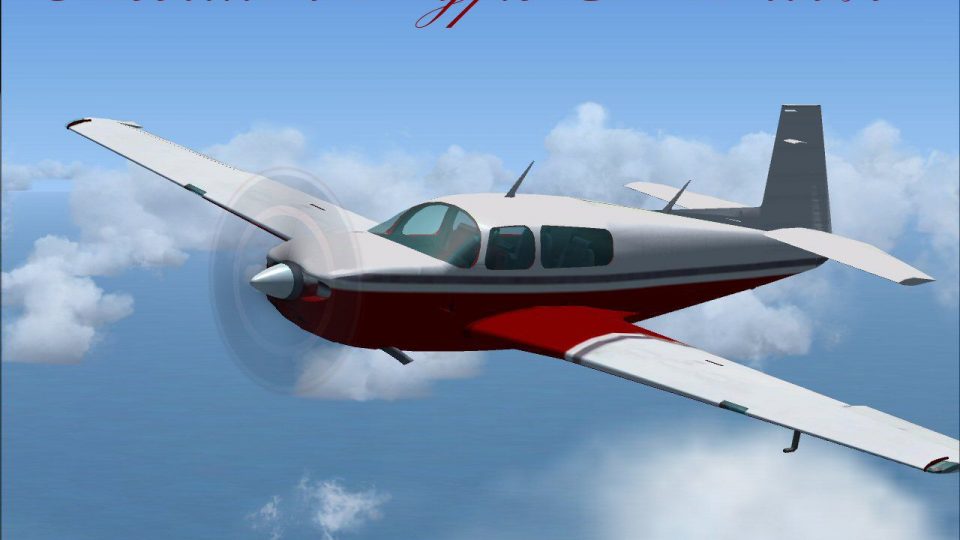
Red/Black Mooney Acclaim Turbo Prop 2
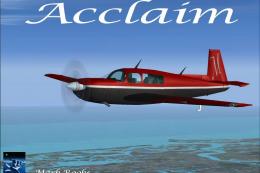
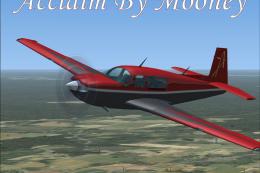
This modified package highlights a red-and-black Mooney Acclaim turbine aircr…
Mooney Acclaim Type S Turbo brings Mooney Bravo handling up to Acclaim specs in Microsoft Flight Simulator X, delivering fast high-altitude cruise performance with refreshed flight dynamics. Two variants include a standard virtual cockpit or G1000 option, plus both 2D and 3D panels, updated textures, and included aircraft history and reference images.
 Rate
Rate

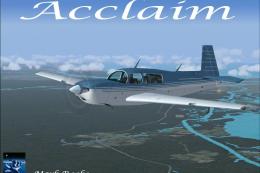
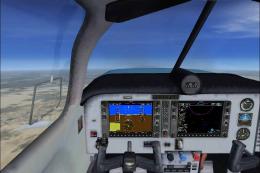
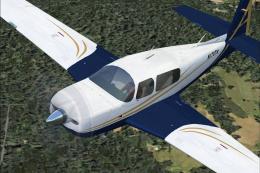
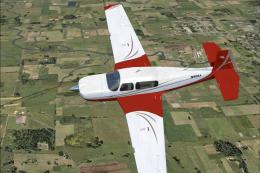
Acclaim Type S Turbo. This is the default FSX Mooney Bravo model, modified to the specs of a Mooney Acclaim Type S Turbo. The Acclaim Type S is the fastest piston single in production. It cruises at an impressive 280 miles per hour at 25,000 feet putting it in the same performance category as some turboprops. Created with new flight dynamics this aircraft has two models, standard cockpit and G1000. Aircraft has a 2D and 3D panel. Includes pictures and history of the Type S Acclaim. Modifications and textures by Mark Rooks of RDG Aircraft.
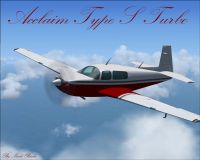
Acclaim Type S Turbo in flight.
Acclaim Type S Turbo Support a Mercy Flight near you.
Original FS9 gauges included if you want to create a original panel.
To install this aircraft:
As always back up any original files.
1.Unzip downloaded folders to your desktop or temporary directory of your choice.
2.Copy the " Acclaim Type S Turbo and paste it in the main aircraft folder.
By default the main aircraft folder is located at:
"C:\Program Files\Microsoft Games\FSX\SIM Objects /Aircraft.
3. Be sure to completely unzip all files the aircraft file when complete will Cotain 6 files the Following 6 files goes in the aircraft folder CFG Airfile Model Sound Panel Textures.
Made Simpler.
Make sure all files are unzipped the New Plane folder should contain 6 files unzipped they are CFG Airfile Sound Model Texture Panel the New Plane folder with the 6 files goes in the game aircraft folder found at C:\Program Files\Microsoft Games\Microsoft Flight Simulator X\SimObjects\Airplanes follow the path ie open the c drive then open program files then open Microsoft Games then open Microsoft Flight Simulator X then open SimObjects then open Airplanes folder the New Plane goes in that folder.
Mark Rooks.
Textures and FSX updates created by Mark "Fire Ball" Rooks.
DISCLAIMER:
WE CONNOT BE CHARGED FOR ANY DAMAGES/PROBLEMS/ERRORS CAUSED TO YOUR EQUIPMENT THROUGH USE OF RSDG FILES!
USE ALL FILES AT YOUR OWN RISK!
BY INSTALLING OUR FILES ON YOUR EQUIPMENT YOU ARE AGREEING TO THIS DISCLAIMER.
ALL FILES VIRUS FREE AT TIME OF UPLOAD.
Enjoy your new repaint.
Thanks for downloading.
"Fire Ball"
Free for all simmers · 38.23 MB · Scanned clean Oct 2026
Download speed: Free tier is capped at 0.5 Mbps (this file takes approximately 11 mins at the cap). PRO members download at full line speed.
SimObjects\Airplanes\, Addon Scenery\, Effects\, or Gauges\.readme.txt or README file. It tells you exactly where files go, what dependencies are needed, and any quirks specific to this add-on.The archive matst.zip has 6 files and directories contained within it.
This list displays the first 500 files in the package. If the package has more, you will need to download it to view them.
| Filename/Directory | File Date | File Size |
|---|---|---|
| Mooney Acclaim Type S Turbo.zip | 06.14.09 | 31.44 MB |
| Pictures and History.zip | 06.14.09 | 6.67 MB |
| Read Me First.txt | 06.14.09 | 2.78 kB |
| Screen Acclaim .jpg | 06.14.09 | 127.98 kB |
| flyawaysimulation.txt | 10.29.13 | 959 B |
| Go to Fly Away Simulation.url | 01.22.16 | 52 B |
Only PRO members can place votes.
More FSX & P3D add-ons hand-picked based on this download.
FSX General Aviation Aircraft
This modified package highlights a red-and-black Mooney Acclaim turbine aircr…
 FSX General Aviation Aircraft
The Mooney Acclaim has always been synonymous with swift cruise speeds and sl…
 FSX General Aviation Aircraft
Experience a refined edition of the Mooney Acclaim built around the default M…
 FSX General Aviation Aircraft
This enhanced package offers a newly repainted red-and-black Mooney Acclaim f…
 FSX General Aviation Aircraft
Mooney Acclaim. This changes the Bravo over to the Acclaim. Both planes are s…
 FSX General Aviation Aircraft
Mooney Acclaim. This is a default Flight Simulator 2004 Mooney modified for F…
 FSX General Aviation Aircraft
This authentic paint package features a reproduction of the real-world Mooney…
 FSX General Aviation Aircraft
The Mooney Acclaim Type S stands out in the single-piston category for its fo…
Read what other simmers think, or add your own.

I am loving the Mooney aircraft from Fire Ball, esp the Red & Black Mooney Acclaim Turbo Prop. I have yet to fly this Type S Turbo but I am a bit confused. In the specs, it says this Type S Turbo plane can run at 280 knots top speed & yet the airspeed gauge is only a 200-knot max gauge & the aircraft.cfg file says to run the plane at a maximum of 185 knots. I understand the Mooney Bravo can push 185 knots but the acclaim Turbo's can go much faster. In fact, the Red & Black Acclaim Turbo Prop (Moo4.zip) can run upwards of 300 knots with a nice cruising speed of 280 knots. Why throttle back a speed demon?

The GPS autopilot navigation seems to have gone bit hay-wire... .. ? ...FSX:SE on Win10 Pro64