

 FSX Historic & Vintage Aircraft
Spitfire MK 1A
The first production Spitfire, the mark I was powered by a Merlin III giving …
USMC Grumman JRF-1A VMS-3 1939 brings the default Grumman G-21 to life in colorful prewar markings with a more authentic virtual cockpit feel for FSX. The package includes DC-3-style radio and autopilot stack, gyro compass and attitude indicator, plus custom fuel and flow gauges and a clickable power-settings placard.
 Rate
Rate
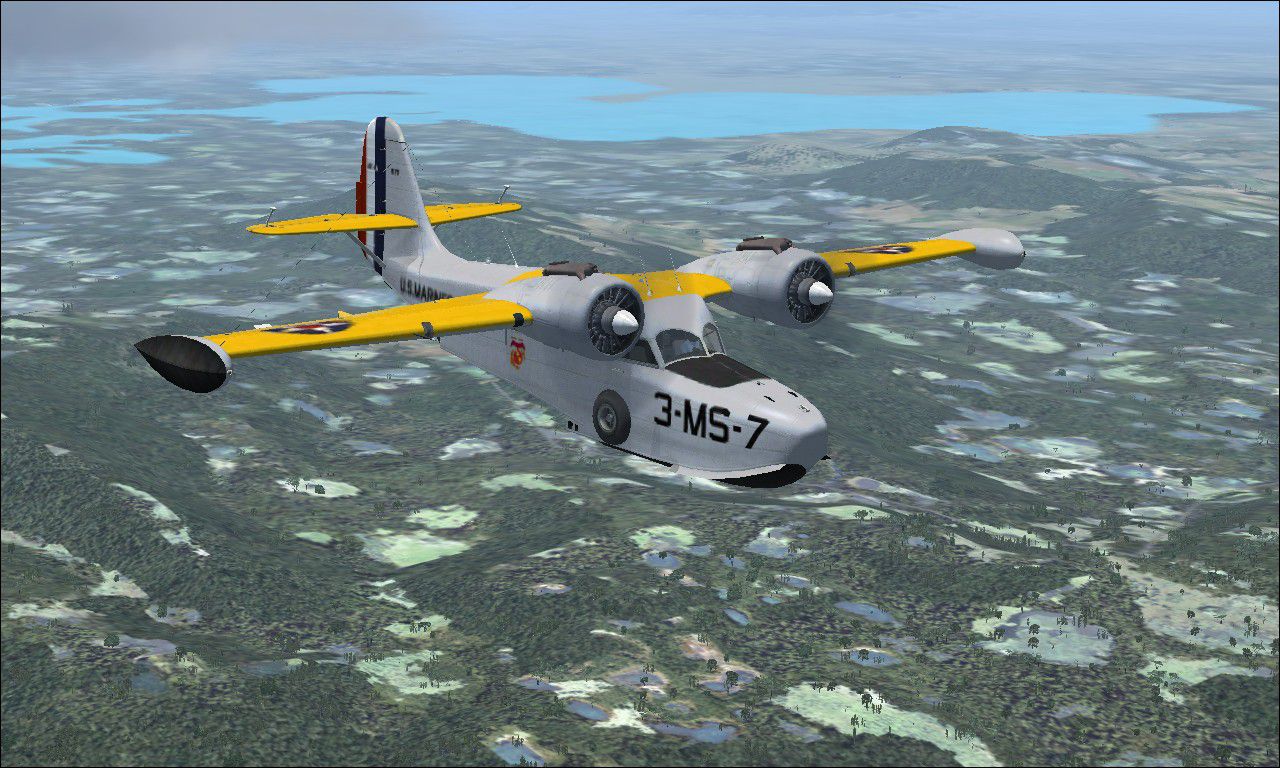
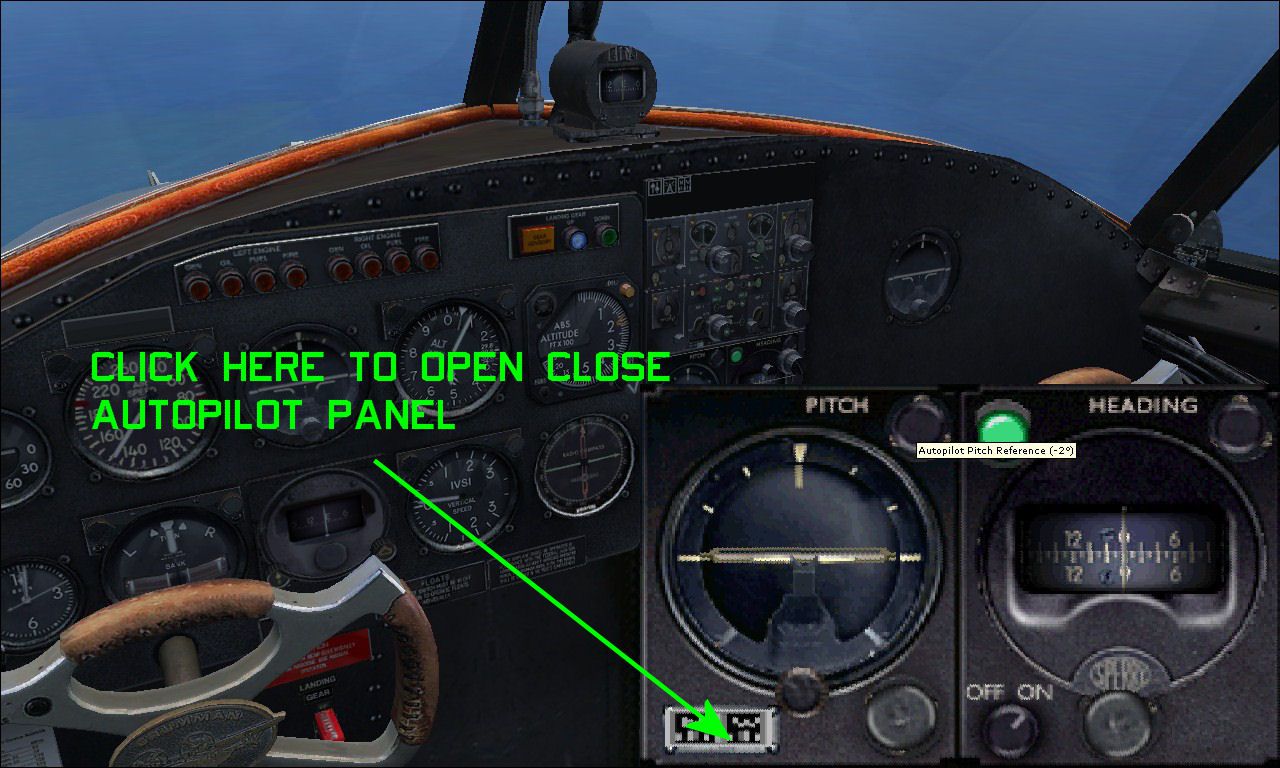
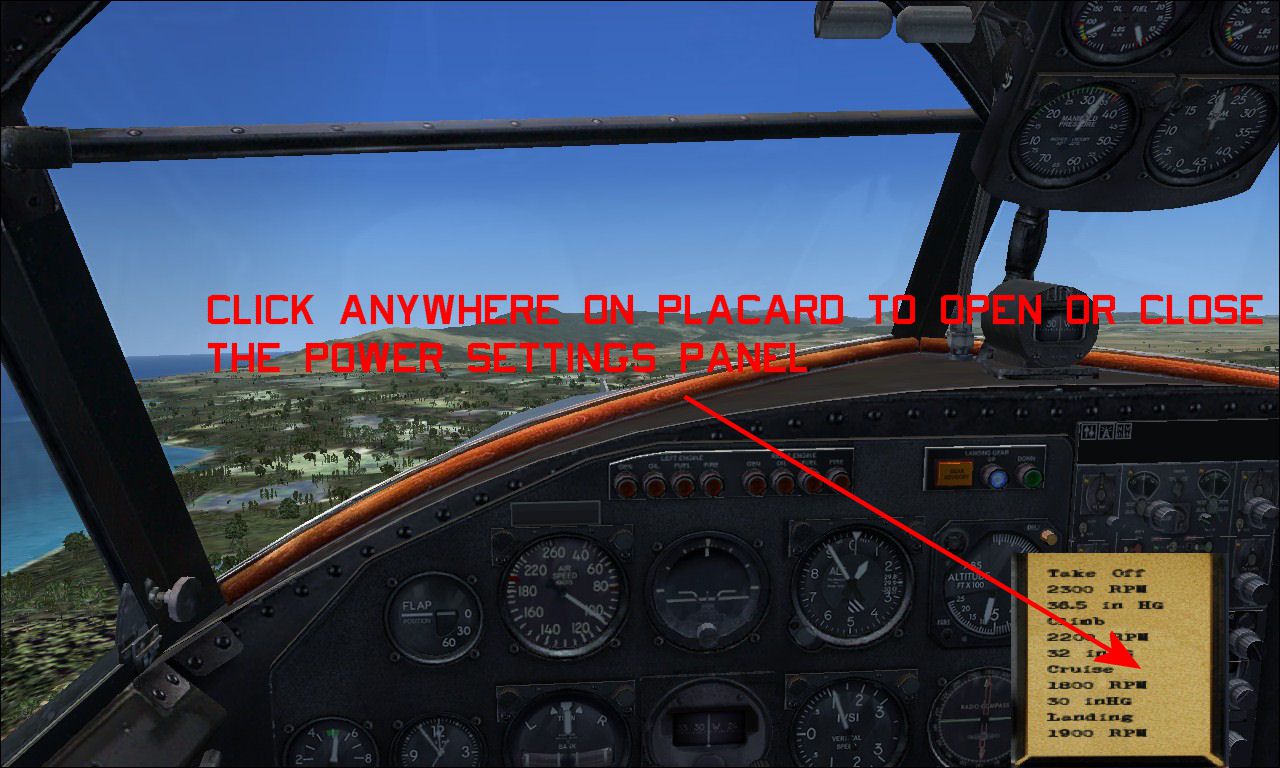
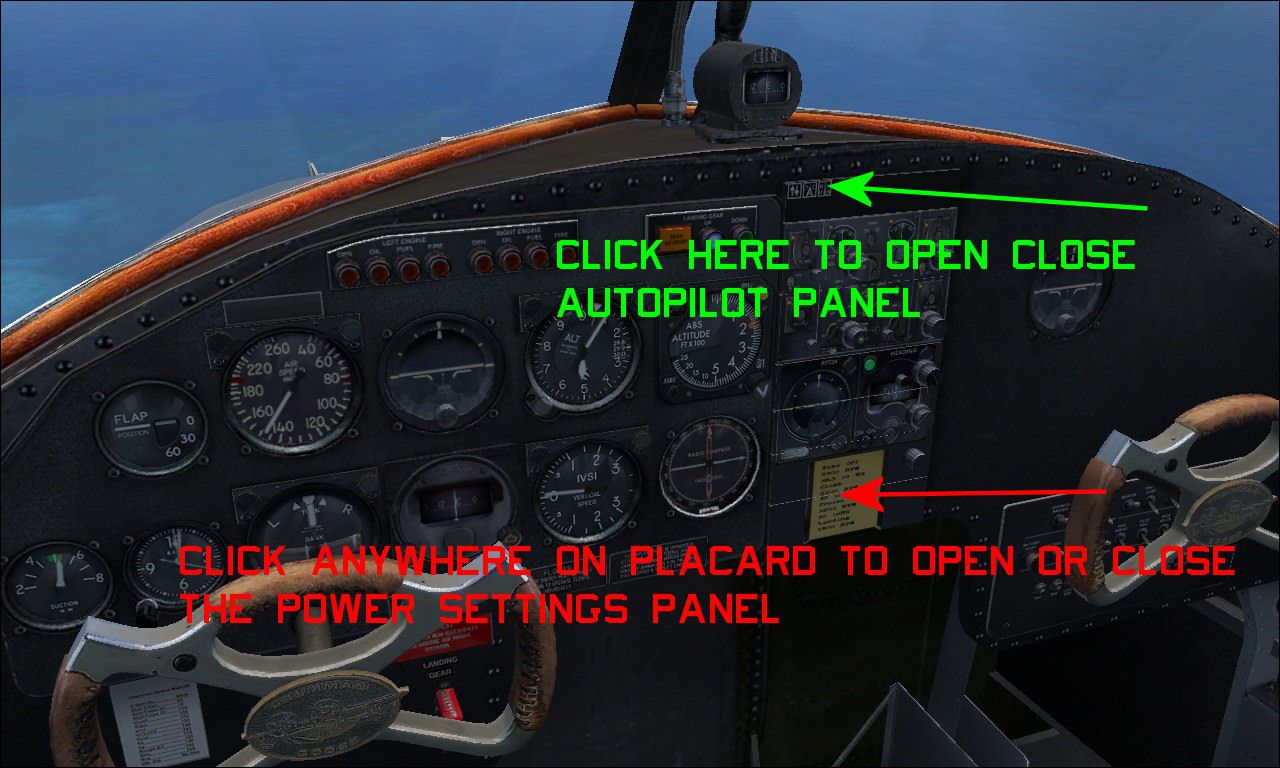
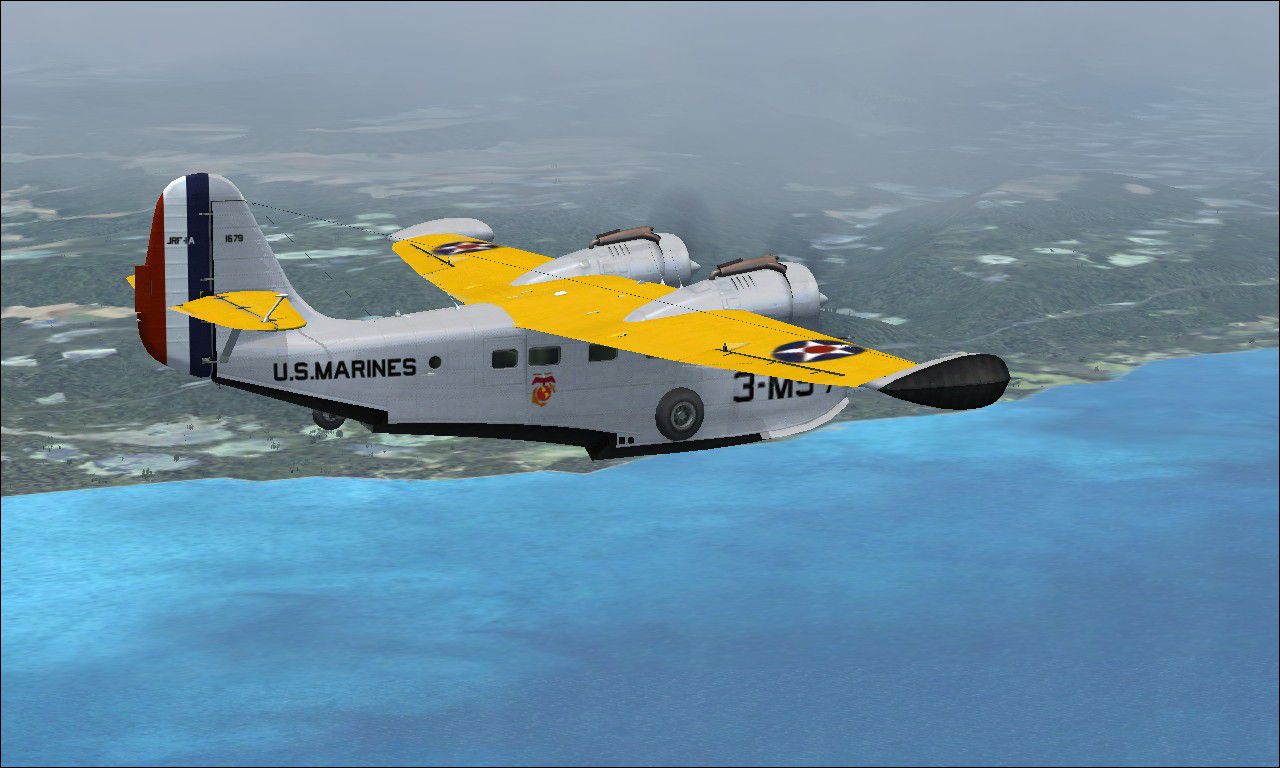
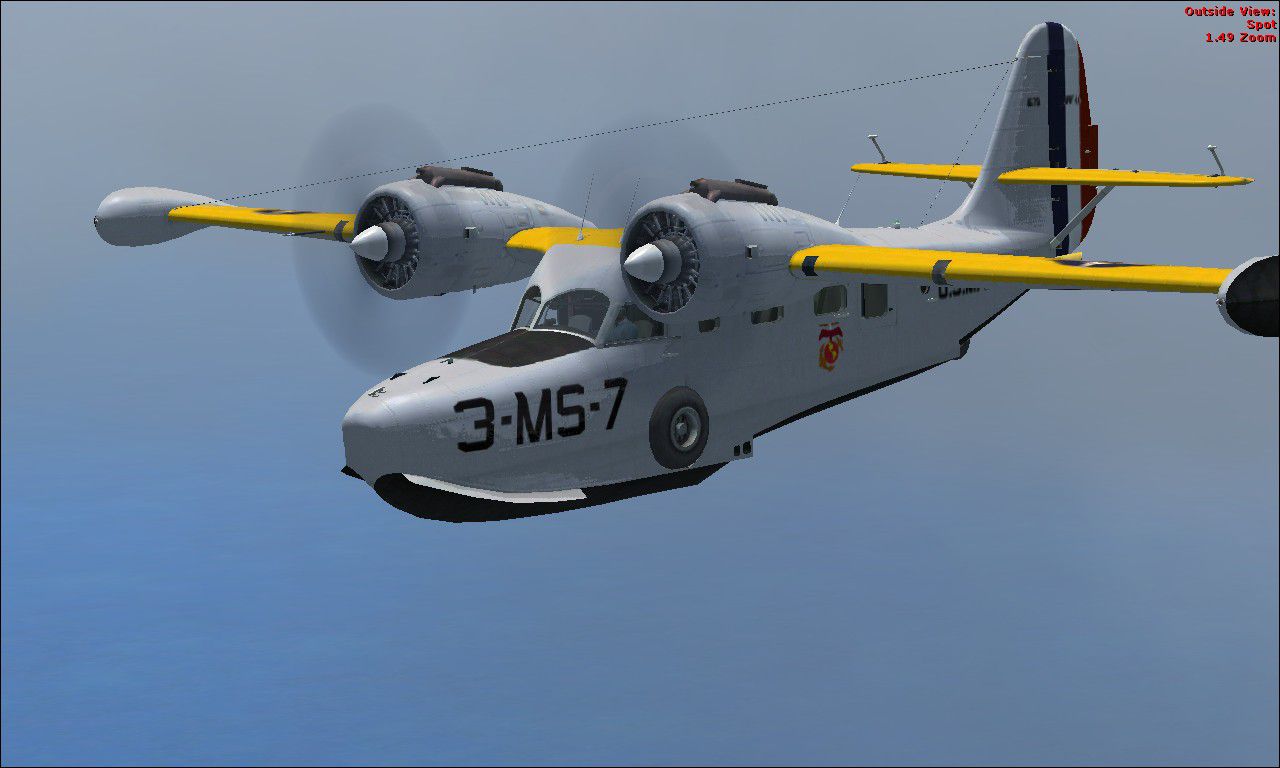
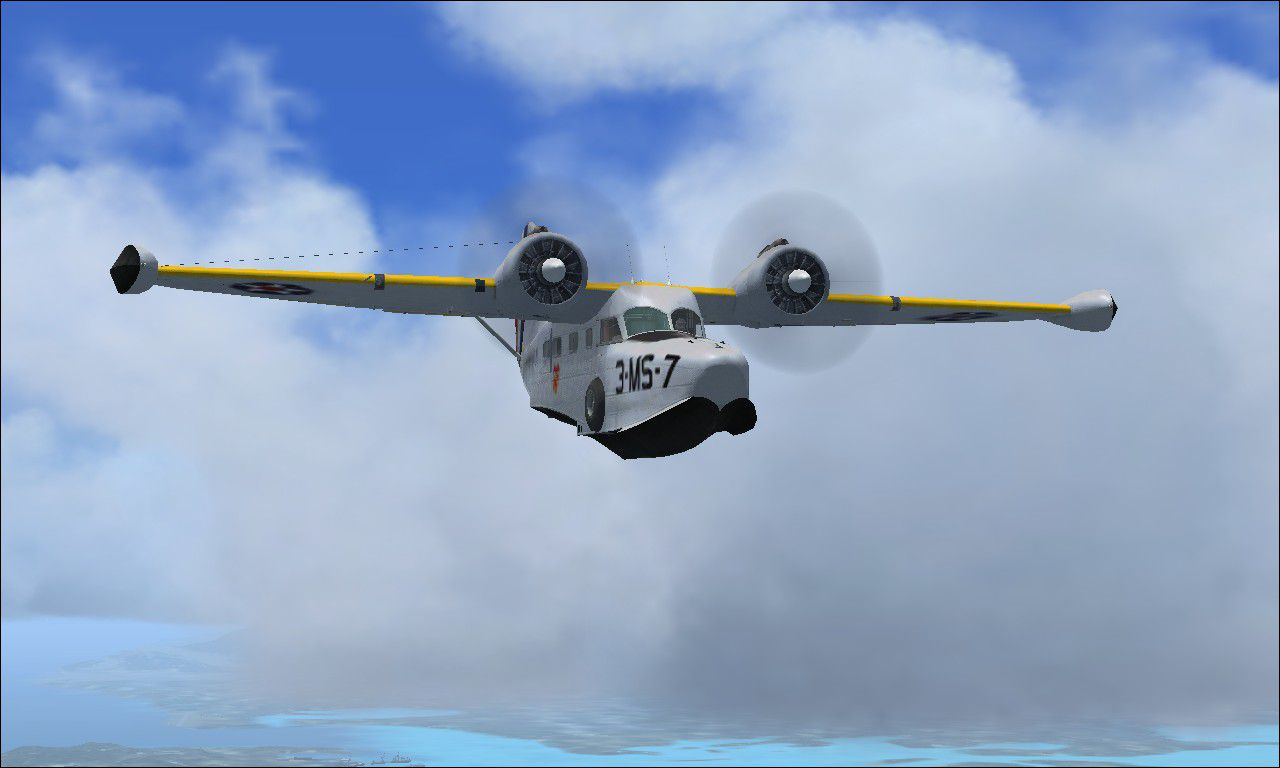
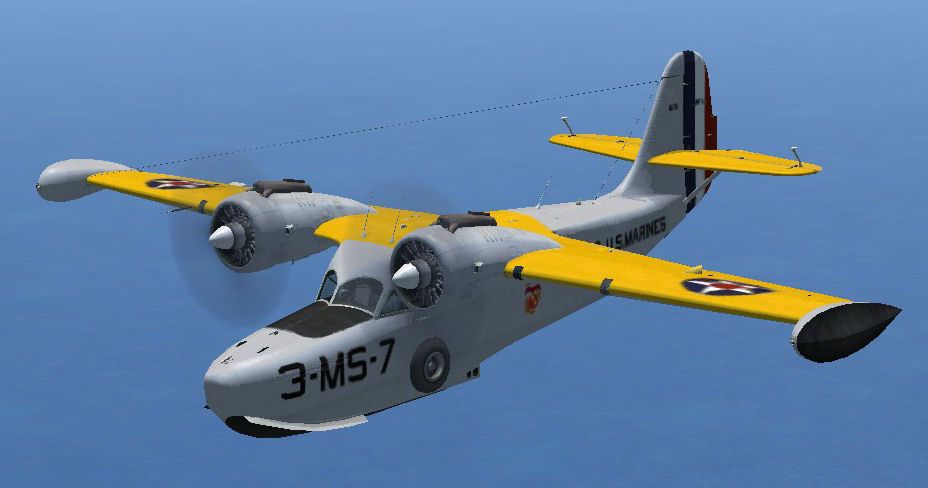
This a repaint of the default Grumman G-21 as a US Marines JRF-1A assigned to VMS-3, St. Thomas USVI. This aircraft is at it would have looked in the colorful prewar era circa 1939. Compiled as a whole aircraft as it was necessary to modify some textures for the virtual panel to have a more authentic feeling cockpit with gauges from the default DC-3 as well as some newly manufactured. With the new "old " cockpit you get the autopilot and radio stack from the DC-3 as well as the gyro compass and ahi. Includes a new fuel quantity gauge as well as a new fuel flow gauge. Also includes a power settings placard gauge, located just below the autopilot in the VC. Click anywhere on it and a new placard appears with the appropriate power settings. By John Detrick.
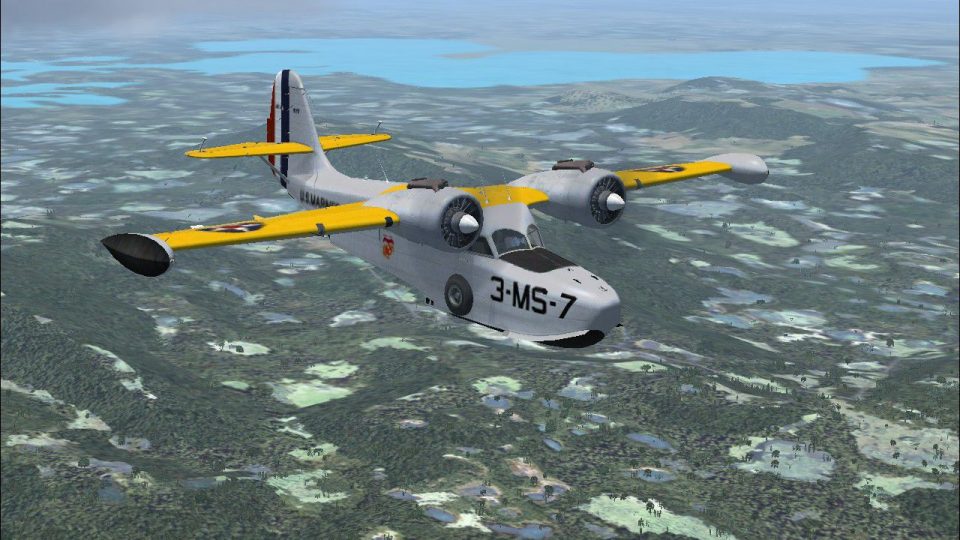
Screenshot of USMC Grumman JRF-1A VMS-3 1939 in flight.
The USMC operated a hand full of JRF's during WWII as light utility aircraft. VMS-3 had the distinction of being the only USMC squadron to operate in the Atlantic and Caribbean during the war.
Directions: Just place the Grumman Goose JRF in your simobjects/airplanes folder. Next, place the JRF cab file into your gauges folder and you are done.
John Detrick
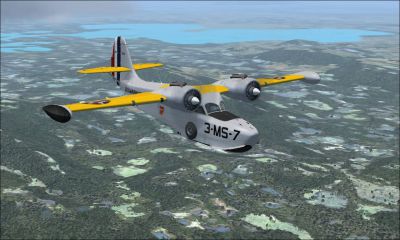
Screenshot of USMC Grumman JRF-1A VMS-3 1939 in flight.
Free for all simmers · 25.91 MB · Scanned clean Oct 2026
Download speed: Free tier is capped at 0.5 Mbps (this file takes approximately 7 mins at the cap). PRO members download at full line speed.
SimObjects\Airplanes\, Addon Scenery\, Effects\, or Gauges\.readme.txt or README file. It tells you exactly where files go, what dependencies are needed, and any quirks specific to this add-on.The archive usmcjrf1.zip has 135 files and directories contained within it.
This list displays the first 500 files in the package. If the package has more, you will need to download it to view them.
| Filename/Directory | File Date | File Size |
|---|---|---|
| Grumman Goose JRF | 09.03.10 | 0 B |
| aircraft.cfg | 09.03.10 | 23.11 kB |
| Grumman_Goose_G21A.air | 09.04.06 | 7.31 kB |
| GrummanGooseG21A_check.htm | 07.28.06 | 49.94 kB |
| GrummanGooseG21A_ref.htm | 06.19.06 | 3.51 kB |
| model | 09.03.10 | 0 B |
| Grumman_Goose_G21A.mdl | 09.04.06 | 6.67 MB |
| Grumman_Goose_G21A_interior.mdl | 08.30.07 | 1.58 MB |
| model.cfg | 08.10.06 | 75 B |
| panel.jrf | 09.03.10 | 0 B |
| Beech_Baron_Panel_Decals.bmp | 05.12.06 | 257.05 kB |
| goose_background_lower_view_night.bmp | 07.05.06 | 769.05 kB |
| goose_background_upper_view_night.bmp | 07.05.06 | 769.05 kB |
| goose_lower_background.bmp | 09.03.10 | 2.25 MB |
| goose_upper_background.bmp | 05.12.06 | 769.05 kB |
| Grumman_Goose_G21A.cab | 09.26.07 | 1.64 MB |
| Grumman_Goose_Gauge_Backgrounds_1.bmp | 05.30.06 | 257.05 kB |
| Grumman_Goose_Gauge_Backgrounds_2.bmp | 05.30.06 | 257.05 kB |
| Grumman_Goose_Gauge_Backgrounds_3.bmp | 05.30.06 | 65.05 kB |
| Grumman_Goose_Gauge_Backgrounds_4.bmp | 05.30.06 | 257.05 kB |
| minipanel_goose.bmp | 06.30.06 | 103.34 kB |
| minipanel_goose_night.bmp | 07.05.06 | 103.31 kB |
| PANEL.CFG | 09.03.10 | 8.96 kB |
| PANEL_backup001.cfg | 08.03.06 | 9.19 kB |
| PANEL_backup002.cfg | 08.19.10 | 9.08 kB |
| PANEL_backup003.cfg | 08.19.10 | 9.08 kB |
| PANEL_backup004.cfg | 08.19.10 | 9.12 kB |
| PANEL_backup005.cfg | 08.20.10 | 8.85 kB |
| PANEL_backup006.cfg | 08.20.10 | 8.89 kB |
| PANEL_backup007.cfg | 08.20.10 | 8.50 kB |
| PANEL_backup008.cfg | 08.20.10 | 8.50 kB |
| Panel_backup009.cfg | 08.20.10 | 8.51 kB |
| PANEL_backup010.cfg | 08.26.10 | 8.50 kB |
| PANEL_backup011.cfg | 08.28.10 | 8.50 kB |
| PANEL_backup012.cfg | 09.02.10 | 8.56 kB |
| PANEL_backup013.cfg | 09.02.10 | 8.84 kB |
| PANEL_backup014.cfg | 09.03.10 | 8.89 kB |
| PANEL_backup015.cfg | 09.03.10 | 8.88 kB |
| PANEL_backup016.cfg | 09.03.10 | 8.88 kB |
| placard.bmp | 03.09.09 | 96.08 kB |
| sound | 09.03.10 | 0 B |
| door_small_close.wav | 05.11.06 | 55.99 kB |
| door_small_open.wav | 05.11.06 | 59.98 kB |
| fuel_pump.wav | 05.11.06 | 40.34 kB |
| GGoos_apdisconnect.wav | 08.04.06 | 176.62 kB |
| GGoos_flaps.wav | 08.04.06 | 175.61 kB |
| GGoos_geardn.wav | 08.04.06 | 288.12 kB |
| GGoos_gearup.wav | 08.04.06 | 312.37 kB |
| GGoos_gyro.wav | 08.04.06 | 1.88 MB |
| GGoos_noncombustion_left01.wav | 08.04.06 | 63.30 kB |
| GGoos_noncombustion_left02.wav | 08.04.06 | 46.80 kB |
| GGoos_noncombustion_right01.wav | 08.04.06 | 73.05 kB |
| GGoos_noncombustion_right02.wav | 08.04.06 | 146.60 kB |
| GGoos_RPM01_Left.wav | 08.04.06 | 308.15 kB |
| GGoos_RPM01_Right.wav | 08.04.06 | 252.34 kB |
| GGoos_RPM02_Left.wav | 08.04.06 | 127.18 kB |
| GGoos_RPM02_Right.wav | 08.04.06 | 97.93 kB |
| GGoos_RPM03_Left.wav | 08.04.06 | 203.44 kB |
| GGoos_RPM03_Right.wav | 08.04.06 | 137.45 kB |
| GGoos_RPM04_Left.wav | 05.11.06 | 102.43 kB |
| GGoos_RPM04_Right.wav | 07.14.06 | 78.59 kB |
| GGoos_Shutdown_Left.wav | 08.04.06 | 385.04 kB |
| GGoos_Shutdown_Right.wav | 08.04.06 | 402.74 kB |
| GGoos_stallhorn.wav | 08.04.06 | 86.69 kB |
| GGoos_Starter_Left.wav | 05.11.06 | 56.74 kB |
| GGoos_Starter_Right.wav | 05.11.06 | 56.74 kB |
| GGoos_Startup_Left.wav | 08.04.06 | 177.40 kB |
| GGoos_Startup_Right.wav | 08.04.06 | 198.03 kB |
| SOUND.CFG | 07.05.09 | 18.74 kB |
| sound_backup.CFG | 08.04.06 | 18.74 kB |
| xGGoos_NonCombust1_Left.wav | 08.04.06 | 30.37 kB |
| xGGoos_NonCombust1_Right.wav | 08.04.06 | 27.42 kB |
| xGGoos_NonCombust2_Left.wav | 08.04.06 | 15.60 kB |
| xGGoos_NonCombust2_Right.wav | 08.04.06 | 14.46 kB |
| xGGoos_Prop_Left.wav | 05.11.06 | 133.06 kB |
| xGGoos_Prop_Right.wav | 05.11.06 | 133.06 kB |
| xGGoos_PropFeath_Left.wav | 05.11.06 | 70.66 kB |
| xGGoos_PropFeath_Right.wav | 05.11.06 | 70.66 kB |
| xGGoos_RPMf01_Left.wav | 08.04.06 | 308.15 kB |
| xGGoos_RPMf01_Right.wav | 08.04.06 | 263.15 kB |
| xGGoos_RPMf02_Left.wav | 05.11.06 | 216.04 kB |
| xGGoos_RPMf02_Right.wav | 07.14.06 | 185.71 kB |
| xGGoos_RPMf03_Left.wav | 05.11.06 | 192.12 kB |
| xGGoos_RPMf03_Right.wav | 07.14.06 | 145.66 kB |
| xGGoos_RPMf04_Left.wav | 05.11.06 | 172.39 kB |
| xGGoos_RPMf04_Right.wav | 07.14.06 | 140.88 kB |
| xGGoos_RPMr01_Left.wav | 08.04.06 | 308.15 kB |
| xGGoos_RPMr01_Right.wav | 08.04.06 | 218.75 kB |
| xGGoos_RPMr02_Left.wav | 05.11.06 | 216.04 kB |
| xGGoos_RPMr02_Right.wav | 07.14.06 | 152.26 kB |
| xGGoos_RPMr03_Left.wav | 05.11.06 | 191.70 kB |
| xGGoos_RPMr03_Right.wav | 07.14.06 | 141.65 kB |
| xGGoos_RPMr04_Left.wav | 05.11.06 | 130.34 kB |
| xGGoos_RPMr04_Right.wav | 07.14.06 | 101.24 kB |
| xGGoos_Shutdown_Left.wav | 05.11.06 | 399.30 kB |
| xGGoos_Shutdown_Right.wav | 05.11.06 | 399.30 kB |
| xGGoos_Starter_Left.wav | 05.11.06 | 65.59 kB |
| xGGoos_Starter_Right.wav | 05.11.06 | 65.59 kB |
| xGGoos_Startup_Left.wav | 05.11.06 | 166.23 kB |
| xGGoos_Startup_Right.wav | 05.11.06 | 166.23 kB |
| Texture | 09.03.10 | 0 B |
| Fresnel_Ramp.dds | 07.20.06 | 640 B |
| grumman_goose_g21a_1_C.dds | 08.19.10 | 682.80 kB |
| grumman_goose_g21a_1_night_C.dds | 09.03.10 | 682.80 kB |
| grumman_goose_g21a_2_C.dds | 09.04.06 | 682.79 kB |
| grumman_goose_g21a_2_night_C.dds | 09.04.06 | 682.79 kB |
| grumman_goose_g21a_3_C.dds | 09.04.06 | 682.79 kB |
| grumman_goose_g21a_3_night_C.dds | 09.04.06 | 682.79 kB |
| grumman_goose_g21a_4_C.dds | 09.04.06 | 682.79 kB |
| grumman_goose_g21a_4_night_C.dds | 09.04.06 | 682.79 kB |
| grumman_goose_g21a_5_C.dds | 09.04.06 | 170.79 kB |
| grumman_goose_g21a_5_night_C.dds | 09.04.06 | 170.79 kB |
| grumman_goose_g21a_interior_t.dds | 09.04.06 | 341.45 kB |
| grumman_goose_g21a_reflection.dds | 09.04.06 | 170.79 kB |
| grumman_goose_g21a1_t.dds | 09.01.10 | 5.33 MB |
| grumman_goose_g21a1_t_bump.dds | 09.04.06 | 1.00 MB |
| grumman_goose_g21a1_t_spec.dds | 08.24.10 | 1.33 MB |
| grumman_goose_g21a2_t.dds | 08.20.10 | 341.48 kB |
| grumman_goose_g21a2_t_bump.dds | 09.04.06 | 256.12 kB |
| grumman_goose_g21a2_t_spec.dds | 09.04.06 | 341.45 kB |
| Grumman_Goose_pilot.dds | 09.04.06 | 42.79 kB |
| Prop_Goose.dds | 09.04.06 | 341.46 kB |
| texture.cfg | 08.14.06 | 137 B |
| thumbnail.jpg | 09.03.10 | 52.71 kB |
| USMCJRF1A-0.jpg | 09.03.10 | 190.76 kB |
| USMCJRF1A-14.jpg | 09.03.10 | 87.31 kB |
| USMCJRF1A-16.jpg | 09.03.10 | 275.85 kB |
| USMCJRF1A-17.jpg | 09.03.10 | 165.81 kB |
| USMCJRF1A-19.jpg | 09.03.10 | 102.43 kB |
| USMCJRF1A-7.jpg | 09.03.10 | 188.07 kB |
| USMCJRF1A-8.jpg | 09.03.10 | 186.06 kB |
| JRF.CAB | 09.03.10 | 137.69 kB |
| Read Me.txt | 09.03.10 | 1.25 kB |
| flyawaysimulation.txt | 10.29.13 | 959 B |
| Go to Fly Away Simulation.url | 01.22.16 | 52 B |
Only PRO members can place votes.
More FSX & P3D add-ons hand-picked based on this download.
FSX Historic & Vintage Aircraft
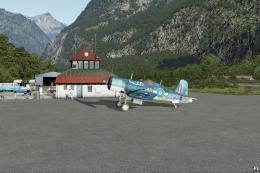
The first production Spitfire, the mark I was powered by a Merlin III giving …
 FSX Historic & Vintage Aircraft
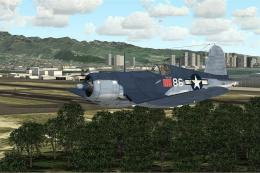
A fully-featured freeware Vought Corsair F4U-1a add-on for all versions of Mi…
 FSX Historic & Vintage Aircraft
F4u-1A Corsair In Livery Of VMF-214 "Lulubelle" of Major Gregory "Pappy" Boyi…
 FSX Historic & Vintage Aircraft
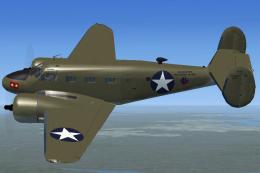
Textures only for Milton Shupe's D-18 FSX portover. This is painted to repres…
 FSX Historic & Vintage Aircraft
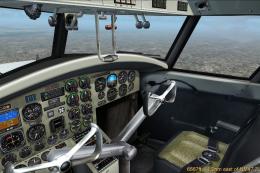
FSX Only Grumman Mallard G-73AT v1.1 (There is also an FS9 specific version a…
 FSX Historic & Vintage Aircraft
Full package including detailed model, four liveries: Marines, US Navy, Blue …
 FSX Historic & Vintage Aircraft
Grumman J2F Duck DXT5 textures. FSX optimized DXT5 format extended bitmap for…
 FSX Historic & Vintage Aircraft
The Skyrocket first flew in 1940 and was very fast and otherwise advanced for…
Read what other simmers think, or add your own.

It's frustrating when someone writes a set of instructions for the installation of one of their airplane or scenery designs but doesn't even attempt to clearly word the thing so that the actual names of the folder or destination match up.
In the case of this Goose, I am told to "place the JRF cab file into your gauges folder and you are done." The problem here is, I do not have a "gauges" folder as such. I do, however, have a "panel" folder. So I am now having to assume that this is what is intended. We all know what can happen when we "ASS-U-ME." Now I need to find a panel fix for a missing AI as well as a few other "inop" instruments (em, "gauges."

View the readme, and do exactly what it says. Make sure to put the jrf cab file into your guages folder, and it should work. That is what I didn't do at first. I did it and now it works just fine. Cool plane! Good job!
