

 FSX Historic & Vintage Aircraft
Supermarine Spitfire MK IA Prototype K5054 3
Supermarine Spitfire MK IA Prototype K5054 - Farnborough, September 1939. Rep…
Supermarine Spitfire PR.XIX PM631 brings 541 Squadron’s high-altitude photo-recon look to the RealAir Spitfire 2008 MkXIV with crisp replacement 32-bit textures and authentic markings from the Battle of Britain Memorial Flight. Built for FSX, it reflects the pressurized PR variant’s sleek, unarmed wartime heritage and postwar service; requires RealAir Spitfire MkXIV.
 Rate
Rate

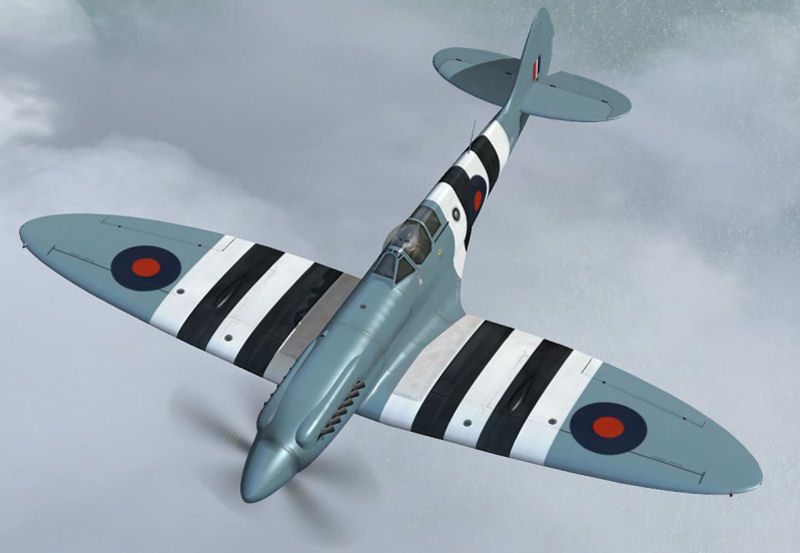
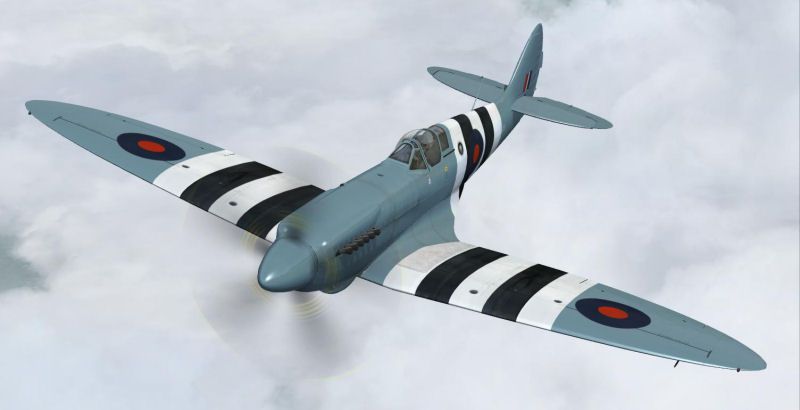
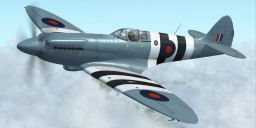
A repaint of the RealAir Spitfire 2008 MkXIV as a PRXIX Spitfire of 541 Squadron (motto: "Alone Above All") flown by the Battle of Britain Memorial Flight. Fitted with a pressurized cockpit, the historical aircraft performed high altitude PR missions over the European theater from early 1944 to the end of the war. Some say that the Spitfire XIX is "the most beautiful aircraft of them all". 32-bit textures by Grant MacLean/Sean Moloney/RealAir.
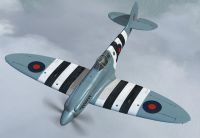
Screenshot of Supermarine Spitfire PRXIX PM631 in flight.
RealAir Spitfire PRXIX PM631 repaint upgrade.
Replacement 32-bit Textures for RealAir's FSX RAS2008 Mk XIV.
With humble apologies, these replace the original SPITBBMF.ZIP and SPITBBM2.ZIP textures, with thanks to Barrie Larke and Nico Jurgens for pointing out the snafus. (Moral: excitement about a great new model sparking multiple repaints uploaded to multiple sites is fine, but don't let it screw things up.)
Spitfire PRXIXs were unarmed and could fly at 370mph at 40,000 feet with a range of 1500 miles. Mk XIX Spitfires represent the ‘top end' of development of the Spitfire and indeed of piston engine aircraft. Some say that the Spitfire XIX is "the most beautiful aircraft of them all".
PM631 (cn 6S/683528) entered service in 1946 and was modified in the ‘fifties for meteorological reconnaissance work. In 1957 it became one of the three founder members of the RAF Historic Aircraft Flight.
INSTALLATION:
1. Extract/unzip the SPITPM631.ZIP file into a temporary folder.
2. Move the folder TEXTURE.PM631 to the RealAir Spitfire XIV 2007 folder (usually:"C:Program FilesMicrosoft GamesFlight Simulator XSimObjectsAirplanesRealAir Spitfire XIV 2007 -- or overwrite the original, if you haven't already trashed it.
3. Copy the text between the asterisks below into the AIRCRAFT.CFG file in your RealAir Spitfire XIV 2007 folder, at the end of the previous [fltsim.X] entries, replacing the 'X' in [fltsim.X] with the next sequential number.
[fltsim.X]

title=Supermarine Spitfire PR.XIX PM631 CV

sim=RAS_SpitXIV

model=

panel=

sound=

texture=PM631

kb_checklists=SpitfireXIV_Check

kb_reference=SpitfireXIV_ref

atc_id=PM631

ui_createdby=RealAir

ui_manufacturer=Supermarine

ui_type=Spitfire PRXIX

ui_variation=PM631

description=A PR.XIX Spitfire of 541 Squadron (motto: ‘Alone Above All') as flown by the Battle of Britain Memorial Flight. Fitted with a pressurised cockpit, the historical aircraft performed high altitude PR missions over the European theatre from early 1944 to the end of the war. Some say that the Spitfire XIX is "the most beautiful aircraft of them all". 32-bit textures by Grant MacLean/Sean Moloney/RealAir.
Repaint by Grant MacLean.
File released as freeware, copyright Grant MacLean. It can be distributed without prior permission under the following conditions: 1) The inclusion of any individual file from this archive in another archive without the prior permission of the author is prohibited. 2) No monetary charge may be made for this archive.
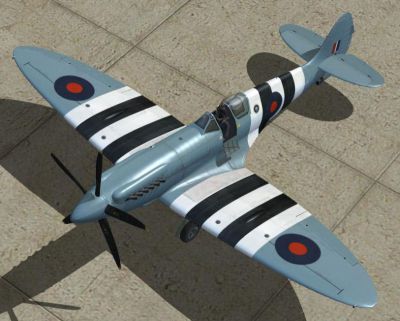
Screenshot of Supermarine Spitfire PRXIX PM631 on the ground.
Free for all simmers · 7.58 MB · Scanned clean Oct 2026
Download speed: Free tier is capped at 0.5 Mbps (this file takes approximately 2 mins at the cap). PRO members download at full line speed.
texture.{airline}) inside FSX\SimObjects\Airplanes\{base-aircraft}\.aircraft.cfg in Notepad. Add a new [fltsim.X] section per the readme.readme.txt or README file. It tells you exactly where files go, what dependencies are needed, and any quirks specific to this add-on.The archive spitpm631.zip has 19 files and directories contained within it.
This list displays the first 500 files in the package. If the package has more, you will need to download it to view them.
| Filename/Directory | File Date | File Size |
|---|---|---|
| FILE_ID.DIZ.txt | 10.11.11 | 521 B |
| FIN1.jpg | 05.08.08 | 45.79 kB |
| FIN2.jpg | 05.08.08 | 89.88 kB |
| FIN3.jpg | 05.08.08 | 32.63 kB |
| README.txt | 10.11.11 | 2.87 kB |
| Texture.PM631 | 10.11.11 | 0 B |
| RASSpitXIV_Ext1_Oil_T.dds | 05.08.08 | 5.33 MB |
| RASSpitXIV_Ext1_T.dds | 05.08.08 | 5.33 MB |
| RASSpitXIV_Ext2_T.dds | 05.08.08 | 5.33 MB |
| RASSpitXIV_Ext2_T_Bump.dds | 11.26.07 | 4.00 MB |
| RASSpitXIV_Ext2_T_Spec.dds | 04.09.08 | 256.12 kB |
| RASSpitXIV_Ext3_T.dds | 05.08.08 | 5.33 MB |
| RASSpitXIV_Ext4_T.dds | 05.08.08 | 5.33 MB |
| RASSpitXIV_VC_4.dds | 05.08.08 | 5.33 MB |
| texture.cfg | 11.01.07 | 129 B |
| thumbnail.jpg | 05.08.08 | 7.03 kB |
| thumbnail.gif | 05.08.08 | 10.92 kB |
| flyawaysimulation.txt | 10.29.13 | 959 B |
| Go to Fly Away Simulation.url | 01.22.16 | 52 B |
Only PRO members can place votes.
More FSX & P3D add-ons hand-picked based on this download.
FSX Historic & Vintage Aircraft
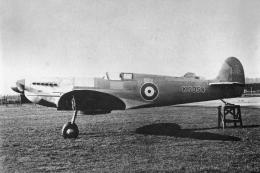
Supermarine Spitfire MK IA Prototype K5054 - Farnborough, September 1939. Rep…
 FSX Historic & Vintage Aircraft
Supermarine Spitfire MK IA Prototype K5054 - Eastleigh, March 1936. At 16.30 …
 FSX Historic & Vintage Aircraft
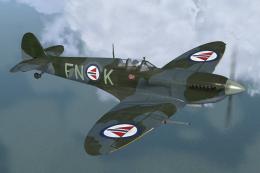
Supermarine Spitfire IX "FN-L" And "FN-K" (textures only). Included are three…
 FSX Historic & Vintage Aircraft
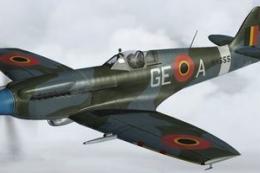
Beauvechain, second half of 1947. Formerly used by RAF 322 Sqn, "NH655" was t…
 FSX Historic & Vintage Aircraft
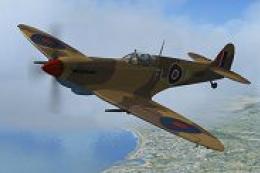
This repaint is a depiction of a Mk IX Spitfire flown during World War II, by…
 FSX Historic & Vintage Aircraft
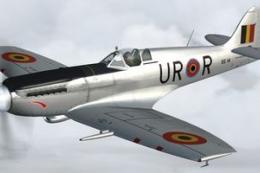
Former RAF 402 Sqn "RM726", SG1 was taken on charge on 25 July 1947. Provided…
 FSX Historic & Vintage Aircraft
Textures only. Supermarine Spitfire MkIX of the Czech Air Force, personal air…
 FSX Historic & Vintage Aircraft
The final version Mk. 47 was powered by a 2375 hp Rolls Royce Griffon 85 engi…
Be the first to leave a comment on this download.
Be the first to share your thoughts on this download.