

 FSX Historic & Vintage Aircraft
Supermarine Spitfire MK IA Prototype K5054 3
Supermarine Spitfire MK IA Prototype K5054 - Farnborough, September 1939. Rep…
Spitfire Mk IA prototype K5054 (Eastleigh, March 1936) gets crisp, corrected replacement textures that eliminate the blurry look seen in the original repaint, keeping external views clean and period-accurate. Designed for FSX, it requires the WoP3 Spitfire base package and updates the existing TEXTURE.K5054-1 folder.
 Rate
Rate
Spitfire MK IA Prototype K5054 - Eastleigh, March 1936. Texture fix for SPIT1-1.ZIP. By Grant MacLean.
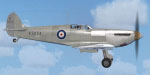
Side view of Spitfire MK IA Prototype K5054 in flight.
Replacement textures to fix blurries in original TEXTURE.K5054-1 (in SPIT1-1.ZIP on this site) With apologies for original snafu.
THINGS HARD TO BELIEVE:
1) That after many previous repaints the "Include mipmapping" button could still be left ON (easy to do, but a really basic mistake).
2) That when testing and shooting a series of external views in FSX, the blurry textures could be missed (stress of too little time for a complicated project, over-tired eyes, but still ...).
3) That after hundreds of downloads only one person would email to comment on the blurries.
INSTALLATION:
Move/copy the extracted TEXTURE.K5054-1 folder to the WoP3_Spitfire folder, merging/overwriting what's there.
With thanks to Nico Jurgens for -- most politely -- pointing out the blurries.
Repaint by Grant MacLean using Martin Catney's paintkit.
Free for all simmers · 6.13 MB · Scanned clean Oct 2026
Download speed: Free tier is capped at 0.5 Mbps (this file takes approximately 2 mins at the cap). PRO members download at full line speed.
This file is a repaint — the package below is the base model it paints onto. Install it first, or the textures will have nothing to load onto.
texture.{airline}) inside FSX\SimObjects\Airplanes\{base-aircraft}\.aircraft.cfg in Notepad. Add a new [fltsim.X] section per the readme.readme.txt or README file. It tells you exactly where files go, what dependencies are needed, and any quirks specific to this add-on.The archive spit1-1fix.zip has 7 files and directories contained within it.
This list displays the first 500 files in the package. If the package has more, you will need to download it to view them.
| Filename/Directory | File Date | File Size |
|---|---|---|
| FILE_ID.DIZ.txt | 01.08.12 | 125 B |
| README.txt | 01.08.12 | 1.07 kB |
| texture.K5054-1 | 01.08.12 | 0 B |
| spit_t.dds | 01.07.12 | 16.00 MB |
| thumbnail.gif | 11.12.11 | 8.01 kB |
| flyawaysimulation.txt | 10.29.13 | 959 B |
| Go to Fly Away Simulation.url | 01.22.16 | 52 B |
Only PRO members can place votes.
More FSX & P3D add-ons hand-picked based on this download.
FSX Historic & Vintage Aircraft
Supermarine Spitfire MK IA Prototype K5054 - Farnborough, September 1939. Rep…
 FSX Historic & Vintage Aircraft
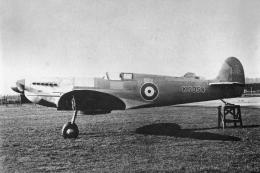
Supermarine Spitfire MK IA Prototype K5054 - Eastleigh, March 1936. At 16.30 …
 FSX Historic & Vintage Aircraft
Textures only for the payware A2A WOP3 Spitfire, two versions: with mipmaps (…
 FSX Historic & Vintage Aircraft
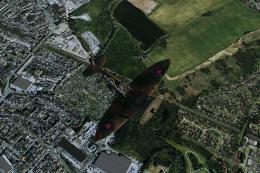
The first production Spitfire, the mark I was powered by a Merlin III giving …
 FSX Historic & Vintage Aircraft
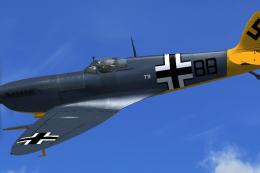
Textures only. The captured Spitfire PR MkXI of the 2./Versuchsverband OKL - …
 FSX Historic & Vintage Aircraft
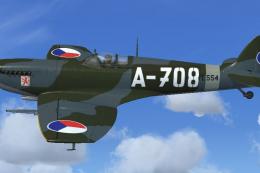
RAS2008 Spitfire Mk IX Aircraft.cfg File with late (larger) rudder. A Superma…
 FSX Historic & Vintage Aircraft
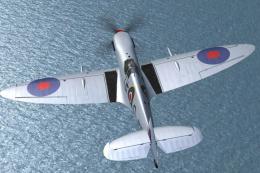
Repaint for RealAir's Spitfire Mk IX 2007 depicting the RAF's Battle of Brita…
 FSX Historic & Vintage Aircraft
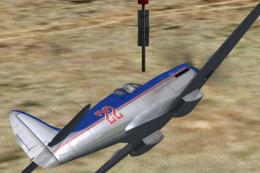
Spitfire Mk XIV 'Bluebird' Racer. Fictional polished metal racer with contra-…
Be the first to leave a comment on this download.
Be the first to share your thoughts on this download.