


 South Africa
  FSX Scenery
Team GEX Enhanced Autogen World
Team GEX Enhanced Autogen World. This package upgrades 522 world wide autogen…
Aeroworx Enhanced Version 1 brings richer landmark detail to South Africa in FSX, adding Gmax and default scenery objects around Theewaterskloof, Brandvlei, and Krugersdrift dams, Kimberley’s townscape and big diamond holes, plus Dealesville for more immersive VFR navigation. It requires Aeroworx FSXWORX17UPD6 and FSXWORX17UPD7.

Aeroworx Enhanced Version 1. The scenery consists of default and Gmax objects placed in and around Theewaterskloof dam, Brandvlei dam, Krugersdrift dam, Kimberley Town, Big diamond holes and Dealesville with the aim to enhance your flying experience in South Africa. The previous release of Aeroworx FSXWORX17UPD6.ZIP and FSXWORX17UPD7.ZIP must be installed with this scenery. It is essential for the proper functioning of this scenery. By Hannes Steyn, Martin du Preez, Aeroworx.
Aeroworx Enhanced Scenery Poster.
IMPORTANT NOTES:
1. Please install the different Aeroworx released, Detailed Terrain Features for Southern Africa Parts according to their correct number sequence.
2. This scenery will work best with the Aeroworx mesh (FSXMesh0604 Part 1 to 4,FSXMESH0605 Part 1 to 3,FSXMESH0704 Part 1 to 3 and FSXMESH0705) and the latest release of detailed Terrain Features for Southern Africa. The level of the many dams and other vector data have been fine tuned to the elevations as in the Aeroworx FSX Mesh. If you use the default or any other meshes, you may find some dams to be sunken into the ground or sitting on elevated surfaces.
INSTALLATION - FSX
1. Unzip the file “fsxWorx17upd7.zip” to a temp directory. We strongly suggest that you create a directory for keeping the future Aeroworx FSX download scenery files.
2. Double click the “fsxWorx17upd7.exe” file and the auto installer will start. The installer will get your FSX install path from the registry, just follow the simple instructions.
3. The installer will create a directory in your FSX main Scenery folder and will be called “SASceneryFSX” The current and future scenery will be copied to this folder.
4. You may also install the file to a temp directory. You will then be able to see the directory structure. Then copy the files over to the proper directories in FSX. DO NOT place our files in your own directories, future updates will only look for the files where the installer installed them to (Run the .BAT file in the SAScenery/scenery folder if you install the files manually. No need for this step if you are using the self-installer).
5. If this is your first installation of Aeroworx Scenery, Start FSX and go to the "Scenery Library", "Add Area" and then point to this newly created directory, “SASceneryFSX”. Click on "OK" and then close FS. Restart FS again and the scenery should be activated.
LIMITATIONS:
1. Please run your FSX Mesh resolution at 1m.
2. Some roads will still run over water features. Where the road is intended to cross water, there will be no bridges at this stage.
3. There will be airfields where the roads/rivers/streams run through the runways. This is caused by incorrect placing of default airports.
4. Due to the limitations in the 76m mesh, water in dams will not always level and up to the dam wall (Please run your scenery at a 1m resolution).
DESIGNING TOOLS:
This scenery was created using:
Microsoft Scenery SDK SP2
Scenery Builder - Luis Sá
Various scanning and digitising programs.
Free for all simmers · 46.11 MB · Scanned clean
Download speed: Free tier is capped at 0.5 Mbps (this file takes approximately 13 mins at the cap). PRO members download at full line speed.
This add-on may require the following files to function properly. If this is a repaint, the dependency below is likely the base aircraft package.
FSX\Addon Scenery\ containing scenery and texture sub-folders.readme.txt or README file. It tells you exactly where files go, what dependencies are needed, and any quirks specific to this add-on.Use these coordinates to fly directly to this location once the mod is installed.
-28.73830000,24.76360000
Launch FSX or Prepar3D and use Flights → Load to open the downloaded .pln file. Your aircraft will be positioned at this location.
The archive fsxworx11.zip has 9 files and directories contained within it.
This list displays the first 500 files in the package. If the package has more, you will need to download it to view them.
| Filename/Directory | File Date | File Size |
|---|---|---|
| Aeroworx_License_Agreement.PDF | 04.29.08 | 66.69 kB |
| fsxWorx11.exe | 03.19.12 | 45.79 MB |
| license.txt | 04.04.09 | 7.38 kB |
| ReadmefsxWorx11.txt | 03.19.12 | 3.67 kB |
| fsxWorx11 | 03.19.12 | 0 B |
| FILE_ID.DIZ | 03.19.12 | 495 B |
| fsxWorx11.jpg | 03.19.12 | 272.96 kB |
| flyawaysimulation.txt | 10.29.13 | 959 B |
| Go to Fly Away Simulation.url | 01.22.16 | 52 B |
More FSX & P3D add-ons hand-picked based on this download.
FSX Scenery
Team GEX Enhanced Autogen World. This package upgrades 522 world wide autogen…
 FSX Scenery
This is the latest v2.1. Only for FSX. Friends and Friendly simmer, here the …
 FSX Scenery
Team GEX Enhanced Major Metro Autogen. This is the second and final part of t…
 FSX Scenery
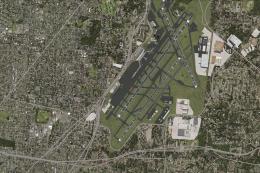
Lambert St. Louis International (KSTL), Missouri (MO). This is version 1.5 of…
 FSX Scenery
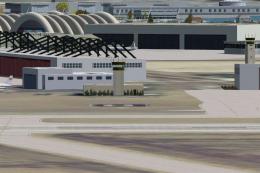
NAS North Island (KNZY), v1.01. After a hard day of trapping it's nice to hav…
 FSX Scenery
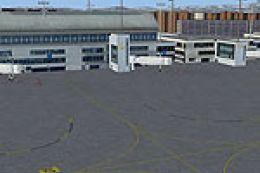
Frankfurt Airport (EDDF), Germany. ILS updated, gates have gate numbers and p…
 FSX Scenery
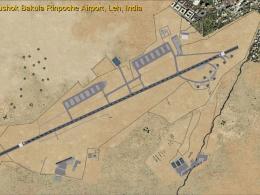
Leh Kushok Bakula Rinpoche Airport Leh, Jammu & Kashmir, India. A GPS approac…
 FSX Scenery
Schleswig-Jagel. v1. Schleswig-Jagel AB (ETNS) is located in northern Germany…
Be the first to leave a comment on this download.
Be the first to share your thoughts on this download.