


 Bahamas
  FSX Scenery
St-Barthelemy Island Sloped Runway
St Barthelemy island (TFFJ) is situated in the Caribbean Sea. It's small slop…
Ragged Island Chain scenery brings remote Bahamian flying to life in FSX with an upgraded Duncan Town airstrip (MYXY) and a new private Nurse Cay field (MYXN). Expect longer, wider runways, ramps, fuel, helipads, lighting, taxiways, terminal facilities, plus island extras like a lighthouse, cruise ship, yacht, dolphins, and local birdlife.
Ragged Island Chain, The Bahamas, v2. The Ragged Island Chain consists of a string of small islands in the Bahamas. Only one island, Ragged Island, has a settlement on it which is known as Duncan Town. This FSX scenery improves the airstrip at Duncan Town (MYXY) and creates a new private airstrip on Nurse Cay. By Mike Lanza.
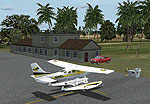
Ragged Island Chain Scenery.
The Ragged Island Chain consists of a string of small islands in the Bahamas. Only one island, Ragged Island, has a settlement on it which is known as Duncan Town. This FSX scenery improves the airstrip at Duncan Town and creates a new private airstrip on Nurse Cay. The airstrip at MYXY (Duncan Town) has been lengthened by 500 feet and widened by 25 feet. Six parking ramps now exist as well as a fuel pump and helipad. Additional taxiways have been added and lights for the runway, taxiways and apron. A small building has been added to serve as a combined terminal, control tower, and customs office. There is also a hangar to protect your plane from tropical storms. These improvements were necessary to accomodate the increased air traffic due to the new high rise tropical hotel, the Ragged Island Resort. There is also a lighthouse on the island and a cruise ship with helipad just off to the east. A large private yacht just to the north also has a helipad. You can watch dolphins swim at both of those locations - the helipads make great viewing spots. About 20 miles north of Ragged Island is Nurse Cay (MYXN). This is where my private airstrip and villa are located. The airstrip has a 2500 ft concrete runway and a parallel taxiway as well as a helipad. The runway, taxiways, and apron are all lit for night operations. The airstrip was built right on a marsh so wandering off the runway or taxiways could result in getting wet. You will find a variety of birds flying around at various locations throughout this scenery. A flight plan is also included for a dusk flight from Ragged Island (MYXY) to Nurse Cay (MYXN). Enjoy!
*Please note that while the Raqgged Island Chain is real, most of this scenery is fictional.
*This version corrects the runway numbers at MYXN.
Installation:
Simply unzip the Ragged_Island.zip file into a temporary directory. Then copy or move the Ragged Island folder to your FSX Addon Scenery folder. Start FSX, go to the Scenery Library and Add Area. Navigate to the Addon Scenery folder and choose the Ragged Island folder to add. You will then see the progress bar and the message "building database for new scenery files." That's it! The aiport code for Ragged Island (Duncan Town) is MYXY. The airport code for Nurse Cay is MYXN.
NOTE: If you prefer, you can also just copy or move the bgl files directly to your \addon sceney\scenery folder.
NOTE: To install the flight, just copy the three files in the \flight folder to your \documents\flight simulator x folder. When you go to load a flight from FSX, the flight will appear as Ragged Island.
This archive is freeware and must remain that way!
This scenery was developed using AFX, the SDK Object Placement Tool and Abacus' Scenery Shortcut.
Free for all simmers · 14.76 KB · Scanned clean
Download speed: Free tier is capped at 0.5 Mbps. PRO members download at full line speed.
FSX\Addon Scenery\ containing scenery and texture sub-folders.readme.txt or README file. It tells you exactly where files go, what dependencies are needed, and any quirks specific to this add-on.Use these coordinates to fly directly to this location once the mod is installed.
22.18170000,-75.72950000
Launch FSX or Prepar3D and use Flights → Load to open the downloaded .pln file. Your aircraft will be positioned at this location.
The archive raggedv2.zip has 11 files and directories contained within it.
This list displays the first 500 files in the package. If the package has more, you will need to download it to view them.
| Filename/Directory | File Date | File Size |
|---|---|---|
| Readme.txt | 08.24.07 | 2.94 kB |
| Ragged Island.FLT | 08.24.07 | 7.59 kB |
| Ragged Island.FSSAVE | 08.24.07 | 8.05 kB |
| Ragged Island.WX | 08.24.07 | 149.21 kB |
| scenery | 08.24.07 | 0 B |
| AFX_MYXN.bgl | 08.24.07 | 2.22 kB |
| AFX_MYXY.bgl | 08.22.07 | 3.69 kB |
| Ragged_Island.bgl | 08.24.07 | 5.34 kB |
| texture | 08.13.07 | 0 B |
| flyawaysimulation.txt | 10.29.13 | 959 B |
| Go to Fly Away Simulation.url | 01.22.16 | 52 B |
More FSX & P3D add-ons hand-picked based on this download.
FSX Scenery
St Barthelemy island (TFFJ) is situated in the Caribbean Sea. It's small slop…
 FSX Scenery
Island Of Saba. Includes redesign of all coasts and land class; SABA airport;…
 FSX Scenery
(Caraibes). Saint Lucia Island scenery including the correct redefinition of …
 FSX Scenery
Saba Island (TNCS). Saba island in FSX is much improved over the flat island …
 FSX Scenery
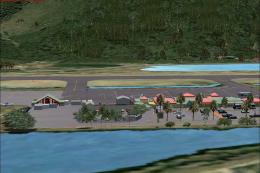
Grande Case Island, St Marteen (TFFG). This scenery is fully compatible with …
 FSX Scenery
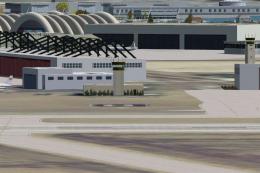
NAS North Island (KNZY), v1.01. After a hard day of trapping it's nice to hav…
 FSX Scenery
FSX Corse Island Scenery version I. Know as Corse to the French, Corsica to t…
 FSX Scenery
Scenery Mahon/Menorca Island, Islas Baleares (Balearic Islands), Spain (LEMH)…
Read what other simmers think, or add your own.
