


 Denmark
  FSX Scenery
Princess Juliana International Airport
Princess Juliana International Airport (TNCM) in Saint Marteen, Netherlands A…
Kastrup Airport (EKCH) scenery refreshes Copenhagen with more realistic parking, rebuilt airside roads, added service vehicles and fuel trucks, enhanced lighting and fencing, extra buildings, and two correctly placed helipads. Designed for FSX Deluxe with the Acceleration pack, it sharpens default airport layout detail while keeping AI traffic operations smooth.
Kastrup Airport (EKCH), Copenhagen, Denmark. Features accurate parking, extra fuel trucks, rebuilt roads, extra buildings, helipads and more. By Martin Lauritsen.
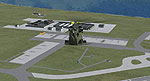
Kastrup Airport Scenery.
I have given this airport a total makeover and made only for the FSX deluxe default airport and acceleration pack: All parking spots are now, as close as to the real world. Extra fuel trucks, support vehicle and roads added and rebuilt, and many other improvements like light poles and fens around the airport. Some extra buildings have also been added. Two helipads added and placed accordingly to EKCH official statement, Setup rwy 22R for takeoff and 22L for landings, rwy 12/30 are closed - No crosswind. (Crosswind setup does not work that well at this airport - AI planes get stuck if rwy 12/30 is in use). Fully tested with Ultimate Traffic/WOAI but not required.
Installation: Unpack the EKCH kastrup.zip file to any location and copy "EKCH kastrup.bgl" to your "Addon senery/senery" folder.
The AFCAD/senery was done with the latest version of ADE V.1.39.22B
Martin Lauritsen
Free for all simmers · 31.04 KB · Scanned clean
Download speed: Free tier is capped at 0.5 Mbps. PRO members download at full line speed.
FSX\Addon Scenery\ containing scenery and texture sub-folders.readme.txt or README file. It tells you exactly where files go, what dependencies are needed, and any quirks specific to this add-on.Use these coordinates to fly directly to this location once the mod is installed.
55.61800000,12.65080000
Launch FSX or Prepar3D and use Flights → Load to open the downloaded .pln file. Your aircraft will be positioned at this location.
The archive kastekch.zip has 4 files and directories contained within it.
This list displays the first 500 files in the package. If the package has more, you will need to download it to view them.
| Filename/Directory | File Date | File Size |
|---|---|---|
| Kastrup EKCH.bgl | 04.01.09 | 87.31 kB |
| EKCH Kastrup - Read Me.txt | 04.01.09 | 1013 B |
| flyawaysimulation.txt | 10.29.13 | 959 B |
| Go to Fly Away Simulation.url | 01.22.16 | 52 B |
More FSX & P3D add-ons hand-picked based on this download.
FSX Scenery
Princess Juliana International Airport (TNCM) in Saint Marteen, Netherlands A…
 FSX Scenery
Los Angeles Airport Scenery v3, California (CA). This photoreal scenery is a …
 FSX Scenery
Barbados International Airport (TBPB). Grantley Adams International Airport f…
 FSX Scenery
Paris Charles de Gaulle Airport (CDG, LFPG), France. The entire airport has b…
 FSX Scenery
John F. Kennedy Airport (KJFK), New York, NYU. This is a photoreal scenery re…
 FSX Scenery
Dubai International Airport (OMDB), Dubai. Includes a new passenger terminal …
 FSX Scenery
Soekarno-Hatta International Airport (WIII), Jakarta, Indonesia. An update to…
 FSX Scenery
San Diego International Airport, California (CA), USA. This photoreal scenery…
Be the first to leave a comment on this download.
Be the first to share your thoughts on this download.