


 FSX Civil Aircraft
Continental Boeing 737-800. B737-800
Continental Boeing 737-800. Fictional textures for the default B737-800. Repa…
Mexicana’s classic Boeing 737-800 look comes to life with a crisp repaint for the default aircraft, delivering authentic airline branding and a polished exterior finish that stands out in screenshots and daily flying. Built for Microsoft Flight Simulator X, it requires the stock 737-800 model and keeps the original flight dynamics and virtual cockpit.
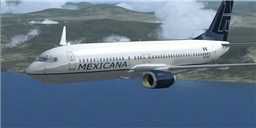
Mexicana Boeing 737-800. Textures only for the default B737-800. Textures by James Mitchell.
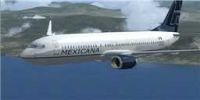
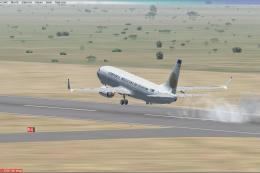
Mexicana Boeing 737-800 in flight.
[fltsim.x]

title=Boeing 737-800 Mexicana

sim=Boeing737-800

texture=mexicana

kb_Checklists=Boeing737-800_check

kb_Reference=Boeing737-800_ref

ui_manufacturer="Boeing"

ui_type="737-800"

ui_variation="Mexicana"

ui_typerole="Commercial Airliner"

ui_createdby="Microsoft Corporation"

description=One should hardly be surprised that the world's most prolific manufacturer of commercial aircraft is also the producer of the world's most popular jetliner. The 737 became the best-selling commercial jetliner worldwide when orders for it hit 1,831 in Jun

visual_damage=
Installation
1) Add the texture folder to ...Microsoft Flight Simulator X\SimObjects\Airplanes\B737-800
2) Open the aircraft.cfg and add the lines in the "lines to add" file to the last aircraft entry
3) Change the [fltsim.x] to the next number, i.e. [fltsim.7]
4) Save Fly, Enjoy
Textures by James Mitchell
Free for all simmers · 1.33 MB · Scanned clean
Download speed: Free tier is capped at 0.5 Mbps. PRO members download at full line speed.
FSX\SimObjects\Airplanes\. The folder must contain an aircraft.cfg file. Effects go into FSX\Effects\; gauges go into FSX\Gauges\.readme.txt or README file. It tells you exactly where files go, what dependencies are needed, and any quirks specific to this add-on.The archive mex_738.zip has 10 files and directories contained within it.
This list displays the first 500 files in the package. If the package has more, you will need to download it to view them.
| Filename/Directory | File Date | File Size |
|---|---|---|
| mex_738 | 03.22.08 | 0 B |
| lines to add.txt | 03.22.08 | 574 B |
| Readme.txt | 03.22.08 | 483 B |
| texture.mexicana | 03.22.08 | 0 B |
| b737_800_1_T.dds | 02.05.08 | 1.33 MB |
| B737_800_2_C.dds | 09.04.06 | 682.79 kB |
| texture.cfg | 08.14.06 | 137 B |
| thumbnail.jpg | 01.28.08 | 3.80 kB |
| flyawaysimulation.txt | 10.29.13 | 959 B |
| Go to Fly Away Simulation.url | 01.22.16 | 52 B |
More FSX & P3D add-ons hand-picked based on this download.
FSX Civil Aircraft
Continental Boeing 737-800. Fictional textures for the default B737-800. Repa…
 FSX Civil Aircraft
Texture only. A rendition of the PMDG B737-800 NGX with winglets in the new A…
 FSX Civil Aircraft
Experience a fully integrated freeware Boeing 737-800 package that showcases …
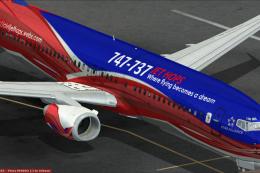 FSX Civil Aircraft
Adding logos for 737-800 default model for 747-737 Jet Hops livery. This file…
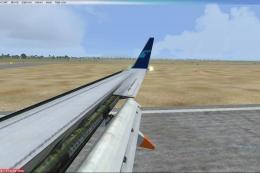 FSX Civil Aircraft
This freeware repaint features a fictional Mexicana de Aviación Boeing 737-80…
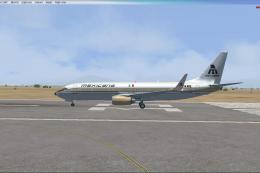 FSX Civil Aircraft
This repaint showcases a Mexicana de Aviacion Boeing 737-800 dressed in a ret…
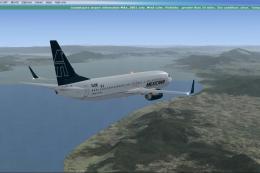 FSX Civil Aircraft
This repaint showcases the classic aesthetic of Mexicana de Aviación wrapped …
 FSX Civil Aircraft
This repaint for Microsoft Flight Simulator X presents a fictional Mexicana d…
Be the first to leave a comment on this download.
Be the first to share your thoughts on this download.