

 FS2004 Civil Jet Aircraft
EAL Boeing 727-200 1980 Bare Metal
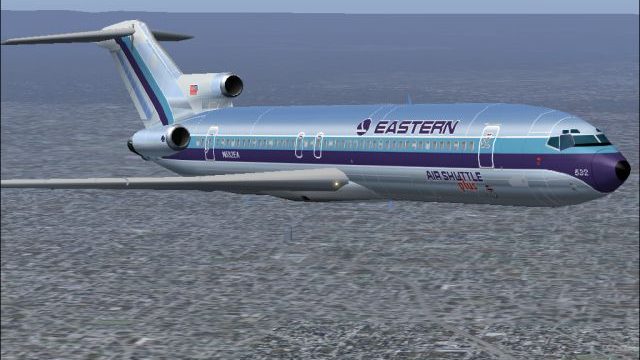
This repaint offers a meticulously polished metal finish for the iconic Boein…
Eastern Air Lines’ Boeing 727-200 Air Shuttle Plus livery brings a classic bare-metal look to AI traffic or a personal fleet in Microsoft Flight Simulator 2004, with crisp day and night textures that capture the polished fuselage and engine sheen under changing light. Requires the AI Aardvark 727-200 base model.
 Rate
Rate
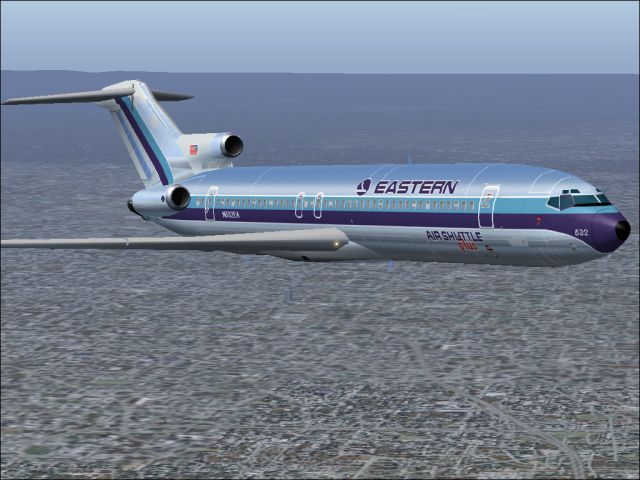
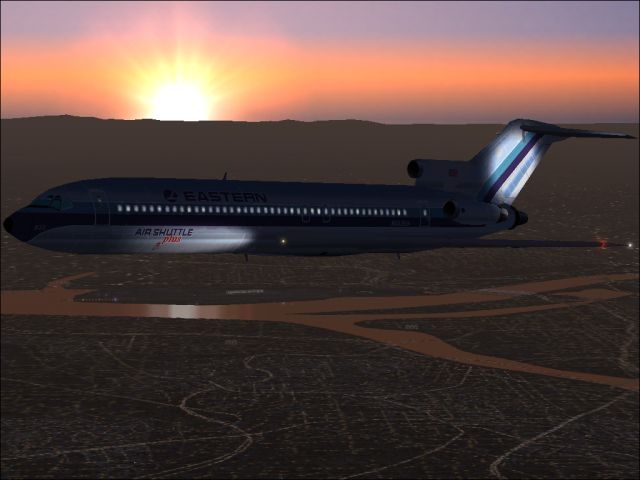
This freeware add-on features a genuine Eastern Airlines Boeing 727-200 in a striking Air Shuttle Plus bare-metal finish. Created by Sheppard Avery and using the AI Aardvark model, it is intended exclusively for Microsoft Flight Simulator 2004 enthusiasts aiming to enhance their AI traffic or personal fleet. It includes detailed day and night textures that accurately depict the polished metal effect along the fuselage and engine sections, reflecting the iconic style of mid-century commercial aviation.
Authentic Air Shuttle Plus Design: This repaint captures the distinctive blend of Eastern Airlines’ trademark metallic surfaces and Air Shuttle Plus branding, paying tribute to a once-prominent U.S. carrier.
Day/Night Reflections: It incorporates carefully crafted metallic reflectivity for both daylight operations and nocturnal flying, adding a realistic sheen that responds to in-simulator lighting.
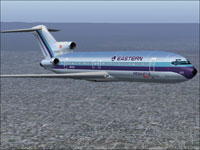
Snapshot of the B727-200 showcasing the Air Shuttle Plus scheme soaring above the clouds.
Eastern Air Lines, often recognized for its major hubs in Atlanta and Miami, dominated routes along the U.S. eastern seaboard from the mid-20th century until the early 1990s. The carrier excelled at high-density operations in New York, San Juan, and Kansas City, with a notable presence in the Caribbean and Central/South America. At peak capacity during the early 1980s, Eastern was the airline of choice for a vast number of global passengers. Their Boeing 727 fleet, in particular, provided balanced range and versatility on short to medium-haul services.
The Boeing 727-200 is renowned for its triple-engine configuration (three rear-mounted turbofans) and unique tail-mounted design. It was considered groundbreaking for its capability to operate on shorter runways, made possible by advanced leading-edge devices. Many carriers, including Eastern, capitalized on these traits for flexible route structures and efficient passenger transport.
The included textures align with the AI Aardvark 727-200 model, which is particularly favored among virtual pilots for its performance efficiency in Microsoft Flight Simulator 2004. Its simplified geometry optimizes AI behavior without sacrificing visual fidelity.
All artistic elements were crafted with precision to evoke the spirit of classic Eastern Air Lines operations. This download is completely freeware and can be installed seamlessly to enrich your virtual aviation environment in Microsoft Flight Simulator 2004.
Free for all simmers · 1.07 MB · Scanned clean Oct 2026
Download speed: Free tier is capped at 0.5 Mbps. PRO members download at full line speed.
FS9\Aircraft\, FS9\Addon Scenery\, FS9\Gauges\, or FS9\Effects\.readme.txt or README file. It tells you exactly where files go, what dependencies are needed, and any quirks specific to this add-on.The archive ea7sspv2.zip has 8 files and directories contained within it.
This list displays the first 500 files in the package. If the package has more, you will need to download it to view them.
| Filename/Directory | File Date | File Size |
|---|---|---|
| aia_727_200_l.bmp | 09.09.04 | 341.43 kB |
| aia_727_200_t.bmp | 09.24.04 | 5.33 MB |
| EASTERN2.jpg | 09.24.04 | 166.93 kB |
| eastern.gif | 01.25.04 | 1.87 kB |
| EASTERN.jpg | 09.24.04 | 206.99 kB |
| READ ME.txt | 09.24.04 | 1.67 kB |
| flyawaysimulation.txt | 10.29.13 | 959 B |
| Go to Fly Away Simulation.url | 01.22.16 | 52 B |
Only PRO members can place votes.
More FS2004 add-ons hand-picked based on this download.
FS2004 Civil Jet Aircraft
This repaint offers a meticulously polished metal finish for the iconic Boein…
 FS2004 Civil Jet Aircraft
This updated release brings an authentic Eastern Air Lines Boeing 727-200 fro…
 FS2004 Civil Jet Aircraft
This freeware texture pack showcases the last variation bare metal thin cheat…
 FS2004 Civil Jet Aircraft
This freeware add-on provides a carefully rendered Eastern Air Lines Boeing 7…
 FS2004 Civil Jet Aircraft
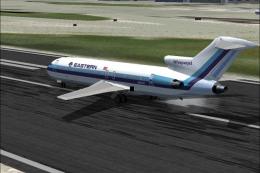
This freeware repaint set brings a vivid representation of Eastern Air Lines’…
 FS2004 Civil Jet Aircraft
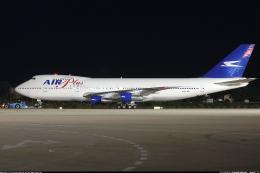
These 747's was given to Air Plus Comet from Aerolineas Argentinas due to the…
 FS2004 Civil Jet Aircraft
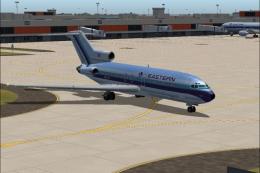
This package offers a detailed Boeing 727-100 repaint that showcases Eastern …
 FS2004 Civil Jet Aircraft
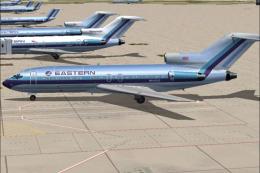
This freeware package features a meticulously recreated Eastern Airlines Boei…
Be the first to leave a comment on this download.
Be the first to share your thoughts on this download.