

 FS2004 Propeller Aircraft
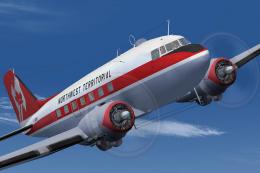
Northwest Territorial Airways Douglas DC-3
This freeware repaint package showcases the Douglas DC-3 (C-47 variant) dress…
Northwest Territorial colors bring classic character to the Douglas DC-3 with crisp exterior textures and an era-accurate finish for Microsoft Flight Simulator 2004. The repaint preserves the familiar airframe look and virtual cockpit feel, and requires an existing DC-3 base folder or Dave Bitzer and Mark Beaumont’s extended-range C-47 (C47_5TK.ZIP).
 Rate
Rate
This freeware add-on delivers a specialized paint scheme representing the Northwest Territorial colors for the venerable Douglas DC-3 in Microsoft Flight Simulator 2004. It offers texture files exclusively, so you will need the existing DC-3 folder from the simulator, or the extended-range C-47 developed by Dave Bitzer and Mark Beaumont (known as C47_5TK.ZIP) beforehand. Repaint artwork is produced by Rory Thomson.
This package supplies a unique livery highlighting the Northwest Territorial name. The DC-3 family, recognized for its reliability and adaptability, has served airlines and cargo operators globally since the 1930s. With this repaint, you can experience a fresh appearance echoing historical aviation style yet retaining the enduring shape and flight dynamics of the original DC-3 framework. If you utilize Dave Bitzer and Mark Beaumont’s extended variant, you will get the same classic flight deck but gain the benefits of their lengthened operational capabilities.
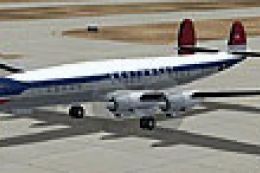
Image showcasing the Northwest Territorial DC-3 repaint in flight.
The Douglas DC-3 airframe matured as one of the most influential transports ever manufactured. It formed the backbone for multiple civilian airlines under varying titles, including the C-47 in military service. Its dependable radial engines and robust airframe allowed for both short-field operations and long-range cargo missions. This storied background underpins its legacy, making it a favorite among vintage aviation enthusiasts. By installing this Northwest Territorial scheme, sim pilots can rediscover an era when prop-driven aircraft shaped commercial passenger service around the world.
[fltsim.XX]

title=Douglas C-47 Northwest

sim=DC3_RR3 // Was Douglas_DC3

model=

panel=

sound=

texture=NW

kb_checklists=Douglas_DC3_check

kb_reference=Douglas_DC3_ref

atc_id_enable=0

atc_id=108801

atc_airline=USAF

atc_parking_types=CARGO

atc_parking_code=COD

ui_manufacturer=Douglas

ui_type="C-47"

ui_variation="NorthWest"
Keep in mind that this repaint does not contain the original base model. It solely introduces the visual elements for the Northwest Territorial DC-3. If you have not done so already, acquire the freeware DC-3 or Dave Bitzer and Mark Beaumont’s C-47 (C47_5TK.ZIP). This base package is typically available in the Fly Away Simulation library. The repaint was meticulously designed by Rory Thomson, ensuring an authentic and faithful aesthetic for virtual pilots interested in distinguished vintage transport flight.
Free for all simmers · 2.16 MB · Scanned clean Oct 2026
Download speed: Free tier is capped at 0.5 Mbps. PRO members download at full line speed.
FS9\Aircraft\, FS9\Addon Scenery\, FS9\Gauges\, or FS9\Effects\.readme.txt or README file. It tells you exactly where files go, what dependencies are needed, and any quirks specific to this add-on.The archive northwestterritorialdc3-1.zip has 7 files and directories contained within it.
This list displays the first 500 files in the package. If the package has more, you will need to download it to view them.
| Filename/Directory | File Date | File Size |
|---|---|---|
| Douglas_DC3_1_T.bmp | 07.29.10 | 2.67 MB |
| File ID.txt | 08.08.10 | 204 B |
| Read Me.txt | 08.08.10 | 4.26 kB |
| ScreenHunter_13 Jul. 29 21.30.bmp | 07.29.10 | 3.28 MB |
| Thumbs.db | 07.30.10 | 16.00 kB |
| flyawaysimulation.txt | 10.29.13 | 959 B |
| Go to Fly Away Simulation.url | 01.22.16 | 52 B |
Only PRO members can place votes.
More FS2004 add-ons hand-picked based on this download.
FS2004 Propeller Aircraft
This freeware repaint package showcases the Douglas DC-3 (C-47 variant) dress…
 FS2004 Propeller Aircraft
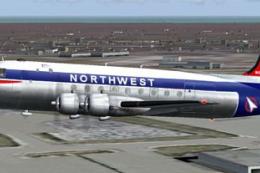
Textures only. From 1946 to 1961 Northwest Airlines had together 44 DC-4/C-54…
 FS2004 Propeller Aircraft
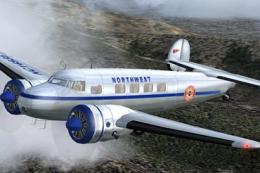
70th Anniversary Of The Electra L-10. It first went into service with Northwe…
 FS2004 Propeller Aircraft
Lockheed L-1049E-55-102 (c/n 4572) N5172V was delivered on April 1955 to Nort…
 FS2004 Propeller Aircraft
Textures only, to be used with any L10A from FSDesign-Berlin, with updated FD…
 FS2004 Propeller Aircraft
This repaint package is designed for avid Microsoft Flight Simulator 2004 ent…
 FS2004 Propeller Aircraft
Textures only for the Alphasim Super C Constellation. NWA operated four Super…
 FS2004 Propeller Aircraft
Textures only; requires SCONNIE.ZIP. Connie model by Mike Stone. Repaint by G…
Be the first to leave a comment on this download.
Be the first to share your thoughts on this download.