

 FS2004 Propeller Aircraft
KLM Convair CV-240 VBF CA-18 PH-TEM
This repaint showcases a historically significant Convair CV-240-4, initially…
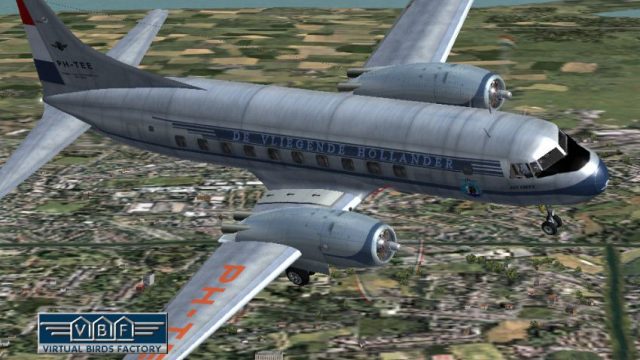
KLM’s Convair CV-240 PH-TEE “Jan Steen” comes to life with faithful exterior textures and a matching model file that captures the airline’s late-1940s styling and proportions. Built for Microsoft Flight Simulator 2004, the repaint reflects this airframe’s multi-operator history and requires the freeware CV240VBFCA18 base pack for full use.
 Rate
Rate
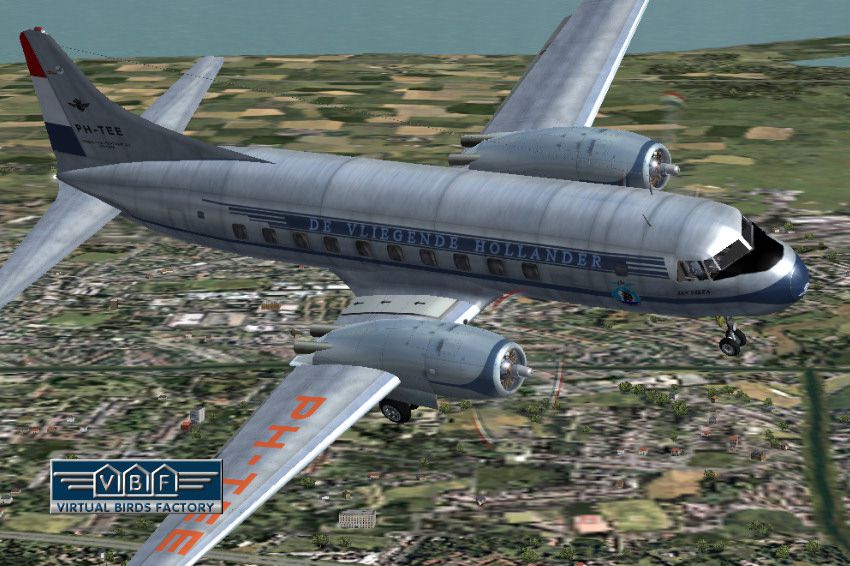
The Convair CV-240 was a short- to medium-range, twin-engine airliner introduced in the 1940s to modernize commercial passenger operations. This particular freeware repaint depicts the KLM-operated variant delivered on November 3, 1948, bearing registration PH-TEE and christened “Jan Steen.” Over the years, it transitioned through various operators, including Swissair as “Luzern,” Mohawk Airlines as “Airchief Ticonderoga,” and eventually ended service in Houston, Texas, where it was dismantled in 1975. This add-on for Microsoft Flight Simulator 2004 preserves that storied heritage and offers authentic exterior textures along with the dedicated model file, developed collaboratively by Greg Pepper and Tom Gibson, then refined by Georg Hauzenberger (model) and Hans Hermann (textures) at Virtual Birds Factory. Note that this repaint package does not include the base model; it requires the freeware CV240VBFCA18 base pack, which can be found in the Fly Away Simulation library.
KLM introduced the Convair CV-240 series to bolster its post-war fleet, aiming for greater comfort and reliability on regional routes. This particular aircraft, identified as PH-TEE upon its 1948 arrival, added versatility to the airline’s operations. During its lifetime, it moved between multiple carriers, including Swissair and Mohawk Airlines, each rebranding the CV-240 to suit their corporate naming conventions. These transitions highlight the aircraft’s adaptability in commercial service. In its final days, it ended up in storage before being dismantled, marking the close of a remarkable journey through international aviation history.
This package contains:
The original work by Greg Pepper and Tom Gibson, with subsequent enhancements by Georg Hauzenberger and Hans Hermann at Virtual Birds Factory, ensures you get precise exterior details and a realistic representation of this iconic airliner.
Above: The KLM Convair CV-240 repaint in active flight.
Before installing these textures, ensure that your base Convair CV-240 folder—either cv240VBFca18, cv240VBFcb16, or CV240VBFmilitary—is already present in your simulator’s “Aircraft” directory. If it is not yet available, download and install the freeware base model referenced in the user manual to accommodate these textures correctly.
[fltsim.xx] entry belonging to your newly installed textures.[fltsim.xx] block, then append it to the aircraft.cfg file in the same folder, making sure the sequence is correct (replace “xx” with the next numerical index). Then save and close aircraft.cfg.Once completed, your new livery should appear in Microsoft Flight Simulator 2004’s aircraft selection menu. If it does not, confirm that you have not renamed any folders, and check that you pointed the installer to the precise root folder where FS9.EXE resides.
Free for all simmers · 4.5 MB · Scanned clean Oct 2026
Download speed: Free tier is capped at 0.5 Mbps (this file takes approximately 1 min at the cap). PRO members download at full line speed.
This file is a repaint — the package below is the base model it paints onto. Install it first, or the textures will have nothing to load onto.
FS9\Aircraft\, FS9\Addon Scenery\, FS9\Gauges\, or FS9\Effects\.readme.txt or README file. It tells you exactly where files go, what dependencies are needed, and any quirks specific to this add-on.The archive cv240vbfca18_klm_ph-tee_01.zip has 9 files and directories contained within it.
This list displays the first 500 files in the package. If the package has more, you will need to download it to view them.
| Filename/Directory | File Date | File Size |
|---|---|---|
| cv240VBFca18_klm_PH-TEE_01 | 09.10.10 | 0 B |
| cv240VBFca18_klm_PH-TEE_01.jpg | 09.11.10 | 191.10 kB |
| cv240VBFca18_klm_PH-TEE_01150.gif | 09.11.10 | 12.73 kB |
| cv240VBFca18_klm_PH-TEE_01_setup.exe | 09.11.10 | 4.16 MB |
| cv240VBFreloaded_User Manual_010.pdf | 09.11.10 | 233.85 kB |
| cv240VBF_readme_add-on-livery.txt | 09.11.10 | 5.43 kB |
| file_id.diz | 09.11.10 | 753 B |
| flyawaysimulation.txt | 10.29.13 | 959 B |
| Go to Fly Away Simulation.url | 01.22.16 | 52 B |
Only PRO members can place votes.
More FS2004 add-ons hand-picked based on this download.
FS2004 Propeller Aircraft
This repaint showcases a historically significant Convair CV-240-4, initially…
 FS2004 Propeller Aircraft
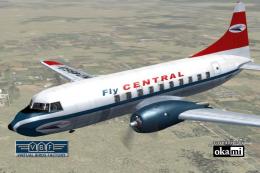
This freeware repaint showcases the Central Airlines Convair CV-240 (VBF CA-1…
 FS2004 Propeller Aircraft
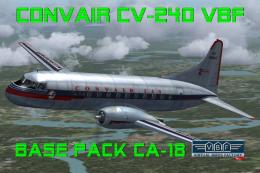
This free package features a meticulously re-created early twin-prop airliner…
 FS2004 Propeller Aircraft
This repaint package offers a historically significant VARIG Convair CV-240 f…
 FS2004 Propeller Aircraft
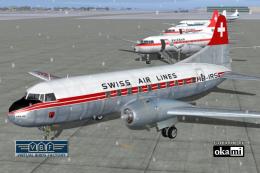
This repaint showcases Swiss Air Lines’ Convair CV-240-11, originally bearing…
 FS2004 Propeller Aircraft
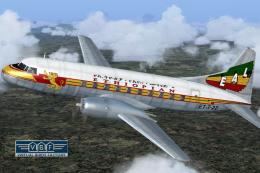
Convair CV-240 VBF CA-18, cn 38, bought by Ethiopian Airlines from Sabena in …
 FS2004 Propeller Aircraft
This freeware repaint showcases a Convair CV-240-12 (construction number 156)…
 FS2004 Propeller Aircraft
This freeware package provides a fresh rendition of the Convair CV-240 in Deu…
Be the first to leave a comment on this download.
Be the first to share your thoughts on this download.