

 FS2004 Propeller Aircraft
KLM Convair CV-240 VBF CA-18
The Convair CV-240 was a short- to medium-range, twin-engine airliner introdu…
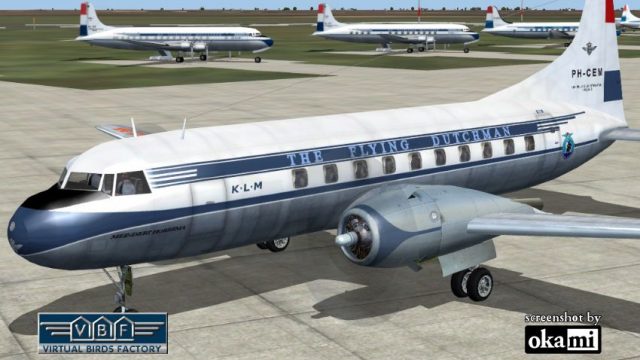
KLM’s Convair CV-240-4 PH-TEM “Meindert Hobbema” arrives as a historically faithful repaint, capturing classic late-1940s airline styling on the pressurized twin-radial short-haul airliner. Built for Microsoft Flight Simulator 2004, it requires the CV240VBFCA18 base pack and includes detailed exterior textures matched to this airframe’s early service.
 Rate
Rate
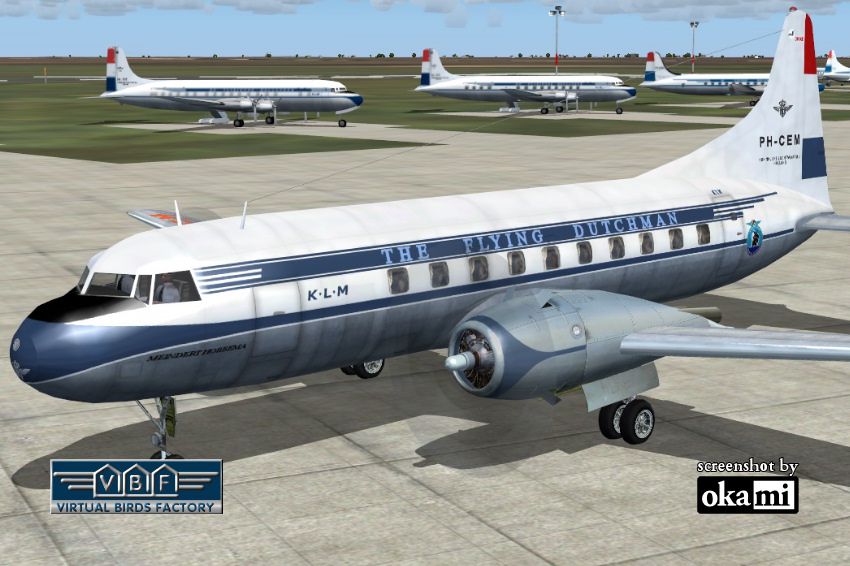
This repaint showcases a historically significant Convair CV-240-4, initially delivered to KLM Royal Dutch Airlines on 28 February 1949 under registration PH-TEM and nicknamed "Meindert Hobbema." The Convair CV-240, developed after WWII, is renowned for its pressurized cabin and twin radial engines, making it a popular short-haul aircraft for numerous operators. Greg Pepper and Tom Gibson originally created this freeware model, and their work was subsequently upgraded by Georg Hauzenberger (model) alongside Hans Hermann (textures). KLM’s example underwent several ownership changes, ultimately continuing operations under various registrations in the United States until at least 2007. This release specifically targets Microsoft Flight Simulator 2004.
The repaint exhibits classic post-war KLM livery elements that were distinctive in the late 1940s and early 1950s. The aircraft’s name, “Meindert Hobbema,” is consistent with KLM’s tradition of naming planes after historical Dutch figures. Over the years, PH-TEM changed registrations to PH-CEM and eventually D-BOBA when it passed into the hands of Deutsche Flugdienst GmbH. Notably, Lufthansa leased this airframe before it ultimately joined Condor Flugdienst, illustrating the varied history of many Convair CV-240s.
Visual preview of the KLM Convair CV-240 repaint.
This repaint requires the appropriate base model files and does not include the original aircraft. Users must obtain the freeware base package (CV240VBFCA18_BASEPACK_010.ZIP) to ensure that all necessary folders, such as cv240VBFca18, cv240VBFcb16, or CV240VBFmilitary, are in place. The repaint will not function correctly without those base components. Refer to the included documentation in Chapter 3.2 of the User Manual for detailed guidance on installing that base pack.
[fltsim.xx] section.aircraft.cfg in the same folder and paste the copied [fltsim.xx] block after the last existing entry, updating xx to the next consecutive number. Finally, save the modified aircraft.cfg.Once the above steps have been followed precisely, you should spot this KLM Convair CV-240 repaint in your simulator’s aircraft selection menu. If it does not appear, confirm that the folder names remain intact (cv240VBFca18, cv240VBFcb16, or cv240VBFmilitary) and that you installed the livery into your correct Microsoft Flight Simulator 2004 root directory. You can then explore the cockpit and exterior details created by Georg Hauzenberger (model) and Hans Hermann (textures), enjoying a historically faithful rendition of the Convair CV-240 as flown by KLM Royal Dutch Airlines.
Free for all simmers · 4.45 MB · Scanned clean Oct 2026
Download speed: Free tier is capped at 0.5 Mbps (this file takes approximately 1 min at the cap). PRO members download at full line speed.
This file is a repaint — the package below is the base model it paints onto. Install it first, or the textures will have nothing to load onto.
FS9\Aircraft\, FS9\Addon Scenery\, FS9\Gauges\, or FS9\Effects\.readme.txt or README file. It tells you exactly where files go, what dependencies are needed, and any quirks specific to this add-on.The archive cv240vbfca18_klm_ph-cem_01.zip has 9 files and directories contained within it.
This list displays the first 500 files in the package. If the package has more, you will need to download it to view them.
| Filename/Directory | File Date | File Size |
|---|---|---|
| cv240VBFca18_klm_PH-CEM_01 | 11.05.10 | 0 B |
| cv240VBFca18_klm_PH-CEM_01.jpg | 11.05.10 | 181.85 kB |
| cv240VBFca18_klm_PH-CEM_01150.gif | 11.05.10 | 10.92 kB |
| cv240VBFca18_klm_PH-CEM_01_setup.exe | 11.05.10 | 4.12 MB |
| cv240VBFreloaded_User Manual_010.pdf | 11.05.10 | 234.01 kB |
| cv240VBF_readme_add-on-livery.txt | 11.05.10 | 5.43 kB |
| file_id.diz | 11.05.10 | 991 B |
| flyawaysimulation.txt | 10.29.13 | 959 B |
| Go to Fly Away Simulation.url | 01.22.16 | 52 B |
Only PRO members can place votes.
More FS2004 add-ons hand-picked based on this download.
FS2004 Propeller Aircraft
The Convair CV-240 was a short- to medium-range, twin-engine airliner introdu…
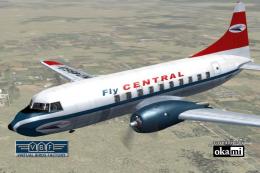 FS2004 Propeller Aircraft
This freeware repaint showcases the Central Airlines Convair CV-240 (VBF CA-1…
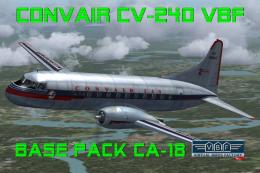 FS2004 Propeller Aircraft
This free package features a meticulously re-created early twin-prop airliner…
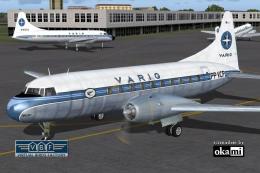 FS2004 Propeller Aircraft
This repaint package offers a historically significant VARIG Convair CV-240 f…
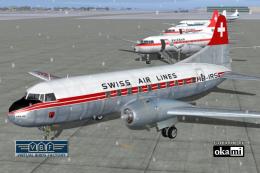 FS2004 Propeller Aircraft
This repaint showcases Swiss Air Lines’ Convair CV-240-11, originally bearing…
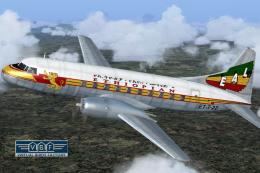 FS2004 Propeller Aircraft
Convair CV-240 VBF CA-18, cn 38, bought by Ethiopian Airlines from Sabena in …
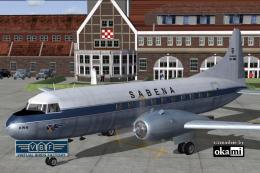 FS2004 Propeller Aircraft
This freeware repaint showcases a Convair CV-240-12 (construction number 156)…
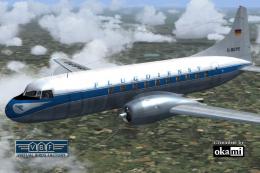 FS2004 Propeller Aircraft
This freeware package provides a fresh rendition of the Convair CV-240 in Deu…
Be the first to leave a comment on this download.
Be the first to share your thoughts on this download.