

 FS2004 Propeller Aircraft
Sabena Convair CV-240 VBF CA-18 OO-AWP
This freeware repaint for Microsoft Flight Simulator 2004 showcases a classic…
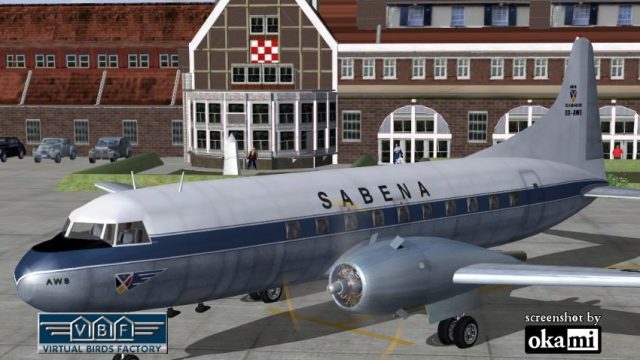
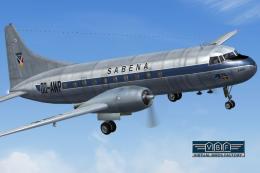
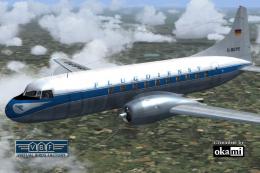
Sabena’s Convair CV-240-12 OO-AWS comes to life with an authentic freeware repaint reflecting its postwar European service and evolving 1950s markings, including the white top and refined tail details. Built for Microsoft Flight Simulator 2004, it includes textures and a matching model file, and requires the CV240VBFCA18_BASEPACK_010 base pack.
 Rate
Rate

This freeware repaint showcases a Convair CV-240-12 (construction number 156) carrying authentic Sabena markings. Initially delivered to the Belgian national carrier on March 30, 1949, registered OO-AWS, it served extensive European operations from May of that year onward. Throughout its career, the aircraft received several modifications to its livery, including a distinctive white top introduced in 1951 and refined tail elements in 1953. By 1956, newer Convair CV-440 Metropolitan variants replaced it, and on October 14, 1957, the aircraft moved to LOT Polish Airlines where it operated on international and later domestic routes until its sale in 1966. Operated by various U.S.-based companies for a period, it saw final retirement in the 1980s. This package includes textures and a corresponding model file only and is designed for Microsoft Flight Simulator 2004. You must install the CV240VBFCA18_BASEPACK_010.ZIP beforehand, available from the Fly Away Simulation library. Original work by Greg Pepper and Tom Gibson, upgraded by Georg Hauzenberger (model) and Hans Hermann (textures) Virtual Birds Factory, November 2010.
The Convair CV-240 series, introduced after World War II, was engineered to provide pressurized comfort on short- to medium-range flights. Sabena’s use of the CV-240 in postwar Europe streamlined regional travel, and the airline’s evolving livery updates reflected modernized branding efforts. In Sabena service, these aircraft showcased reliability in cross-border flights, facilitating vital connections across the region until more advanced turboprop and jet designs took over.
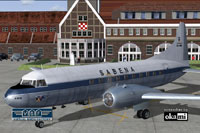
Sabena Convair CV-240 during ground operations, viewed from the front left.
This repaint depends on a specific base pack. Ensure that “CV240VBFca18” (or “cv240VBFcb16” or “CV240VBFmilitary,” as indicated in each livery release) is correctly installed in your Microsoft Flight Simulator 2004 directory. If missing, first download and set up the CV240VBFCA18_BASEPACK_010.ZIP file as outlined in the official user manual (Chapter 3.2). You will not be able to use the new textures otherwise.
Start Microsoft Flight Simulator 2004 to confirm the Sabena Convair CV-240 now appears in your aircraft selection menu. If it does not, verify you correctly posted the [fltsim.xx] entry in the aircraft.cfg file and that the folder names match exactly. Also ensure you correctly pointed the installer to your main simulator location where FS9.EXE resides.
Free for all simmers · 4.54 MB · Scanned clean Oct 2026
Download speed: Free tier is capped at 0.5 Mbps (this file takes approximately 1 min at the cap). PRO members download at full line speed.
This file is a repaint — the package below is the base model it paints onto. Install it first, or the textures will have nothing to load onto.
FS9\Aircraft\, FS9\Addon Scenery\, FS9\Gauges\, or FS9\Effects\.readme.txt or README file. It tells you exactly where files go, what dependencies are needed, and any quirks specific to this add-on.The archive cv240vbfca18_sab_oo-aws_01.zip has 9 files and directories contained within it.
This list displays the first 500 files in the package. If the package has more, you will need to download it to view them.
| Filename/Directory | File Date | File Size |
|---|---|---|
| cv240VBFca18_sab_OO-AWS_01 | 11.05.10 | 0 B |
| cv240VBFca18_sab_OO-AWS_01.jpg | 11.05.10 | 194.28 kB |
| cv240VBFca18_sab_OO-AWS_01150.gif | 11.05.10 | 11.66 kB |
| cv240VBFca18_sab_OO-AWS_01_setup.exe | 11.05.10 | 4.20 MB |
| cv240VBFreloaded_User Manual_010.pdf | 11.05.10 | 234.01 kB |
| cv240VBF_readme_add-on-livery.txt | 11.05.10 | 5.43 kB |
| file_id.diz | 11.05.10 | 1.07 kB |
| flyawaysimulation.txt | 10.29.13 | 959 B |
| Go to Fly Away Simulation.url | 01.22.16 | 52 B |
Only PRO members can place votes.
More FS2004 add-ons hand-picked based on this download.
FS2004 Propeller Aircraft
This freeware repaint for Microsoft Flight Simulator 2004 showcases a classic…
 FS2004 Propeller Aircraft
This freeware repaint showcases the Central Airlines Convair CV-240 (VBF CA-1…
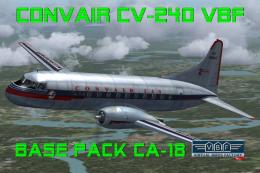 FS2004 Propeller Aircraft
This free package features a meticulously re-created early twin-prop airliner…
 FS2004 Propeller Aircraft
This repaint package offers a historically significant VARIG Convair CV-240 f…
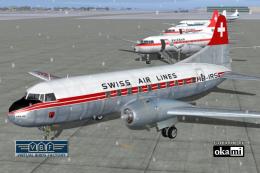 FS2004 Propeller Aircraft
This repaint showcases Swiss Air Lines’ Convair CV-240-11, originally bearing…
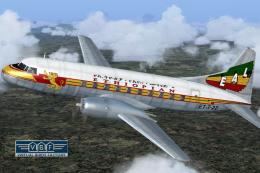 FS2004 Propeller Aircraft
Convair CV-240 VBF CA-18, cn 38, bought by Ethiopian Airlines from Sabena in …
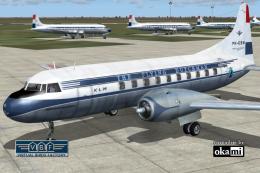 FS2004 Propeller Aircraft
This repaint showcases a historically significant Convair CV-240-4, initially…
 FS2004 Propeller Aircraft
This freeware package provides a fresh rendition of the Convair CV-240 in Deu…
Be the first to leave a comment on this download.
Be the first to share your thoughts on this download.