

 FS2004 Propeller Aircraft
Central Airlines Convair CV-240 VBF CA-18
This freeware repaint showcases the Central Airlines Convair CV-240 (VBF CA-1…
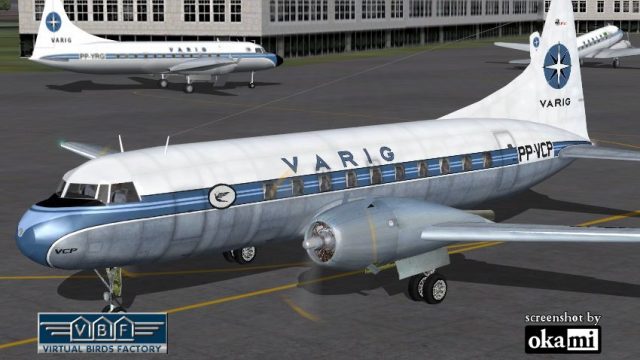
VARIG’s classic Convair CV-240 VBF CA-18 livery brings a mid-1950s Brazilian airliner look to Microsoft Flight Simulator 2004, reflecting an airframe first delivered to Pan Am in 1948 and later flown as PP-VCP. The package includes tailored textures and a matching model update, and requires the separate Virtual Birds Factory CV-240 base pack.
 Rate
Rate

This repaint package offers a historically significant VARIG Convair CV-240 for Microsoft Flight Simulator 2004. It represents a conversion of a Convair CV-240-2, originally delivered to Pan American World Airways in 1948 and later purchased by VARIG in the mid-1950s. The texture set recreates the airline’s iconic Brazilian livery from that era, meticulously adapted for the freeware base model by Greg Pepper and Tom Gibson, with subsequent upgrades by Georg Hauzenberger (model) and Hans Hermann (textures) of Virtual Birds Factory. Although this download provides only the repaint and associated model file, it requires the separately available base pack, which can be sourced from the Fly Away Simulation library.
The Convair CV-240 emerged in the late 1940s as a short-to-medium range twin-engine airliner, aiming to succeed earlier propeller-driven designs. This particular variant, bearing construction number 24, began its operational life with Pan Am and was registered as N90658. VARIG (Viação Aérea Rio-Grandense), once Brazil’s leading carrier, acquired the aircraft in 1954 as PP-VCP. The airframe eventually left service in 1970 and was dismantled at São Paulo-Congonhas Airport. The developers have accurately captured both the exterior paint scheme and the subtle structural traits of this iconic aircraft in their visual model.
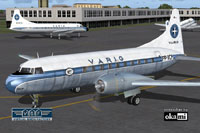
Authentic depiction of the VARIG Convair CV-240 on the tarmac, showing the forward fuselage angle.
This module bundles the crucial texture files and an associated model update only. As a prerequisite, users must have the correct freeware base pack (commonly CV240VBFca18, CV240VBFcb16, or CV240VBFmilitary) installed in order to integrate the new files properly. If your base pack is missing, install “CV240VBFCA18_BASEPACK_010.ZIP” from the Fly Away Simulation library. Confirm that your main multiplier folders (e.g., cv240VBFca18) and subfolders match those outlined in the user manual to prevent any mismatches during setup.
After these steps, your new VARIG Convair CV-240 repaint should become selectable in Microsoft Flight Simulator 2004’s aircraft menu. In case it fails to appear, double-check that you have installed the correct base pack folders (referred to above) and that you specified the correct FS2004 root directory during setup. Ensuring identical folder names is critical for this repaint to function as intended.
Free for all simmers · 4.49 MB · Scanned clean Oct 2026
Download speed: Free tier is capped at 0.5 Mbps (this file takes approximately 1 min at the cap). PRO members download at full line speed.
This file is a repaint — the package below is the base model it paints onto. Install it first, or the textures will have nothing to load onto.
FS9\Aircraft\, FS9\Addon Scenery\, FS9\Gauges\, or FS9\Effects\.readme.txt or README file. It tells you exactly where files go, what dependencies are needed, and any quirks specific to this add-on.The archive cv240vbfca18_vrg_pp-vcp_01.zip has 9 files and directories contained within it.
This list displays the first 500 files in the package. If the package has more, you will need to download it to view them.
| Filename/Directory | File Date | File Size |
|---|---|---|
| cv240VBFca18_vrg_PP-VCP_01 | 11.14.10 | 0 B |
| cv240VBFca18_vrg_PP-VCP_01.jpg | 11.14.10 | 189.37 kB |
| cv240VBFca18_vrg_PP-VCP_01150.gif | 11.14.10 | 10.39 kB |
| cv240VBFca18_vrg_PP-VCP_01_setup.exe | 11.14.10 | 4.16 MB |
| cv240VBFreloaded_User Manual_010.pdf | 11.14.10 | 234.01 kB |
| cv240VBF_readme_add-on-livery.txt | 11.14.10 | 5.43 kB |
| file_id.diz | 11.14.10 | 544 B |
| flyawaysimulation.txt | 10.29.13 | 959 B |
| Go to Fly Away Simulation.url | 01.22.16 | 52 B |
Only PRO members can place votes.
More FS2004 add-ons hand-picked based on this download.
FS2004 Propeller Aircraft
This freeware repaint showcases the Central Airlines Convair CV-240 (VBF CA-1…
 FS2004 Propeller Aircraft
This free package features a meticulously re-created early twin-prop airliner…
 FS2004 Propeller Aircraft
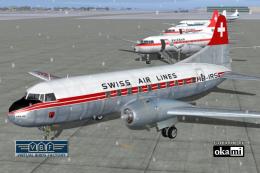
This repaint showcases Swiss Air Lines’ Convair CV-240-11, originally bearing…
 FS2004 Propeller Aircraft
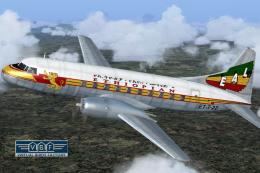
Convair CV-240 VBF CA-18, cn 38, bought by Ethiopian Airlines from Sabena in …
 FS2004 Propeller Aircraft
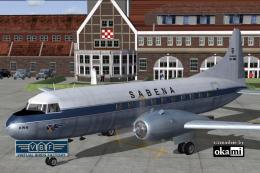
This freeware repaint showcases a Convair CV-240-12 (construction number 156)…
 FS2004 Propeller Aircraft
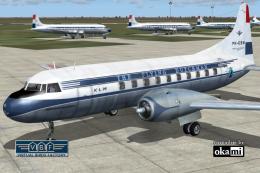
This repaint showcases a historically significant Convair CV-240-4, initially…
 FS2004 Propeller Aircraft
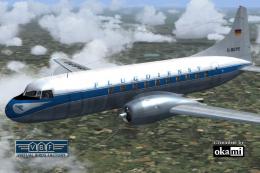
This freeware package provides a fresh rendition of the Convair CV-240 in Deu…
 FS2004 Propeller Aircraft
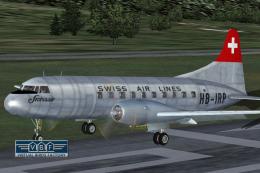
This carefully crafted repaint showcases a classic Swiss Air Lines Convair CV…
Be the first to leave a comment on this download.
Be the first to share your thoughts on this download.