

 FSX Propliners
Briko Air Services Cessna 402C
Briko Air Services Cessna 402C Repaint of Premaircraft Cessna 402 (model incl…
Cape Air’s Cessna 414A Chancellor brings commuter twin realism to FSX with a Premier Aircraft Design model, detailed exterior lines, and a functional virtual cockpit suited to IFR or island-hopping legs. The package captures the airline’s distinctive look for believable regional ops, offering a polished repaint and performance-focused presentation.
 Rate
Rate


Model by Premier Aircraft Design.
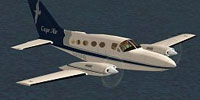
Screenshot of Cape Air Cessna 414A Chancellor in flight.
Free for all simmers · 7.09 MB · Scanned clean Sep 2026
Download speed: Free tier is capped at 0.5 Mbps (this file takes approximately 2 mins at the cap). PRO members download at full line speed.
FSX\SimObjects\Airplanes\. The folder must contain an aircraft.cfg file. Effects go into FSX\Effects\; gauges go into FSX\Gauges\.readme.txt or README file. It tells you exactly where files go, what dependencies are needed, and any quirks specific to this add-on.The archive cape414.zip has 70 files and directories contained within it.
This list displays the first 500 files in the package. If the package has more, you will need to download it to view them.
| Filename/Directory | File Date | File Size |
|---|---|---|
| aircraft.cfg | 08.20.09 | 15.52 kB |
| C414A.air | 07.02.09 | 7.98 kB |
| C414A_check.htm | 07.02.09 | 55.70 kB |
| C414A_ref.htm | 07.02.09 | 6.86 kB |
| CREDITS.txt | 07.02.09 | 1.10 kB |
| C414A_check.htm | 07.02.09 | 55.70 kB |
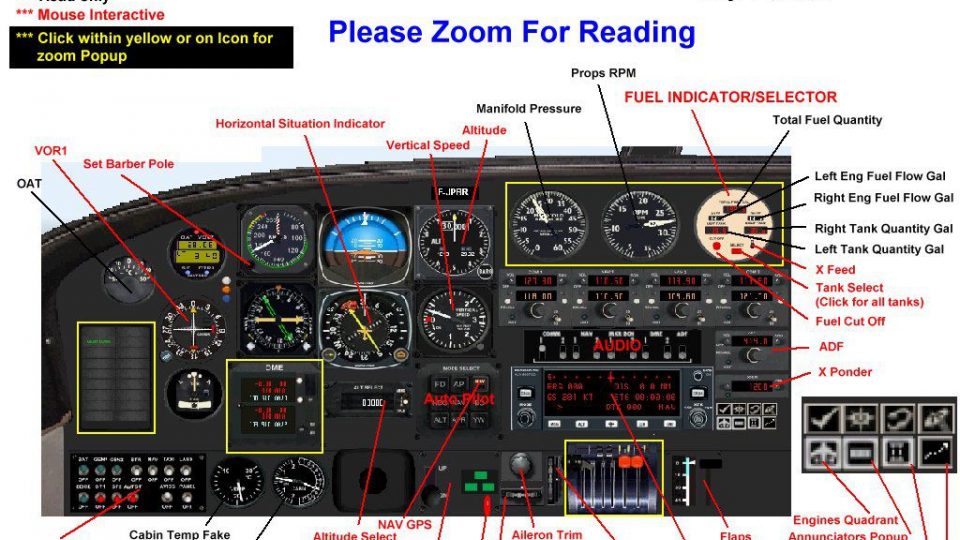
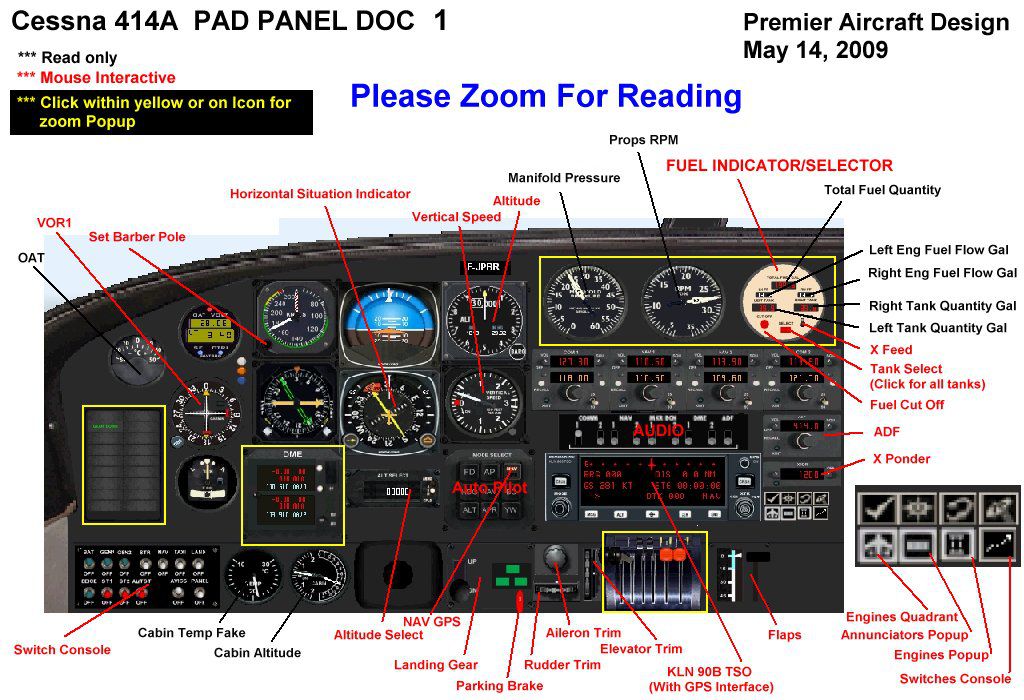
| c414a_Panel Doc1.jpg | 07.02.09 | 187.97 kB |
| c414a_Panel Doc2.jpg | 07.02.09 | 107.59 kB |
| C414A_ref.htm | 07.02.09 | 6.86 kB |
| FLYING_TIPS.txt | 07.02.09 | 4.35 kB |
| kln90bgpsreadout.pdf | 07.02.09 | 59.29 kB |
| c414a_fix10.mdl | 07.02.09 | 1.92 MB |
| model.cfg | 07.02.09 | 30 B |
| Annunciators2.bmp | 07.02.09 | 90.29 kB |
| c414.CAB | 07.02.09 | 1.58 MB |
| c414_annun.CAB | 07.02.09 | 60.15 kB |
| c414_autopilot.CAB | 07.02.09 | 433.32 kB |
| c414_inst.CAB | 07.02.09 | 621.64 kB |
| c414_quadrant.CAB | 07.02.09 | 62.11 kB |
| c414_sw.CAB | 07.02.09 | 265.87 kB |
| cad_kln90brored.gau | 07.02.09 | 144.00 kB |
| cad_kln90brored1.gau | 07.02.09 | 144.00 kB |
| Davtron.gau | 07.02.09 | 92.00 kB |
| DME.bmp | 07.02.09 | 106.69 kB |
| panel.cfg | 07.02.09 | 11.84 kB |
| panel2Dgrey.bmp | 07.02.09 | 2.25 MB |
| paneldouble.bmp | 07.02.09 | 930.05 kB |
| PanelJP.cfg | 07.02.09 | 11.56 kB |
| Switches.bmp | 07.02.09 | 546.62 kB |
| README FIRST.txt | 07.02.09 | 4.50 kB |
| apdisc.wav | 07.02.09 | 36.22 kB |
| file_id.diz | 07.02.09 | 227 B |
| logo.jpg | 07.02.09 | 4.53 kB |
| mp1.wav | 07.02.09 | 236.81 kB |
| mp2.wav | 07.02.09 | 248.07 kB |
| mp3.wav | 07.02.09 | 213.14 kB |
| mp4.wav | 07.02.09 | 304.94 kB |
| mpflaps.wav | 07.02.09 | 55.95 kB |
| mpgeardn.wav | 07.02.09 | 140.95 kB |
| mpgearup.wav | 07.02.09 | 116.95 kB |
| mpgwarn.wav | 07.02.09 | 28.17 kB |
| mptouchl.wav | 07.02.09 | 22.29 kB |
| mptouchr.wav | 07.02.09 | 36.55 kB |
| mpwind.wav | 07.02.09 | 107.99 kB |
| shutdown.wav | 07.02.09 | 163.90 kB |
| Sound.cfg | 07.02.09 | 8.15 kB |
| starter.wav | 07.02.09 | 113.85 kB |
| startup.wav | 07.02.09 | 130.11 kB |
| xmp1.wav | 07.02.09 | 236.81 kB |
| xmp2.wav | 07.02.09 | 248.07 kB |
| c414_cockpit.bmp | 07.02.09 | 512.07 kB |
| C414_Engines.bmp | 07.02.09 | 1.00 MB |
| C414_fuse.bmp | 07.02.09 | 1.33 MB |
| C414_Interiors.bmp | 07.02.09 | 512.07 kB |
| c414_wings.bmp | 07.02.09 | 1.33 MB |
| chrome.bmp | 07.02.09 | 64.07 kB |
| Elevator.bmp | 07.02.09 | 256.07 kB |
| lights.bmp | 07.02.09 | 32.07 kB |
| lights_L.bmp | 07.02.09 | 65.05 kB |
| misc.bmp | 07.02.09 | 512.07 kB |
| paneldbleVC.bmp | 07.02.09 | 512.07 kB |
| pilote.bmp | 07.02.09 | 8.07 kB |
| prop2_TBX.bmp | 07.02.09 | 1.00 MB |
| roue2.bmp | 07.02.09 | 65.07 kB |
| Seats.bmp | 07.02.09 | 128.07 kB |
| texture_install.txt | 07.02.09 | 2.08 kB |
| thumbnail.jpg | 07.02.09 | 8.07 kB |
| Yoke.bmp | 07.02.09 | 512.07 kB |
| flyawaysimulation.txt | 10.29.13 | 959 B |
| Go to Fly Away Simulation.url | 01.22.16 | 52 B |
Only PRO members can place votes.
More FSX & P3D add-ons hand-picked based on this download.
FSX Propliners
Briko Air Services Cessna 402C Repaint of Premaircraft Cessna 402 (model incl…
 FSX Propliners
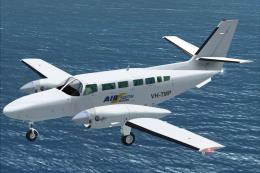
Air South repaint textures for the Neuroflight payware Reims Cessna C406. Air…
 FSX Propliners
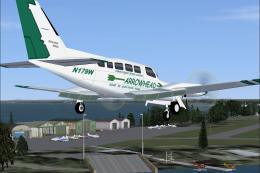
"Arrowhead Lakes Region Direct Connect", a small feeder airline serving Minne…
 FSX Propliners
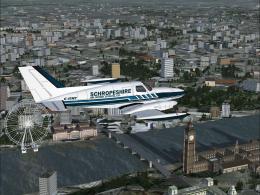
"Schropeshire Air Freight Express, Ltd.", a modified Henry Tomkiewicz FS2004 …
 FSX Propliners
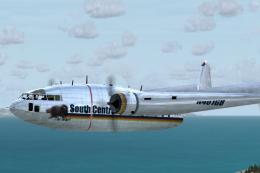
SCA Air Cargo Fairchild C119 for FSEconomy. This package is an FSEconomy airc…
 FSX Propliners
Air BVI is a airline based in Tortola and flies to the neighboring Virgin Isl…
 FSX Propliners
A local airline of the ABC islands, Bonaire Curacao and Aruba, EZ Air provide…
 FSX Propliners
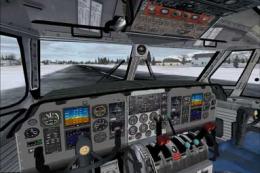
Features new flight dynamics, new VC textures (including night lighting), new…
Read what other simmers think, or add your own.

Looks and flys well. I like it the only thing I noticed that was off about it was no sound when outside of the airplane.