


 FSX Civil Aircraft
Spanair Airbus A321 NC
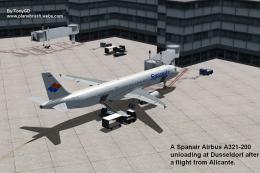
This freeware repaint offers the updated Spanair color scheme for the default…
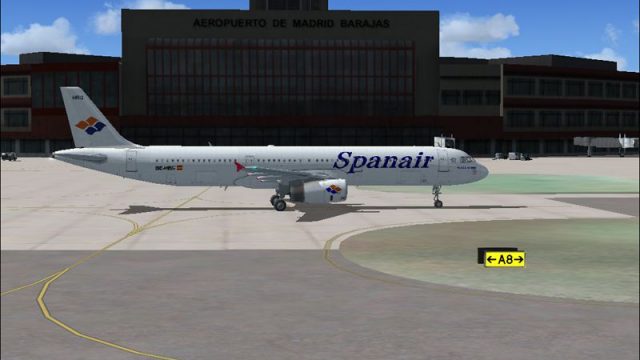
Spanair Airbus A321 livery for registration EC-HRG brings the carrier’s classic Spanish branding to the default jet with crisp logos, accurate color tones, and layered panel shading that enhances rivets and surface depth. Built for Microsoft Flight Simulator X, it requires the included default Airbus A321 and preserves the stock virtual cockpit and lighting.
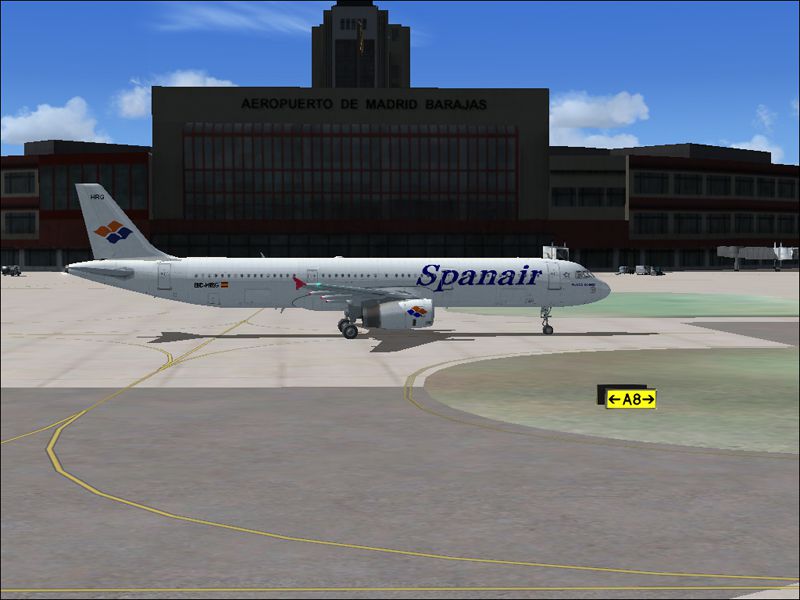

This add-on provides a detailed Spanair Airbus A321 repaint, faithfully reflecting the airline’s registration EC-HRG for Microsoft Flight Simulator X. These textures are intended for the default Airbus A321. Enthusiasts can appreciate the way each design element showcases authentic markings, delivering a grounded, realistic visual experience in the simulator.
The Airbus A321 is well-regarded in the flight simulation community for its mid-range capacity and operational versatility. This custom repaint evokes Spanair’s classic branding, featuring meticulously replicated fuselage titles and tail elements. In particular, the realistic color gradients and precise logos highlight the airline’s visual identity.
Spanair (often noted as a historic Spanish carrier) operated numerous domestic and international routes with the A321 in its fleet. The recreated livery for registration EC-HRG underscores a unique chapter in the airline’s operational timeline, adhering to all the stylized fonts, emblem placements, and subtle markings that genuine Spanair jets wore.
To enjoy these textures, simmers must already have the default Airbus A321 included in FSX. This repaint is fully compatible with standard lighting effects, and any elaborate flight decks or gauges remain consistent with the default aircraft’s systems. Installation involves placing the texture files within the existing A321 folder, adjusting configuration entries as needed.
Free for all simmers · 7.37 MB · Scanned clean
Download speed: Free tier is capped at 0.5 Mbps (this file takes approximately 2 mins at the cap). PRO members download at full line speed.
FSX\SimObjects\Airplanes\. The folder must contain an aircraft.cfg file. Effects go into FSX\Effects\; gauges go into FSX\Gauges\.readme.txt or README file. It tells you exactly where files go, what dependencies are needed, and any quirks specific to this add-on.The archive a321spna.zip has 29 files and directories contained within it.
This list displays the first 500 files in the package. If the package has more, you will need to download it to view them.
| Filename/Directory | File Date | File Size |
|---|---|---|
| AIIRBUS_A321_SPANAIR | 03.01.08 | 0 B |
| A312_SPANAIR.gif | 03.01.08 | 12.75 kB |
| A312_SPANAIR.jpg | 03.01.08 | 283.76 kB |
| readme.txt | 03.01.08 | 1.13 kB |
| Texture.Spanair | 03.01.08 | 0 B |
| A321_1_T.dds | 03.01.08 | 1.00 MB |
| A321_1_T_Bump.dds | 09.04.06 | 1.00 MB |
| A321_1_T_LM.dds | 09.04.06 | 170.79 kB |
| A321_1_T_spec.dds | 09.04.06 | 1.33 MB |
| A321_2_T.dds | 09.04.06 | 1.33 MB |
| A321_2_T_Bump.dds | 09.04.06 | 1.00 MB |
| A321_2_T_LM.dds | 09.04.06 | 170.79 kB |
| A321_2_T_spec.dds | 09.04.06 | 1.33 MB |
| A321_Interior_T.dds | 09.04.06 | 341.45 kB |
| A321_reflection.dds | 09.04.06 | 170.79 kB |
| Airbus_A321_1_C.dds | 09.04.06 | 682.79 kB |
| Airbus_A321_1_night_C.dds | 09.04.06 | 682.79 kB |
| Airbus_A321_2_C.dds | 09.04.06 | 682.79 kB |
| Airbus_A321_2_night_C.dds | 09.04.06 | 682.79 kB |
| Airbus_A321_3_C.dds | 09.04.06 | 682.79 kB |
| Airbus_A321_3_night_C.dds | 09.04.06 | 682.79 kB |
| Airbus_A321_4_C.dds | 09.04.06 | 682.79 kB |
| Airbus_A321_4_night_C.dds | 09.04.06 | 682.79 kB |
| Airbus_Pilots.dds | 09.04.06 | 42.79 kB |
| Fresnel_Ramp.dds | 09.04.06 | 640 B |
| texture.cfg | 08.14.06 | 137 B |
| thumbnail.jpg | 03.01.08 | 43.92 kB |
| flyawaysimulation.txt | 10.29.13 | 959 B |
| Go to Fly Away Simulation.url | 01.22.16 | 52 B |
More FSX & P3D add-ons hand-picked based on this download.
FSX Civil Aircraft
This freeware repaint offers the updated Spanair color scheme for the default…
 FSX Civil Aircraft
This freeware repaint adds the classic Spanair markings to the default Airbus…
 FSX Civil Aircraft
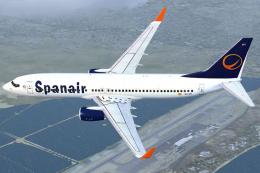
A Spanair repaint for the payware PMDG B737-800WL. A fictional repaint based …
 FSX Civil Aircraft
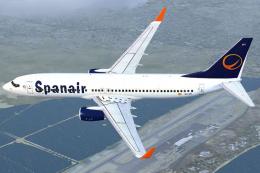
A repaint for the payware PMDG B737 800WL. A fictional repaint for Spanair ba…
 FSX Civil Aircraft
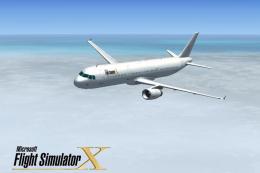
This freeware package features a customized repaint for the default Airbus A3…
 FSX Civil Aircraft
FSX Airbus A321 Repaint Pack. A321 repaints of Wizzair, LOT Polish Airlines, …
 FSX Civil Aircraft
This comprehensive freeware release for Microsoft Flight Simulator X features…
 FSX Civil Aircraft
FSX Lufthansa Airbus A321, registration D-AIRC. Textures only for the default…
Be the first to leave a comment on this download.
Be the first to share your thoughts on this download.