


 FSX Civil Aircraft
Spanair Airbus A321
This add-on provides a detailed Spanair Airbus A321 repaint, faithfully refle…
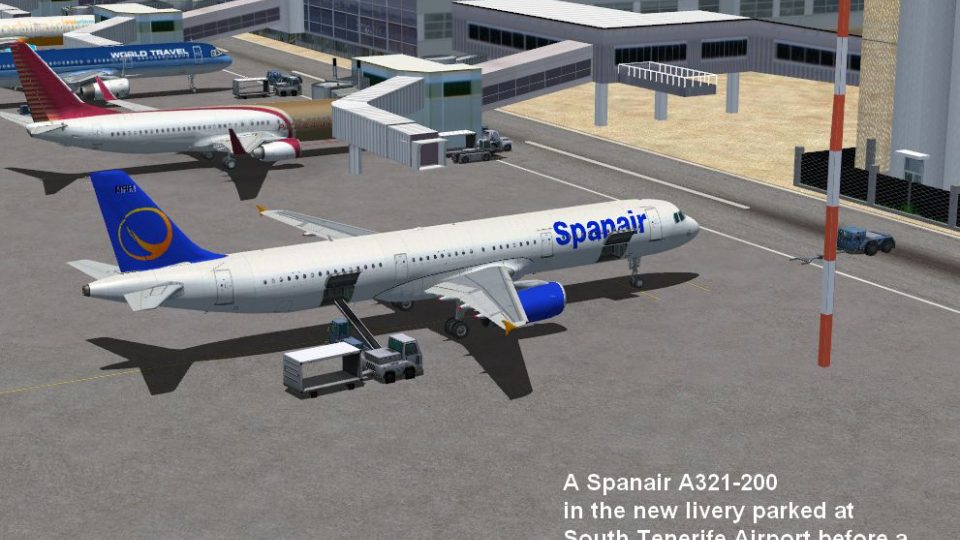
Spanair’s updated Airbus A321 paint brings the airline’s modernized fuselage graphics and refreshed tail emblem to the default jet, adding authentic European short- to medium-haul atmosphere to your fleet in Microsoft Flight Simulator X. The repaint focuses on exterior texture detail and requires the stock Airbus_A321 base model for proper display.
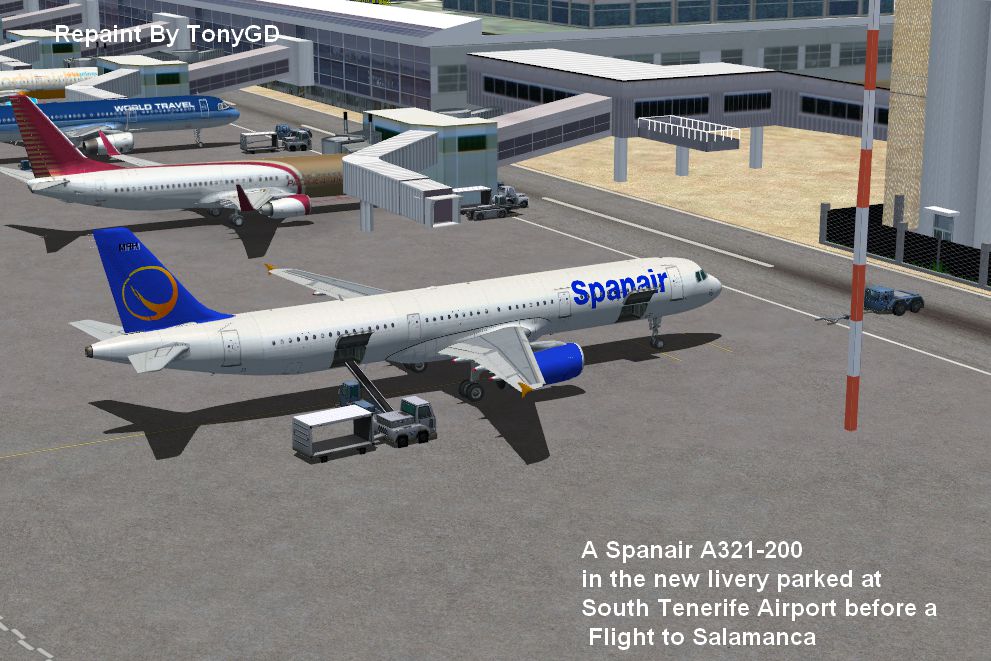
This freeware repaint offers the updated Spanair color scheme for the default Airbus A321 in Microsoft Flight Simulator X. Developed by Anthony Smith, it showcases the airline’s newer branding, which was first applied to the Airbus A320 series before being adapted across additional models. While Spanair no longer operates, many enthusiasts continue to appreciate its legacy of scheduled services around Europe.
The design highlights a modernized fuselage featuring streamlined corporate graphics and a refreshed tail emblem. In reality, the aircraft involved would often serve medium-range routes, with the Airbus A321 accommodating higher passenger capacity compared to smaller variants in the A320 family. This repaint replicates Spanair’s exterior details, enhancing authenticity within FSX’s virtual skies.
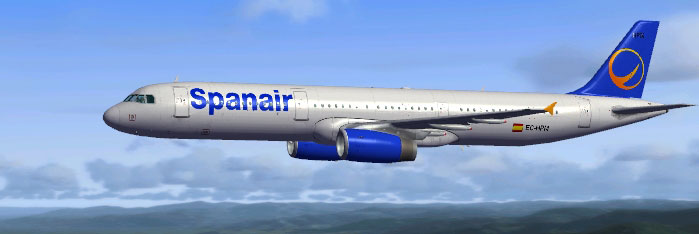
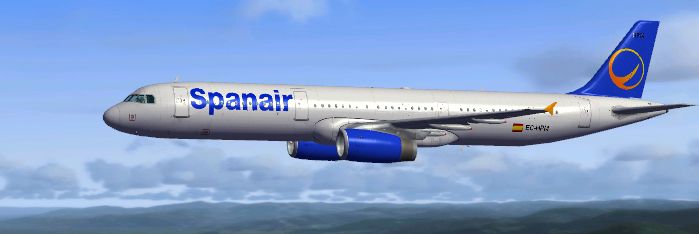
Spanair Airbus A321 in flight.
Before you begin, make sure to back up any original files in your SimObjects folder. Follow these sequential steps to ensure a successful installation:
[fltsim.x] entry.[fltsim.x] sections. Replace the XX with the next sequential number:[fltsim.XX] title=Airbus A321 Spanair new sim=Airbus_A321 model= panel= sound= texture=Spanair new kb_checklists=AirbusA321_check kb_reference=AirbusA321_ref atc_id=EC-HPM atc_airline=SPANAIR atc_flight_number=SP2143 ui_manufacturer=Airbus ui_type=A321 ui_variation=Spanair new ui_typerole=Commercial Airliner ui_createdby=Microsoft Corporation description=This spanair is of a real world aircraft in a new Spanair company livery. Repaint by Tony Smith.
Once complete, verify that the numerical sequence continues correctly without gaps. If the simulator does not detect this repaint, double-check that the texture= line within the code and the actual texture folder name match precisely.

Spanair Airbus A321.
Enjoy flying with Spanair’s modernized livery on the Airbus A321. Remember, this repaint is freeware and requires no additional purchase. The base aircraft model for Microsoft Flight Simulator X is not included and must be obtained separately, but it is available in the Flight Simulator’s default library or within Fly Away Simulation’s resources. Fly carefully and experience this classic Spanish operator’s aesthetic in your virtual hangar!
Free for all simmers · 4.29 MB · Scanned clean
Download speed: Free tier is capped at 0.5 Mbps (this file takes approximately 1 min at the cap). PRO members download at full line speed.
FSX\SimObjects\Airplanes\. The folder must contain an aircraft.cfg file. Effects go into FSX\Effects\; gauges go into FSX\Gauges\.readme.txt or README file. It tells you exactly where files go, what dependencies are needed, and any quirks specific to this add-on.The archive spanair_new_a321.zip has 13 files and directories contained within it.
This list displays the first 500 files in the package. If the package has more, you will need to download it to view them.
| Filename/Directory | File Date | File Size |
|---|---|---|
| texture.Spanair new | 05.23.10 | 0 B |
| A321_1_T.dds | 05.23.10 | 1.00 MB |
| A321_1_T_spec.dds | 09.04.06 | 1.33 MB |
| A321_2_T.dds | 09.04.06 | 1.33 MB |
| A321_2_T_spec.dds | 09.04.06 | 1.33 MB |
| Fresnel_Ramp.dds | 09.04.06 | 640 B |
| texture.cfg | 08.14.06 | 137 B |
| thumbnail.jpg | 05.23.10 | 101.31 kB |
| Thumbs.db | 05.23.10 | 7.00 kB |
| new Spanair A321 Installation.txt | 05.23.10 | 1.45 kB |
| Spanair new at South Tenerife.png | 05.23.10 | 1.34 MB |
| flyawaysimulation.txt | 10.29.13 | 959 B |
| Go to Fly Away Simulation.url | 01.22.16 | 52 B |
More FSX & P3D add-ons hand-picked based on this download.
FSX Civil Aircraft
This add-on provides a detailed Spanair Airbus A321 repaint, faithfully refle…
 FSX Civil Aircraft
This freeware repaint adds the classic Spanair markings to the default Airbus…
 FSX Civil Aircraft
A Spanair repaint for the payware PMDG B737-800WL. A fictional repaint based …
 FSX Civil Aircraft
A repaint for the payware PMDG B737 800WL. A fictional repaint for Spanair ba…
 FSX Civil Aircraft
Tam Airbus A321. Textures only for the default model By Felipe Bossart. Tam A…
 FSX Civil Aircraft
United Airlines Boeing 747-400. Due to the Continental/United merger they cha…
 FSX Civil Aircraft
Thai Airways Boeing 747-400 (new colors). Textures only for the default B747-…
 FSX Civil Aircraft
This freeware package offers a finely tuned rendition of the Aerolineas Argen…
Be the first to leave a comment on this download.
Be the first to share your thoughts on this download.