



 United Kingdom
 MSFS Scenery
Grand Canyon National Park Airport (KGCN)
This mod developed by JustOkayPilot brings Grand Canyon National Park Airport…
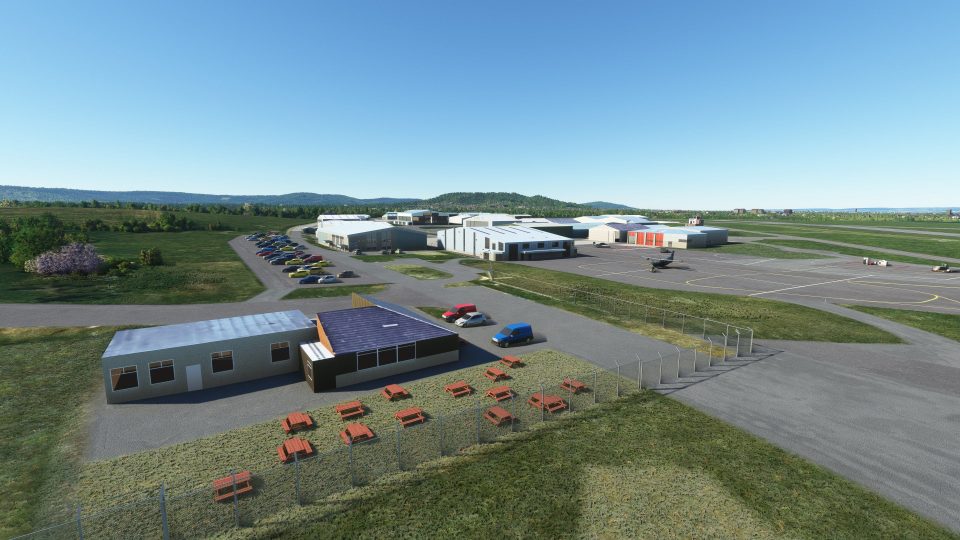
Gloucestershire Airport (EGBJ) comes to life with an accurate, handcrafted layout and extensive custom modeling for Microsoft Flight Simulator. Expect around 40 bespoke hangars and faithful buildings, updated runway operations for 09/27 and 04/22, a repurposed 18/36 taxiway, plus the parallel grass strip 04R/22L near Gloucester and Cheltenham.
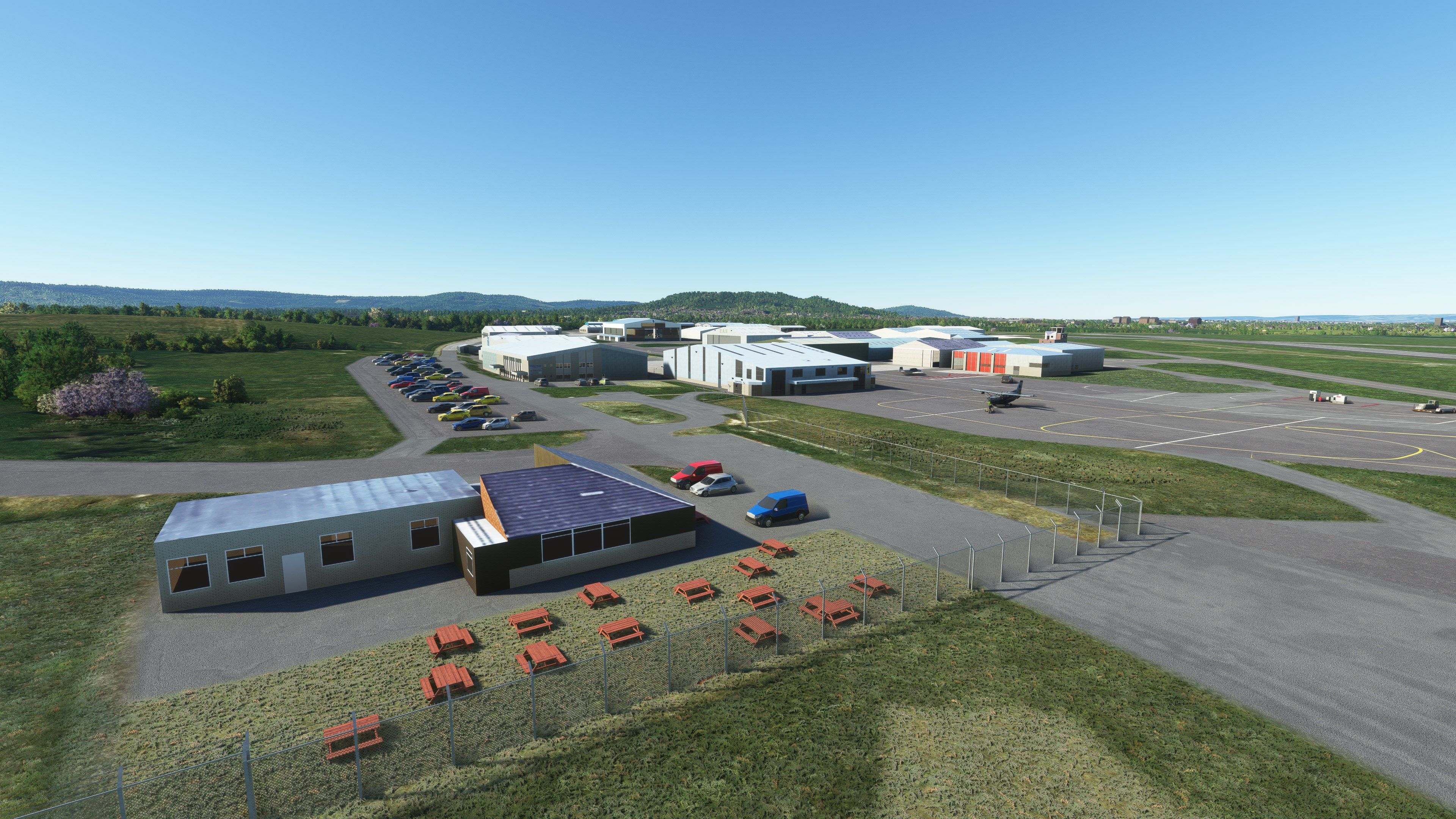
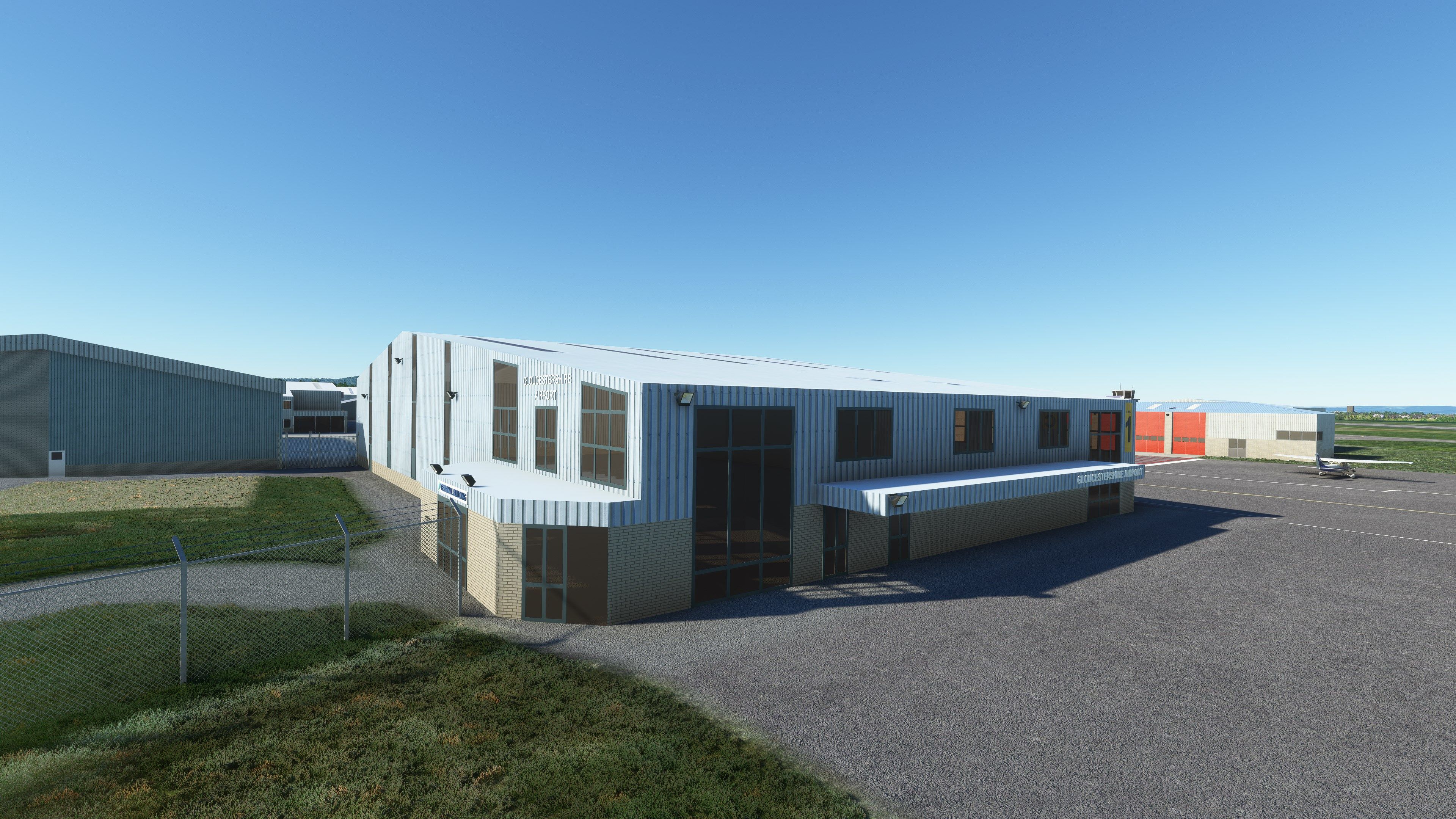


This scenery mod for Microsoft Flight Simulator brings Gloucestershire Airport (EGBJ) to life with over 40 meticulously hand-crafted hangars and buildings. Drawing on firsthand knowledge from living near the real airport, the developer has created an authentic layout that matches the heart of the Cotswolds’ most iconic general aviation hub.
Featuring accurately modeled active runways 09/27 and 04/22 with a parallel grass strip, the package delivers a thriving general aviation atmosphere. From detailed structures to the decommissioned 18/36 runway now used as a taxiway, you’ll experience the busy flight training and aviation community that makes EGBJ a must-have addition to any MSFS collection.
A detailed scenery mod covering Gloucestershire Airport (EGBJ) for Microsoft Flight Simulator (MSFS) 2020 release. This scenery replaces the default Microsoft offering (if one exists) within the sim.
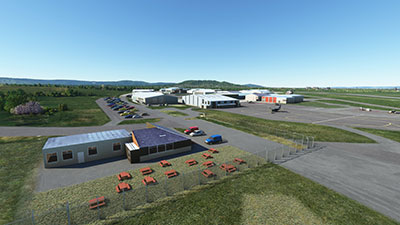 The scenery features hand-placed and custom-modeled buildings (40 hangars) all based on real-world EGBJ. The developer lives in close proximity to the airport so is very familiar with it and has the knowledge and experience to craft a very accurate virtual rendition.
Below is the official description released by the developer for this file.
'The Southwest's Premier General Aviation Airport' and my home airport, I live by the side of the 04 final approach track.
Located near Gloucester and Cheltenham in the heart of the Cotswolds in the UK the Gloucestershire airport is central to the stunning scenery of Gloucestershire and has an active and thriving aviation community. It is home to a number of flying schools and other aviation businesses.
This scenery mod brings forty custom hanger models to MSFS duplicating the real-world buildings and airport layout. 09/27 and 04/22 are the active runways, the 18/36 runway is now closed and used as a taxiway. There is a grass runway parallel to the main 04/22 runway (04R/22L).
My thanks go to Highflyer525 for permission to use some of his work and to Alex S for updated information on the airport.
Simply extract the downloaded archive and copy/move the pbk-gloucester-egbj folder which is inside the Scenery folder into your MSFS community folder.
Free for all simmers · 362.41 MB · Scanned clean Oct 2026
Download speed: Free tier is capped at 2 Mbps (this file takes approximately 25 mins at the cap). PRO members download at full line speed.
%LOCALAPPDATA%\Packages\Microsoft.FlightSimulator_8wekyb3d8bbwe\LocalCache\Packages\Community\. Steam version: %APPDATA%\Microsoft Flight Simulator\Packages\Community\. Tip: enable Developer Mode in MSFS to see your exact Community folder path.readme.txt or README file. It tells you exactly where files go, what dependencies are needed, and any quirks specific to this add-on.I'm retired and now spend my time digging holes and burying bodies in MSFS scenery mods.
Are you Photosbykev? Sign in to Fly Away Creators for download stats, comment replies and updates. Make add-ons? Publish them here.
Only PRO members can place votes.
More MSFS add-ons hand-picked based on this download.
MSFS Scenery
This mod developed by JustOkayPilot brings Grand Canyon National Park Airport…
 MSFS Scenery
Sandane Airport (ENSD) is located on the beautiful west coast of Norway and i…
 MSFS Scenery
Enhance your flight simulation experience with this mod for Microsoft Flight …
 MSFS Scenery
The Disney World airport/STOLport (also known as the Lake Buena Vista airport…
 MSFS Scenery
Enhance your flight simulation experience with a detailed rendition of Madrid…
 MSFS Scenery
A complete and extensive replacement freeware scenery package for Paris–Le Bo…
 MSFS Scenery
A highly detailed rendition of Gainesville Regional Airport (KGNV), Florida (…
 MSFS Scenery
A rendition of George T. Lewis Airport for Microsoft Flight Simulator (MSFS) …
Read what other simmers think, or add your own.

Lovely airport scenery. I think this might need a refresh as landing today, the buildings were all visible through the mist. See this screenshot. Thank you.

Excellent rendition of Gloucestershire Airport or Staverton as it's known to us locals. I love flying into places I know, it enhances the experience of flight simulation 10-fold. We'll done to the developer.
Installed this file, absolutely brilliant. A few have had problems installing, just read the instructions carefully, it took me a couple of tries before I got it right but we'll worth the effort to see me local airport as is in real life.

EGBJ is my home airport too, I fly on msfs from and to here all the time.
I'm guessing your pack is pc specific but would love to know if you could port to Xbox. I'd pay good money for it.

I usually buy my stuff from proprietary vendors but a friend sent me a flier from Fly Away simulations and seeing Gloucester Airport thought I would give freeware a try. Installed to a separate folder and extracted. As suggested in the read me installed the pbk file into my community folder with no problem. Started MSFS and in updates see Gloucester. Clicked to install and a window appears "Waiting". No installation occurred. Nothing was mentioned in the readme about this. Still, worth the try.