

 FSX Civil Aircraft
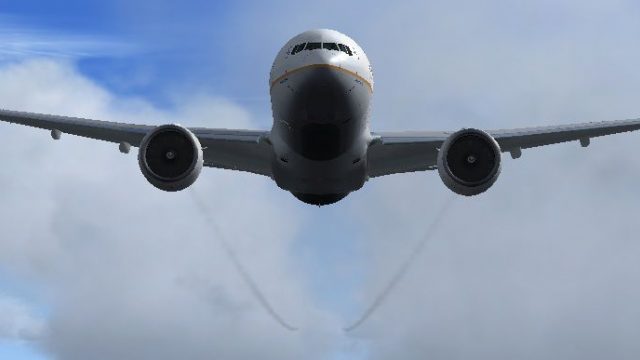
Boeing 747-8F Freighter Gray Engine Smoke
Boeing 747-8F Freighter Gray Engine Smoke effect (or white airshow engine smo…
Boeing 777-200ER engine smoke coordinates place a realistic exhaust plume precisely inside the nacelles for the Project Open Sky 777-200ER in FSX, using the fx_smoke_f6 effect. The smoke triggers cleanly during takeoff roll and retracts after landing, enhancing immersion without altering the aircraft model.
 Rate
Rate
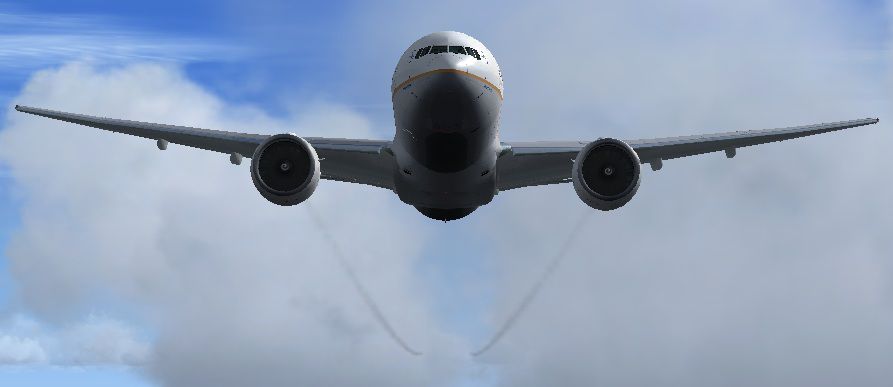
Boeing 777-200ER Engine Smoke Coordinates for the Project Open Sky B777-200 ER when used in FSX. Easy installation. By Tom Tiedman.
Boeing 777-200ER with engine smoke effect.
DESCRIPTION:
Boeing 777-200ER engine smoke coordinates for the
Project Opensky Boeing 777-200ER when used in FSX.
Easy installation. By Tom Tiedman
CREDITS:
1.) Project Opensky for a sweet 777!
2.) The original author of the "fx_smoke_f6" file,
whoever you are.
I take no credit for any of this. Enjoy your smoke!
Tom Tiedman
INSTALLATION: Simple!
1.) Copy and paste (or drag and drop) the enclosed
"fx_smoke_f6" file into your FSX "Effects" folder.
(It is probably there already).
2.) Open your 777-200ER "aircraft.cfg" file, scroll down
to the [smokesystem] section, and erase it.
3.) Copy and paste the new, enclosed [SMOKESYSTEM] info.
found below back into your 777-200ER "aircraft.cfg" file,
replacing what you just erased. (I pasted mine at the
bottom of the file with good results). Then click 'file',
then click 'save', of course.
4.) This smoke hides inside the engines, so you only need to
press your "I" key once as you prepare to takeoff.
As you start to roll, the smoke will begin to pour out
the back of the engines. Once you land and roll to a stop,
the smoke will disappear back inside of the engines.
[SMOKESYSTEM]

smoke.0=9.232, -32.116, -7.601, fx_smoke_f6

smoke.1=9.232, 32.116, -7.601, fx_smoke_f6
Free for all simmers · 48.52 KB · Scanned clean Oct 2026
Download speed: Free tier is capped at 0.5 Mbps. PRO members download at full line speed.
FSX\SimObjects\Airplanes\. The folder must contain an aircraft.cfg file. Effects go into FSX\Effects\; gauges go into FSX\Gauges\.readme.txt or README file. It tells you exactly where files go, what dependencies are needed, and any quirks specific to this add-on.The archive boeing_777-200er_engine_smoke_effect.zip has 6 files and directories contained within it.
This list displays the first 500 files in the package. If the package has more, you will need to download it to view them.
| Filename/Directory | File Date | File Size |
|---|---|---|
| Boeing_777-200ER_Engine_Smoke.jpg | 07.30.11 | 45.91 kB |
| file_id.diz | 07.30.11 | 143 B |
| fx_smoke_f6.fx | 04.19.04 | 1.17 kB |
| READ ME and INSTALLATION.txt | 07.30.11 | 1.33 kB |
| flyawaysimulation.txt | 10.29.13 | 959 B |
| Go to Fly Away Simulation.url | 01.22.16 | 52 B |
Only PRO members can place votes.
More FSX & P3D add-ons hand-picked based on this download.
FSX Civil Aircraft
Boeing 747-8F Freighter Gray Engine Smoke effect (or white airshow engine smo…
 FSX Civil Aircraft
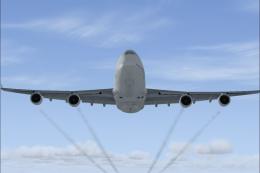
Default Boeing 747-400 Engine Smoke Effect. Just add to your FSX Default 747-…
 FSX Civil Aircraft
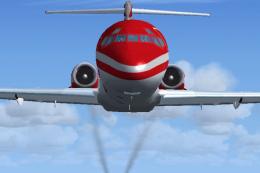
McDonnell Douglas MD-83 Engine Smoke for the SGA MD-83 when used in FSX. Requ…
 FSX Civil Aircraft
SP2 Engine Smoke Effect 'aircraft.cfg' coordinates to add engine smoke to the…
 FSX Civil Aircraft
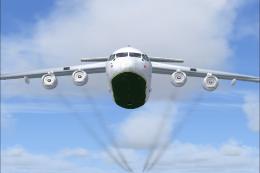
BAe 146 Engine Smoke Effects. Engine smoke effects for the FSX freeware BAe 1…
 FSX Civil Aircraft
Lockheed L-1011 Engine Smoke. Engine smoke coordinates for the FS2004 freewar…
 FSX Civil Aircraft
American Airlines Boeing 777-200ER (real chrome v2). Original model by Melvin…
 FSX Civil Aircraft
This freeware package faithfully represents a wide-body twinjet featuring Gar…
Be the first to leave a comment on this download.
Be the first to share your thoughts on this download.