

 FSX Civil Aircraft
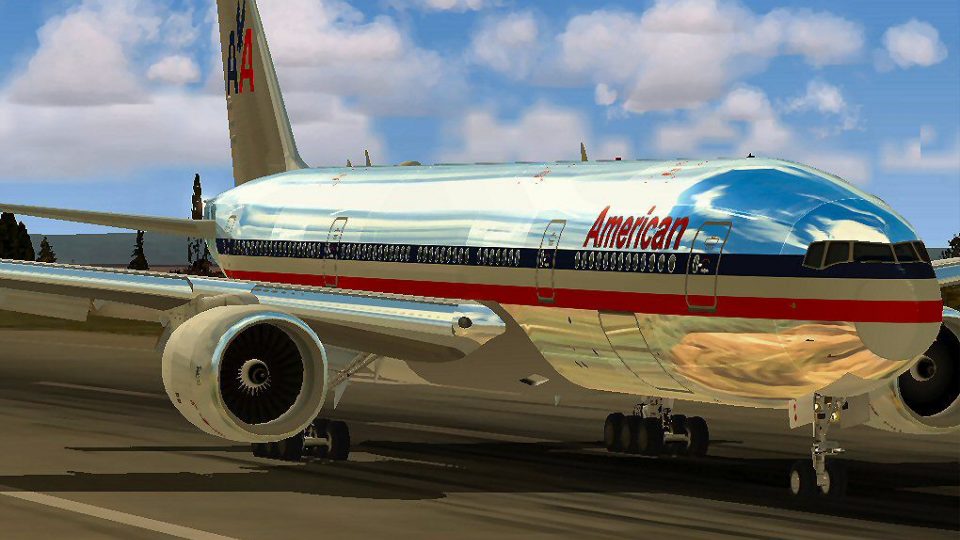
American Airlines Boeing 777-200ER (New Colors)
Photorealistic repaint of American Airlines B777-200ER GE N781AN for the payw…
American Airlines Boeing 777-200ER for Microsoft Flight Simulator X pairs Melvin Rafi’s MELJET model with refined airfile and configuration tuning, real chrome v2 livery, and a practical two‑engine jet panel featuring three MFDs and GPS with optional GPWS support. Includes A2A 3D Lights integration and interactive details like opening engine cowlings.
 Rate
Rate
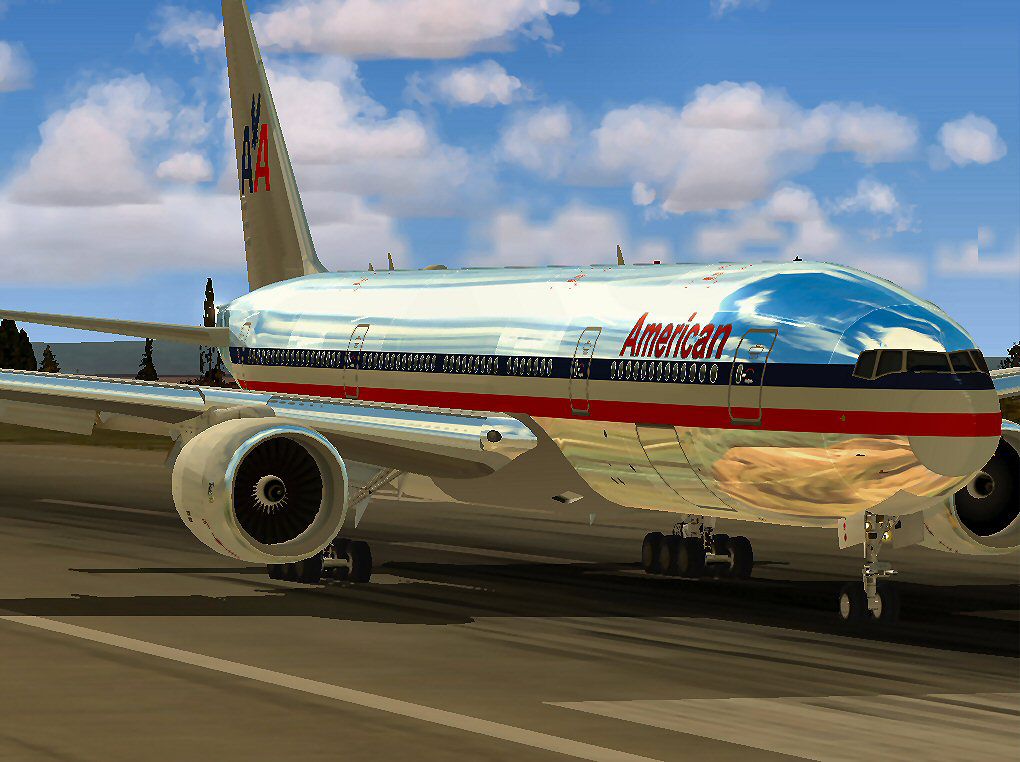

American Airlines Boeing 777-200ER (real chrome v2). Original model by Melvin Rafi. Updates and conversion to FSX by David Grindele.
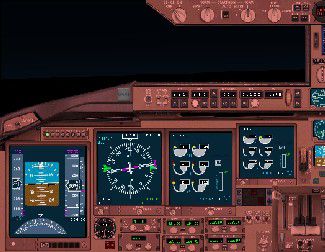
Generic panel for Boeing 777 or any two-engine jet using default fs2k2 gauges.Featuring 3 MFDs, GPS and is compatible with gpws by Rodrigo Rios.
Panel made by Rodrigo Rios(BR_ in the simviation forums) for Flight Simulator 2002 using CfgEdit.
Installation: just unzip the file and put the panel.cfg and fundo.bmp into the desired aircraft panel folder.
All gauges are from fs2k2® so they are already installed.
This panel was successfully tested in:
Fs2k2
Pentium®III 1GHz
Voodoo® 4500 32mb
256 Ram
1115x864 resolution 32 Bpp
Original Model By: MELVIN RAFI
Updates and Conversion to FSX By: David Grindele
"Whats new"
Most of Mel's aircraft were designed to fly in FS 2000 OR FS 2002 and very few were converted to FS2004 and the ones that were converted to 2004 had afew flight dynamic problems I guess one of the reason's for this was know one tweaked the air file to fly in FS2004 but they are still nice aircraft.
For FSX I wanted to do something very special for MELJET'S I wanted them to have the same Luster and flight dynamics that Mel wanted them to have without looseing or having to compromise anything. What I have done is tweak air files, And the cfg file, I have added A2A 3D Lights and Redux.
And have kept the quality of the aircraft intact. Most of the aircraft have opening engine cowlings that open for maintenance Which makes the Jet engine visible. By pressing shift + E. While at the gate the jetway will now close on the aircraft by pressing crtl + J on your key board.
MELJET'S have alway's been one of my favorite aircraft and I didn't want them to die with FS2000 & FS2002 and I thourght they would when FS9 & FSX hit the market place.
I truly believe you cannot buy and aircraft with the quality of work that has went into these aircraft. And I am proud to say I helped keep Meljets alive.
"THIS AIRCRAFT HAS ONLY BEEN TESTED WITH FSX"
Aircraft Type: Boeing 777-200 American Airlines
Original Aircraft BY:MELVIN RAFI
Conversion and Updates BY: David Grindele
These aircraft have only been tested with FSX, Windows Vista 32 bit OS
and WindowsXP OS.
Installation:
1. Copy the 'Aircraft' folder included in the zip file to your..\FSX\Simobjects\Airplane\directory.
2. Start FSX and select MELJET from the aircraft menu and select the desired aircraft.
3. Nothing needed for this aircraft to work. Everything is included.Except for the A2A 3D Lights & Redux program. Which is needed for the 3D Lights to work.
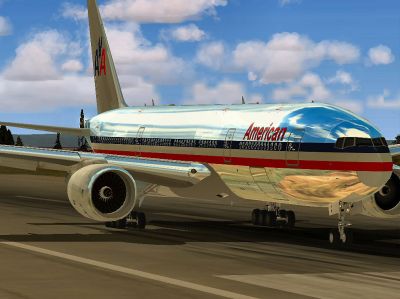
American Airlines Boeing 777-200ER on runway.
Free for all simmers · 54.19 MB · Scanned clean Oct 2026
Download speed: Free tier is capped at 0.5 Mbps (this file takes approximately 15 mins at the cap). PRO members download at full line speed.
FSX\SimObjects\Airplanes\. The folder must contain an aircraft.cfg file. Effects go into FSX\Effects\; gauges go into FSX\Gauges\.readme.txt or README file. It tells you exactly where files go, what dependencies are needed, and any quirks specific to this add-on.The archive aalfsx.zip has 131 files and directories contained within it.
This list displays the first 500 files in the package. If the package has more, you will need to download it to view them.
| Filename/Directory | File Date | File Size |
|---|---|---|
| AA 777 Chrome.bmp | 12.09.09 | 2.22 MB |
| AA 777 Chrome.jpg | 12.09.09 | 128.97 kB |
| Boeing 777-200 American Airlines | 12.10.09 | 0 B |
| aircraft.cfg | 12.10.09 | 17.85 kB |
| Boeing777-200-MR-MKIII.air | 01.04.03 | 8.65 kB |
| boeing777-200_check.htm | 05.21.03 | 49.99 kB |
| boeing777-200_ref.htm | 05.21.03 | 9.48 kB |
| model | 12.10.09 | 0 B |
| Boeing777-200-MR-MKIII.mdl | 01.02.03 | 2.60 MB |
| Model.cfg | 11.09.02 | 41 B |
| panel | 12.10.09 | 0 B |
| 777KM.cab | 09.17.04 | 1.25 MB |
| file_id.diz | 08.04.02 | 145 B |
| forward_1024.bmp | 07.06.01 | 769.05 kB |
| forward_640.bmp | 07.06.01 | 301.05 kB |
| FORWARD_LEFT.bmp | 08.05.00 | 335.36 kB |
| forward_right.bmp | 08.11.00 | 769.05 kB |
| fundo.bmp | 08.04.02 | 2.25 MB |
| LEFT.bmp | 08.11.00 | 140.55 kB |
| MAIN.bmp | 09.17.04 | 5.49 MB |
| originalpanel.cfg | 12.29.02 | 32 B |
| OVERHEAD.bmp | 09.16.04 | 2.70 MB |
| p777generico.jpg | 08.04.02 | 33.09 kB |
| panel.cfg | 11.17.09 | 8.12 kB |
| PEDESTAL.bmp | 09.16.04 | 1.09 MB |
| readmefirstpanel.txt | 08.04.02 | 1.60 kB |
| REAR.bmp | 07.25.00 | 733.47 kB |
| REAR_LEFT.bmp | 07.27.00 | 582.27 kB |
| REAR_RIGHT.bmp | 07.24.00 | 680.04 kB |
| right2.bmp | 08.10.00 | 606.57 kB |
| Thumbs.db | 12.10.09 | 26.50 kB |
| sound | 12.10.09 | 0 B |
| A_COMB_1.wav | 12.12.04 | 728.63 kB |
| A_COMB_2.wav | 12.12.04 | 728.63 kB |
| A_COMB_3.wav | 12.12.04 | 728.63 kB |
| A_COMB_4.wav | 05.07.05 | 691.51 kB |
| A_EFSC.wav | 09.27.05 | 325.45 kB |
| A_JT8D_0.wav | 06.04.04 | 209.46 kB |
| A_JT8D_1.wav | 05.01.05 | 1.69 MB |
| A_JT8D_2.wav | 01.19.06 | 605.39 kB |
| A_JT8D_3.wav | 02.11.06 | 418.02 kB |
| b_COMB_1.wav | 12.12.04 | 728.63 kB |
| B_COMB_2.wav | 12.12.04 | 728.63 kB |
| B_COMB_3.wav | 12.12.04 | 728.63 kB |
| B_COMB_4.wav | 05.07.05 | 691.51 kB |
| B_EFSC.wav | 09.27.05 | 325.45 kB |
| b_JT8D_0.wav | 06.04.04 | 209.46 kB |
| b_JT8D_1.wav | 05.01.05 | 1.69 MB |
| b_JT8D_2.wav | 01.19.06 | 605.39 kB |
| B_JT8D_3.wav | 02.11.06 | 418.02 kB |
| FLAPS.wav | 08.22.03 | 210.75 kB |
| GEARDOWN.wav | 02.17.06 | 1.96 MB |
| gearup.wav | 02.17.06 | 1.98 MB |
| NEWWIND.WAV | 03.29.04 | 858.65 kB |
| reverser,BBN2T.wav | 01.19.06 | 1.79 MB |
| reverser.wav | 12.27.05 | 1.81 MB |
| Sound.cfg | 02.17.06 | 14.99 kB |
| touchc.wav | 01.06.99 | 286.01 kB |
| touchl.wav | 09.10.98 | 14.22 kB |
| touchr.wav | 07.01.97 | 10.85 kB |
| T_COMB_SHUT.WAV | 04.01.04 | 2.32 MB |
| T_COMB_START.wav | 06.30.01 | 107.55 kB |
| T_JT8D_START.wav | 12.12.04 | 3.63 MB |
| wind.wav | 03.29.04 | 858.65 kB |
| XBAN2T.wav | 12.21.05 | 1.81 MB |
| XBBN2T.wav | 12.21.05 | 1.81 MB |
| X_A_COMB_1.wav | 05.07.05 | 693.93 kB |
| X_A_COMB_2.wav | 05.07.05 | 693.93 kB |
| X_A_COMB_3.wav | 05.07.05 | 693.93 kB |
| X_A_COMB_4.wav | 02.04.06 | 325.45 kB |
| X_a_EFSC.wav | 01.16.06 | 648.45 kB |
| X_A_JT8D_0.wav | 02.04.06 | 325.45 kB |
| X_a_JT8D_1.wav | 02.04.06 | 325.45 kB |
| X_A_JT8D_2.wav | 02.04.06 | 669.99 kB |
| X_a_JT8D_3.wav | 02.04.06 | 669.99 kB |
| X_A_REVRS.wav | 09.16.99 | 108.81 kB |
| X_b_COMB_1.wav | 05.07.05 | 693.93 kB |
| X_b_COMB_2.wav | 05.07.05 | 693.93 kB |
| X_b_COMB_3.wav | 05.07.05 | 693.93 kB |
| X_B_COMB_4.wav | 02.04.06 | 325.45 kB |
| X_B_EFSC.wav | 12.21.05 | 1.81 MB |
| X_b_JT8D_0.wav | 02.04.06 | 325.45 kB |
| X_b_JT8D_1.wav | 02.04.06 | 325.45 kB |
| X_b_JT8D_2.wav | 02.04.06 | 669.99 kB |
| X_b_JT8D_3.wav | 02.04.06 | 669.99 kB |
| X_B_REVRS.wav | 09.16.99 | 119.31 kB |
| X_T_COMB_START.wav | 03.17.05 | 693.93 kB |
| X_T_JT8D_SHUT.WAV | 09.19.04 | 3.98 MB |
| X_T_JT8D_START.wav | 03.31.04 | 3.58 MB |
| soundai | 12.10.09 | 0 B |
| soundai.cfg | 05.12.06 | 34 B |
| texture | 12.10.09 | 0 B |
| 777Cargohold_L.bmp | 12.30.02 | 256.07 kB |
| 777Cargohold_T.bmp | 12.30.02 | 256.07 kB |
| 777cockpitwindows.bmp | 12.29.02 | 257.05 kB |
| 777FuselagePort1_L.bmp | 12.30.02 | 1.00 MB |
| 777FuselagePort1_T.bmp | 06.01.03 | 1.00 MB |
| 777FuselageStar1_L.bmp | 12.30.02 | 1.00 MB |
| 777FuselageStar1_T.bmp | 06.01.03 | 1.00 MB |
| 777gear2_L.bmp | 12.30.02 | 16.07 kB |
| 777gear2_T.bmp | 01.02.03 | 1.00 MB |
| 777interior1_L.bmp | 12.30.02 | 256.07 kB |
| 777interior1_T.bmp | 12.30.02 | 256.07 kB |
| 777interior2_L.bmp | 01.01.03 | 256.07 kB |
| 777interior2_T.bmp | 01.01.03 | 256.07 kB |
| 777interior3.bmp | 06.01.03 | 85.43 kB |
| 777interior4_L.bmp | 01.01.03 | 1.00 MB |
| 777interior4_T.bmp | 06.01.03 | 1.00 MB |
| 777LandingGear01.bmp | 12.30.02 | 257.05 kB |
| 777Tail_L.bmp | 12.30.02 | 1.00 MB |
| 777Tail_T.bmp | 05.31.03 | 1.00 MB |
| 777Wing1_L.bmp | 12.30.02 | 16.07 kB |
| 777Wing1_T.bmp | 12.30.02 | 1.00 MB |
| 777Wing2_L.bmp | 12.30.02 | 16.07 kB |
| 777Wing2_T.bmp | 01.02.03 | 1.00 MB |
| Powerplant-RRTrent800-Exterior_L.bmp | 12.30.02 | 16.07 kB |
| Powerplant-RRTrent800-Exterior_T.bmp | 06.01.03 | 1.00 MB |
| Powerplant-RRTrent800-Fan.bmp | 11.22.01 | 65.05 kB |
| Powerplant-RRTrent800-FanShaft.bmp | 01.02.03 | 65.05 kB |
| Powerplant-RRTrent800-FanShaftMotion.bmp | 01.02.03 | 65.05 kB |
| Powerplant-RRTrent800-Interior_L.bmp | 12.30.02 | 16.07 kB |
| Powerplant-RRTrent800-Interior_T.bmp | 12.31.02 | 1.00 MB |
| Sem tÃtulo-2.psd | 05.31.03 | 38.40 kB |
| Thumbnail.jpg | 12.09.09 | 9.26 kB |
| Thumbs.db | 12.10.09 | 19.00 kB |
| Thumbs.db | 12.10.09 | 13.50 kB |
| file_id.diz | 12.08.09 | 1.83 kB |
| Install.txt | 12.10.09 | 1.40 kB |
| AALFSX | 12.10.09 | 0 B |
| flyawaysimulation.txt | 10.29.13 | 959 B |
| Go to Fly Away Simulation.url | 01.22.16 | 52 B |
Only PRO members can place votes.
More FSX & P3D add-ons hand-picked based on this download.
FSX Civil Aircraft
Photorealistic repaint of American Airlines B777-200ER GE N781AN for the payw…
 FSX Civil Aircraft
This freeware package offers an American Pacific Boeing 777-200ER enhanced fo…
 FSX Civil Aircraft
Texture update for initial American Airlines release for the SkySpirit2010 76…
 FSX Civil Aircraft
Explore a finely tuned freeware simulation of Austrian Airlines’ Boeing 777-2…
 FSX Civil Aircraft
This freeware release brings the Vietnam Airlines Boeing 777-200ER, wrapped i…
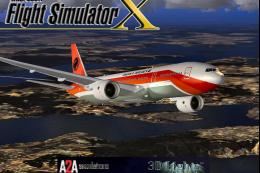 FSX Civil Aircraft
This freeware conversion introduces a TAAG Angola Airlines Boeing 777-200ER t…
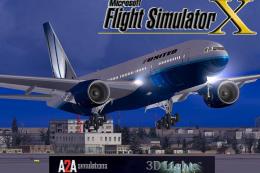 FSX Civil Aircraft
This fully featured freeware package showcases the United Airlines Boeing 777…
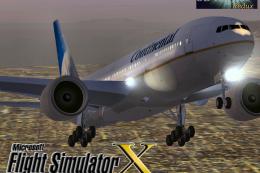 FSX Civil Aircraft
This fully freeware release merges the original MelJet work by Melvin Rafi wi…
Read what other simmers think, or add your own.

Great exterior and cabin models but no virtual cockpit? What a waste of time. I don’t get why people offer incomplete airplanes like this and call them “complete” or near “payware” quality. No VC means no go.

Hello friends. I am a former FSX user and have some knowledge about it. However, I stopped "flying" a long time ago because I was very sick. Today, at 94 years old, I'm trying to return, but I confess that it's difficult both because of the progress I've made and because I've forgotten most of the commands. However, I hope that with the facilities of modernity, I will be able to "walk around" there. I congratulate the site for its quality and expertise on the subject. The SFX really is a wonderful distraction. I don't consider Asobo because of my age and the inherent difficulties. Grateful. Happy flights to everyone

