

 FSX Civil Aircraft
Garuda Indonesia Boeing 777-300ER
Experience an authentic rendition of Garuda Indonesia’s Boeing 777-300ER, met…
Garuda Indonesia’s Boeing 777-200ER arrives as a complete freeware wide-body for Microsoft Flight Simulator X, tuned for smooth long-haul flying with refined flight parameters and crisp exterior textures. Animated engine cowlings open for maintenance views, jetways work via standard commands, and optional A2A 3D Lights integration enhances exterior lighting effects.
 Rate
Rate
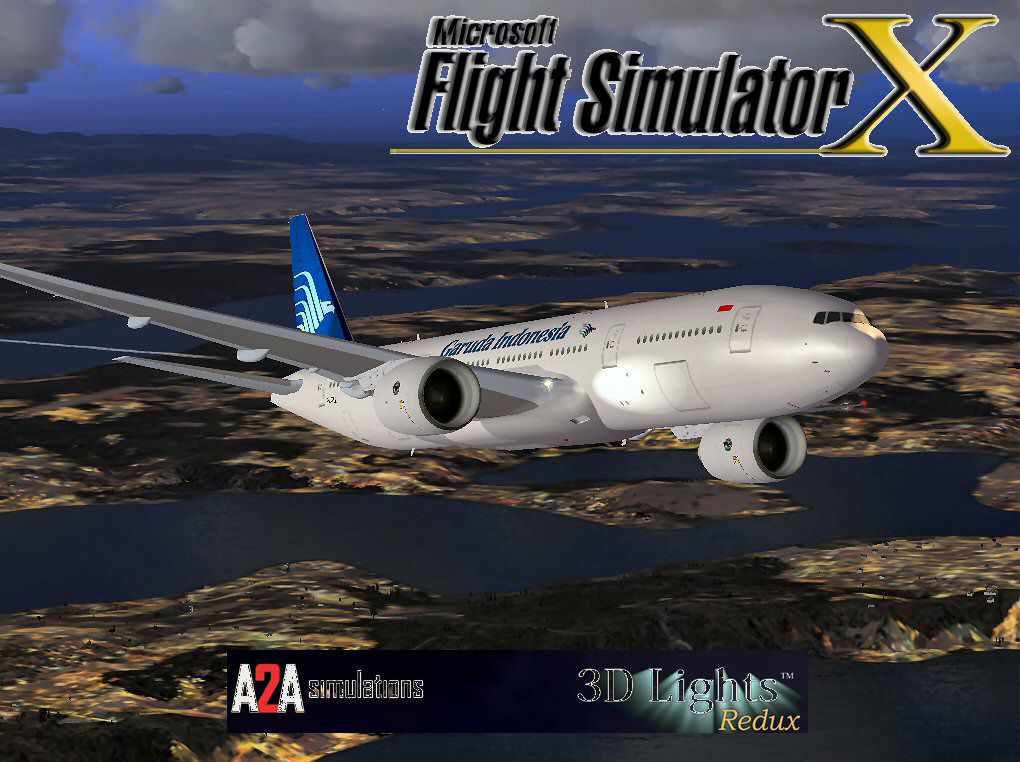
This freeware package faithfully represents a wide-body twinjet featuring Garuda Indonesia’s livery and includes its entire baseline model at no additional cost. It has been carefully optimized for FSX, ensuring a smooth experience while incorporating several enhanced elements for users seeking authenticity.
The core design was conceived by Melvin Rafi, whose original craft series was widely admired among classic simulator enthusiasts. David Grindele then converted and updated the model for FSX compatibility, refining essential dynamics to preserve the original builder’s intent.
Shift + E, you can open maintenance panels that give an unobstructed view of internal turbine components.Ctrl + J while positioned at an allocated gate, allowing a realistic ground servicing simulation typically seen during passenger boarding or deplaning.This Indonesian national carrier is renowned for operating an extensive fleet across multiple continents. Its 777-200ER series aircraft offer extended range capabilities, making them ideal for intercontinental flights. The developers have preserved the original high-resolution textures while integrating FSX-based enhancements, so cockpit displays and external views appear crisp and detailed.
When tested on Windows Vista (32-bit) and Windows XP systems, the aircraft displayed reliable performance without major issues. The developers have not reported significant compatibility concerns, but it is advisable to maintain up-to-date simulator configurations for the best possible outcome.
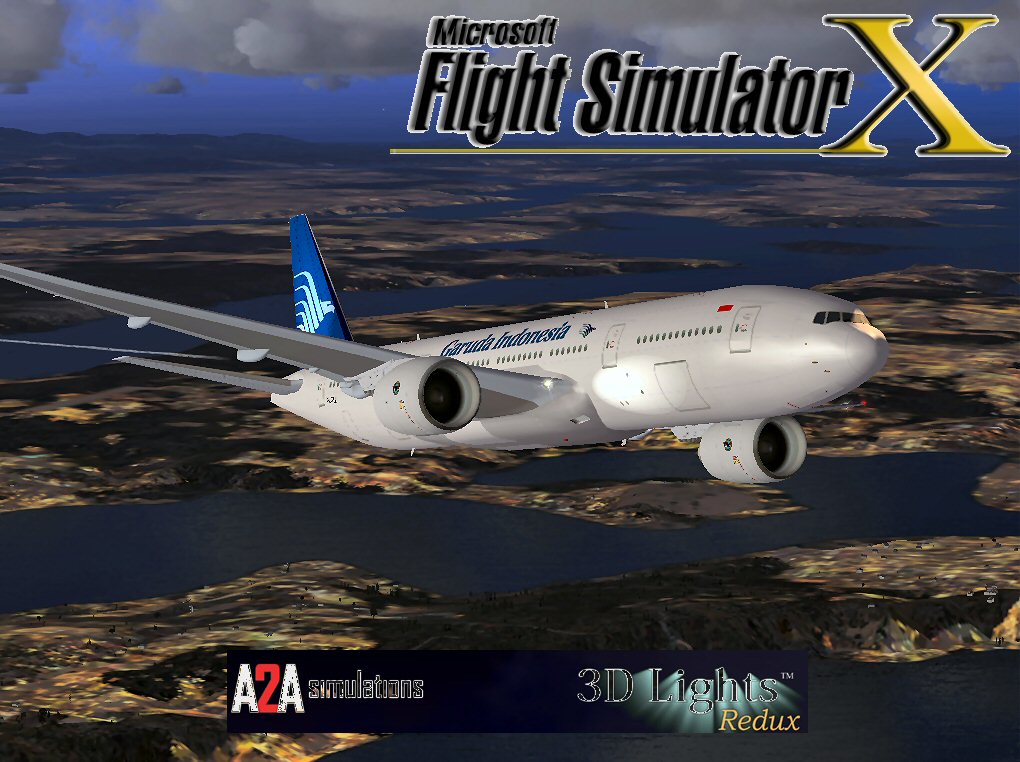
Garuda Indonesia Boeing 777-200ER.
This release helps preserve the work that started in earlier flight sim generations while bringing it up to contemporary FSX standards. The visual fidelity and refined performance reflect countless hours of experimentation by the creators, Melvin Rafi and David Grindele. Thanks to their dedication, sim pilots now have a reliable long-haul option to explore the skies under Garuda Indonesia’s flag in FSX.
Free for all simmers · 54.67 MB · Scanned clean Oct 2026
Download speed: Free tier is capped at 0.5 Mbps (this file takes approximately 15 mins at the cap). PRO members download at full line speed.
FSX\SimObjects\Airplanes\. The folder must contain an aircraft.cfg file. Effects go into FSX\Effects\; gauges go into FSX\Gauges\.readme.txt or README file. It tells you exactly where files go, what dependencies are needed, and any quirks specific to this add-on.The archive ga77fsx.zip has 137 files and directories contained within it.
This list displays the first 500 files in the package. If the package has more, you will need to download it to view them.
| Filename/Directory | File Date | File Size |
|---|---|---|
| Boeing 777-200 Garuda - PW | 12.08.09 | 0 B |
| aircraft.cfg | 12.07.09 | 22.14 kB |
| Boeing777-200-MR-MKIII.air | 07.08.03 | 8.66 kB |
| model | 12.08.09 | 0 B |
| Boeing777-200-MR-MKIII.mdl | 07.13.03 | 3.55 MB |
| Model.cfg | 11.09.02 | 41 B |
| panel | 12.08.09 | 0 B |
| 777KM.cab | 09.17.04 | 1.25 MB |
| FORWARD_LEFT.bmp | 08.05.00 | 335.36 kB |
| forward_right.bmp | 08.11.00 | 769.05 kB |
| LEFT.bmp | 08.11.00 | 140.55 kB |
| MAIN.bmp | 09.17.04 | 5.49 MB |
| OVERHEAD.bmp | 09.16.04 | 2.70 MB |
| panel.cfg | 11.17.09 | 8.12 kB |
| PEDESTAL.bmp | 09.16.04 | 1.09 MB |
| REAR.bmp | 07.25.00 | 733.47 kB |
| REAR_LEFT.bmp | 07.27.00 | 582.27 kB |
| REAR_RIGHT.bmp | 07.24.00 | 680.04 kB |
| right2.bmp | 08.10.00 | 606.57 kB |
| Thumbs.db | 12.07.09 | 21.50 kB |
| Readme.txt | 08.09.04 | 324 B |
| sound | 12.08.09 | 0 B |
| A_COMB_1.wav | 12.12.04 | 728.63 kB |
| A_COMB_2.wav | 12.12.04 | 728.63 kB |
| A_COMB_3.wav | 12.12.04 | 728.63 kB |
| A_COMB_4.wav | 05.07.05 | 691.51 kB |
| A_EFSC.wav | 09.27.05 | 325.45 kB |
| A_JT8D_0.wav | 06.04.04 | 209.46 kB |
| A_JT8D_1.wav | 05.01.05 | 1.69 MB |
| A_JT8D_2.wav | 01.19.06 | 605.39 kB |
| A_JT8D_3.wav | 02.11.06 | 418.02 kB |
| b_COMB_1.wav | 12.12.04 | 728.63 kB |
| B_COMB_2.wav | 12.12.04 | 728.63 kB |
| B_COMB_3.wav | 12.12.04 | 728.63 kB |
| B_COMB_4.wav | 05.07.05 | 691.51 kB |
| B_EFSC.wav | 09.27.05 | 325.45 kB |
| b_JT8D_0.wav | 06.04.04 | 209.46 kB |
| b_JT8D_1.wav | 05.01.05 | 1.69 MB |
| b_JT8D_2.wav | 01.19.06 | 605.39 kB |
| B_JT8D_3.wav | 02.11.06 | 418.02 kB |
| FLAPS.wav | 08.22.03 | 210.75 kB |
| GEARDOWN.wav | 02.17.06 | 1.96 MB |
| gearup.wav | 02.17.06 | 1.98 MB |
| NEWWIND.WAV | 03.29.04 | 858.65 kB |
| reverser,BBN2T.wav | 01.19.06 | 1.79 MB |
| reverser.wav | 12.27.05 | 1.81 MB |
| Sound.cfg | 02.17.06 | 14.99 kB |
| touchc.wav | 01.06.99 | 286.01 kB |
| touchl.wav | 09.10.98 | 14.22 kB |
| touchr.wav | 07.01.97 | 10.85 kB |
| T_COMB_SHUT.WAV | 04.01.04 | 2.32 MB |
| T_COMB_START.wav | 06.30.01 | 107.55 kB |
| T_JT8D_START.wav | 12.12.04 | 3.63 MB |
| wind.wav | 03.29.04 | 858.65 kB |
| XBAN2T.wav | 12.21.05 | 1.81 MB |
| XBBN2T.wav | 12.21.05 | 1.81 MB |
| X_A_COMB_1.wav | 05.07.05 | 693.93 kB |
| X_A_COMB_2.wav | 05.07.05 | 693.93 kB |
| X_A_COMB_3.wav | 05.07.05 | 693.93 kB |
| X_A_COMB_4.wav | 02.04.06 | 325.45 kB |
| X_a_EFSC.wav | 01.16.06 | 648.45 kB |
| X_A_JT8D_0.wav | 02.04.06 | 325.45 kB |
| X_a_JT8D_1.wav | 02.04.06 | 325.45 kB |
| X_A_JT8D_2.wav | 02.04.06 | 669.99 kB |
| X_a_JT8D_3.wav | 02.04.06 | 669.99 kB |
| X_A_REVRS.wav | 09.16.99 | 108.81 kB |
| X_b_COMB_1.wav | 05.07.05 | 693.93 kB |
| X_b_COMB_2.wav | 05.07.05 | 693.93 kB |
| X_b_COMB_3.wav | 05.07.05 | 693.93 kB |
| X_B_COMB_4.wav | 02.04.06 | 325.45 kB |
| X_B_EFSC.wav | 12.21.05 | 1.81 MB |
| X_b_JT8D_0.wav | 02.04.06 | 325.45 kB |
| X_b_JT8D_1.wav | 02.04.06 | 325.45 kB |
| X_b_JT8D_2.wav | 02.04.06 | 669.99 kB |
| X_b_JT8D_3.wav | 02.04.06 | 669.99 kB |
| X_B_REVRS.wav | 09.16.99 | 119.31 kB |
| X_T_COMB_START.wav | 03.17.05 | 693.93 kB |
| X_T_JT8D_SHUT.WAV | 09.19.04 | 3.98 MB |
| X_T_JT8D_START.wav | 03.31.04 | 3.58 MB |
| soundai | 12.08.09 | 0 B |
| soundai.cfg | 05.12.06 | 34 B |
| texture | 12.08.09 | 0 B |
| 777Cargohold_L.bmp | 12.30.02 | 256.07 kB |
| 777Cargohold_T.bmp | 12.30.02 | 256.07 kB |
| 777cockpitwindows.bmp | 12.29.02 | 257.05 kB |
| 777FuselagePort1_L.bmp | 12.30.02 | 1.00 MB |
| 777FuselagePort1_T.bmp | 08.09.04 | 1.00 MB |
| 777FuselageStar1_L.bmp | 12.30.02 | 1.00 MB |
| 777FuselageStar1_T.bmp | 08.09.04 | 1.00 MB |
| 777gear2_L.bmp | 12.30.02 | 16.07 kB |
| 777gear2_T.bmp | 01.03.03 | 1.00 MB |
| 777interior10_L.bmp | 07.11.03 | 256.07 kB |
| 777interior10_T.bmp | 07.11.03 | 256.07 kB |
| 777interior11_L.bmp | 07.11.03 | 256.07 kB |
| 777interior11_T.bmp | 07.11.03 | 256.07 kB |
| 777interior1_L.bmp | 12.30.02 | 256.07 kB |
| 777interior1_T.bmp | 08.09.04 | 256.07 kB |
| 777interior2_L.bmp | 01.07.03 | 1.00 MB |
| 777interior2_T.bmp | 01.07.03 | 1.00 MB |
| 777interior3.bmp | 01.07.03 | 65.07 kB |
| 777interior3_L.bmp | 07.11.03 | 1.00 MB |
| 777interior3_T.bmp | 07.11.03 | 1.00 MB |
| 777interior4_L.bmp | 01.07.03 | 4.00 MB |
| 777interior4_T.bmp | 01.07.03 | 1.00 MB |
| 777interior5_L.bmp | 07.11.03 | 1.00 MB |
| 777interior5_T.bmp | 07.13.03 | 1.00 MB |
| 777interior6_L.bmp | 07.11.03 | 1.00 MB |
| 777interior6_T.bmp | 07.13.03 | 1.00 MB |
| 777interior7_L.bmp | 07.11.03 | 1.00 MB |
| 777interior7_T.bmp | 08.09.04 | 1.00 MB |
| 777interior8_L.bmp | 07.11.03 | 256.07 kB |
| 777interior8_T.bmp | 07.11.03 | 256.07 kB |
| 777interior9_L.bmp | 07.11.03 | 256.07 kB |
| 777interior9_T.bmp | 07.11.03 | 256.07 kB |
| 777LandingGear01.bmp | 12.30.02 | 257.05 kB |
| 777Tail_L.bmp | 12.30.02 | 1.00 MB |
| 777Tail_T.bmp | 08.09.04 | 1.00 MB |
| 777Wing1_L.bmp | 12.30.02 | 16.07 kB |
| 777Wing1_T.bmp | 07.05.03 | 1.00 MB |
| 777Wing2_L.bmp | 12.30.02 | 16.07 kB |
| 777Wing2_T.bmp | 01.02.03 | 1.00 MB |
| Powerplant-PW4090-Exterior_L.bmp | 12.30.02 | 16.07 kB |
| Powerplant-PW4090-Exterior_T.bmp | 01.02.03 | 1.00 MB |
| Powerplant-PW4090-Fan.bmp | 11.22.01 | 65.05 kB |
| Powerplant-PW4090-FanShaft.bmp | 12.01.02 | 65.05 kB |
| Powerplant-PW4090-FanShaftMotion.bmp | 11.30.01 | 65.05 kB |
| Powerplant-PW4090-Interior_L.bmp | 12.30.02 | 16.07 kB |
| Powerplant-PW4090-Interior_T.bmp | 07.13.03 | 1.00 MB |
| Thumbnail.jpg | 12.07.09 | 10.49 kB |
| Thumbs.db | 12.07.09 | 20.50 kB |
| Thumbs.db | 12.07.09 | 6.00 kB |
| file_id.diz | 12.08.09 | 1.83 kB |
| Gareuda Indonesia B777.jpg | 12.07.09 | 151.91 kB |
| Install.txt | 12.08.09 | 1.37 kB |
| GA77FSX | 12.08.09 | 0 B |
| flyawaysimulation.txt | 10.29.13 | 959 B |
| Go to Fly Away Simulation.url | 01.22.16 | 52 B |
Only PRO members can place votes.
More FSX & P3D add-ons hand-picked based on this download.
FSX Civil Aircraft
Experience an authentic rendition of Garuda Indonesia’s Boeing 777-300ER, met…
 FSX Civil Aircraft
Garuda Indonesia Boeing 777-200 LR, registration PK-GIA (fictional). Textures…
 FSX Civil Aircraft
FSX Garuda Indonesia Boeing 737-800, registration PK-GEE. Textures only for t…
 FSX Civil Aircraft
Garuda Indonesia Boeing 737-800, registration PK-GMA. A repaint of the defaul…
 FSX Civil Aircraft
This high-fidelity repaint brings Garuda Indonesia’s Boeing 737-8U3 (registra…
 FSX Civil Aircraft
Garuda Indonesia Boeing 747-400X (new livery), registration PK-GSG. Textures …
 FSX Civil Aircraft
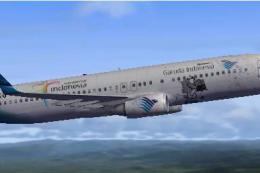
Textures only. By Adhit Septiady. Screenshot of Garuda Indonesia Boeing 737-8…
 FSX Civil Aircraft
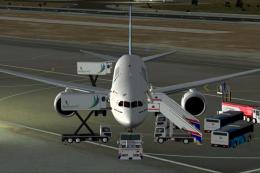
Garuda Indonesia Boeing 787-800 (fictional), registration PK-GAA. Textures on…
Read what other simmers think, or add your own.
