


 FSX Scenery
Trinidad And Piarco Airport
Works with the Caribbean meshs in LOD 10 (MESHANTILLES.ZIP). Features redesig…
Ron And Mollys Airport (3AK3) brings Songlo, Alaska to life with a carefully placed backcountry strip, custom ground textures, and buildings that match the rugged terrain for rewarding bush operations in Microsoft Flight Simulator X. Six extra parking positions expand ramp options while preserving the airfield’s compact, mountain-framed layout.
 Rate
Rate
 United States of America
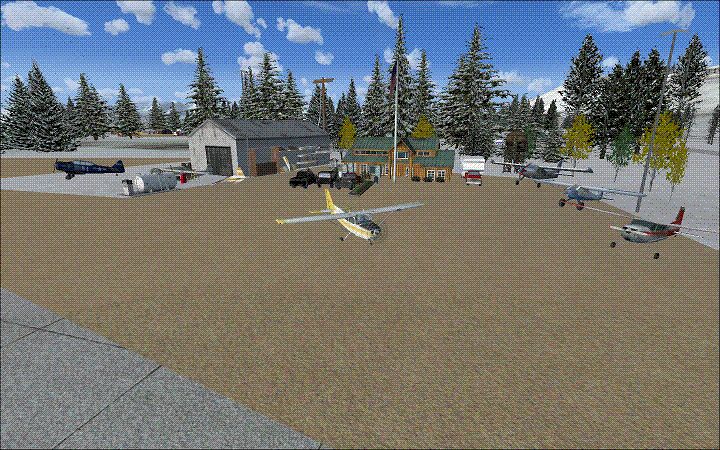
Experience the rugged beauty of Songlo, Alaska, with this freeware scenery upgrade created by Ron and Molly for Microsoft Flight Simulator X. Their custom rendition of Ron And Mollys Airport (3AK3) introduces a detailed environment that enhances virtual bush flying in this remote region. Although it comes with a few minor limitations, this scenery emphasizes authentic layout elements and adds additional spawn gates for expanded apron operations.
Every structure and surface has been meticulously arranged to reflect the real-world topography in rural Alaska. The airport’s compact runway alignment is a unique feature that simmers can appreciate when maneuvering small aircraft in the shadows of vast mountains. Ron and Molly built this layout with SP2 in mind, making it important to note its optimized performance under that configuration.
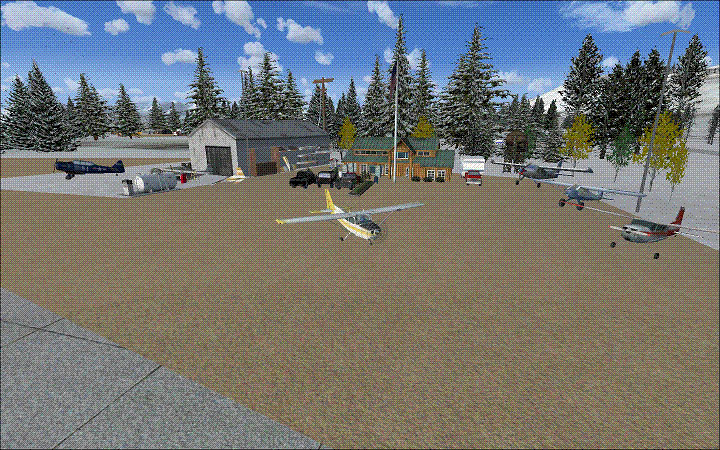
Screenshot of Ron And Mollys Airport Scenery.
Ron and Molly have identified a couple of bugs. First, AI traffic currently will not function, primarily due to the airfield’s specialized approach limitations. Also, gate 4 might lower the aircraft a fraction of an inch below the surface, mirroring a minor real-world elevation quirk. While these nuances do not affect normal operation, they are worth keeping in mind.
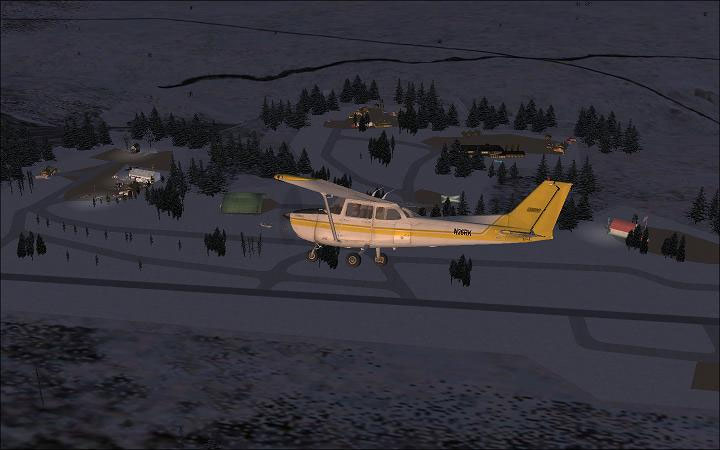
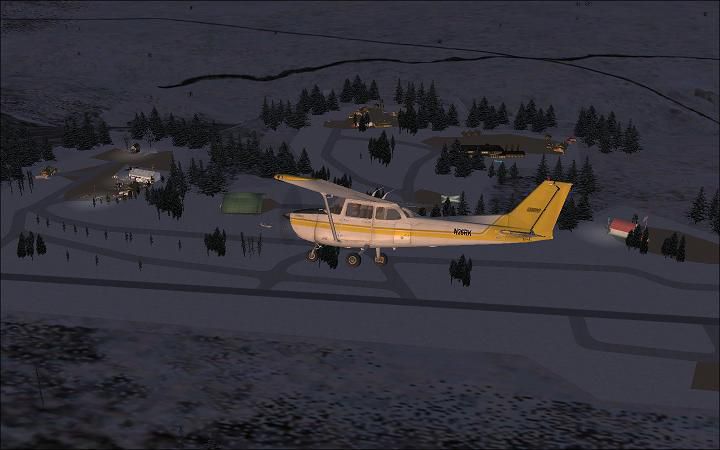
Screenshot of Ron And Mollys Airport Scenery at night.
To install, simply drop the three .bgl files into your “Addon Scenery\scenery” folder under the main Microsoft Flight Simulator X directory. Once placed, the newly designed layout for 3AK3 will appear in your sim’s airport selection menu. Be aware that a quick reload of scenery or a restart of the simulator may be required for everything to display properly.
This enhancement comes with no guarantees beyond providing an unconventional Alaskan flying experience. Users assume all risks associated with installing or modifying their simulator setup. By merging thoughtful design with grid-like accuracy, Ron and Molly have ensured that bush flyers can enjoy refreshingly remote operations with a finely detailed airfield that stands out in the simulator’s northern territories.
Free for all simmers · 137.04 KB · Scanned clean Oct 2026
Download speed: Free tier is capped at 0.5 Mbps. PRO members download at full line speed.
FSX\Addon Scenery\ containing scenery and texture sub-folders.readme.txt or README file. It tells you exactly where files go, what dependencies are needed, and any quirks specific to this add-on.Use these coordinates to fly directly to this location once the mod is installed.
60.47440000,-151.11700000
Launch FSX or Prepar3D and use Flights → Load to open the downloaded .pln file. Your aircraft will be positioned at this location.
The archive rm_3ak3_d-1.zip has 8 files and directories contained within it.
This list displays the first 500 files in the package. If the package has more, you will need to download it to view them.
| Filename/Directory | File Date | File Size |
|---|---|---|
| READ_ME_NOW.txt | 02.25.11 | 423 B |
| RM_3AK3.BGL | 02.25.11 | 4.57 kB |
| RM_3AK3_Auto.bgl | 02.25.11 | 13.40 kB |
| RM_3AK3_CVX.bgl | 02.25.11 | 737 B |
| 2011-2-26_3-37-58-8.jpg | 02.26.11 | 38.52 kB |
| 3ak3thmb.gif | 02.26.11 | 91.21 kB |
| flyawaysimulation.txt | 10.29.13 | 959 B |
| Go to Fly Away Simulation.url | 01.22.16 | 52 B |
Only PRO members can place votes.
More FSX & P3D add-ons hand-picked based on this download.
FSX Scenery
Works with the Caribbean meshs in LOD 10 (MESHANTILLES.ZIP). Features redesig…
 FSX Scenery
Friday Harbor Airport And Lopez Island. This package was made using Airport D…
 FSX Scenery
FSX De Kooy And Den Helder Airport, The Netherlands (EHKD).
 FSX Scenery
Port Stewart Area And Airport, AK. Remodels the area of Stewart and Hyder, Al…
 FSX Scenery
It replaces the default C08 airport in WestCliffe, Colorado (CO). The fiction…
 FSX Scenery
Kadena AB And Okinawa Islands airstrips, southern Japan. This package contain…
 FSX Scenery
St Kitts And Nevis Scenery. A redesign of all coasts and landclass. Includes …
 FSX Scenery
Mt Washington And The Presidential Range, NH. Welcome to the Presidential Ran…
Be the first to leave a comment on this download.
Be the first to share your thoughts on this download.